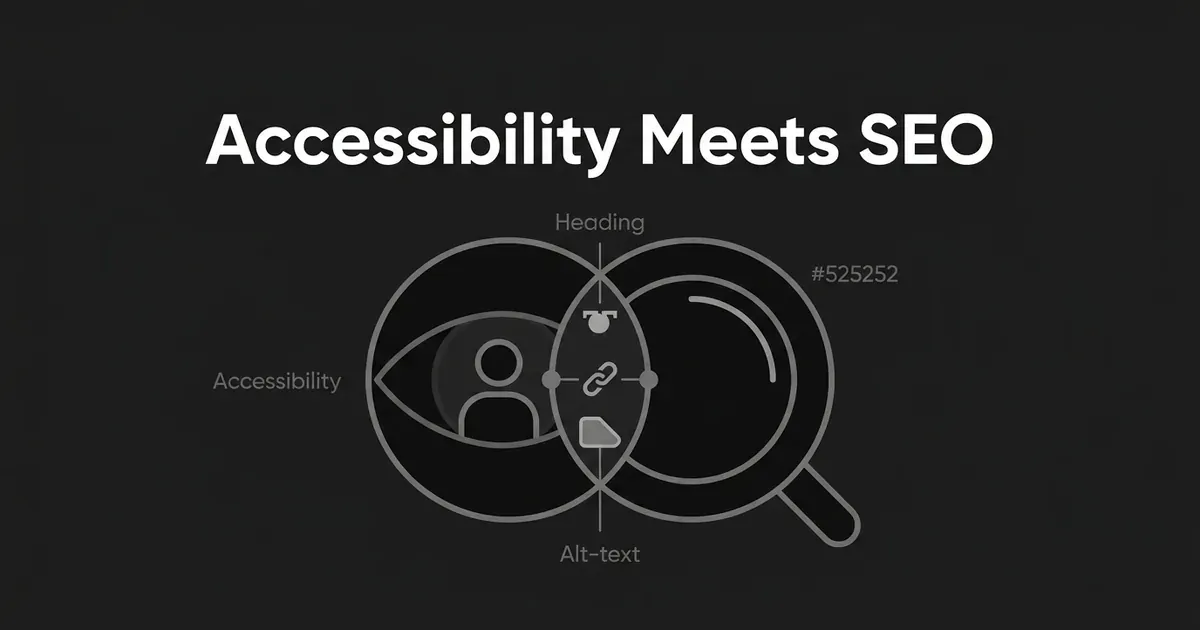
If you have ever sat in a meeting where someone asked "does making our site accessible help our SEO," the honest answer is: sometimes, and only for specific reasons, not because accessibility and SEO are secretly the same discipline. Accessibility and SEO overlap wherever descriptive, well-structured content makes a page easier for a person to understand and easier for a search system to discover and interpret. They pull apart because accessibility is about whether people with different abilities can actually use the page, while SEO is about whether that page gets found and how it shows up once it is. This piece walks through where the two genuinely share work, where they ask you to make different judgment calls, and how to tell the difference when you are the one deciding.
It helps to keep three ideas separate as you read. Accessibility is about access and use, including what the page is like for someone using a screen reader or navigating by keyboard. SEO is about search discovery and how a page performs once search systems find it. UX is the broadest of the three, and a design choice that feels pleasant or modern is not automatically accessible or search friendly just because it looks good. A page can share markup across all three goals without those goals becoming interchangeable, and mixing them up is where most of the confusion in this conversation comes from.
What the overlap actually means
The overlap is not a coincidence. Both disciplines depend on the same underlying thing: content that clearly says what it is. A screen reader needs to know what an image shows, what a heading introduces, and where a link goes. A search system needs almost exactly the same information to understand what your page is about and how it fits together. When you write a clear main heading, describe an image by what it actually contributes, and give a link text that names its destination, you are doing one piece of work that both disciplines can use.
That is the genuinely shared territory, and it is also most of what people mean when they talk about the seo accessibility overlap: alt text, headings, links, and semantic HTML. Google's own search guidance points at these same elements directly, recommending that you put the words people would search for in prominent places like your title and main heading, use descriptive alt text, and write concise, relevant anchor text. Those are also, separately, some of the clearest accessibility requirements there are. That is not SEO borrowing from accessibility or the other way around. It is two disciplines converging on the same practical habit because clear communication serves both.
Where they pull apart is just as real, and it usually shows up the moment someone treats one of those shared elements as a keyword slot instead of a description. An image's alt text is a good example. Accessibility asks what that image contributes to a reader who cannot see it. SEO pressure, applied badly, asks how many times you can fit your target phrase into that same attribute. Those two questions can have the same answer, but they do not have to, and when they diverge, the accessibility answer is the one you should follow, because the alt attribute exists for the reader, not for the crawler.
Alt text and image purpose
Start with the idea that an image's alt text should describe what the image does in that specific place on that specific page, not what it depicts in general. The W3C's guidance on this is specific: the right alternative text depends on context, not just content. A photo of a Dalmatian puppy playing fetch gets a plain, accurate description like that, not a string of related search terms stacked into the attribute. Google's own image guidance agrees, recommending useful, information rich alt text and warning against keyword stuffing.
How you write that alt text changes depending on what kind of image it is, and it helps to think through the categories rather than applying one rule to every image on the page.
An informative image, one that adds real information to the page, should have alt text that conveys the essential point of the image. If a chart shows a trend, the alt text should say what the trend is, not describe the chart's colors. A decorative image, one that adds no information at all, a background texture or a flourish, should get an empty alt attribute, written as alt="". That is not the same as leaving the attribute off entirely. Leaving it off can cause some screen readers to announce the filename instead, which is worse than saying nothing. Do not reach for a keyword here just because you have an image slot to fill. An empty alt on a genuinely decorative image is the correct choice, not a missed opportunity.
A functional image, one that is the entire content of a link or button, needs alt text that describes the action or the destination, not the appearance of the icon. A printer icon that triggers a print function should have alt text like "print this page," not "printer." A logo that links to your homepage should say something like "company home," not "company logo." This case matters for SEO too, because Google uses an image's alt text as the anchor text when that image is the link. Get the destination-focused description right and you have served both the reader and the crawler with the same sentence.
A complex image, something like a chart or a diagram carrying real data, usually cannot fit its full meaning into an alt attribute. The better move is to put that information in the surrounding text and keep the alt text as a short summary of what the image shows. Ask yourself what a reader loses if the image never loads. If the answer is a specific number or relationship, put that in the prose near the image, not crammed into the alt field.
The real tension shows up when a brief asks for your target phrase in every image's alt text regardless of what that image is. Do not do that. Use the phrase only when it honestly describes what that particular image contributes, and let the rest of the images get accurate, plain descriptions instead. Two images of the same subject in two different articles can reasonably have different alt text, because their role on the page is different each time.
Headings, links, and semantic HTML
Headings do two jobs at once, and both jobs depend on the same underlying markup. For a person using a screen reader, real HTML heading elements let them jump between sections and understand how the page is organized, the way a sighted reader scans a page visually. A line of bold, oversized text that only looks like a heading does not do that job, because there is no heading element behind it for the assistive technology to read.
For search, Google's guidance recommends putting the words people would use to find your content in prominent places, including the title and the main heading. In practice, that means the same heading that gives a screen reader user a clear, navigable outline is often the same heading that gives search a clear signal about what the page covers. A main heading that accurately names the page's subject, followed by section headings that describe what is actually in each section, serves both jobs without any special effort.
What it does not do is guarantee a ranking result. There is no evidence behind the idea that a specific number of H1 tags or a keyword repeated in every H2 produces a measurable ranking gain. Heading levels describe structure. They are not six tiers of SEO weight, and treating them that way usually produces headings that read worse for a person and do nothing extra for a search system.
Links work the same way. Google's crawling guidance is specific about mechanics: it generally discovers a link when it is a real HTML <a> element with an href attribute, and links built other ways, in formats that do not resolve to that markup, often do not get picked up at all. Google also recommends concise, descriptive anchor text, and its own documentation says plainly that there is no magic ideal number of links on a page, so do not chase a link count as if one existed.
The accessibility side asks a related but distinct question about the same link: can a person tell where it goes from the link text itself, or from the sentence around it. The W3C's link purpose guidance says link text should make sense on its own whenever possible, though it also recognizes that surrounding context, the rest of the sentence or the list item the link sits in, can make a short link clear enough. A repeated, contextless "read more" link scattered across a page is a poor choice on both counts: it tells an assistive technology user nothing about where they are headed, and it gives a search system nothing useful to associate with that destination. Swap it for a short phrase that actually names where the link leads, and you have improved the page for a reader and given search a clearer signal in the same edit.
None of this makes semantic HTML a stand in for general readability. A heading element and a real link element carry a specific role that no amount of visual styling can replicate for assistive technology, and getting those elements right is not the same claim as saying your whole interface works for every visitor. Keep the two claims separate: markup carries structural meaning, and structural meaning is not the entirety of accessibility.
Where the goals diverge
Once you separate the shared mechanisms from the goals behind them, most of the friction people describe between accessibility and SEO turns out to be a friction between good and bad instructions, not between the two disciplines themselves. A few decisions come up often enough that it helps to name them directly.
On a decorative image, the accessibility question is whether announcing anything would add information or just noise for someone using a screen reader. The instinct under SEO pressure is to fill every image slot with a search term regardless. The sound call is to use an empty alt when the image really is decorative, and save real descriptions for images that carry real information.
On an image that is also a link, accessibility asks what action or destination the user needs to know. The SEO shortcut is to describe what the icon looks like, or to slip in a product keyword that has nothing to do with the destination. The better move names the destination or the action, which doubles as strong anchor text for search at the same time.
On headings, accessibility asks whether a reader can follow a coherent outline and predict what each section covers. The SEO shortcut styles arbitrary text to look like a heading, or repeats an exact match phrase across every H2 regardless of whether it fits. The sound call uses real heading elements with clear labels that describe the section, in a logical order.
On internal links, accessibility asks whether the destination is understandable from its context. The SEO shortcut piles on identical, keyword heavy anchor text wherever it can. The better approach uses concise, varied, accurate labels only where the linked page genuinely helps the reader, with no fixed quota to hit.
On visual presentation more broadly, it is tempting to assume a clean, modern looking layout proves both accessibility and SEO quality. It proves neither on its own. Whether information is available to someone who cannot perceive the visual treatment is a separate question from whether the layout looks good, and both are separate again from whether the page performs well in search.
That last point generalizes: a good search ranking is not proof that a page is accessible, and an accessibility fix is not a guaranteed ranking boost. These are decision tensions, not evidence that the two disciplines are working against each other. Most of the time, useful alt text and meaningful headings do not require you to choose one goal over the other. The conflict only shows up when a narrow instruction, "always add a keyword here," overrides the actual purpose of the image, heading, or link in front of you.
What a marketing lead should judge separately
It is worth being precise about what the evidence actually supports here, because this is a topic where it is easy to overstate the connection in either direction. A widely reported 2022 statement from Google's John Mueller said accessibility improvements do not directly affect a site's Google rankings. Read that narrowly: it is a statement about a direct ranking factor, not a claim that an inaccessible page faces no downstream problems. An inaccessible page can still be harder to understand or navigate, which can hurt how people use it even if nothing about that shows up as a specific ranking signal.
The same caution applies to AI search. Google's own documentation on its generative search features says its systems retrieve relevant pages from search and use information from them to build grounded answers. That is a reasonable argument for keeping your important facts in clear, crawlable page content, because a system built on retrieval needs something coherent to retrieve. It is not evidence that a passing accessibility score or a well formed alt attribute independently causes an AI Overview citation, and there is no established mechanism connecting a specific accessibility fix to a specific AI citation outcome. Treat the AI search connection as a sensible extension of writing clear, well structured content, not as a documented ranking lever.
So what should you actually do with this. A useful way to think about web accessibility seo work is as two separate things you are responsible for, not one thing wearing two names. Write alt text, headings, and link text the way a person would want them, because that habit happens to serve search too. Do not chase a heading formula, a link count, or a keyword density target that has no real backing, and do not let anyone tell you a WCAG pass is a ranking signal, because it is not one. Review the two goals with two different checklists, even when a single well made piece of content quietly satisfies both.