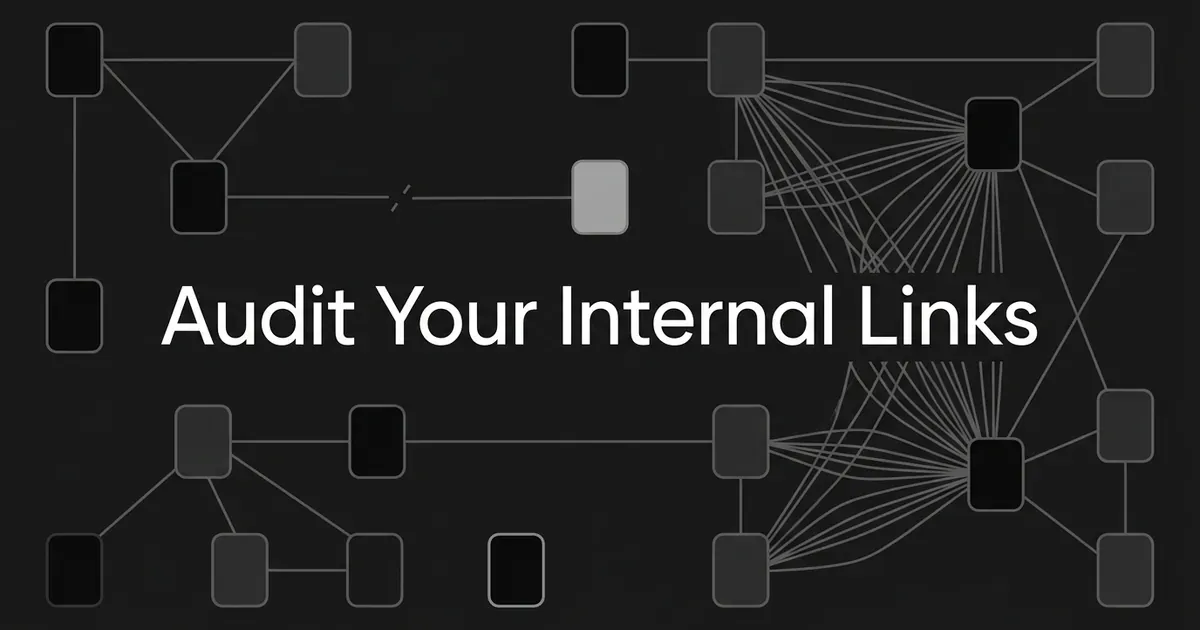
You have pages nobody can reach, links that go nowhere, and no clear sense of which ones matter. That is what an internal link audit is for. This guide is how to audit internal links across a site you already have: seven steps that turn your link structure into a list of problems you can rank and hand to someone. By the end you will know which important pages are buried, which have no path at all, and which fixes to do first.
You do not need to redesign your site to start. You need one crawl and a spreadsheet.
Step 1: Decide which pages actually matter
Start here, not with a tool. If you open a crawler first, you will drown in URLs and have no way to tell a real problem from a harmless one.
Write down your scope on one page. Which domain is canonical. Which subdomains and folders count. Whether you are including PDFs, paginated URLs, faceted pages, parameter variants, and staging. Excluding something is fine. Not deciding is not.
Then pull your URL inventory from more than one place: your XML sitemaps, and your CMS list if you can export one.
Now the part people skip. Name your priority pages before you look at any link counts. Use business value, organic clicks and impressions, conversions, revenue influence, the topics you want to own, and any pages already earning AI citations. Ten to fifty pages is plenty for a first pass.
Set up a working table with a row per URL and columns for: URL, page type, canonical URL, indexability, status code, crawl depth, unique inlinks, inlink sources, internal outlinks, redirect destination, example anchors, topic, funnel stage, organic performance, conversions, and what you decided to do about it. That table is your audit. Everything below fills it in.
You are done with this step when every URL has a source or a documented reason for being excluded, your priority pages are named, and your team agrees on what "important" means.
Common mistake: starting from the sitemap alone. A sitemap tells you which URLs you listed. It says nothing about whether a person or a crawler can actually reach them by following links.
Step 2: Crawl your whole site without hiding the deep pages
Now open a crawler. Screaming Frog, Sitebulb, Ahrefs Site Audit, or anything that exports source-to-target link data. The tool matters less than the export.
Start the crawl at your canonical homepage and let it follow internal links from there. In Screaming Frog, open Configuration > Spider > Limits and turn off the crawl-depth and folder-depth limits. Those limits are the reason a first crawl often looks suspiciously clean. You capped it before it found anything.
Big site? Split the crawl into segments and write down how you split it, so you can put the pieces back together later.
Run the post-crawl analysis when the crawl finishes. In Screaming Frog that is the Internal and Links tabs, and you want to keep the Crawl Depth, Unique Inlinks, percentage-of-total, status, indexability, canonical, and link-source columns.
One more thing, and it catches people out. If your site renders content with JavaScript, run a rendered crawl too. Compare the raw HTML against the rendered HTML. Links that only appear after rendering will look like missing links in an HTML-only crawl, and you will go chase a problem you do not have.
You are done when the crawl completes, the URL count looks plausible next to your CMS and sitemap counts, and your export includes both the page-level numbers and the actual source page for every internal link.
What good looks like: your important pages show up in the crawl, sit at a crawl depth of roughly 1 to 3, resolve to the canonical destination you intended, and have at least one meaningful internal source.
That 1-to-3 range is a crawler guide's working guideline, not a Google rule. Large or specialized sites often need a different shape, and no crawler publishes an acceptable number of inlinks or outlinks. Use it as a triage line, not a verdict.
Step 3: Check that links are crawlable and destinations are worth reaching
A link that renders on screen is not automatically a link a search engine can follow. Google's documented pattern is a plain HTML anchor with an href that resolves to a real URL. Anything cleverer than that is worth checking in the rendered HTML.
Flag these: empty anchors, links that only exist as click handlers, destinations that do not resolve, and links hidden from the rendered page.
Then classify every target on five things:
- HTTP response. Successful, client error, server error, redirect, timeout, or unreachable.
- Indexability. Indexable, noindex, blocked, or otherwise ineligible.
- Canonical. Self-canonical, canonicalized elsewhere, conflicting, or missing.
- Destination quality. The intended page, an obsolete page, a duplicate, something irrelevant, or a dead page.
- Link type. Contextual, navigation, template, image, breadcrumb, or footer.
Keep two separate lists. One for links that are genuinely broken. One for links that resolve fine but land on a noindex page, a duplicate, the wrong language, or a page that has nothing to do with the sentence around the link. A 200 response is not the same as a useful destination.
Redirects deserve their own thought. A permanent redirect tells Google the target has moved, and Google documents 301 and 308 as the permanent kinds. A temporary redirect is handled differently and does not say the target should take over as canonical. For your audit, two findings are enough: links you can repoint straight at the final URL, and chains or loops that need an engineer.
Do not make a blanket rule to delete every redirect. Redirects are how sites survive moves, merges, and renames. You are looking for the ones your own internal links should have skipped.
You are done when every flagged link has a failure class and a source URL, and your team can tell the difference between "broken," "redirecting," "not indexable," "canonicalized elsewhere," and "works but irrelevant."
Step 4: Measure depth and incoming links to see where authority stalls
This is the internal link analysis step, and it is mostly sorting.
Sort your crawl by Crawl Depth, highest first. Look at any important page sitting deeper than your working range. Write down the path from the homepage, not just the number. In the Screaming Frog workflow, a redirect counts as an extra hop, so a page that looks four clicks deep may be three clicks and one redirect.
Then sort Unique Inlinks from lowest to highest. Unique inlinks count each source page once, so a template that links to the same destination five times still counts as one source. That is the number you want. Look at the percentage-of-total column too if your tool has one.
Here is what you are hunting for:
- Important pages with zero or one meaningful source.
- Pages that get links only from boilerplate: footers, sidebars, related-posts widgets.
- Commercial pages buried underneath informational ones.
- Clusters with no link back to their hub, their parent topic, or the next funnel stage.
- Pages with plenty of inlinks and almost no business or organic value.
- Whole sets of links pointing at an outdated URL or a duplicate canonical.
- One section of the site hoarding links while another is stranded.
If your crawler reports a Link Score, use it as a relative signal. Screaming Frog's is a 0-to-100 metric based on incoming links and other factors like outbound links. It is not a Google score, and there is no published good number. Use it to sort weak from strong, then go read the actual paths.
Pro tip: depth and inlink counts are triage, not judgment. A login page, a legal page, or a filter page can correctly have almost no links. A core product page, or a guide that already performs, with no meaningful path to it, is a real problem. Judge each page against its job.
You are done when your internal link analysis has ranked lists of deep pages, weakly linked pages, and heavily linked pages, with their real source paths, and with important pages separated from low-priority URLs.
Step 5: Reconcile every URL list to find your orphans
An orphan page is a URL you cannot reach by following internal links from your crawl start point. It can still exist, still get traffic, still be indexed. It just has no path.
That definition is why orphan hunting is a comparison exercise, not a single report. Line your crawl up against at least four other sources: your XML sitemaps, your analytics, Google Search Console, and your CMS or database inventory.
Screaming Frog's documented workflow connects XML Sitemaps, Google Analytics, and Search Console, then runs Crawl Analysis > Start. The Orphan URLs filters show up in the Sitemaps, Analytics, and Search Console tabs, and Reports > Orphan Pages gives you one combined export with a Source column telling you which inventory each URL came from. It recommends at least a month of analytics and Search Console data, which is about having enough signal, not a threshold. A blank Crawl Depth in the Internal tab is another good tell.
Sort your candidates into buckets:
- Sitemap-only. Listed for indexing, never reached by a link.
- Analytics-only. People visited it. Your crawl never found it.
- Search-Console-only. It has impressions or clicks and no observed internal path.
- CMS-only. It exists in your publishing system and nowhere else.
- Crawl-only. Reachable internally but missing from the sitemap.
- Orphan linked from an orphan. Two stranded pages linking to each other, neither reachable from home.
Check each one by hand or with a fetch. Some orphans are old redirects, errors, removed pages, or sitemap entries that should never have been there. Some are healthy 200 pages that deserve a deliberate path. A handful of orphans is normal. The risk grows with the size of the site and the value of the pages.
You are done when every candidate is marked keep-and-connect, remove from the sitemap, redirect, noindex, or send to the orphan-fix workflow. You are diagnosing here. The full repair job is its own project.
Knowing which orphans matter means knowing what each page is for. A topic map helps. DeepSmith's Content Map crawls and enriches your sitemap, classifies every page onto a granular topic and a funnel stage, and re-checks every 24 hours so new pages fold in on their own. That will not find a broken anchor or a redirect chain, and it is not a replacement for a crawler. What it gives you is the context to say "this stranded page is our only decision-stage page on that topic," which is the difference between an orphan you fix this week and one you delete.

Step 6: Find internal link gaps and clean up your anchors
The steps above found what is broken. This one finds what is missing, and it is the part most audits never reach.
An internal link gap is a page pair where a contextual link would genuinely help the reader move from one topic to the next, and no link exists. To find internal link gaps, start with your targets, not your sources. Use your priority pages, topic hubs, product and service pages, high-converting pages, pages already earning AI citations, and the pages that should be carrying a topic you want to own.
For each target, search your crawled body text for pages that talk about that topic without linking to it. In Screaming Frog, Configuration > Custom > Custom Search does this: search your target terms in Page Text No Anchors, then add the target path with HTML and Does not contain, so pages that already link there drop out. If you store HTML or rendered HTML, Body Text (Unlinked) and n-gram analysis will surface repeated unlinked phrases too.
What comes back is an opportunity list. It is not an instruction to add every link it found.
While you are in there, read the anchors. Google's advice is anchor text that is descriptive, reasonably short, relevant to both pages, and natural. "Click here," "read more," and "this article" give a reader nothing about where they are going. Stuffing keywords is not the fix either. Read the whole sentence, because the words on either side of the anchor carry as much context as the anchor does.
Watch for chained links as well: four links sitting next to each other, which readers cannot tell apart and which strip each other of context. Screaming Frog has a Non-Descriptive Anchor Text In Internal Outlinks filter in the Links tab after link analysis, and you can inspect the lower Outlinks tab with All Links switched to Anchors.
You are done when every proposed gap has a source URL, a target URL, a reason the reader needs the target, a natural anchor concept, a location, and a check that the source does not already link there.
Prioritize the gaps where the source page already explains the target concept. Those links write themselves. Forcing a new sentence into an old post purely to hold a keyword-rich anchor is how an audit turns into busywork.
For pieces you have not published yet, this problem is solvable at the source. DeepSmith's Writer scans your enriched sitemap while it drafts and places internal links during production, so a new article arrives already connected. That covers new work, not your back catalogue, and the retrofit is its own separate job.
Step 7: Rank your fixes and check that they landed
You now have a long list. Left alone, it becomes a document nobody opens.
Score each finding on five things instead of sorting by link count: how important the destination is, whether there is evidence of demand, how severe the technical failure is, how weak the discoverability is, and how much effort the fix takes. Keep the scoring simple and visible. Do not dress an internal score up as a Google metric.
Then work the queue in this order:
- Broken internal links coming from important or high-traffic pages.
- Redirect chains, loops, and links pointing at obsolete URLs across the site.
- Important indexable pages that are orphaned or have no meaningful inlink.
- Important pages sitting too deep, or fed only by templates.
- High-value contextual gaps where an existing page already supports the target.
- Internal links pointing at canonical, noindex, blocked, duplicate, or irrelevant targets.
- Non-descriptive or chained anchors that hurt comprehension.
- Low-value pages with odd link counts, and only if they cause a real problem.
Every row needs an issue, a source, a target, the evidence, the page's importance, the section it belongs to, an owner, an effort estimate, a status, and how you will validate it.
Which pages deserve the top of that queue? Your visibility data can answer part of it. DeepSmith's AI Visibility tracks mention rate, citation rate, and share of voice per prompt and per engine, and shows which of your pages AI actually cites. A page winning citations, or one that clearly should be and is not, earns a higher place in the queue than a page nobody asks about. That is a prioritization input, not proof. An internal link change is not why a citation appeared.
After the fixes ship, recrawl the changed URLs. Confirm four things: the source now points straight at the intended destination, the target is reachable and indexable where you meant it to be, the path is discoverable from your start page, and you did not introduce a new duplicate or redirect on the way.

What an audit can and cannot tell you
Google says it uses links to find new pages and to judge relevance. So a good audit can point at weak paths, isolated pages, dead destinations, and confusing anchors with real confidence.
It cannot tell you that one link passed a fixed amount of ranking value, promise a ranking change, or reduce a page to a single authority number. Anyone selling you that certainty invented the number.
The same goes for overload. Google says plainly there is no magical ideal number of links on a page. A page is overloaded when its links are hard to tell apart, weakly relevant, repetitive, stuffed into boilerplate, or crowding out the destinations that matter. A navigation-heavy page with many useful links can be perfectly healthy. A page with six irrelevant links chained together is worse.
On AI search, keep your expectations honest. Google's guidance does not ask for special internal-link markup, AI files, or extra schema for AI Overviews or AI Mode. The ordinary requirements still apply: the page has to be indexed, eligible for a snippet, publicly accessible, and easy to find. Meeting all of that still does not guarantee a citation.
Placement inside the page seems to matter, at least directionally. One CXL study found 55% of sampled AI Overview citations came from the first 30% of the page's content, and 21% from the bottom 40%. An Ahrefs analysis found 37.9% of cited URLs also showed up in the first 10 regular results. Those are study samples, not rules, and AI results shift with the model and the query. Treat internal linking as a discoverability and context job that supports eligibility, and measure citations separately.
Your internal linking audit checklist
Paste this internal linking audit checklist into your audit doc. It is the whole workflow in one place.
Scope and crawl
- Domain, subdomains, folders, and URL types documented.
- CMS, sitemap, analytics, and Search Console sources available.
- Priority pages named, with business reasons.
- Crawl starts at the correct homepage.
- Depth and folder limits switched off.
- Segmentation recorded for a large site.
- JavaScript-rendered links tested where relevant.
- Post-crawl link analysis complete.
Technical validity
- Links use crawlable anchor-and-href markup, or verified in rendered HTML.
- Broken targets recorded with source URL and response code.
- Redirecting links, chains, and loops kept separate from true errors.
- Links to noindex, blocked, duplicate, or wrong-canonical targets identified.
- Targets resolve to the destination you intended.
Reachability and distribution
- Crawl depth reviewed against your working guideline.
- Unique inlinks sorted lowest to highest.
- Distribution or percentage-of-total reviewed.
- Source paths inspected, not just counts.
- Orphan candidates reconciled against sitemap, analytics, Search Console, and CMS.
- Blank crawl-depth URLs reviewed.
- Template-only inlinks distinguished from contextual ones.
Gaps and quality
- Priority targets have a topic or term list.
- Unlinked mentions searched, existing links excluded.
- Anchors descriptive, concise, relevant, natural.
- Generic, empty, stuffed, or chained anchors flagged.
- Overload judged on usability and relevance, not a made-up number.
Prioritization and validation
- Each finding has severity, importance, evidence, owner, effort, and a validation method.
- Broken and redirecting links triaged before anchor polish.
- Important orphans separated from intentional utility pages.
- Citation-priority pages identified from real visibility data.
- Post-change recrawl scheduled.
- Orphan repair, dilution limits, and back-catalogue retrofits handed to their own workflows.
What to do next
Take a breath. You do not have to fix all of this.
Pick the top five rows in your queue and ship them this week. Broken links from important pages first, because they are the cheapest wins and the easiest to verify. Recrawl, confirm, then come back for the next five.
Then set a rhythm. Rerun the audit after a migration, a taxonomy change, a template rebuild, or a big publishing batch. A monthly crawl for a busy blog. Quarterly for a site that barely moves. Knowing how to audit internal links is a skill you will use again, so keep your table and reuse it.
The audit is the diagnosis. Keeping links healthy afterwards is a production habit, and that is lighter work when your linking happens while the article is written instead of six months later. If you want your next fifty articles to arrive already mapped, already linked, and already tracked against the prompts your buyers ask, start a free DeepSmith trial.
One audit is a project. A linked site is a system. You are closer to the second one than you think.