

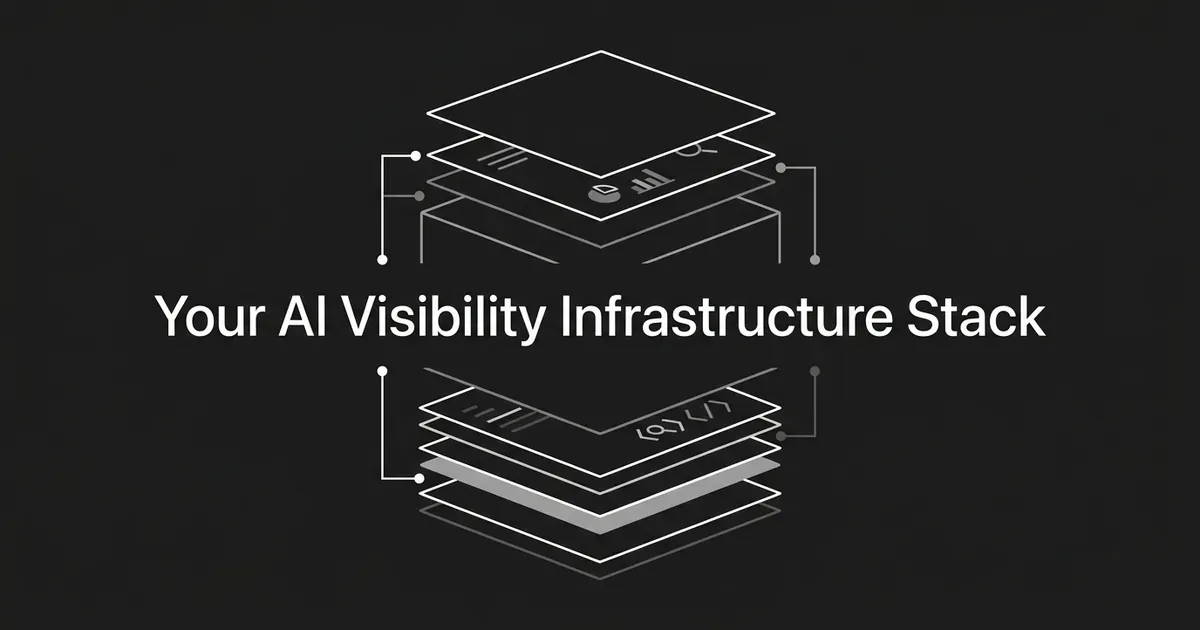
If you run content for a large team, you've probably already got a CMS, a writing tool, maybe an SEO plugin, and now someone is asking you to add AI citation tracking on top. This guide walks you through the enterprise content stack AI search programs actually need: the CMS layer, the technical layer, the production layer, and the tracking layer, plus how they should connect. Most of the AI search tooling enterprise teams end up shopping for falls into one of those four buckets, usually bought at different times by different people. By the end you'll know what each layer has to do, what to look for in a vendor, and when it makes more sense to buy one connected platform instead of stitching five tools together.
Step 1: Define what your stack has to produce
Before you look at a single vendor, write down what each layer of your stack needs to output. It's tempting to shop for tools first and figure out the requirements later, but that's how you end up with a tracker that can't talk to your CMS and a production tool that can't see what your tracker found.
Your content infrastructure AI visibility program needs five connected pieces, and each one has to answer a specific question. This is the map that keeps you from buying AI search tooling enterprise vendors pitch as all-in-one when it only covers one of the five:
- CMS and publishing. Where is content modeled, reviewed, versioned, and published? The minimum output is a canonical page with a stable URL, visible text, metadata, links, and structured data.
- Technical layer. Can search systems actually crawl and understand the page? You need crawlable, indexable pages with valid markup, internal links, canonical signals, and sitemaps that stay current.
- AI production. Can the system write using your real product facts, your persona, and your voice? The output should be a reviewable article with research behind it, proper headings, keyword coverage, links, and metadata.
- AI visibility. Which prompts, engines, pages, and competitors are producing (or costing you) visibility? You need prompt-level mention and citation data, not just a single score.
- Integration. Can a gap you find in tracking turn into a planned article without someone copying it into a spreadsheet first?
Once you've written those five requirements down, define your metrics precisely, because the words get used loosely and that causes confusion later. A mention is when an AI answer names your brand. A citation is when it links to one of your pages as a source. Share of voice is your visibility relative to the competitors you track. Page-level attribution tells you which exact pages are earning citations and which prompts are driving them. Track mentions and citations separately, because a brand can get named without a link, or linked without being named prominently.
You'll know this step is done when you have a one-page map of the five layers, a list of the AI engines you plan to track, a rough set of buyer prompts, and a clear answer to whether the stack needs to publish automatically or just hand you a reviewable draft.
Common mistake: don't define success as "rank in AI." That phrase hides too much. Ask any vendor to show you the actual prompt, the actual answer, the engine, the date, and the exact page that got cited. If a tool can only give you a single score with nothing behind it, you can't act on it.
Step 2: Choose a CMS and publishing architecture
There are three broad patterns for an enterprise CMS, and each one fits a different situation.
Traditional or managed WordPress works well when your marketers need an editorial interface they already know, and you want a managed hosting and security layer instead of running your own. WordPress VIP supports traditional, headless, and hybrid delivery, and its published packages (Standard, Enhanced, and Signature) scale from about 10 network sites up to 1,000, with uptime targets around 99.95% to 99.99% and pricing set case by case.
Headless CMS fits when your content has to reach several front ends: a website, an app, a docs portal, maybe a partner site. Contentful and Sanity are common choices here. Contentful's published tiers run from a free plan through a $300-per-month Lite tier to custom Premium pricing, with API call and bandwidth limits that grow at each level. Sanity's tiers start free, move to $15 per seat per month on Growth, and go custom at Enterprise, with usage add-ons for extra documents and bandwidth. The tradeoff with headless is that your team owns more of the rendering, preview, and integration work that a traditional CMS handles for you.
A composable DXP or suite bundles content with analytics, personalization, and sometimes commerce. It's worth it when you genuinely need those extra capabilities together, but it usually means a longer implementation and a higher price, and you may end up paying for features your content team never touches.
Whichever pattern you pick, the CMS has to support a few non-negotiables: structured content models for articles and comparisons, draft and review workflows with versioning and rollback, stable canonical URLs, an API or webhooks so other tools can publish into it, a way to preview a page before it goes live, manageable internal links, a way to insert structured data, and sitemap generation that updates automatically.
Pro tip: pick the CMS by its integration contract, not its editor demo. The real question is whether it can reliably accept content from your production tool and hand a technically complete page to whatever tracks your AI visibility.
Step 3: Build the technical discovery and structured data layer
Here's something worth knowing before you spend a dollar on "AI SEO" tooling: Google says there are no extra technical requirements for AI Overviews or AI Mode beyond the normal rules for Google Search. To be eligible as a supporting link in those AI features, a page has to be indexed and eligible to appear in ordinary search with a snippet. Meeting that bar doesn't guarantee you'll be crawled, indexed, or shown, but it is the floor.
That means the technical layer of your AEO tech stack is mostly the same technical SEO work you already know, done consistently. Skipping this layer is the most common reason an otherwise solid AEO tech stack still underperforms:
- Confirm your robots.txt, CDN, hosting, and any authentication or firewall rules aren't blocking the crawlers you actually want.
- Make sure your important content is available as real text, not locked inside a client-side interface or an image.
- Connect related pages with internal links that make sense to a reader, not just a bot.
- Keep your canonical URLs clear and your sitemap aligned with those canonical choices.
- Use structured data that describes what's actually visible on the page, nothing more.
- Generate and update your sitemaps automatically from the CMS, rather than by hand.
- Monitor Search Console for the Google side, and use a separate AI visibility tracker for how ChatGPT, Perplexity, Gemini, and other engines describe you.
On structured data specifically: Google supports JSON-LD, Microdata, and RDFa, and generally recommends JSON-LD because it's easier to implement and keep in sync at scale. Your pipeline should generate the markup from the same content model as the page, place it on the page it describes, validate it during development, and recheck it after deployment. Don't create pages just to hold markup, and don't describe anything the reader can't see on the page.
On sitemaps: a single sitemap file is capped at 50 MB uncompressed or 50,000 URLs, so a larger site needs to split into multiple sitemaps with an index. Google supports XML, RSS, Atom, and plain text formats, though XML carries the most information. Keep the file UTF-8 encoded, use full absolute URLs, and keep lastmod dates accurate when a page's main content or structured data actually changes. A sitemap is a hint to Google, not a guarantee of crawling or indexing.
Search Console's Performance report gives you clicks, impressions, click-through rate, and average position by query and page, and Google has confirmed that AI Overviews and AI Mode traffic shows up inside the regular Web search type there. That's useful, but it only covers Google. It won't tell you anything about how ChatGPT or Claude answer questions about your brand, which is why you still need a dedicated tracker for that side.
Common mistake: don't go build a special "AI.txt" file or invent your own AI-only markup as a prerequisite. Google's own guidance says no new machine-readable files or special schema are required for AI Overviews or AI Mode. Put the effort into crawl access, indexable text, internal links, accurate structured data, and reliable publishing first, because that groundwork is what everything else depends on.
Step 4: Select an AI production tool
Once your CMS and technical layer can carry a technically complete page, the next question is what writes the content that fills it. Judge a production tool by the manual work it removes, not just by how good its prose sounds in a demo.
Ask whether the tool can research a topic without inventing facts, apply your keyword coverage and heading structure as it writes rather than after, insert internal and external links, generate metadata and structured content fields, give you something reviewable with a clear revision path, and send the finished piece into your CMS through an API, webhook, or native integration.
Jasper is a common choice at this layer. Its Pro tier runs $69 per seat per month monthly, or $59 with annual billing, and covers one seat, Canvas, core marketing agents, two Brand Voices, and a handful of knowledge assets. The Business tier moves to custom pricing and adds more complex agents, unlimited Brand Voices and audiences, and API access, though the exact credit volumes and CMS integration list aren't published, so you'd confirm those in a sales conversation. Jasper is built as a marketing production platform first, not a citation tracker, so pair it with a separate visibility tool if that's part of your requirement.
DeepSmith approaches this layer differently: instead of a standalone writing assistant, Content Studio moves an idea from New Ideas through Planned Content to Produced Content, with a Writer step in the middle that researches the topic, applies your stored brand voice and product facts through Deep IQ, inserts internal and external links, generates a cover image, and produces publish-ready metadata alongside the article. Content Map, a related module, crawls your own site and your competitors' sites, sorts pages into topics and funnel stages, and surfaces coverage gaps and untapped topics that can feed straight into a content plan. Autowrite can take a scheduled idea all the way to a finished piece with nobody in the app that day, and Produced Content lets a person review, revise, and publish straight to WordPress, Webflow, Strapi, Sanity, or Contentful, or export as Markdown or HTML.
None of this guarantees a citation. What it does is remove a specific kind of manual work: re-briefing a writer on your product every time, checking headings and keyword coverage by hand, and cross-referencing your own site for internal links. Run one representative topic through whichever tool you're evaluating and check the output for a clear answer near the top, a useful heading structure, accurate product information, the keyword coverage you asked for, correct internal links, and a defined path into your CMS.
Step 5: Connect AI-citation tracking to the stack
This is the layer that tells you whether any of the above is working. Build a prompt set from real buyer questions, product categories, comparisons, and decision-stage concerns, and track that same set over time instead of running occasional manual searches in ChatGPT.
A good tracker gives you the engine and model, the prompt and its category, the full answer history (not just a score), mention rate and citation rate tracked separately, the exact cited URLs, which competitors get named or cited instead of you, and some way to export the underlying data.
Semrush's AI Visibility Toolkit sits at $99 per month per domain on its Base tier, billed annually, and covers mentions from ChatGPT, Google AI, Gemini, and Perplexity along with prompt research and an AI-readiness site audit; it's positioned as a tracking and analytics add-on to an existing Semrush setup rather than a production tool. Profound starts at $99 per month billed yearly for 50 tracked prompts and 1,500 monthly responses, moves to $399 for 100 prompts and 9,000 responses on Growth, and covers up to nine answer engines with custom Enterprise pricing. OtterlyAI runs from $29 per month for 15 prompts on Lite up to $489 for 400 prompts on Premium, with Enterprise starting around $1,000 per month, and its feature page describes coverage across seven engines including ChatGPT, Perplexity, Gemini, and Claude, though its base pricing tiers list four.
DeepSmith's AI Visibility module reports mention rate, citation rate, and share of voice by engine and over time, shows prompt-level mention and citation rates with the full answer behind each one, and includes a Pages view that shows which of your pages are cited and which prompts drive those citations, plus a competitor leaderboard showing exactly which pages beat you. Discover Prompts generates a starting set of buyer questions from your product and persona context so you're not starting from a blank sheet. DeepSmith's pricing page names ChatGPT, Gemini, Perplexity, Claude, and Google AI Mode directly, while broader product material describes coverage extending to ten engines total at higher tiers; if engine count matters to your decision, confirm the exact list for your plan before you sign anything, since the wording across DeepSmith's own materials isn't perfectly consistent on this point.
Whichever tracker you choose, remember that no monitoring tool guarantees a citation, a ranking, or traffic. It reports what's happening. What you do with that report is a separate question, which is exactly what the next step is about.
Step 6: Decide whether to stitch the stack or buy one integrated layer
A stitched-together enterprise content stack AI search program usually looks like this: a CMS, a separate AI writing tool, an SEO and structured-data checker, a visibility tracker, Search Console, some middleware to connect them, and a distribution tool for social and newsletter formats. This can be the right call when you already have a mandated CMS, strict procurement rules, a large engineering team, or highly specialized production needs that a general tool won't cover. The cost is that your team owns every handoff: mapping data between systems, keeping prompt and page identifiers consistent, handling errors, and reconciling reports that were never built to talk to each other.
The alternative is an integrated track-and-write platform, where the test isn't whether a product has both a dashboard and a text generator side by side. The real test is whether the same data actually moves through the whole loop: track a set of buyer prompts, capture the answers and citations, spot a gap or a competitor's winning page, turn that into an evidence-backed content idea, write the article using your brand and product context, publish or export it to your CMS, repurpose it for other channels, and then re-run the same prompts later to see if anything moved.
This is the part of the CMS tracking AI production tools question where DeepSmith consolidates what would otherwise be two separate purchases, and it's usually the deciding factor once a team has priced out the CMS tracking AI production tools separately and added up the integration cost. Because AI Visibility and Content Studio share the same underlying brand and site context (the same Deep IQ profile, the same crawled sitemap, the same tracked prompts), a citation gap found in tracking can become a planned article without anyone exporting a spreadsheet or re-briefing a writer on facts the platform already has. That's a meaningfully different data path than gluing a standalone tracker like Profound or Otterly to a standalone writer like Jasper, where someone still has to notice the gap, write it up, and hand it off by hand.

Ask any vendor you're evaluating, integrated or not, the same set of integration questions: which CMS destinations are native, whether publishing is direct or export-only, whether metadata and structured data survive the trip, whether prompt and citation records are exportable, and whether the same brand context actually gets reused across tracking, ideation, and writing, or whether you're re-entering it in each tool. And be skeptical of any vendor comparison you read, including one written by a vendor about itself: treat it as a description of category positioning, then test the same prompts and pages yourself across whatever you're shortlisting.
Common mistake: don't confuse "has a dashboard and a writer" with "integrated." Plenty of tools bundle two features under one login without the underlying data actually connecting. Ask to see a gap in tracking turn into a published page during a trial, not just a feature list.
Step 7: Test the complete stack before you scale
Before you roll this out across your whole content calendar, run one full acceptance test on a single product category with a small but real prompt set. Create or import the buyer prompts, run them across your chosen engines, and confirm the tool is storing the complete answer and the citation URLs, not a summarized score. Pick one gap where a competitor is winning or you're simply absent, turn it into a content idea, and generate an article using your real brand, product, and voice context. Check the result for answer-first structure, correct headings, the keyword coverage you wanted, working links, and accurate structured data. Publish it to a staging environment or a controlled CMS destination and verify the rendered HTML, the canonical URL, crawl access, sitemap inclusion, and that Search Console can inspect the page. Then confirm your distribution assets are usable, and re-run the same prompts later on your agreed schedule to see whether the answer changed.
Your stack is ready to scale when the CMS produces a technically complete page without manual repair, structured data stays aligned with the visible content after publishing, the tracker attributes citations to exact URLs, a tracked gap can become a planned piece without anyone rekeying data, and you can tell the difference between a real visibility change and something that just happened because an engine updated its own behavior.
This is what content infrastructure AI visibility maturity actually looks like in practice: good infrastructure makes the relationship between these systems explicit: the CMS owns the canonical content and publishing state, the technical layer makes it crawlable and interpretable, the production layer writes from controlled context, the visibility layer records what engines actually say and cite, and the connection between them makes the next content decision traceable to real evidence. Bad infrastructure looks like content in one system, briefs in another, publishing through a third, and tracking in a fourth, with your team stuck reconciling URLs and prompts in a spreadsheet at the end of every month.

What to do next
Start with Step 1. Write down what each of the five layers needs to produce before you look at a single vendor demo, because that document is what keeps the rest of this process honest. If the gap between what your tracker finds and what actually gets published is the real problem you're solving, a 7-day trial of an integrated platform like DeepSmith will show you, with your own prompts and your own site, whether a tracked gap can become a published page without the handoffs a stitched stack requires.
Related guides
- The Roles a Lean Content Team Actually Needs in the AI Era (Hint: Fewer Than You Think): AI handles the drafting now, so which people still matter?
- How Marketing Teams Without a Data Scientist Can Use AI for Analysis: Learn a step by step way to use AI for marketing analysis when your team has no data scientist, from one clean data table to a validated business.
- How to Choose a CMS That Can Actually Keep Up With Your Content Production Volume: You can compare traditional and headless CMS options by the workflow that decides throughput: permissions, review, versions, scheduling, and real plan limits.
- Enterprise and Agency Content Operations for AI Search: Building Teams, Stacks, and Workflows That Get Cited: See how enterprise and agency teams build the people, stack, and workflow that turn your buyer questions into content AI search engines actually cite.
- Clearscope vs Semrush Content Toolkit (ContentShake AI): Pros and Cons for AI Citations: You can see what each tool does toward getting cited in AI answers: Clearscope tracks mentions, Semrush Content Toolkit checks drafts, and neither does both.


