Here is the honest answer up front. Internal linking for AI search does not make ChatGPT, Perplexity, or Google AI Overviews cite you. Nothing does. What internal links do is change the conditions around your pages. They give crawlers a path to reach your work. They show search systems how your pages relate. They tell a reader, and a machine, what sits on the other side of a click.
That is a smaller promise than most posts make. It is also the only one the evidence supports.
If your best page is sitting alone with nothing pointing at it, no amount of writing quality fixes that. Google's own guidance says every important page should have a link from at least one other page on your site. That is the floor, not the ceiling.
This guide is the hub for the whole discipline. You will get the mechanism, the architecture, and a build sequence you can actually run. Then you will get a map of the eight jobs inside internal linking, each with a one-line description, so you know exactly where to go next.
Feeling behind on this? Almost everyone is. Let's take it one layer at a time.
What internal linking for AI search actually changes
Internal links help pages get found, understood, and retrieved. They do not decide which source an answer engine quotes.
To see why, separate the chain into its real steps. Crawling is a system reaching your URL. Indexing is that system storing and organizing it. Retrieval is pulling candidate passages for a question. Ranking is ordering them. Citation is the final act of naming a source in an answer.
Internal linking supports the early steps well. It has almost no direct grip on the last one.
Google is unusually clear here. Its guidance says AI Overviews and AI Mode run on the same foundational SEO best practices as Google Search. It recommends allowing crawling, making content findable through internal links, keeping important content in plain text, and making sure structured data matches what a reader can see. To be eligible as a supporting link in those features, a page has to be indexed and eligible to appear in Search with a snippet.
Google also says something people skip: meeting those requirements does not guarantee that it will crawl, index, or serve your page.
Bing says the parallel thing for Copilot and its grounding results. The same crawling, indexing, and ranking foundation supports both traditional and AI experiences. Discoverability, indexing accuracy, URL consolidation, content clarity, and trust signals all support eligibility for grounding and citations. Bing then states plainly that SEO and GEO do not guarantee rankings, traffic, grounding, or citations.
OpenAI's ChatGPT Search guidance says ranking uses factors meant to find reliable, relevant information, and that top placement cannot be guaranteed. For inclusion, the site needs to allow OAI-Searchbot to crawl, and the host or CDN needs to let that traffic through.
Three platforms, one message. Eligibility is real and you control a lot of it. Selection is theirs.
So what is internal linking AEO, really? It is applying sound architecture and answer-ready page structure so your pages are easy to discover, easy to place in context, and easy to retrieve. Internal linking AEO is not an official ranking factor and it is not a Google product. It is the work.
One more thing worth naming. Google says AI Overviews and AI Mode may use query fan-out, meaning several related searches across subtopics can feed one answer. That raises the value of complete, distinct coverage across connected pages. It does not prove an engine walks your internal links. Hold both ideas at once.
How pillars and spokes build topical authority
Topical authority is recognition for covering a subject completely across the questions people actually ask. It is topic-specific. It is not a site-wide badge and it is not a number Google publishes.
That last point matters, because a lot of advice quietly swaps topical authority for Domain Rating or backlink strength. Those are different things, and backlinks are outside this guide entirely.
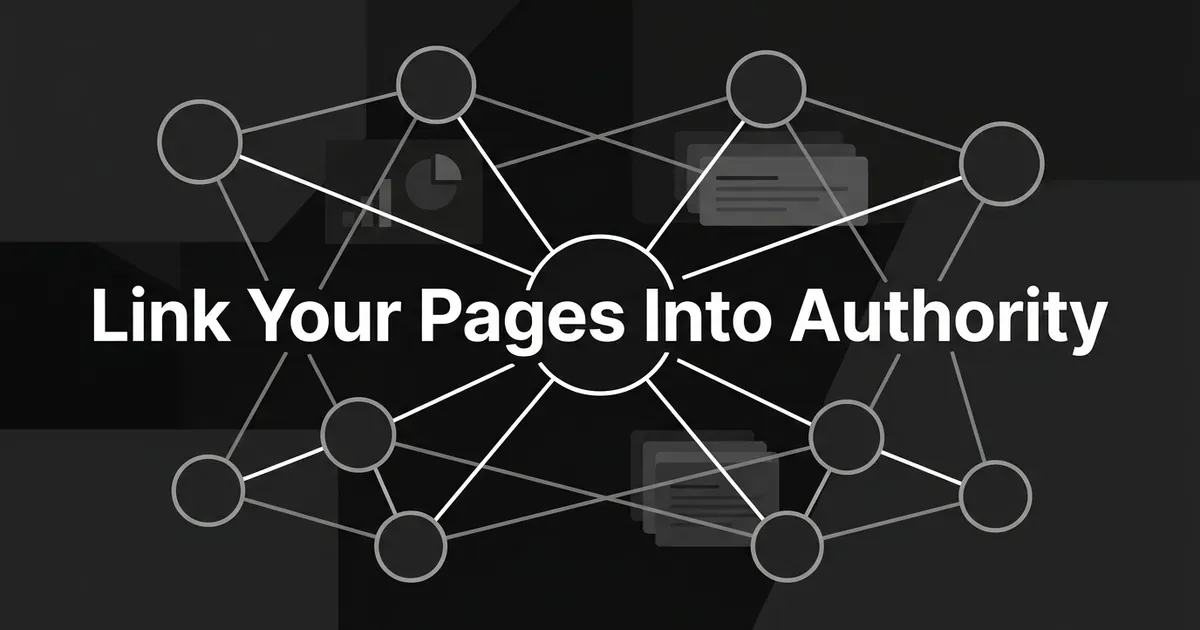
The pattern that builds coverage is hub and spoke. One broad pillar page owns the overview. Focused spoke pages each own one subquestion in depth. The pillar links out to every important spoke. Each spoke links back.
Topical authority internal links are what turn a pile of related posts into a visible structure. Without them you have ten good articles that happen to share a subject. With topical authority internal links in place you have a cluster a reader can walk and a crawler can map.
A pillar earns its role by doing six things. It defines the topic in plain language. It answers the broad question near the top. It sets the boundary of the subject. It names the subtopics that matter. It gives just enough context to orient someone. Then it routes, with one clear line per destination explaining what that page answers.
Notice what a pillar does not do. It does not repeat each spoke in miniature. A broad page that says a little about everything and nothing about anything is not a hub. It is filler with good intentions.
A spoke earns its role by having a distinct job. One question, one intent, one page. If two of your spokes answer the same thing with different wording, you do not have two spokes. You have a decision to make about which one lives.
Good news: you probably already have most of a cluster. Most teams do. The gap is usually the wiring, not the writing.
What a citation-ready site structure looks like
A citation-ready site structure has two halves. The graph between your pages, and the shape of each page a system lands on. Get one right and you are halfway there.
Start with the graph. Site architecture for AI citations should be a connected map, not a rigid one-way tree.
Here is the shape that works:
- The pillar links to each important spoke, with a short line explaining what that spoke covers.
- Every spoke links back to the pillar, so the overview stays reachable.
- A spoke links to a sibling spoke when that page is a genuine next step, prerequisite, or comparison.
- A decision-stage page can link back to an educational page when the reader needs that context, and the educational page can link forward when the next step is real.
- Every important page has at least one internal link pointing at it. Not a sitemap entry. An actual link, in an actual sentence, on an actual page.
The goal is not to make every page link to every other page. The goal is to make the relationships that matter explicit and useful.
Strict silos work against this. A hierarchy can clarify priority, and organizing similar URLs into directories can help on very large sites, but a folder is not a link graph. Blocking a relevant cross-link just to protect a folder boundary helps nobody.
Now the second half, the page itself. Architecture gets a system to your door. Page structure decides whether it can find the answer once inside.
- Put the direct answer or definition near the top of the page.
- Give each page one clear primary question.
- Use descriptive headings so the subquestions are visible without reading every word.
- Keep important facts in ordinary visible text. Do not hide the substance in an image, a hover state, or an interaction a crawler may never render.
- Write self-contained paragraphs. Name the thing instead of relying on "this" or "it," because a passage often gets retrieved out of its original order.
- Use lists, tables, and step sequences where they genuinely make relationships easier to parse.
- State scope, dates, units, and qualifications right next to the claim they qualify.
- Keep title, headings, visible copy, metadata, and structured data in agreement.
- Link to the next useful page inside a sentence that explains why it is relevant.
A citation-ready site structure should mean easy to discover, easy to understand, and easy to attribute. It should never mean writing for an imagined parser. There is no special AI schema, no AI-only file, and no hidden instruction that turns a page into a citation. Google says as much directly.
Your action this week: pick your three most important pages. Open each one and check whether the answer is in the first screen, and whether at least one other page links to it. That is the whole check.
How to connect pages without building a link maze
Use links a crawler can parse, write anchors that describe the destination, and stop when the links stop helping the reader.
Google can generally crawl a link when it is an HTML anchor element with an href attribute. A JavaScript-rendered link can still work if the resulting markup takes that form. A click handler, a styled div acting like a link, or an anchor with no usable href is not a dependable substitute.
Check that each destination resolves to the page you meant. Not a broken URL, not an accidental redirect chain, not a duplicate competing with your canonical.
On anchor text, Google's guidance is specific and refreshingly boring. Make it descriptive, reasonably concise, and relevant to both the current page and the destination. Skip generic labels like "click here" or "read more" when they say nothing about the target. Avoid anchors so long they swallow the sentence. Do not cram every related keyword in. The words before and after the link matter too, so write a real sentence around it. Image links need descriptive alt text, because that alt text can act as the anchor.
Do not chain five links side by side on isolated words. That paragraph is harder to read and every link loses the context that made it useful.
How many links is right? There is no magical ideal number. Google says so outright, and also says excessive linking can be too much. The right count depends on page length, topic, and how many genuinely useful destinations exist. One highly relevant link can beat thirty weak ones.
And your XML sitemap? Helpful for discovery, especially at scale. Not a replacement for crawlable links. Google says this plainly, and Bing treats sitemaps as support rather than a visibility guarantee. A page that matters deserves a real contextual path, not just a line in a file.
If your links currently look like a maze, do not rip it all out. Fix one cluster. Momentum matters more than perfection here.
The eight jobs inside internal linking, and where each one lives
This guide is the map. Each job below is a discipline of its own, and each one has a dedicated deep dive. Read the one-liner, find the one that matches your current bottleneck, and start there.
Cluster mapping. Identify the parent topic, the search intents inside it, the funnel stages, your existing coverage, the missing spokes, and which page should carry the pillar. This is the planning step everything else depends on.
Link mechanics. Implement crawlable links with valid destinations and working navigation paths, then check rendering, redirects, and canonical consistency. The unglamorous layer that quietly breaks everything when it is wrong.
Anchor text. Write concise, descriptive, natural anchors that tell a reader what the destination covers, without stuffing keywords or padding the sentence.
Internal-link audits. Crawl the site and inspect discoverability, incoming and outgoing links, broken destinations, crawl depth, and whether each link is actually relevant.
Orphan-page fixes. Find valuable URLs with no internal link pointing at them, then add the one best contextual path instead of dumping every orphan into a generic index page.
Link dilution. Protect clarity by avoiding unnecessary, repetitive, or tightly chained links. There is no universal ideal count, so this is a judgment discipline, not a formula.
Measurement. Track technical health, page discovery and indexing, rankings, AI mentions, citations, cited URLs, and business outcomes as separate signals rather than one blended score.
Retrofits. Revisit existing related pages after you publish a new spoke, add useful links in both directions, and keep the cluster current as coverage changes.
Not sure which to pick? Start with the audit. You cannot fix a graph you have not looked at.
A build sequence you can run
You do not need all eight at once. You need them in order. Here is the sequence.
Step 1: Define the topic and the job of each page
Start with your audience's main problem and the questions that make up the subject. Decide what each page is: an overview, a how-to, a comparison, a definition, or a decision-stage resource. Assign one primary intent per URL.
Good looks like one broad pillar owning the overview while each spoke owns a distinct subquestion. Bad looks like four pages answering the same question with different wording while a genuinely useful subtopic has no page at all.
Step 2: Inventory and map what you already have
List the relevant URLs with their topic, stage, purpose, status, and current incoming and outgoing internal links. Group the related ones. Mark the intended pillar, the spokes, the supporting pages, the duplicates, and any valuable page with nothing pointing at it.
Look at coverage and relationships together. A topic with twelve awareness posts and no decision-stage page is not complete. It is lopsided.
Step 3: Choose the hub and draw the paths
Pick the page that can credibly cover the broad subject. Build the pillar-to-spoke links, the spoke-to-pillar links, and only the sibling links that make a reader's next step obvious.
Keep important pages easy to reach from the homepage or a relevant section. Do not hide your architecture behind a search box or a menu a crawler cannot use. Treat click depth as a diagnostic rather than a rule, and prioritize short clear paths for the pages that matter most.
Step 4: Add links during creation, then retrofit the old pages
When you write a new page, decide two things before you publish. Which existing pages should link to it, and which pages should it link to. Place each link where the paragraph naturally sets up the next resource.
Then go back to the older relevant pages. A new spoke that nothing links to is an orphan you created on purpose.
This is the step most teams skip, and it is usually a time problem, not a knowledge problem. If internal linking eats an hour of every article, it will keep getting dropped when the week gets busy.
That is where a production system helps. DeepSmith's Content Studio scans your enriched sitemap and inserts up to 5 strategically placed internal links while the article is being generated, so the linking happens during creation instead of becoming a post-draft chore. You still review whether each target and anchor genuinely serves the reader. The system removes the cross-referencing, not the editorial judgment.
Step 5: Validate technical accessibility
Before publishing, check that:
- The link is a real anchor with a usable href.
- The destination resolves to the intended canonical page.
- The target is not broken, unintentionally redirected, or blocked.
- The important content is present as visible text.
- The page is not accidentally excluded by a robots or indexing directive.
- The title, headings, copy, metadata, and structured data agree.
- The page can be reached from another relevant page, not only from a sitemap.
- The relevant crawler and your CDN or host can both access it.
Use a crawler for graph and link health. Use Search Console's URL Inspection Tool for Google's view of a single page. Use the relevant webmaster tools for platform-specific access and citation reporting. Tools change, so learn the purpose of each check rather than memorizing an interface.
Keep your access controls intentional. Googlebot, Bingbot, and OAI-Searchbot have different controls and behavior. Bing's guidance separates robots.txt crawl control from indexing control and describes NOINDEX as the way to keep a URL out of Bing, Copilot, or grounding results. Allowing one crawler does not enable every answer engine.
Step 6: Format for retrieval without gaming it
Lead sections with direct answers. Use explicit names instead of vague pronouns. Keep one idea per paragraph where you can. Put each qualification next to the claim it qualifies. Use lists or tables when they genuinely improve comprehension.
Do not add hidden text, prompt instructions, fake citations, or machine-only files. Google says no special AI optimization is required. Bing warns against attempts to manipulate language models. A clear answer that satisfies a human is a stronger standard than formatting for a hypothetical parser.
Step 7: Re-crawl, observe, and update
After you publish or substantially change a cluster, re-crawl that section. Confirm the new page has incoming links, the intended links are live, and no important path was lost. Recheck indexing, then watch both traditional performance and AI citation outcomes over time.
Record the date and the exact prompt when you check an AI answer. Responses vary across systems and across runs, so an undocumented observation is not a baseline.
How to measure it without fooling yourself
Track four separate layers. Blending them into one "AI SEO" number is how teams end up confident and wrong.
Architecture health: important pages with incoming links, orphan count, broken destinations, crawl depth, anchor coverage, and redirect or canonical problems.
Search visibility: indexed status, impressions, clicks, queries, and rankings for the relevant pages.
AI visibility: mention rate, citation rate, which page was cited, which prompt, which engine, on what date, and which competitor source showed up instead.
Content quality and outcomes: engagement, assisted conversions, qualified leads, and whether readers actually reach the next useful page.
Run a before-and-after comparison when you can. Do not claim causation from a link change alone. Content edits, seasonality, indexing delay, model updates, query wording, and platform sampling all move these numbers.
Bing's AI Performance report, launched as a public preview on February 10, 2026, is a good illustration. It reports total citations shown as sources in AI answers, average cited pages, grounding queries, and page-level citation activity. The announcement is careful to say that total citations do not show placement in an answer, that average cited pages do not show ranking or authority, and that page-level activity does not show page importance. Those are observations, not explanations.
If tracking this by hand sounds like another job you do not have time for, that is fair. DeepSmith's AI Search Visibility area reports mention rate, citation rate, share of voice, sentiment, and visibility trends, along with which of your pages get cited and which prompts drive them. Its Content Map crawls and classifies your pages into topics and funnel stages and rechecks sitemaps every 24 hours, which is the same coverage map step 2 asked you to build. It operationalizes the workflow. It does not prove a causal lift, and you should be suspicious of anything that claims to.
What internal linking can and cannot promise
It can make your important pages reachable, give search systems context about how they relate, keep your best work out of orphan status, and make your coverage of a topic legible instead of accidental.
It cannot guarantee a crawl, an index, a retrieval, a ranking, or a citation. No platform source promises that, and the three that matter most all say the opposite in writing.

That boundary is not a reason to skip the work. It is the reason to do the work well and measure it honestly. Eligibility is the part you own. Selection is the part you influence and never control.
Here is your short checklist:
- Every important page has at least one contextual internal link pointing at it.
- Your pillar routes to every spoke, and every spoke routes back.
- Anchors describe their destination in plain words.
- Links are real anchors with working hrefs and correct canonical targets.
- The direct answer sits near the top of every page.
- Your sitemap supports discovery, it does not replace your links.
- You measure architecture, search, AI visibility, and outcomes separately.
Pick one line. Fix it this week. Then pick the next.
If internal linking keeps falling off your list because the manual cross-referencing eats the hour you did not have, it is worth seeing what it looks like when linking happens during writing instead of after it. You can start a 7-day DeepSmith free trial and watch a real article get produced with its links and metadata already in place.