

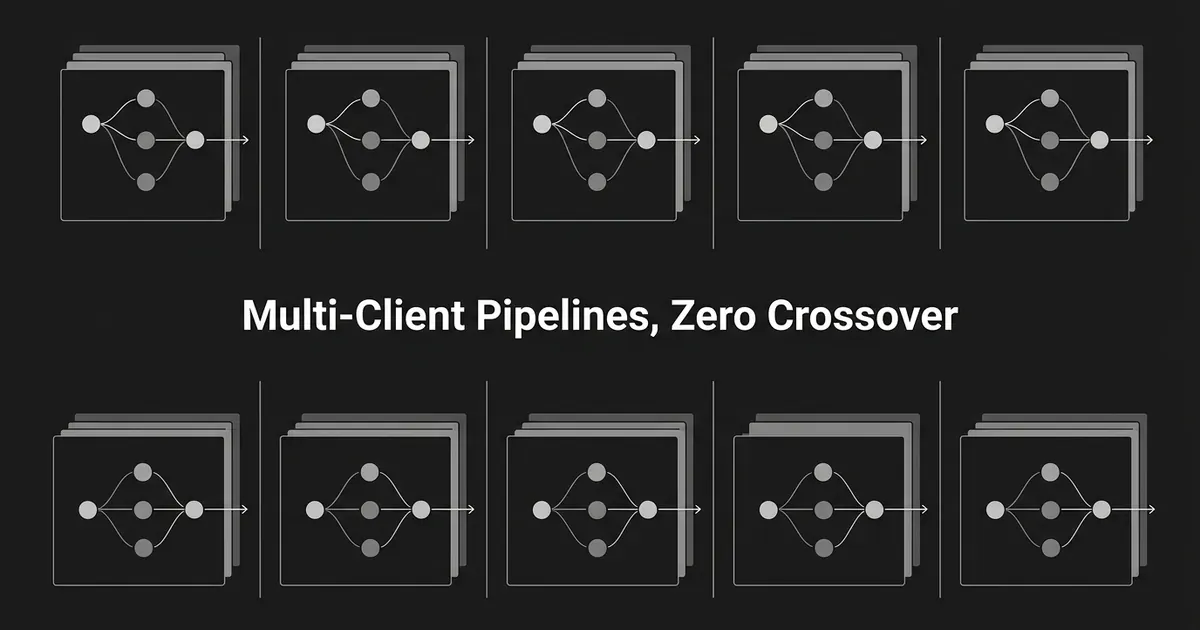
If you run content for more than one client, you already know the risk that keeps you up at night: one client's voice, product facts, or competitor list showing up in another client's draft. An agency AI content pipeline only works if it can hold ten or twenty separate brand contexts at once without ever letting them touch. This guide walks you through building that kind of pipeline step by step, so you can automate the repeatable work and still trust every draft that comes out the other end.
You will end up with a system where every client has its own workspace, its own brand context, its own content queue, and its own approval gate, with agents doing the research, writing, optimizing, and linking in between. Nothing here replaces your judgment. It just gives you a structure where automation and judgment sit in the right places, which is the whole point of multi-client content automation done properly.
Step 1: Create one isolated workspace for every client
Before you import a single piece of brand material, set up a separate workspace for each client. Treat the workspace as the hard line that keeps one account's world from leaking into another's. That means brand positioning, product details, buyer personas, voice, approved and disallowed claims, trusted sources, competitors, tracked prompts, content queues, produced content, and reporting all live inside that one client's workspace and nowhere else.
DeepSmith sets up each client as its own isolated workspace, with a separate brand context, competitor set, tracked prompts, and content queue, all run from one agency account. You can run several client workspaces on different plans side by side, with billing and limits handled independently for each one.
Alongside the tool, keep a simple workspace register of your own. A spreadsheet is fine. Track the client name, workspace name, client owner, agency lead, approved publishing destination, approval contact, plan, engine coverage, and who to escalate to if something goes wrong. This register is your control, not something the software tracks for you.
You will know a workspace is ready when it has its own name, no other client's context, prompts, competitors, or drafts have been imported into it, the right people have access, the publishing destination and approval contact are written down, and a test idea created there shows up only in that client's content area.
The most common way this goes wrong is skipping the separate workspace and using one shared "agency" setup with client names as labels instead. Labels are not a boundary. They just make it easier to miss when something crosses over. The other common mistake is onboarding several clients first and promising to separate them "later." Set up the isolation before you run the first piece of content, not after. Getting this one step right is most of what it takes to manage client brand voice AI output safely across a whole roster.
Common mistake: Using a shared brand profile with client names added as labels. Labels are not a substitute for separate context boundaries.
Step 2: Build a client-specific brand context record before production
Once the workspace exists, fill in the brand context before you let any agent write for that client. Deep IQ, DeepSmith's brand context layer, stores each client's positioning, differentiators, products, personas, voice, and approved sources, built from their website and refined as you learn more. This is what lets a draft come out on-brand without a full re-brief every time.
Your record for each client should cover company positioning and the claims they want to make (and the ones to avoid), product details down to features and use cases, buyer personas with their goals and objections, brand voice down to tone and sentence texture, visual guidelines for cover images, and the content types this client actually uses.
Keep a clear line between what belongs in this stored context and what belongs on an individual piece of content. Product facts, approved claims, and voice rules are context. Things like the audience for this specific piece, the funnel stage, the length, the CTA, and the approval deadline belong on that one content item, not baked into the client's permanent record.
Before you schedule any real production, run a small test. Ask for a short description of the client's positioning, a product explanation using only approved facts, and the same explanation again in their preferred voice. Check that nothing prohibited slipped in. Then run the same test for a second client and confirm the two outputs read like they came from different companies, because they did.
A thin context record is the most common failure here. Agencies copy one client's generic voice guide into another workspace, leave product profiles half filled in, or treat a slogan as if it were positioning. When that happens, every article gets pulled back into a manual briefing process, which defeats the point of automating in the first place.
Pro tip: Build a short "claims to avoid" list for every client, not just a list of what to say. Positive positioning tells the system what to write. A clear list of what not to claim is what actually keeps you out of trouble.
This is where manage client brand voice AI setup earns its keep: get the context record right once, and every draft after that starts from the correct client, not a shared default. The same grounding mechanics apply whether you're working with one brand or twenty. The agency-specific challenge is keeping voices apart during editing, so one client's phrasing never drifts into another client's copy.

Step 3: Define the client's repeatable content inputs
Every workspace needs its own set of recurring inputs so agents know what to select and how to configure the work. Write down the client's business priorities, target personas and buyer stages, the topics they own, the topics they still need to cover, the formats they use, how often they publish, their channels, their trusted sources, their competitor set, and who needs to review what before it goes out.
DeepSmith's Discover Prompts feature can generate candidate questions from a client's product, persona, and buyer-stage context. Treat these as a starting list, not a finished one. Pick the useful candidates and add your own based on what you actually know about the client's customers.
AI-visibility data belongs in this mix too, but only as one input, not the main event. Tracked prompts run on a schedule and capture full AI answers, and the platform separates a mention (the AI names the brand) from a citation (the AI links to one of the brand's pages). You can see which of a client's pages earn citations and which prompts drive them, and which competitor pages are winning the prompts you care about. Use that as evidence for the next content decision, not as a separate audit project.
You will know this step is done when every workspace has a documented audience and buyer stage for each content type it produces, its own prompt or topic set, a defined competitor list, a decision on where new ideas will come from, and a clear rule for who can add or reject an idea.
Do not copy the same prompt set across clients just because the categories sound similar. "Best project management software" and "best clinical scheduling software" need different entities, sources, and competitors entirely. Generic prompts produce generic briefs, and generic briefs are exactly what make it hard to catch a client's content mixing with someone else's.
A repeatable way to turn a client's topic gaps into a structured content plan is to build citable topic clusters one client at a time, using that client's own coverage gaps rather than a template borrowed from another account.
Step 4: Turn evidence into a client-specific backlog
With inputs defined, build one backlog per workspace. Ideas can come from client briefs, your own team, visibility findings, coverage gaps, competitor research, or DeepSmith's Opportunity Agents, which read a client's own data and return content ideas with the reason attached. That reason might be earning a citation for a tracked prompt, turning an existing mention into a citation, taking a competitor's citation, fixing how AI describes the client, or closing a gap at a specific buyer stage.
The rule that matters most here: every idea keeps its evidence and its client context attached. You should always be able to answer why an idea belongs to this client, which persona or buyer stage it serves, what product facts it needs, and what data point justified adding it. That evidence trail is what separates real agentic content for agencies from a pile of AI-generated ideas nobody can defend to a client.
An idea is ready to plan once it has a client and workspace attached, a working title, an audience and buyer stage, a content type, a business objective, the evidence behind it, a named internal reviewer, a named client approver, a target date, and its intended channels.
The failure mode to watch for is letting agents generate ideas without keeping the reasoning attached. That produces a backlog that looks productive but that nobody can actually defend to a client. The other common mistake is merging every client's ideas into one shared agency-wide queue with a client tag added after the fact. Keep each client's queue inside that client's workspace, and use a separate agency-level view only for capacity planning across the roster.
DeepSmith's approach to scale content agency backlogs is to keep the Opportunity Agents working inside each client's own workspace, so the ideas they surface never wander into another account's queue. That same discipline is what lets output scale across clients without sacrificing the quality of any one account's backlog.
Step 5: Configure planned content and set the automation boundary
Once an idea is approved, move it into Planned Content and set its publication date. From here, DeepSmith's Writer can research, plan, write, optimize, add internal and external links, generate a cover image, and produce publishing metadata for that piece, configured for the depth, length, and link counts you need.
Split your production into two modes. Use review-first production, where a strategist checks the article before it moves to client approval, for anything with new product positioning, regulated or sensitive topics, executive thought leadership, competitive comparisons, or a client with an unusually strict approval process. Use Autowrite, DeepSmith's scheduled production mode, for repeatable formats with stable context and clear review rules already in place. An idea configured at planning time gets written on its scheduled date and lands in Produced Content for review, with nobody needing to start the run by hand. Autowrite does not skip approval. It just moves the writing step off your calendar so a human only needs to show up for the review.
This kind of agentic content for agencies works best as a sequence of narrow jobs rather than one black box: an intake step turns a brief into a structured assignment, a context step pulls only the selected client's brand and voice, a research step gathers approved sources, a planning step builds the outline, a writing step drafts the article grounded in that context, and an optimization step checks structure, links, and metadata before it goes to review. DeepSmith's production pipeline is built on that same idea of chained, specialized steps rather than one general-purpose model guessing at everything. The same handoff structure that makes the pipeline work for a single brand also makes it possible to run cleanly across twenty of them at once.
A plan item is ready when it has a client workspace, a content type and audience, a due date, a chosen production mode, a named internal reviewer, a named client approver, a destination, and a distribution plan. This is the configuration layer that turns a general agency AI content pipeline into something you can actually run client by client without losing track of who approved what.
Do not turn on hands-off scheduling for every format on day one. Start with a small set of low-risk, repeatable formats, watch how the output looks for a few cycles, then widen the automation boundary from there. And keep writing and publishing as two separate stages in your head, because they are two separate stages in the workflow, with review sitting in between.
Step 6: Run a client-specific review and approval gate
Treat Produced Content as your review queue. From there you can preview the article, edit the body, title, or slug, regenerate the cover image, and publish once everything checks out.
Run two gates, not one. In the first, an internal editor checks the workspace and client are correct, the product claims match what's approved, the persona and buyer stage fit, the voice matches, the facts hold up, required disclosures are present, internal links point to the client's own site, external sources match the client's trusted list, and nothing references another client or an unapproved competitor claim.
In the second gate, the client approver checks business accuracy, positioning, any legal or compliance risk, product naming, the CTA and offer, timing, and the final image and distribution copy. A piece is only publishable once you have recorded internal approval, client approval (or an explicit, documented waiver), the destination, a final version identifier, the publication date, and who owns distribution.
Keep in mind that "generated" and "approved" are not the same word. A scheduled article that Autowrite produced is not automatically an approved article. It is a draft that has reached the review queue, which is exactly where you want it to sit until a person signs off.
Important distinction: Autowrite automates scheduled production. It does not replace your editorial judgment or the client's approval decision.
The same gate structure holds across a whole roster, not just one account, once you have named accountability at every step and a single controlled version going out to each client rather than several competing drafts. Deciding which decisions stay human is really the design question underneath this whole gate, more than any specific checklist item.
Step 7: Publish and repurpose within the same client boundary
Once a piece clears both gates, publish it to the client's actual destination. DeepSmith publishes directly to WordPress, Strapi, and Webflow, with webhooks, Markdown, and HTML export available for anything else.
From there, use the published article as the source for that client's distribution. DeepSmith's Repurpose and Apps Library turn a finished article into formats for LinkedIn, X, Medium, Substack, newsletters, Reddit, Facebook, Instagram, Slack or Discord, and WhatsApp. The platform builds the assets, but you're still the one posting and scheduling them, and every asset needs to carry the same client, article, voice, and approval status as the piece it came from.
The most common way this step breaks is generating social copy from a general agency account after the article has already been approved for a specific client. That reintroduces exactly the voice and context mixing that the workspace model was built to prevent. Generate and review distribution assets from inside the client's own workspace whenever you can.
You'll know this step is complete when the article is live at the right destination, the URL is recorded in that client's workspace, every distribution asset carries the right client and source article, the client has signed off on any channel-specific copy their process requires, and someone owns posting each asset on a specific date.
Building assets from one article works best as its own small workflow: pick the article worth atomizing, map each piece to a channel and audience, and validate every draft before a person sees it, the same discipline you already applied to the article itself.
Step 8: Feed performance back into the correct client pipeline
After a piece goes live, route what you learn back into the same client's workspace. Use the visibility layer as a feedback loop: track mention rate and citation rate separately, check share of voice against the client's own competitors, see which of their pages are earning citations and which prompts drive them, and look at which competitor pages are winning the prompts you're tracking.
The output of this step should be new, evidence-backed ideas in that client's backlog, not a generic agency-wide report. A page earning citations might justify more internal links or a supporting piece. A prompt where a competitor wins might justify a new article or an update. A mention with no citation might point to a missing page or a weak source. These are editorial calls you make from the data, not guaranteed outcomes the data hands you.
This loop is working when each client has a repeatable review cadence, a record of what was checked, backlog items tied to specific findings, a clear owner for each next action, and zero mixing of one client's data into another client's conclusions.
Do not turn one client's visibility result into a rule for the whole roster. AI answers shift by engine, prompt, time window, and plan coverage, so use the data to decide the next move for that one client, not to declare that every account needs the same fix.
The same visibility loop works at portfolio scale once you lock one metric set and sweep every client's prompts the same way each month, so a finding about one account never gets read as a finding about the whole roster.

What to do next
Pick one client and one repeatable content format to start. Set up their isolated workspace, build out their brand context record, and run a small batch through review before you turn on any scheduled production. Once that one client's pipeline is holding up cleanly, and your approval gates are catching what they should, copy the same structure to the next client rather than inventing a new process for each one. Running a defined trial period with one client, with a baseline and a scorecard set before you start, is also a reasonable way to prove the model works before you roll it across the roster.
None of this promises a specific jump in clients served or revenue. What it gives you is a repeatable structure to scale content agency output on: separate client context, production that scales without a re-brief per article, a human gate before anything publishes, and a feedback loop that keeps every client's results in their own lane.
If you want to see this multi-client content automation running with your own client data, start a free trial and get real drafts and real data before you pay.
Related guides
- How Agencies Can Govern AI-Produced Content Quality Across Multiple Client Accounts: Keep quality, accuracy, and each client's voice steady across every account you run, using per-client grounding, risk tiers, and review gates that scale.
- In-House vs Outsourced Content Marketing: What the Data Shows Companies Actually Do: See what published surveys say about in-house, hybrid and outsourced content production, and how to read each figure's sample, date and definition first.
- How Marketing Agencies Are Adopting AI Internally, Beyond Client-Facing AEO Work: Marketing agencies are adopting AI internally by changing research, creative, reporting, and governance, not just the AEO services they sell to clients.


