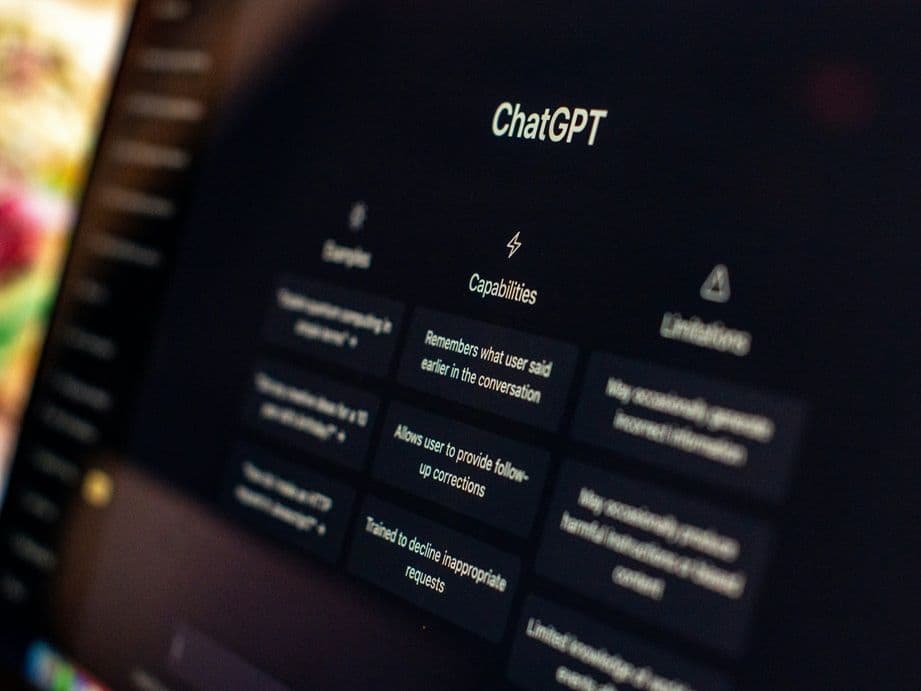
A client forwards you a screenshot. Their competitor is named in a ChatGPT answer, and they are not. Two more clients ask you the same question that week.
If that feels like a lot, that is normal. A client AI visibility audit for one brand is a project you can white-knuckle your way through. Doing AEO across multiple clients is different. It has to be a system, because a system is the only thing you can build once and sell many times.
Here is the good news. The work breaks into seven steps, and most of the mechanical parts can run on a schedule while you handle the judgment calls. That is what an agentic AEO agency service really is: a fixed loop of audit, fix, and re-measure, with your strategists spending their hours on the calls that need a human.
By the end of this guide you will know how to audit each client's AI visibility, fix what the audit finds, and hand every account a report you are happy to put your logo on.
Step 1. Build each client's prompt inventory before you touch anything else
Start with questions, not keywords. Sit with the client's sales and customer success people and write down the questions their buyers actually ask, in the buyer's own words, at each stage of the funnel.
Aim for 50 to 100 tracked prompts per client by the end of the first month. That number can feel intimidating on day one, so do not try to hit it in one sitting. Ship a starter list of 25 to 50 prompts in the first week instead, so the first report you send is real data rather than a promise.
Tag every prompt with three things: the buyer stage it belongs to, whether it is a brand question or a category question, and which engine you plan to check it on.
Done when: the client has signed off a prompt list that matches their real buyer journey, and every prompt carries its three tags.
Common mistake: copying a generic industry prompt list into every account. Generic prompts produce generic reports, and a client can tell the difference immediately. The other version of this mistake is a list so thin that one bad week looks like a collapse.
Step 2. Check that every engine can actually reach the client's pages
This step is unglamorous and it is where most portfolios leak. A page that a crawler cannot read cannot be cited, no matter how good it is.
Run the same access check on every client site. Confirm the crawler that powers ChatGPT search can reach the pages, confirm the Perplexity crawler can, confirm Googlebot can, and confirm Bingbot can. Then log the robots.txt, the meta robots rules by page type, and the canonical URL setup for each account.
Three details save a lot of confusion here. Blocking OpenAI's training crawler does not remove a site from ChatGPT search. Blocking the search crawler does. On the Perplexity side, robots.txt changes can take up to 24 hours to take effect, so do not re-test the same afternoon and panic.
The third one trips up almost everybody. A robots.txt rule controls crawling, not indexing. If a client genuinely wants a page kept out of Bing, Copilot, and grounded answers, a noindex directive is the right control, and blocking the crawler in robots.txt can actually stop it from ever reading that directive. Same logic on Google's side. Nothing about Google's AI features asks for special markup or a separate file. A page needs to be indexed and eligible to show a snippet, and the SEO fundamentals you already run for the client carry over.
Done when: each check is logged per client with a date, and you have confirmed that production crawlers can reach the canonical URL of every tracked product page, comparison page, FAQ, and founder page.
Common mistake: a client blocks the search crawler in robots.txt because someone told them to "opt out of AI," then asks you why they never appear. A CDN or firewall rule doing the same thing quietly is the harder version to catch.
Pro tip: use this pass to confirm the client's IndexNow submission works too. It shortens the gap between publishing a page and Bing having a chance to cite it.
Step 3. Give every client its own workspace on day one
Isolation is not a nice-to-have when you run AEO across multiple clients. It is the thing that decides whether your margin survives the roster.
Each account needs its own space: its own brand context, its own prompt list, its own competitor set, and its own reporting. Nothing shared, nothing global, nothing that lets one client's voice or product facts wander into another client's draft.
That context is worth setting up properly once. Store each client's positioning, personas, product facts, claims to avoid, voice, and content formats as structured records rather than as a brief someone re-types every month. This is what Deep IQ in DeepSmith holds, and Multi-Workspace is what keeps one account's version of it sealed off from the next. Each workspace is billed and limited on its own, so a new logo does not disturb the accounts you already run.
Done when: the first asset you produce for a new client reads in that client's voice and quotes that client's product facts without anyone re-briefing the tool.
Common mistake: running two clients out of one workspace to save a subscription. You pay it back in editing time on every single draft, and you will not notice until a competitor's product name shows up in the wrong article.
Step 4. Lock the metric set before you promise anyone a number
Pick your definitions once and use them on every account. If the same word means different things on two client reports, you will lose an argument you should have won.
Four metrics carry most of the weight. Mention rate is how often an engine names the brand. Citation rate is how often it links to one of their pages as a source. Share of voice is how they compare to the other names in the same answers. Visibility trend is the direction over time.
The IAB's Measuring Visibility in the AI Era framework, released in August 2026, gives you a shared vocabulary to put on the report cover. It groups metrics under four headings: Presence, Prominence, Portrayal, and Persuasion. Presence is where you start. It also draws a line worth borrowing. Some measurement is directional, good for spotting patterns. Some is decision grade, which means it is solid enough to move budget on, and it demands more prompts, more runs, and a steadier cadence.
Tier your service around that line. Monthly tracking is usually directional. A quarterly readout that changes a campaign should be decision grade, and you should say so in writing.
Engine coverage is a real constraint here, so plan it per client rather than promising everything to everyone. In DeepSmith, coverage rises by plan: Pro at $99 a month tracks ChatGPT, Grow at $199 adds Perplexity, Scale at $399 adds Gemini, and Enterprise covers all ten engines, including Claude, Google AI Overviews, Google AI Mode, Grok, Meta AI, Microsoft Copilot, and DeepSeek. Prompt volume is the other limit worth watching, since every prompt you track is a prompt every engine has to scan.
Done when: every client report opens with the same metric block, drawn from the same definitions, even when the engine mix underneath differs.
Common mistake: reporting ranking position inside an answer. Treat it as decorative and weight your reporting on mentions and citations instead.
Step 5. Run the prompt sweep and the page attribution together
Now the audit itself. Sweep the tracked prompt set across the engines on a fixed cadence, and capture four things per prompt: was the brand mentioned, was it cited, which URL was cited, and who else showed up.
One run is not a measurement. SparkToro's 2026 study ran 142 human-written prompts and collected 994 AI responses across ChatGPT, Claude, and Google's AI features. An engine almost never returned the same list of brands twice, less than one time in a hundred, and almost never in the same order, less than one time in a thousand. So build every prompt's score as a rate across many runs, not a yes or no from a single check.
Then do the half most agencies skip. Ask which of the client's pages are actually earning the citations, and which are dead weight. A prompt-level view tells you that you lost. A page-level view tells you what to fix.
This is where a client AI visibility audit stops being a spreadsheet exercise. The AI Visibility module in DeepSmith keeps per-prompt mention and citation rates with full answer history, the Pages view attributes citations to specific pages of the client's site along with the prompts driving them, and Competitor citations shows exactly which rival pages are winning the prompts your client is losing. Content Map sits behind that, mapping the client's site and their competitors onto one shared topic taxonomy so coverage gaps are measured rather than guessed at.

Done when: every prompt has multiple runs and a rate, and you can name the client pages winning citations and the ones that are not pulling their weight.
Common mistake: reporting only what Google Search Console shows. Its generative AI report covers AI Overviews and AI Mode impressions, which is genuinely useful, but it says nothing about ChatGPT, Perplexity, Claude, Gemini, Copilot, Grok, Meta AI, or DeepSeek. A multi-engine audit mixes that report with a multi-engine tracker.
Step 6. Turn the audit into a queue of evidence-backed fixes
An audit that ends in a finding is a document. An audit that ends in a queue is a service.
Every fix should travel with the data point that justifies it: the prompt losing share, the page that is not being cited, the evidence that page is missing, and the competitor page taking the citations. When a client asks why this article and not that one, the answer is already attached.
Keep the fixes grounded in the client's own context so they come back on brand. This is the part of portfolio AEO automation that pays for itself, because the alternative is re-briefing a writer per article per account. In DeepSmith, Opportunity Agents read a client's visibility data or Content Map and return ideas with the justifying data point attached, and every run is logged. Those ideas land in New Ideas as one backlog per client, get a date in Planned Content, and go to the Writer, which produces a researched, internally and externally linked article with a cover image and publish-ready metadata. Autowrite can run that on a schedule without anyone in the app.
An agentic AEO agency setup does not remove your judgment. It moves your judgment to the front of the process, where you decide which gap is worth closing, and takes the mechanics off your strategist's desk.
Done when: every item in the queue names its prompt, its target page, its missing evidence, and the competitor it is taking share from.
Common mistake: shipping fixes with no page-level evidence behind them. You get generic posts that read fine and move nothing.
Step 7. Re-measure, then report the same way every month
After a fix ships and gets indexed, run the next sweep. That loop is the whole service: measure, fix, measure again, report.
Build the report as a recurring deliverable, not a monthly scramble. Five things belong on page one:
- Methodology. Engines, prompt count, runs per prompt, date range.
- Tier. Directional or decision grade, with an honest note on what is not yet decision grade.
- Numbers. Mention rate, citation rate, share of voice, and the trend on each.
- Loss list. The prompts the client lost this period, with the competitor pages that won them.
- Win list. The pages the client is cited from, with the prompts driving them.
Split those lines by buyer stage. That is how you catch the client who is winning comparison prompts and losing every top-of-funnel question, which is usually the cheapest fix on the table.
Sign every page with the cadence, sample size, prompt count, and engines used. Those four numbers are your defense the month a metric dips and someone asks what happened. Good agency AI search reporting is not the report that always goes up. It is the report the client can check.
The report should also carry your brand, not your vendor's. DeepSmith exposes mention rate, citation rate, share of voice, sentiment, and visibility trend per workspace, along with a competitor leaderboard and the sources engines cite most, and you repackage that as your own standing deliverable.
One more habit worth building early. Keep an engine coverage note on the last page saying which surfaces your numbers came from and which they did not. Bing's own AI performance reporting is still in public preview, and Google's generative AI report counts impressions rather than clicks. Saying that out loud costs you nothing and protects you the first time a client compares your figures to something else they read.
Done when: each client gets a monthly directional report and a quarterly decision-grade readout, both with the four methodology numbers on the cover.
Common mistake: running the audit once, presenting it beautifully, and stopping. A one-off audit is a project. The retainer lives in the loop.

What to do next
Do not roll this out across the whole roster at once. Pick one client, ideally the one asking the loudest about AI search, and run all seven steps on them this month.
You will get three things out of that single account: a prompt list you can adapt, a report template you can reuse, and an honest sense of how long each step takes. That is your service line, priced and repeatable, ready for the next client.
Take it one account at a time. Momentum matters more than a perfect rollout.
If you want the tracking, the audit, and the content production sitting on the same data instead of stitched across three tools, start a free DeepSmith trial and set up one client workspace. The trial runs seven days, with no contract and no cancellation fee, so you can see real data on a real account before you decide.
Related guides
- How to Run a 90-Day Content Pilot for a New Client and Prove It Works: Run a 90-day content pilot for a new client: lock the scope, save a baseline, pick a small scorecard, and end the quarter with proof you can actually.
- How to Build a Freelance Writer Bench Your Agency Can Deploy Across Multiple Clients: Build a freelance writer bench you can staff from: map demand, tag writers by niche and voice, qualify them with paid tests, and confirm capacity per client.
- How a Lean Agency Can Track AI-Search Visibility Across Every Client Brand: Monitor whether AI answers mention and cite each of your clients from one account, using isolated workspaces, a shared prompt framework, and per-brand reports.