

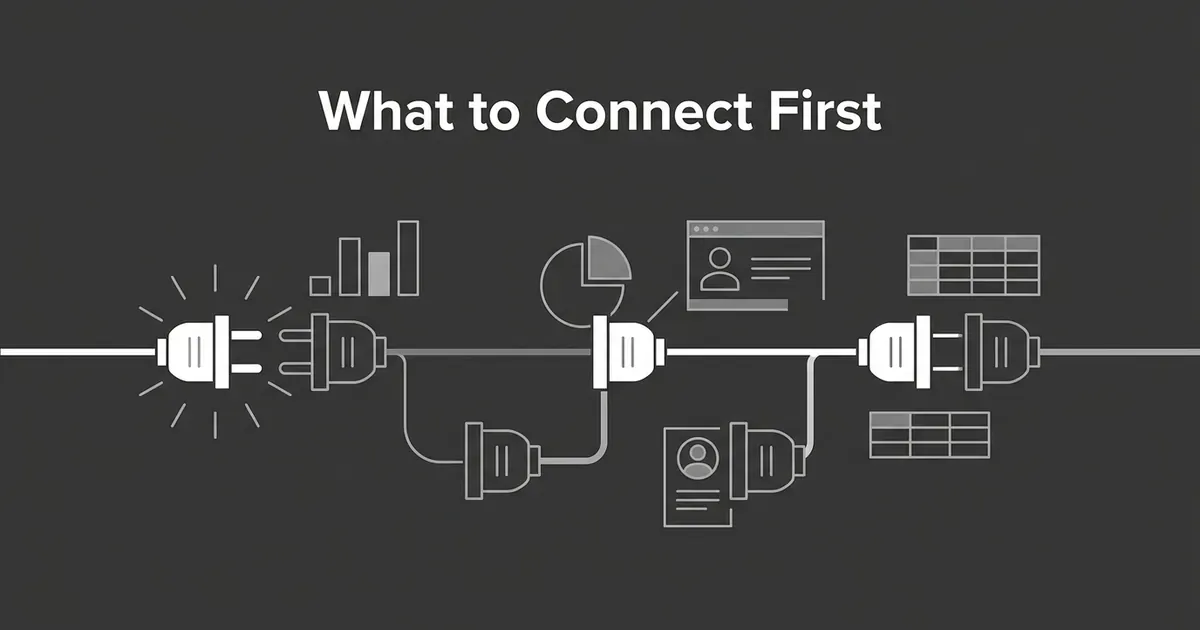
If you're staring at a list of possible integrations and wondering which data to connect AI first, this is the artifact to copy into your own planning doc. It's a sequence, not a single answer: connect a narrow, read-only slice of your CRM, then add web analytics, then ad platforms, then a governed BI or warehouse layer once one exists. Score every candidate against eight questions before you flip a switch, because the AI agent data sources marketing teams reach for first are usually chosen by which API is easiest to turn on, not by which one is safe or useful.
This piece stays inside marketing data: CRM, web analytics, advertising platforms, and BI or warehouse layers. It doesn't cover your CMS, Search Console, or citation trackers, and it doesn't cover ecommerce feeds or product data. It also isn't a walkthrough of any single connection. It's the order to connect things in and the reasons behind that order.
The connect-first framework
Copy this table into your own doc and fill in the last column as you go.
| Stage | Connect | Start with | Why it goes here | Minimum safe scope | Ready to advance when |
|---|---|---|---|---|---|
| 0 | Governance gate | Use cases, owners, data classification, retention rules | Stops data flowing to an agent just because it's available | Read-only discovery, a documented field inventory | You can name the question, the owner, and the fields that are off limits |
| 1 | CRM | Contacts, accounts, lifecycle stage, deal stage, timestamps, owner, source | Ties marketing activity to lifecycle and revenue, which most questions need | Read-only on selected objects, no free-text notes, no unnecessary identifiers | The agent can answer lifecycle questions and honors deletions |
| 2 | Web analytics | Sessions, landing pages, campaign parameters, conversions, channel groupings | Shows what happened before conversion, and can stay low-identity if aggregated | Aggregated or governed views, not raw user-level exports | The agent labels realtime, intraday, and finalized data correctly |
| 3 | Ad platforms | Campaign, spend, impressions, clicks, conversions, dates, attribution setting | Adds spend and delivery context once lifecycle and behavior are covered | Aggregate reporting only, no audience or customer-list data | The agent states platform, attribution model, and reporting window on every answer |
| 4 | BI or warehouse | Certified metrics, approved joins, dimensions, a business glossary | Turns raw data into decision-ready definitions everyone agrees on | Curated views or a semantic layer, never unrestricted raw tables | Every exposed metric has an owner, a definition, and a freshness signal |
| 5 | Expansion | More objects, user-level data, write actions, cross-source joins | Only useful once the read-only foundation is trustworthy | One field, object, or permission at a time | The new scope has a named use case, an owner, and a rollback path |
That's the sequence for most teams most of the time. It bends in one direction: if you already have a mature, governed semantic layer with certified marketing metrics, connect that at Stage 1 or in parallel with CRM, because it hands the agent defined metrics and relationships instead of raw tables it has to interpret on its own. If your BI layer is really just a folder of dashboards with undocumented filters, leave it where the table has it, at Stage 4.
MCP prioritization: score before you connect
Before you touch a single source, write down five to ten questions the agent actually needs to answer. Something like: which lifecycle stages are growing, which campaigns produce qualified pipeline rather than raw leads, which channels are spending more without more pipeline to show for it, and what's the agreed definition of CAC or ROAS. The first connection should come from that list, not from whichever platform happens to have the most fields.
For each question, write down the source of truth, the grain you need (account, contact, campaign, day), how stale the answer is allowed to be, the fields that are necessary, the fields that are off the table, and who owns the definition. This is MCP prioritization in practice: ranking data sources by how much they help the agent answer real questions, under the constraints of permission, privacy, freshness, and how hard a mistake would be to undo.
Score each candidate from 0 to 3 on eight dimensions: decision value, actionability, freshness fit, data quality, coverage, privacy safety, permission simplicity, and operational effort. A source can score high on decision value and still be a bad first connection if its freshness doesn't match the question, or if getting it clean enough to trust is a six-week project. A source with an open API and low actionability isn't worth connecting just because it's easy.
Keep the first version read-only. A connection that can send an email, edit a CRM record, or change a campaign is a different risk category than one that answers a report question, and mixing the two into one integration is how a helpful agent becomes a liability.
Stage 1: CRM first, for lifecycle and revenue
Start with the smallest set of objects that ties marketing activity to where something is in the funnel: contacts or leads (ideally by a stable internal ID, not a raw email), accounts, lifecycle and deal stage, timestamps for creation and stage changes, owner, source, and revenue fields with currency attached. Leave out free-text notes and anything not needed for the questions from Stage 0.
CRM earns the first slot because it's the most decision-oriented data most marketing teams have. It tells the agent who moved through the funnel, what stage they reached, and whether it turned into pipeline. That doesn't mean the data is clean. CRM records are full of duplicates, manually edited fields, and stage definitions that drift over time, which is exactly why the first connection should expose certified fields and timestamps rather than the whole record.
Freshness here isn't a single number. Change-data-capture tools built into platforms like Salesforce can push record changes close to real time, and event-driven webhooks (the kind HubSpot documents) can fire on creation, update, merge, or deletion instead of making you poll on a schedule. But those events can arrive out of order or get duplicated, so the agent needs to read from a reconciled view keyed on the event timestamp, not arrival order. Grant read-only, field-level scopes rather than a blanket "read CRM" permission, and treat the connection as ready only when the agent can show the record grain it used, the source system's last update time, and a plain "unknown" when a stage is missing.
Stage 2: Web analytics, for the behavior around conversion
Once lifecycle data is in, add aggregated or governed analytics views: sessions by period, landing pages, event counts, conversions, and channel groupings. Skip raw user-level event streams and internal identifiers unless a specific use case calls for them.
Analytics comes second because it explains behavior, not business value. A busy landing page isn't the same as a qualified opportunity, and connecting analytics after CRM lets the agent use behavior to explain pipeline questions instead of chasing traffic for its own sake. The exception is a team with no usable CRM, or an agent whose only job is website diagnostics; there, an aggregated analytics view can come first.
Analytics platforms process data in layers, and the agent needs to know which layer it's reading. Realtime numbers are typically available within minutes but cover fewer dimensions. Full daily data can take up to a day or more depending on the property tier, with attribution credit still able to shift for up to twelve days afterward. An agent that answers "today's conversions" without saying whether that's realtime or finalized data is giving you a number it can't stand behind. If your setup exports raw events to a warehouse, the streaming version of that export is best-effort with no completeness guarantee, while the daily table is the one to trust for anything you're reporting on later.
Stage 3: Ad platforms, for spend and delivery
Next comes reporting data from your ad platforms: campaign and ad-group identifiers, spend, impressions, clicks, platform-reported conversions, date ranges, and the attribution model in use. Leave audience membership and customer-list uploads out entirely; activating an audience is a separate use case with its own consent requirements.
Ad data tells the agent what was delivered and what the platform credited, not whether that traffic turned into a real customer. It's most useful once CRM and analytics have already established the downstream outcome, so the agent can compare what a platform says it delivered against what actually became pipeline.
Treat freshness here as platform-specific rather than uniform. Google Ads generally targets a one-hour window for clicks, impressions, and cost, but slower metrics like search click share can lag by several days, and conversion numbers can keep shifting as late adjustments come in. Meta's ads-reporting API doesn't document one blanket freshness number the way Google does, so check the last-available timestamp on whichever platform you connect instead of assuming the two move at the same speed. Either way, the agent should state the platform, the date range, and the attribution model with every number, because a spend figure from today and a finalized CRM number from last week describe two different things.
Stage 4: BI or warehouse, for answers everyone agrees on
The last stage in the default order is a certified BI model or a semantic layer: metric definitions, approved joins, dimensions, grain, and an owner for each number. Don't expose raw warehouse tables just because they're centralized. A warehouse can hold more PII, more duplicate facts, and more ambiguous joins than any single operational system, because it's where everything gets combined.
The value of a semantic layer is that it tells the agent what a column means and how it's allowed to be joined, not just that the column exists. Without one, an agent working from raw tables can pick the wrong grain or invent a metric out of two similarly named fields. Looker has reported internal testing that found its semantic layer cut errors in generative-AI queries by as much as two thirds. That's a vendor's account of its own test, not an independent benchmark, but it fits the general pattern: definitions reduce ambiguity, they don't manufacture accuracy out of bad source data.
This is also the stage with the highest blast radius, since it can join CRM, analytics, ad, and finance data into one place. Start with certified aggregate views, row- and column-level access controls, a separate service identity for the agent, and query logging.
Every source needs the same gates
Regardless of which stage you're at, run each new connection through the same checks before it goes live. Name the question and decision it supports. Strip fields that wouldn't change the answer. Prefer aggregate or internal identifiers over email and phone wherever the question allows it. Grant read-only, source-specific permissions first. Set a retention window for raw records and logs. Test that a deletion in the source system actually reaches the agent's view. Bind access to the person requesting it, log every request, and keep write, send, and audience-activation tools switched off until separately reviewed.
This is data minimization applied to an agent instead of to a person: collect only what's necessary for the stated purpose, not everything that might someday be useful.
Worked example
A small SaaS team wants its agent to answer three questions: which campaigns are producing qualified pipeline, which landing pages feed those campaigns, and which paid programs deserve a look before the next budget review.
First: a CRM slice with accounts, opportunities, lifecycle and deal stage, campaign source, owner, amount, and timestamps. No email addresses, no notes, no write access. The agent can now tell a raw lead apart from a qualified opportunity instead of treating every form fill the same.
Second: an aggregated analytics view with daily landing-page events, campaign parameters, and conversions. The agent flags current-day numbers as provisional and uses finalized data for period comparisons.
Third: ad-platform reporting at the campaign level, with spend, clicks, conversions, and the attribution setting attached, no customer-list audiences. The agent can now set delivery numbers next to CRM outcomes while flagging that recent conversions might still be revised.
Fourth: a governed BI model, once the team has agreed on what counts as qualified pipeline, sourced pipeline, CAC, and ROAS. The agent isn't allowed to invent its own joins across the raw CRM and ad tables anymore; it uses the certified metric instead.
A good answer from that setup reads like this: "In the finalized reporting period, Campaign A had the highest platform-reported conversions, but Campaign B produced more CRM-qualified opportunities. CRM stage was used for qualification and platform attribution for ad conversions. Recent days are provisional because the ad platform can still receive late conversions." A bad answer just says Campaign A is "the best campaign," hiding what "best" means and mixing a platform metric with a CRM outcome as if they were the same thing.
Adjusting for where your team actually is
A very early team with no warehouse should connect one CRM view and one aggregated analytics or ad report, keep the scope narrow, and review answers by hand for a while before adding anything else. Don't build a data lake just to feed an agent.
A team with decent reporting but limited engineering time should connect its existing certified BI views first, if they already have owners and freshness metadata attached, and add raw source APIs only when the BI layer can't answer a high-value question fast enough.
A team with a genuinely mature warehouse should make the semantic layer the agent's main interface and keep raw connections around for lineage and edge cases, not as a shortcut around the approved models.
An agency running multiple client accounts should separate workspaces, credentials, and permissions by client from the start. A shared agent identity that can see more than one client's data is a governance failure waiting to surface.
How to tell it's working
You'll know the sequence is holding when the agent names its source, period, and freshness status on every answer without being asked, when a deletion or suppression actually disappears from what it shows, and when nobody has had to explain what a metric means twice in the same month. If any of that breaks down, the fix usually isn't more data. It's tightening the stage you're already on before moving to the next one, and the same question, which data to connect AI first, is worth re-asking every time the agent takes on a new job.
If you're already working through the wider content and AEO side of this same problem, that's a related but separate sequencing question worth its own look.
Related guides
- How AI Agents Are Changing SEO Team Workflows: AI agents can already run crawl audits and Search Console reports.
- Which MCP Data Sources to Connect for Ecommerce Content Agents: Feeds, PIM, and Reviews: Learn which MCP data sources to connect first for ecommerce content agents: PIM, product feed, inventory, and reviews, in the order that keeps content accurate.
- How Social Media Teams Are Using AI Agents for Day-to-Day Work: See which social media tasks AI agents handle well today, which ones still need a human, and a seven-step process for setting one up without losing control.
- MarketMuse vs Writer: Feature Comparison for High-Output Blog Programs: Compare MarketMuse and Writer on bulk generation, scheduled publishing and CMS publishing, and see where a high-volume SEO blog program would stall with each.


