You opened this page because something is not working. Maybe the writing help you have is fine for a quick email but useless the moment you need twelve on-brand articles a month. Maybe you are the bottleneck, and you know it.
That feeling is normal. It usually means you have outgrown a personal helper and need something closer to a system.
Here is the part most roundups skip. The HyperWrite alternatives worth your money split into two very different groups, and picking from the wrong group is what makes tool switching feel like a waste. One group helps you write wherever you already are. The other group runs your content operation.
This list covers both. Eight tools like HyperWrite, honestly assessed, with the trade-offs named. Take a breath. By the end you will know which group you belong in and which single tool to trial first.
How we picked these HyperWrite alternatives
A roundup is only useful if you know how it was built. The best HyperWrite alternative for you depends on the job you are hiring it for, so here are the seven things we weighed, in order of how much they matter to a marketing lead.
- Does it remove production work? Not just drafting. Research, briefs, SEO, linking, images, metadata, publishing, distribution.
- Does brand context stick? Stored product facts, voice, and personas beat re-briefing a chat window every time.
- Is it useful for SEO and AI search? Your buyers are asking ChatGPT and Perplexity now, not only Google.
- How strong is research or agent work? Some of these tools can browse, cite, and act.
- How far does it reach? Browser extensions, editors, and the apps where people actually type.
- Does it support a team? Workflow, collaboration, publishing, and repurposing.
- Is the cost honest? Transparent prices, clear limits, and units you can explain to finance.
Two groups fall out of that.
Marketing content systems: DeepSmith, Jasper, Writesonic, Copy.ai. Pick here when you need repeatable content operations.
Assistant, research, and browser tools: Grammarly, ChatGPT, Claude, Perplexity. Pick here when you want help wherever you write, broad research, cited answers, or guided computer work.
One quick note on prices. Everything below was checked on September 2, 2026. Plans move, and monthly and annual figures are not directly comparable, so confirm the live billing view before you buy.
Quick comparison of the 8 best HyperWrite competitors
| # | Tool | Best fit | Pricing found | Main trade-off |
|---|---|---|---|---|
| 1 | DeepSmith | Marketing teams connecting AI visibility data to publish-ready production | $99, $199, $399 monthly; $80, $160, $299 monthly billed annually; Enterprise custom | Not positioned as a general browser copilot |
| 2 | Jasper | Teams wanting brand-governed marketing agents and browser access | Pro $69 monthly, $59 monthly billed yearly; Business custom | Credits on GEO Hub and Agents; Business is a custom, committed plan |
| 3 | Writesonic | Teams wanting AI articles, SEO, and AI-search visibility in one product | Pricing page shows $79, $199, $399; docs show Basic at $249 monthly or $199 annually | Plan figures differ between the pricing page and the docs |
| 4 | Copy.ai | GTM teams automating workflows across revenue systems | Chat $29 monthly; Growth $1,000; Expansion $2,000; Scale $3,000 monthly billed annually | Workflow plans are expensive and credit-based |
| 5 | Grammarly | Anyone who wants writing help inside browsers, docs, email, and apps | Free $0; Pro $12 per member monthly billed annually, $30 monthly, $60 quarterly | Improves existing writing rather than running a content operation |
| 6 | ChatGPT | Flexible drafting, files, web research, and guided computer action | Free, Plus, Pro, Business, Enterprise; Business listed at $25 monthly or $20 annual per user | General-purpose workspace with plan-specific agent and research limits |
| 7 | Claude | Long-form drafting, project context, and Chrome-based assistance | Free; Pro $20 monthly or $200 yearly; Max 5x $100; Max 20x $200 monthly | No dedicated SEO scoring, scheduling, or CMS publishing |
| 8 | Perplexity | Cited web research, Deep Research, and an AI browser | Free $0; Pro $20 monthly; Max $200 monthly | Research limits apply, and output still needs editorial review |
1. DeepSmith
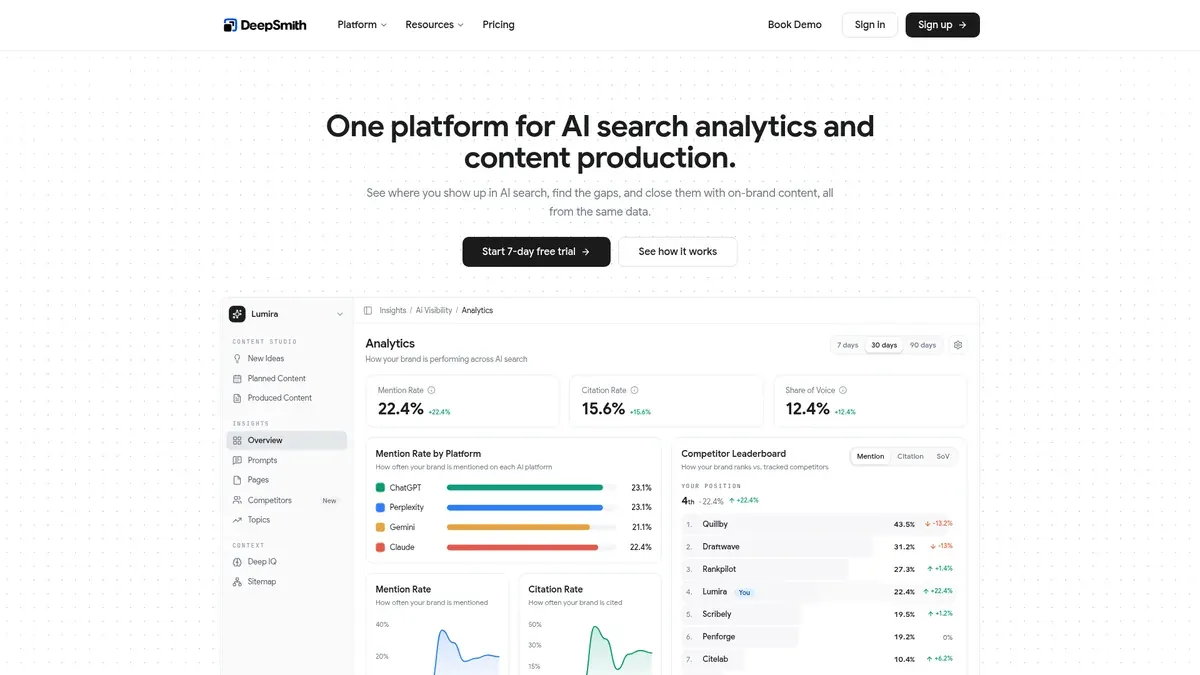
Best for: marketing leads who need to see where their brand shows up in AI answers, find the content gaps behind that, and turn both into a scheduled, on-brand publishing system.
If your real problem is not "write me a paragraph" but "we cannot publish enough, and nobody knows if any of it gets cited," this is the group you belong in.
DeepSmith is an AI search analytics and content production platform in one. That pairing is the whole point. Most tools do measurement or production, and you end up stitching the two together in a spreadsheet on Friday afternoons.
Here is how the loop works. AI Visibility tracks the prompts your buyers actually ask and reports mention rate, citation rate, share of voice, sentiment, and trend, with a competitor leaderboard and page-level citation attribution. Content Map crawls your site and unlimited competitor sites onto one shared topic taxonomy, then shows coverage gaps and untapped topics. Opportunity Agents read that data and hand back ideas with the evidence attached, so you can defend your backlog instead of guessing at it.

Then Content Studio produces the article. New Ideas to Planned Content to the Writer to Produced Content, with SEO and AEO built into the pipeline rather than bolted on: keyword coverage, heading structure, schema markup, up to five internal links inserted during generation, and publish-ready metadata. Autowrite writes on a scheduled date with nobody in the app. Publishing goes straight to WordPress, Webflow, Strapi, Sanity, or Contentful, and every finished article arrives with social posts ready to copy.

Deep IQ is what keeps it sounding like you. Positioning, claims to avoid, product facts, personas, brand voice, visual guidelines, and content types are stored once and used by every module. No re-briefing. No voice drift.
Pricing: Pro is $99 a month, or $80 a month billed annually, with 20 articles, 50 tracked prompts, 5 seats, and ChatGPT tracking. Grow is $199, or $160 annually, with 40 articles, 100 prompts, 7 seats, and Perplexity added. Scale is $399, or $299 annually, with 90 articles, 200 prompts, 10 seats, and Gemini added. Enterprise is custom and covers all ten tracked engines, with 1:1 onboarding and a dedicated account manager. There is a 7-day free trial, no long-term contracts, and no cancellation fees.
Where it does not fit: DeepSmith is a production engine, not a personal assistant. It will not sit in your browser and rewrite a LinkedIn comment for you. That is a scope choice, not a gap, and it is why the output is publish-ready instead of a first draft you have to rescue. If you want a copilot for arbitrary tasks, pair it with one of the tools in the second group, or pick from that group instead.
2. Jasper
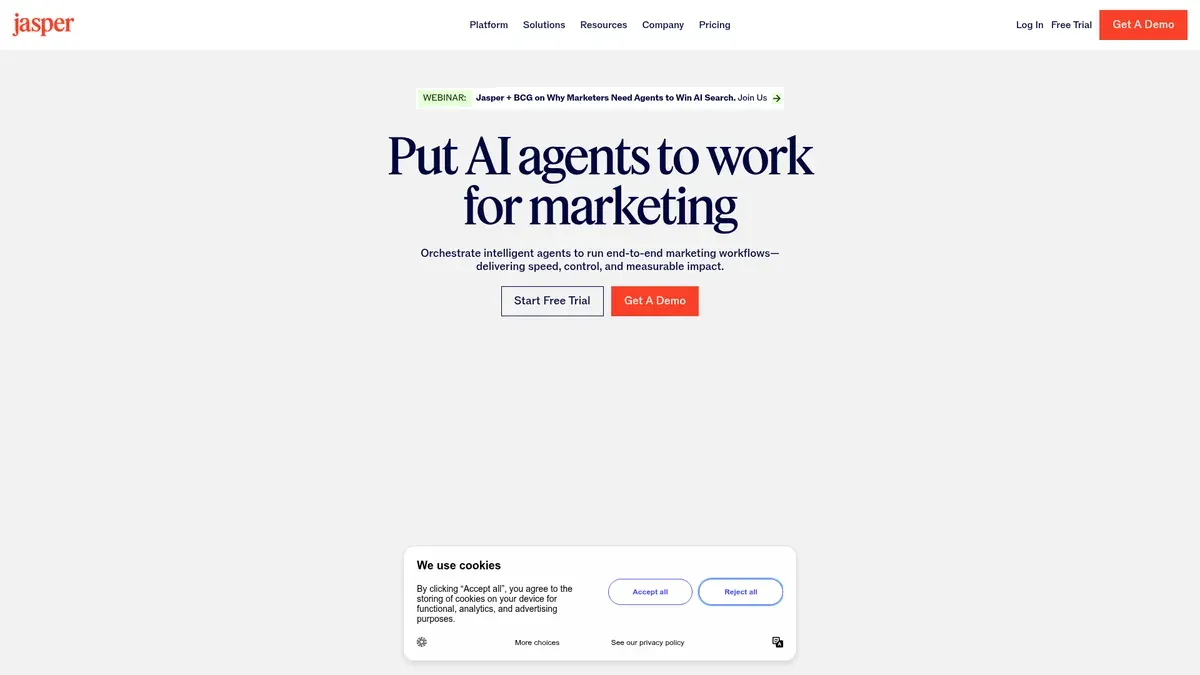
Best for: marketing teams that want a mature marketing workspace with brand governance, lots of specialized agents, and browser access.
Jasper positions itself as an agent workspace for marketing teams, with 100+ specialized AI agents and connected content pipelines that move work from idea to launch. Jasper IQ is its brand layer: voice, style guides, audience profiles, product knowledge, and rules applied across team outputs, with multiple voices for sub-brands or regions.
The agent lineup is genuinely deep. The Optimization Agent covers keyword research, competitive analysis, and content scoring. The Research Agent plans and analyzes multiple sources. There is an SEO, AEO, and GEO rewriter, a Competitor Audit that finds entity gaps, and a Competitive Response agent that builds a counter-narrative from a competitor page. Translation covers 27 languages with glossary enforcement.
The Chrome and Edge extension is the piece HyperWrite users will miss least. It brings 50+ templates, 100+ agents, 80+ languages, rewriting, tone changes, headlines, and captions into the browser.
Pricing: Pro is $69 a month, or $59 a month billed yearly, and includes one seat with up to five total users addable. Business is custom and starts with a 12-month commitment. There is a 7-day Pro trial.
Limitation: cost and complexity for a small team. Business pricing is custom and committed, and GEO Hub and Agent actions consume credits per action, so your bill moves with usage. Jasper's own image claims of 10x faster and up to 50% lower cost are vendor claims, not independent benchmarks.
3. Writesonic
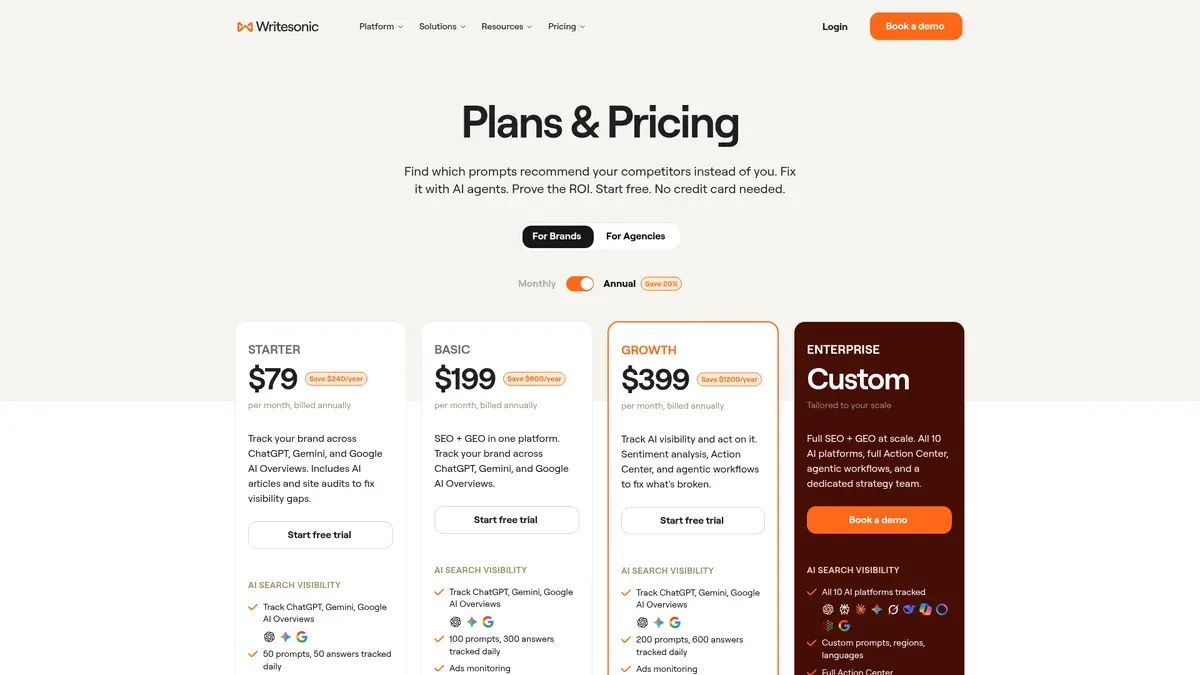
Best for: growth teams and agencies that want AI article production sitting next to SEO work and AI-search visibility tracking.
Writesonic describes itself as an AI Search Growth Engine that combines GEO, AEO, and AI visibility. Its documentation covers tracking visibility across AI search, including ChatGPT, Gemini, Claude, and Perplexity, alongside Google and Bing. The pricing page states tracking across ten AI platforms.
Practically, you get AI articles, site audits, SEO work, competitor prompt analysis, and agents that flag visibility gaps and suggest fixes. One agent rewrites pages for GEO, adding FAQ blocks, comparison tables, and self-contained passages built to be quoted. Read that as intended optimization, not a promised citation.
Pricing: be careful here, because the sources disagree. The current pricing page shows Starter at $79, Basic at $199, and Growth at $399 in its displayed billing view. The documentation separately lists Basic at $249 monthly or $199 annually with 100 articles, 40 audits covering 1,200 pages, two users, and two projects. Confirm the live plan view before purchasing, and do not assume the two sets describe the same billing period.
Limitation: that pricing inconsistency is the honest headline. Plan labels and limits are harder to compare than any other tool on this list, so pin down your article, audit, prompt, and seat allowance in writing. Browser-based writing assistance was not established in our research, so if in-browser help is your reason for leaving, this is not the swap.
4. Copy.ai

Best for: revenue teams automating repeatable go-to-market processes, not just blog posts.
Copy.ai calls itself an AI-native GTM platform meant to replace a pile of disconnected copilots. Its modules are Workflows, Actions, Agents, Tables, Chat, Infobase, and Brand Voice. Workflows codify a process in a no-code builder, chaining actions like text generation, web scraping, and research. Agents add decision-making with guardrails.
Named use cases run well past content: Prospecting Cockpit, Content Creation, Inbound Lead Processing, Account Based Marketing, Translation and Localization, and Deal Coaching. The platform claims 2,000+ integrations and names Salesforce, HubSpot, Gong, Zapier, Outreach, and Salesloft. If your bottleneck lives between your CRM and your campaigns, that reach matters.
Pricing: Chat is $29 a month with five seats and unlimited words in Chat. The workflow tiers jump hard: Growth at $1,000 a month billed $12,000 yearly with 75 seats and 20,000 workflow credits, Expansion at $2,000 with 150 seats and 45,000 credits, and Scale at $3,000 with 200 seats and 75,000 credits. Annual billing saves 20%.
Limitation: this is more platform than most content leads need, and the price reflects that. Workflow credits become the central cost constraint, so model your usage before you sign. Our research did not establish a native content calendar or CMS publishing flow, which is worth confirming with their team if publishing is your priority.
5. Grammarly
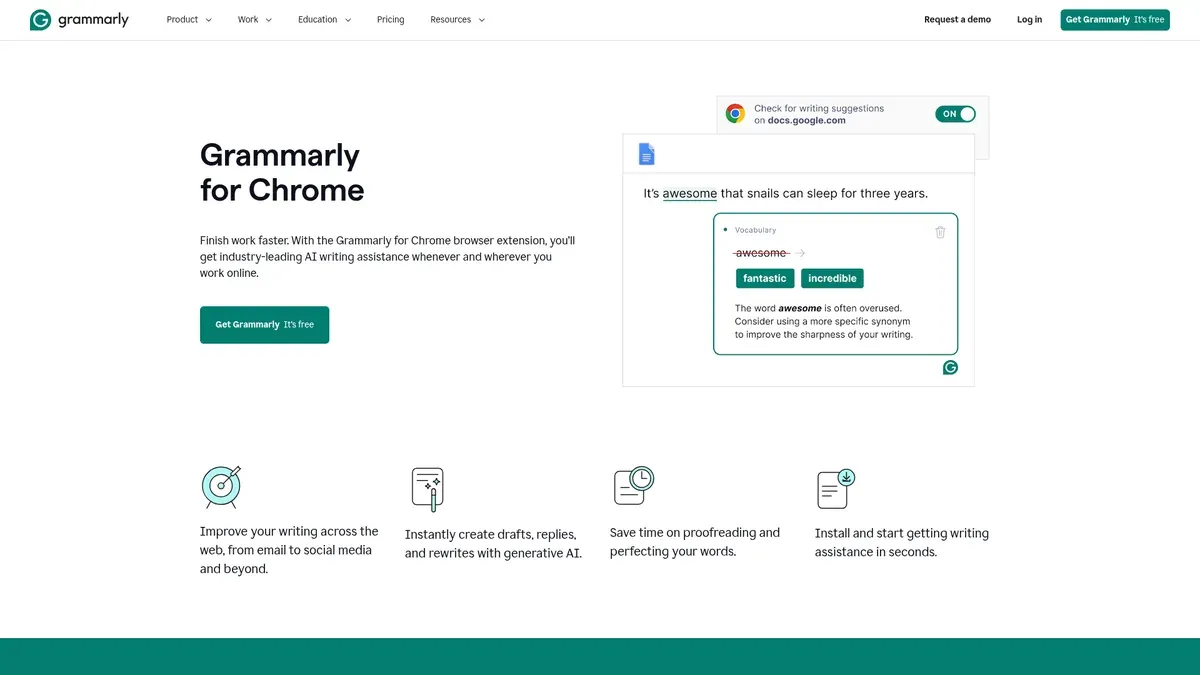
Best for: people who want an ai writing assistant inside the browser, desktop apps, documents, and email, mostly to sharpen writing that already exists.
Of everything here, Grammarly is the closest in shape to what you probably liked about your current setup. The Chrome extension gives real-time help across the web, drafts and replies, rewrites, and proofreading. Its marketplace listing names Gmail, Google Docs, LinkedIn, and 500,000+ other sites, and Grammarly's own page claims support across 1 million+ apps and sites. There is a web editor and desktop support covering Word, Pages, email clients, and browsers.
Pro adds full-sentence rewrites, tone adjustment, brand consistency, and text generation with 2,000 monthly AI prompts. Free includes 100 prompts in the captured plan comparison.
Pricing: Free is $0. Pro is $12 per member per month billed annually, which works out to $144 per member per year, or $30 monthly, or $60 quarterly. Enterprise terms were not established in our research.
Limitation: Grammarly improves writing wherever it happens. It is not established as a content operations system, so do not expect competitor gap analysis, scheduled article generation, AI-search visibility measurement, automatic internal linking, CMS publishing, or article-to-distribution workflows. That is a scope boundary, and it is exactly why it sits below the marketing systems for a team with a publishing target.
6. ChatGPT
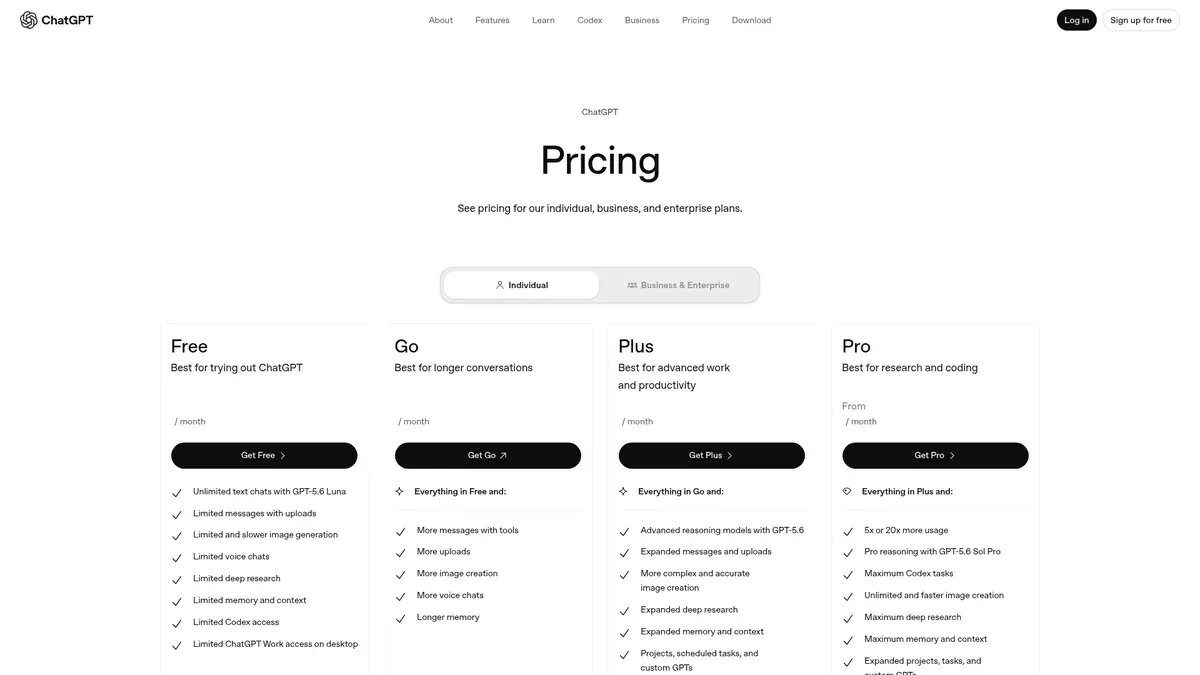
Best for: one flexible assistant for drafting, brainstorming, file work, web research, multimodal tasks, and guided computer action.
You already know the drafting side. The more interesting part for a marketer is Deep Research, which searches the web, can be restricted to trusted sites, connects to apps or MCP, and returns a researched answer you can actually work from. Apps and connectors can include Gmail and GitHub, with availability depending on plan, region, and workspace. Projects are available on Plus, Team, and Pro.
On agents, describe what you get carefully. The current help page says the older standalone agent product is no longer available and points users toward ChatGPT Work for longer multi-step tasks and finished deliverables. So think of it as agent mode or ChatGPT Work, depending on live naming, rather than a fixed product.
Pricing: Free, Plus, Pro, Business, and Enterprise plans exist, and paid plans are priced per user per month. Current consumer prices were not reliably exposed in the official page during our research. The Business source states $25 monthly or $20 per user monthly billed annually. Agent mode limits found were 40 messages a month on Plus and 400 on Pro.
Limitation: flexibility is the feature and the problem. You still build the brief, the topic system, the review process, the internal links, the metadata, the publishing step, and the distribution workflow yourself. Research and agent features carry plan-specific quotas. It is a superb assistant and not a ready-made content operation.
7. Claude
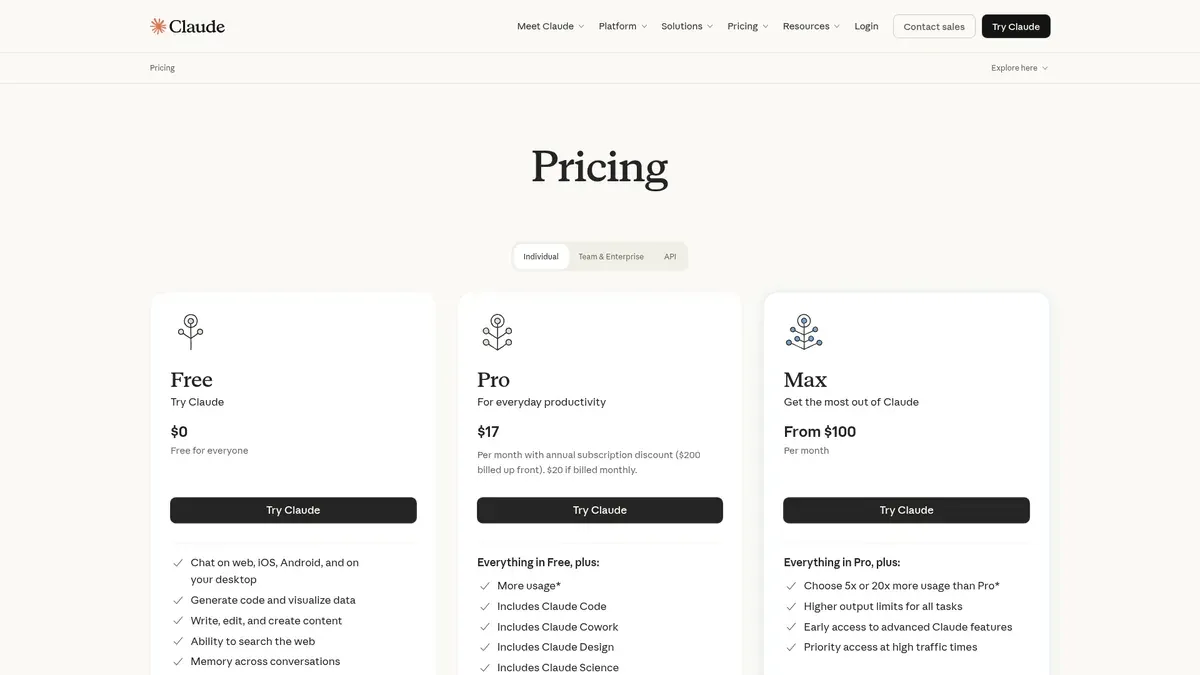
Best for: long-form drafting, document analysis, project-based context, and research, with a Chrome assistant on paid plans.
Claude is the one people reach for when the document is long and the thinking matters. Research is available to paid Pro, Max, Team, and Enterprise users on web, desktop, and mobile, and it uses multiple agents to search the web, Google Workspace, and connected integrations. Projects let you keep chats, internal knowledge, and activity in one place, which is useful as persistent context for a brand or a campaign.
Claude in Chrome is available on paid plans and can read a page, click, type, navigate, and fill forms while you watch and approve each step. That is the closest match to browser-based assistant work on this list, next to Grammarly's inline help.
Pricing: Free is $0. Pro is $20 monthly or $200 yearly. Max 5x is $100 a month and Max 20x is $200 a month, at five and twenty times Pro capacity per session in the captured plan material. Team and Enterprise prices were not established in our research.
Limitation: treat Projects as context, not as a content calendar. Our sources do not establish dedicated SEO scoring, keyword cluster management, article scheduling, CMS publishing, or repurposing. You still design the editorial taxonomy and the publishing process. Chrome and Research sit behind paid plans, and capacity varies by tier.
8. Perplexity
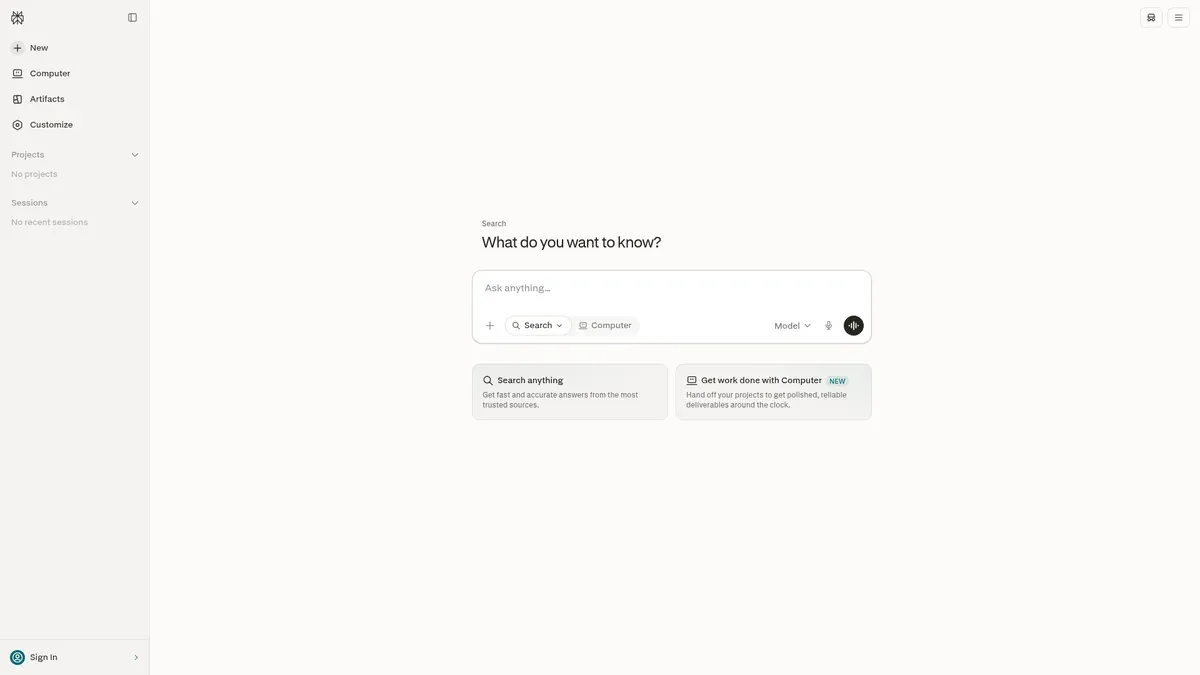
Best for: research-heavy work where you want current answers with citations you can check.
Perplexity is an answer engine that combines live web search with several leading models and shows its sources. Deep Research turns a complex question into structured, fully cited output, and can deliver reports, decks, and dashboards inside Computer. Free users get limited access to Deep Research and Pro subscribers get a much higher volume.
Comet is its AI browser, able to automate tasks, research the web, and organize email. Computer is described as a general-purpose digital worker. The current product page also exposes Artifacts, Projects, connectors, and search modes.
Pricing: Free is $0 with limited daily usage and citations in every answer. Pro was found at $20 a month, or about $16.67 a month billed annually. Max is $200 a month, or about $167 a month billed annually, with 10,000 monthly credits and 35,000 bonus credits shown on the Max page. Enterprise is custom or plan-dependent.
Limitation: it is a research environment, not a brand-governed content pipeline. Our research does not establish keyword cluster management, internal link automation, CMS publishing, or distribution repurposing. Deep Research and Computer produce real work products, and every one of them still needs an editor before it goes live. Comet has separate terms and browser restrictions, so avoid promising your team unrestricted autonomous action.
How to choose your best HyperWrite alternative
Not sure where to start? Start with the job, not the tool.
Choose DeepSmith if competitors are showing up in AI answers and you are not, and you need measurement, evidence-backed gaps, and scheduled on-brand articles with SEO, internal links, publishing, and repurposing in one loop.
Choose Jasper if you want a marketing agent workspace with strong brand governance, browser reach, and many templates, and the credit model fits your usage.
Choose Writesonic if you want AI articles, site audits, SEO, and AI-search visibility together, and you are willing to confirm the live billing view first.
Choose Copy.ai if go-to-market process automation across your CRM and sales systems matters more than a focused editorial workflow.
Choose Grammarly if you already have a content process and mainly need real-time proofreading, rewriting, and tone help inside the apps your team lives in.
Choose ChatGPT if you want one broad assistant for brainstorming, files, research, and guided computer tasks.
Choose Claude if long-form writing, project context, and Chrome-based assistance are the deciding factors.
Choose Perplexity if current cited research is the thing you are missing.
Two more things worth saying out loud. Credits are not words, and they are not articles. Jasper, Copy.ai, and Perplexity Max all meter usage differently, so work out the unit before you compare price. And browser support does not mean autonomous publishing. Reading a page is not the same as running your editorial calendar.
If you want a shortcut, ask yourself one question. Is my bottleneck the sentence, or the system? Sentence problems live in group two. System problems live in group one.
See your AI search gaps before you pay
You do not need a bigger team. You need to see where you are invisible, and then close those gaps on a schedule.
Start a 7-day DeepSmith trial and get real data and real drafts before you pay. Track your prompts, map your gaps against competitors, and produce the articles that fill them. No long-term contract, no cancellation fee.
Start with one prompt you know your buyers ask. That is the whole first step.
Guides in this series
- HyperWrite Review: Features, Pricing, and Whether It Is Worth It: See what HyperWrite actually does, what Premium and Ultra cost, where its AI agents fall short, and whether the subscription is genuinely worth it for you.