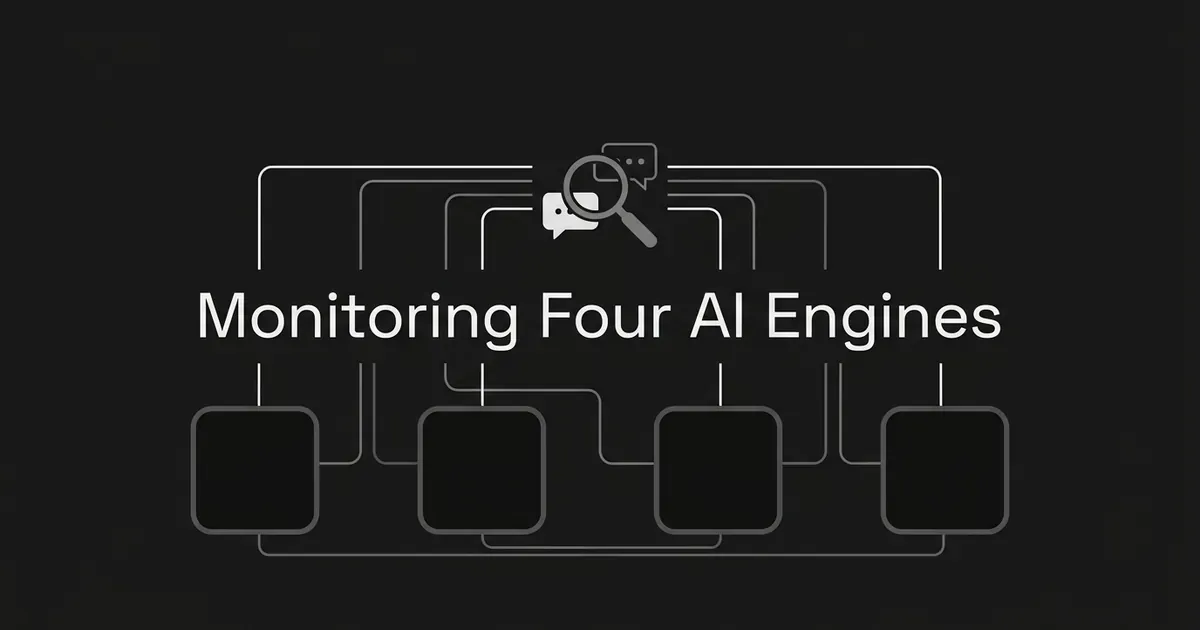
Most teams start checking AI answers on ChatGPT, and then someone asks about the other engines. Customers might be using Perplexity to research, Grok to look at what people are saying on X, Meta AI inside the apps they already open, or DeepSeek because a colleague mentioned it. This guide is for marketing leads who want to know which of these four are worth their time, and how to set up a simple routine for each one, starting with Perplexity brand monitoring and moving through Grok, Meta AI and DeepSeek. By the end you will have a short list of engines you are checking, a prompt set that stays the same from run to run, and a log that shows where you are mentioned and where you are cited.
It helps to know up front that these four products are not the same kind of thing. They search in different ways, they show sources in different ways, and each one has a consumer app and a separate developer API that should not be mixed together in your results. We will keep that in mind in every step.
What you need before you start
You need a list of the questions your customers ask, a place to save answers (a spreadsheet is fine), and a person who owns the checks. You do not need a paid account on any engine to begin, although some features, like Perplexity's Pro Search, ask you to sign in. If you would rather not pay for a tool either, the best free AI brand monitoring tools are worth a look.
Know what you are measuring
Two words come up in every step, so it is worth getting them straight now.
- Mention: the answer names or talks about your brand. It can show up in a sentence, a list or a comparison.
- Citation: a URL attached to the answer as a source. For your own site, count links to your pages separately from links to other publishers.
These are independent. An answer can mention you without linking to your site. It can link to one of your pages without ever naming your brand in the text. It can do both, or neither. If you only track one of them, you will miss half of what is going on, so every check in this guide records both.
Also keep in mind that your results describe the prompts you tested, under the conditions you tested them. They cannot promise what a different person will see at a different time or with a different account. That is not a flaw in your process, it is just how these tools work.
Step 1: Decide which engines deserve your time
Start with your audience, not a ranking, because Perplexity brand monitoring and the other three checks all take real time. We did not find a trustworthy audience or usage comparison for these four engines, so nobody can honestly tell you that one of them matters more than another for every business. The best AI brand monitoring tools can run the checks for you later, but choosing the engines comes first. What you can do is look at your own situation.
Look through your sales calls, support conversations, the markets you sell in, and the places competitors already show up. Then use these as reasons to test each one:
- Test Perplexity when your buyers do research-style searching and care about answers that come with linked sources.
- Test Grok when X and real-time web discovery are part of how people find products like yours.
- Test Meta AI when your customers use Meta's apps, keeping in mind that availability varies by location.
- Test DeepSeek when its app or its developer-facing search matters in your market or to your audience.
These are reasons to look, not evidence that any one engine has more users or business impact than the others. If you have no baseline yet and your audience is not clear, begin with all four. After a few rounds, spend more of your review time on the engines that produce relevant buyer answers or real citations, and less on the ones that stay quiet.
Done when: you have named the engines you will check, a one-line reason for each, and the person who maintains the checks.
Common mistake: picking an engine because it is getting attention in the industry, without checking whether your buyers use it or whether its answers touch your category.
Step 2: Build a stable prompt set
Write the questions the way buyers write them, not only as brand-name searches. Cover the awareness, consideration and decision stages: questions about the problem your product solves, questions about the category, comparisons between products, and a few branded questions. Label each prompt with its intent and its funnel stage, because that is how you will see where a gap is happening later.
Then keep the wording fixed. If you change a prompt between runs you cannot tell whether the answer changed or you did. Start each prompt in a new conversation so earlier questions do not add context, and use the same language, location and surface where you can. When you cannot, write down the difference.
We did not find a sourced number for how many prompts is enough, or how often to run them. So pick a pilot set you can actually keep up with, maybe a dozen prompts to begin, and grow it once you see which ones give you useful signals. DeepSmith's Discover Prompts can suggest a starter set based on your product, persona and buyer-stage context, and you can add the ones that fit and write the rest yourself. It is a good way to avoid staring at a blank spreadsheet, but it is a starting point, and it does not cover every question a customer might ask. If you want help sorting a growing list, the guide on how to organize tracked prompts by topic, funnel stage and persona walks through it.
Done when: every prompt has fixed wording, an intent label, a stage label and an owner.
Step 3: Set up a manual baseline for each surface
A baseline is just one careful round of checks, saved. For every prompt, open a fresh conversation, run it, save the whole answer, and look at the source links. Then repeat the same prompt on each of the other engines you picked, starting fresh each time so the previous answer does not leak in.
For each check, write down:
- the date and time
- the engine, and whether you used the web or an app
- the prompt exactly as you typed it
- your account state (signed in or not)
- the search or reasoning mode, if you can see one
- the full answer text
- whether your brand is mentioned
- whether one of your own pages is linked
- which competitor or third-party pages are linked
- anything that changed materially since the last run
Then sort each prompt into one of four outcomes: mentioned and cited, mentioned but not cited, cited but not mentioned, or neither. Note which competitors appear, which pages are linked, whether the answer describes your brand accurately, and whether the page it cites is the right page for that question.
Keep your app checks and your API checks in separate places. They are different measurements, and mixing them will make your numbers hard to trust. The guide on how to capture and archive verbatim AI answers goes deeper on keeping records that hold up later.
Done when: each prompt and engine pair has a dated baseline with the answer text and the sources, where the engine shows any.
Common mistake: counting a third-party page that mentions your brand as a citation to your own site. Record the publisher and the destination URL as two separate things.
Step 4: Check Perplexity
Perplexity brand monitoring is usually the easiest place to start, because Perplexity takes plain-language questions, searches the web, summarizes what it finds and shows the sources it used. Its help pages describe two ways to search. Basic search suits quick facts, and Pro Search takes longer and looks at more sources for research or harder questions. For monitoring, pick one approach, use it every time, and write down which one you used.
You can use some of Perplexity without signing in. According to its account help, a free account includes five Pro Searches per day, up to three file uploads per day, Collections, sessions and Discover. Pro Search, file uploads and saving sessions need you to sign in. Each question starts a session, and follow-up questions stay inside it, so for a fair monitoring check use a new question for each prompt instead of a follow-up to the last one.
One thing to watch is incognito mode. Perplexity's troubleshooting page says incognito sessions expire within 24 hours and cannot be recovered. That means you should never rely on the session as your only record. Copy the prompt, the answer and the source URLs into your own log. We could not confirm a current Pro subscription price from the sources we reviewed, so check Perplexity's pricing page before you quote one.
Record: the exact prompt, basic or Pro Search if you can tell, whether you were signed in, the answer, the citations and any link to your own pages. A citation is not proof that the claim in the answer is correct, so open the source and read it.
Done when: every test is saved outside the product, and each linked page is marked as yours, a competitor's, or someone else's.
Step 5: Check Grok
On X, you can use the site or open the iOS or Android app, select the Grok icon in the navigation bar, and then type your prompt or pick a suggestion. X's help says Grok can decide for itself whether to search public X posts and do a real-time web search in response to a question. That means a search will not happen on every prompt. When you run a check, note whether any sources or search evidence showed up, and do not assume the answer used live retrieval.
Grok is available where X is available. X's consumer FAQ describes free-tier limits for chat and voice, and paid plans with weekly usage allowances, but it does not give a current plan price or a guaranteed free search allowance in the material we reviewed. If you want to mention a Grok price anywhere, check X's current official pricing first.
To keep your tests consistent, note whether you used Grok on X or on the Grok website or app, and keep that the same each time. X documents personalization and data-sharing controls under Settings, then Privacy & Safety, then Data sharing and personalization, then Grok & Third-party Collaborators. It lists separate controls for Grok personalization and for using public data and interactions for training. These settings may change how much account context Grok has, so log what they were set to if it could matter for your test.
There is also a developer tool from xAI called Web Search. Its documentation says it searches the web in real time and can browse pages, and its citations documentation describes a response field with the URLs of the sources it found, returned by default. That is useful for developers, but it is an API workflow, and it is not evidence that the API behaves like the consumer Grok experience or reads X posts the same way. Keep it in its own dataset.
Done when: your log shows the surface, the account context, whether search or source evidence appeared, the answer and the source URLs.
Caveat: X warns that Grok can give confidently incorrect information, summarize badly or miss context, so check anything important yourself. Do not put sensitive or confidential information into your test prompts.
Step 6: Check Meta AI
Meta AI shows up across Meta's apps, but which app and website features you get varies by location. Meta's help explains that Meta AI may turn your prompt into a search query and send it to selected search engines, without tying that query to your account. In incognito chats, web search is on by default and you can switch it off. The help pages we reviewed do not say that every consumer answer shows citations or source links, so write down any links you see, and mark source visibility as unavailable when there are none.
The documented app path is to open the Meta AI app, tap Menu in the upper left, tap Incognito chat, tap Ask Meta AI privately, and then enter your prompt. Meta says incognito conversations are not saved to your chat history after you leave, so save your results in your log before you close the chat. To change the web search setting for incognito chats, go to Menu, then Settings, then Data and privacy, then Incognito chat, then Web search for incognito chat. Pick one setting and keep it the same across runs, and note what it was.
The Meta help material we reviewed covers the app, and it does not give a full click path for desktop or the website, so we are not going to make one up. If you want to monitor Meta AI DeepSeek and the others from a single log, just mark any surface you could not test as not tested.
Meta also has a developer Model API with a search-grounding feature. Its docs say grounded answers attach URL-citation annotations to the output text, and that it works through the Responses and Messages APIs, not Chat Completions. That is a way for developers to measure something, but it is not the consumer Meta AI app, so do not combine the two.
Done when: the app test records the prompt, the incognito and search setting, the answer, any visible sources and the date. If the feature is not available in your region, mark it as not tested and do not stand in a different product for it.
Step 7: Check DeepSeek
DeepSeek's official app announcement, published January 15, 2025, describes the app as free at launch, with web search and a Deep-Think mode, and says people can sign in with email, Google or Apple. That announcement is old, so it does not confirm today's pricing or features. Check official app-store or company channels, and make sure web search is actually available in the version and region you are testing.
We could not find a reliable, current click path for the consumer app, and we could not confirm how it displays citations. So we are not going to give you a button sequence, and you should not assume source links will always be there. Record what you see.
DeepSeek also documents a separate Search and Fetch API. The Search API returns structured web-page results for a query, and the Fetch API retrieves one page and returns it as Markdown. Both are raw JSON APIs that use DeepSeek API bearer authentication. They are built for agent and retrieval workflows, and a search results API is not the same thing as a consumer DeepSeek answer or a brand-visibility tracker. Keep that evidence in a separate column or dataset. We did not establish API pricing from the documentation we reviewed.
Done when: DeepSeek has a clear tested or not-tested status, a prompt record you can repeat, and a next review date.
Step 8: Review the results and decide what to keep checking
Once you have a round from each engine, put the results side by side by prompt and by engine. Compare mentions, citations to your own pages, which competitors appear, the quality of the sources and whether the answer describes your brand correctly. When something changes, look at the saved answers and not only the summary numbers. Ask whether the cited source actually supports the claim, and whether the linked page matches what the person was asking.
Then choose how often to repeat. We did not find a sourced cadence that works for all four of these engines, so pick one that fits how often your team makes decisions, keep it consistent, and keep the answer history. If you can only afford to watch two or three engines closely, use this round to decide which ones. Keep the others on a slower schedule, or mark them as checked once and revisit later. If you want to see how several models are tracked side by side, the best LLM monitoring tools roundup shows how tools handle that, and the best AI brand sentiment tools list covers tools that judge tone as well as presence. Larger teams may also want the best LLM monitoring tools for enterprise brands.
Pro tip: save the answers and the source URLs along with any rates or counts. When a number moves, the saved answer is what tells you whether the response changed, the source changed, or your test setup drifted.
Where a tool can take over the manual work
A spreadsheet works for a first baseline, and it gets tiring fast. DeepSmith's AI Visibility tracks the prompts you pick on a schedule, captures the full answers, and tracks mentions and citations separately. You get per-prompt mention and citation rates, answer history, the pages and sources AI cites, competitor citations and a leaderboard. That replaces the spreadsheet for the engines your plan covers.
The plan matters here. Pro tracks ChatGPT. Grow adds Perplexity, and Scale adds Gemini. Enterprise and Custom plans cover all ten engines DeepSmith tracks, which includes Grok, Meta AI and DeepSeek. So of the four engines in this guide, Perplexity is available from Grow, and Grok, Meta AI and DeepSeek are available on Enterprise and Custom. A prompt you have not added, or an engine your plan does not include, is not measured, so the manual checks above still make sense for anything outside your plan.
If you want to compare what is on the market, the roundup of the best AI brand monitoring tools for marketers covers tools a non-technical team can run, and the one for enterprise teams looks at the larger plans. Tools also differ a lot in which engines they cover, and the best AI visibility tools list is a good place to see that.
The DeepSmith API is read-only. It reads visibility data that has already been collected in your workspace, such as mention and citation rates, competitors, cited pages and the answers themselves. It does not start new searches on an engine. You set up scheduled tracking in the product, and then use the API to pull the results into your own reports. If you are weighing how to send results onward, the guide on where brand monitoring data lives covers exports and reporting hooks.
What to do next
Pick your first two engines this week, write down the dozen or so prompts, and run the baseline. Once you have a dated record for each prompt and engine pair, the next decisions get a lot easier, because you are looking at real answers and not guessing. When you are ready to stop maintaining a spreadsheet, you can start a free trial of DeepSmith and track your prompts on a schedule.
Related guides
- Why Monitor AI Answers for Category-Level Narratives, Not Just Your Brand: Learn why watching how AI describes your category matters, and what to log beyond your own brand.
- What Is AI Brand Monitoring and How Does It Work?: Understand what AI brand monitoring watches, how it differs from simply checking an answer, and what outputs it produces.
- Allable Alternatives: 7 Best All-in-One AI Content Tools for 2026: A comparison of seven Allable alternatives (DeepSmith, Writesonic, Scalenut, Frase, Surfer, Semrush, Jasper) for teams wanting one platform across research, writing, SEO, and publishing, with pricing, an honest.
- Asklantern Alternatives: 8 Best AI Visibility Trackers for 2026: Compares eight AI visibility trackers a team can move to from Asklantern, including DeepSmith, Profound, Peec AI, OtterlyAI, Scrunch, Ahrefs Brand Radar and Semrush.
- Brandofy Alternatives: 8 Best AI Brand Visibility Trackers for 2026: Eight Brandofy.ai competitors reviewed on published facts and prices: DeepSmith, OtterlyAI, Peec AI, Profound, Scrunch, Rankscale, Goodie, and the Semrush AI Visibility Toolkit, compared on engine coverage, prompt.