Your product shipped on Tuesday. Your feature page still describes what it did in March. The docs show a screen that no longer exists, and the comparison page makes a promise the current build cannot keep.
If that sounds familiar, take a breath. This is not a discipline problem. It is a trigger problem. Most teams run a SaaS content refresh cadence off a calendar, and a calendar has no idea when engineering merged something.
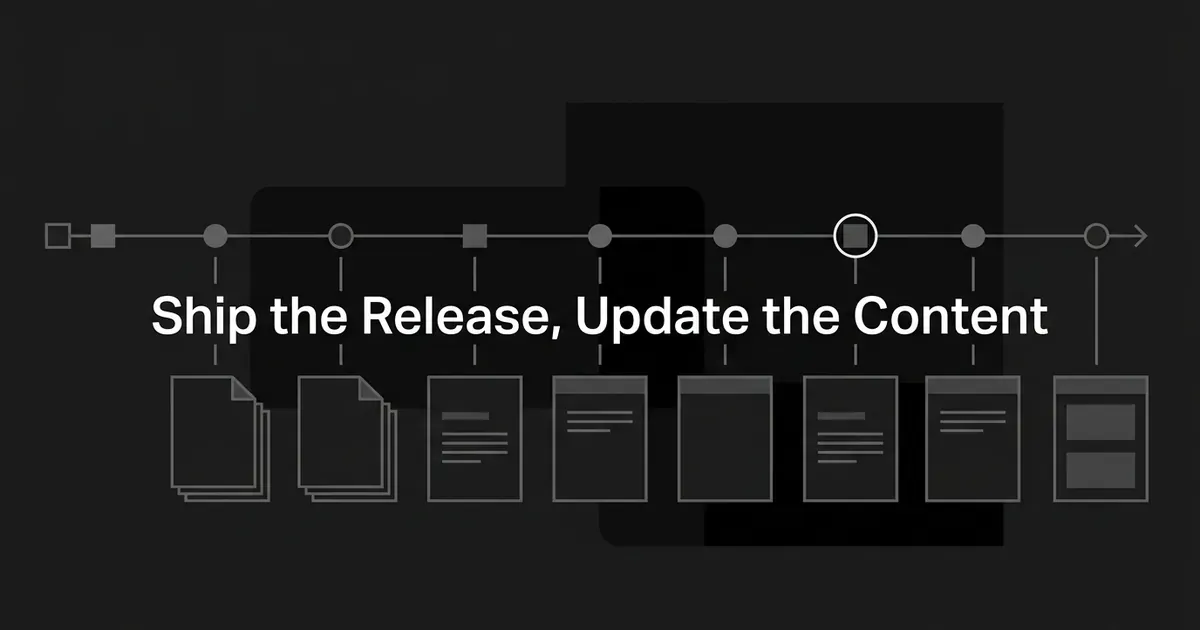
Here is the fix, and it is smaller than you think. You stop asking "how often should we update?" and start asking "what does this release change?" That one swap gives you a system that tells your team what to update, when to publish it, and how to check that the page matches what customers can actually do.
Nine steps. Work them in order, and you will sync content to releases instead of chasing them.
Step 1: Make the release record your single content trigger
Your content calendar and your product roadmap live in two different tools, and neither knows about the other. That is where stale pages come from.
So build one record per release, and let content follow it. Not a new tool. A ticket, a row, a page in whatever your product team already uses. This record is the hinge that lets you sync content to releases at all, because it is the only place where a rollout date and a page list sit side by side.
Give each record these fields:
- Release name and internal identifier.
- Release type: bug fix, copy or UI change, enhancement, new feature, pricing or packaging change, API change, deprecation, or shutdown.
- The user problem it solves and the outcome it creates.
- Who can access it at each rollout stage.
- Target dates for internal test, beta, staged exposure, general availability, and any deprecation notice or shutdown.
- Owners: product, engineering, docs, product marketing, support, and the final approver.
- Affected URLs, without assuming every one needs a rewrite.
- Required screenshots, examples, migration steps, known limits, and the analytics event.
- The rollback or "do not publish" condition.
You know it's done when every customer-impacting release has a content record, every affected asset has an owner and a state, and the record spells out the condition that allows public publication.
Common mistake: treating the editorial calendar as a second source of truth. A content date that is not tied to the rollout publishes too early, misses a delayed launch, or leaves a page stale after an unplanned change.
You still need to see what a release touches. DeepSmith's Content Map crawls your site, blog, docs, and product pages, classifies each one onto a topic and a funnel stage, and rechecks your sitemaps every 24 hours. That gives you the page inventory to attach to a release record. It does not watch your deployments, so the release record stays the trigger.
Step 2: Classify the release by what customers see
Before anyone opens a doc to rewrite it, decide what actually changes. And judge it by customer-visible effect, not engineering effort.
| Release type | Minimum content action | Add this when it changes a promise, workflow, or buying decision |
|---|---|---|
| Bug fix, no changed steps or claims | Add it to the release-note batch if customers need to know | Update troubleshooting or FAQ when the fix changes the customer's next action |
| Copy, navigation, or minor UI change | Check screenshots, labels, headings, paths, examples | Update the feature page or getting-started flow if someone could follow the old path and fail |
| Enhancement to an existing feature | Update the how-to, reference, screenshots, FAQ, release note | Refresh feature-page benefits and comparison claims if the evaluation story changed |
| New feature or major workflow | Create or refresh the feature page, setup docs, release note, FAQ, support answers, launch comms | Update comparison, alternative, pricing, packaging, onboarding, sales, and distribution surfaces |
| API, schema, permission, or integration change | Update reference material, code examples, version notes, setup steps, troubleshooting | Add migration guidance, compatibility notes, deprecation warnings, replacements |
| Pricing or packaging change | Update pricing, plan comparison, feature tables, FAQs, sales and CS material | Recheck every comparison and claim that depends on relative value |
| Deprecation or shutdown | Publish the status, affected audience, replacement, migration steps, dates, support path | Warn on old pages, redirect or archive what is obsolete, keep the migration path alive |
You know it's done when the record names the exact asset classes that must change, and explicitly marks the ones you checked and deliberately left alone. That second half matters. "Checked, no change needed" is a real answer, and writing it down stops the same question next sprint.
Where teams go wrong: they borrow "major" and "minor" from engineering. A tiny permission change can invalidate a whole setup guide. A huge backend refactor may need one line in a release note.
Step 3: Work backward from the rollout date
Launch day is not the first task. It is close to the last one. So take the date the feature becomes available and walk backward to your longest-lead item, which for a lot of teams is sales enablement.
Here is a relative schedule you can adapt. These are operating defaults, not benchmarks.
| When | What happens | How you know you can move on |
|---|---|---|
| Scope and positioning are stable | Release brief, impact matrix, owner list, page and doc outlines, audience segments | Product and marketing agree what is changing, for whom, and why it matters |
| Before internal testing | Draft docs, feature copy, release note, FAQ, support answer, screenshots, analytics event | A reviewer can test your instructions against the build |
| About a week out, if you run a beta | A selected customer group gets access, issues get collected, fixes get a buffer | Feedback is triaged, limits are written down, content is updated |
| One week before target launch | Readiness review with functional leads: QA, beta results, risks, blockers, content approval, comms | A documented decision to proceed, delay, or cut scope |
| At each rollout expansion | Recheck access language, screenshots, setup steps, analytics, support answers, targeting | Content matches the current exposure state |
| At confirmed availability | Publish what is ready and relevant to the now-eligible audience | Product owner confirms availability, approver confirms accuracy |
| Right after publishing | Use the feature as a customer would, test links and events, watch support signals | No mismatch, broken path, or premature claim remains |
| Once usage data exists | Review adoption, feedback, and support questions, then reopen the record if needed | Follow-ups are assigned or resolved |
One documented launch plan uses roughly 50 key customers for a soft launch about a week before public release, tests for around three days, and keeps a buffer week for fixes. Treat that as a template, not the right number for yours.
You know it's done when every task has an owner, a reviewer, a dependency, and a fallback. The plan can answer "who blocks publication if the rollout slips?" without a meeting.
Pro tip: separate "draft ready" from "safe to publish." Those are two different states, and mixing them is how a feature page goes live for a feature still hiding behind a flag.
This is also where a production tool earns its keep. In DeepSmith, a release-linked idea sits in Planned Content with the release's intended publication date as its planning date, and Autowrite can generate that article on the day. You set the date, though. The platform does not read your deployment pipeline, so keep a human gate between release status and a public claim.
Step 4: Write one release brief, then segment the announcement
Every asset in the release pulls from the same facts. Write those facts once.
Your brief needs:
- What changed: the observable feature, behavior, screen, endpoint, plan, or policy.
- Why it matters: the customer problem, in customer language, not engineering effort.
- Who is affected: existing users, new users, eligible plans, admins, developers, beta users, prospects.
- Availability: internal, beta, canary, staged percentage, region, plan, general availability, or retired.
- How to use it: entry point, prerequisites, steps, examples, permissions, expected result.
- Limits and risks: known limitations, unsupported cases, and what did not change.
- Proof assets: approved screenshot, short video, example, or demo.
- Migration info: old behavior, replacement, affected versions, notice and retirement dates, support path.
- Measurement: the exposure, activation, retention, or conversion event.
- Approval state: product, engineering, docs, legal where relevant, support, and final content sign-off.
Then stop broadcasting. One announcement for everyone means a beta user reads a general-availability promise and an ineligible account gets steps it cannot follow.
Segment instead. People who have access now. People who do not but could upgrade. People who requested the feature or joined the beta. Active and inactive customers when the news is time-sensitive.
Match the channel to the moment too. In-product messaging when customers are inside the product and able to act, email when the message has to reach people outside it. Give the announcement a delivery window and a stop date, because nothing stays new.
You know it's done when a reader can tell what changed, whether they can use it, and what to do next, without opening an internal ticket.
Step 5: Draft docs and feature pages before launch, and keep them private
Documentation written after launch day is documentation written under pressure. Start it while the product is still being built, with writers sitting alongside product and engineering.
The workflow that holds up:
- Collect product decisions, approved terminology, designs, acceptance criteria, API changes, limits, and release identifiers.
- Consolidate material from tickets, design files, briefs, and contributor drafts into your docs system.
- Draft the task-level content: who it is for, prerequisites, steps, expected result, edge cases, troubleshooting.
- Update screenshots, interface labels, code samples, version notes, and related links.
- Keep the new content private while reviewers work with the author.
- Review for accuracy, completeness, formatting, metadata, accessibility, and consistency with the brief.
- Preview it in the publishing environment and test the task against the product.
- Publish when the target audience can access the capability. If it has to be ready earlier, keep it hidden.
- Preserve revision history and the old version's migration path whenever compatibility is involved.
Some teams run this as docs-as-code: files in version control, generated previews, and CI/CD triggering publication, with release notes assembled from work tagged with a release version. That is one implementation pattern, not a requirement.
For the feature page itself, run a short checklist. Does the headline describe the current capability? Does the availability and plan language match the real rollout? Do screenshots show the current interface without exposing unreleased controls? Are the claims about integrations, limits, and permissions approved? Does the FAQ answer the question this change creates?
You know it's done when a product owner can follow every public instruction successfully on the released product, and a reviewer can trace each material claim to an approved release fact.
Drafting nine assets from one brief is where most lean teams stall. Deep IQ holds your positioning, product features, value props, claims to make and avoid, personas, brand voice, and content types as structured context, and the Writer uses all of it to produce a brand-grounded article with SEO and AEO structure, links, a cover image, and publish-ready metadata. Your product owner still confirms whether the feature is live. The platform writes; it does not verify release state.
Step 6: Gate publication on rollout, not on deployment
Code deployed is not the same as customers can use it. Hold that line and half your launch-day content defects disappear.
A staged release might go internal, then beta, then everyone. Or it might expand by percentage: one documented example runs 10%, then 25%, then 50%, then all users. The ladder is not the point. Watching behavior while exposure grows is.
This gate is what keeps product release content updates honest. Before you widen exposure or publish a broad claim, confirm:
- The feature behaves correctly with the release flag on and off.
- Monitoring covers the signals that matter: errors, load time, uptime, conversions, registrations.
- The audience named in each message matches the current targeting rule.
- Public docs are not telling an unavailable audience to use a hidden feature.
- Support and customer success know the current state, the limits, and the escalation path.
- Rollback or hold has a named owner.
- When a short-lived flag hits full exposure, someone removes it and someone sweeps for old-state language.
Common mistake: publishing the full feature page at the first canary. If the canary gets pulled, that page is now a promise for something customers cannot find. Use a private draft, an eligible-audience announcement, or a clearly labeled beta page until the public gate opens.
You know it's done when the product owner has confirmed the audience and release state, the approver has confirmed the claims, and someone tested the live experience at the same state a reader will see.
Step 7: Refresh comparison pages when claims move
This is the step almost everyone skips, and it is the one evaluation-stage buyers notice.
Your new feature page goes live. Your alternatives library still says you cannot do the thing you just shipped. Now your site contradicts itself in front of someone with a shortlist.
So recheck comparison content whenever your product or a competitor changes pricing, packaging, positioning, or a feature claim. A release that changes plan value, a core workflow, an integration, or a real limitation is a comparison trigger, even when the release note is one line.
The sequence:
- List the exact product and competitor claims the release affects.
- Recheck your own availability, plan placement, limits, integrations, permissions, and terminology.
- Recheck competitor pricing, packaging, and feature support instead of copying last quarter's table forward.
- Update the matrix, the explanation, the FAQ, the screenshots, and the calls to action together.
- Put a visible update date on time-sensitive information.
- Have product marketing approve any claim about a competitor or a relative advantage.
- Test the structured data and the rendered page, remembering that eligibility for a rich result is not the same as getting one.
Comparison content carries a second dependency worth naming: a competitor's change can invalidate your page even when you shipped nothing. A quarterly review is a reasonable backstop in fast-moving categories, but the primary trigger is still a material change.
You know it's done when no comparison claim rests on a superseded feature, price, package, or competitor fact.
Step 8: Publish the release note, then distribute to the right people
The release note is your concise public record. It is not your documentation, and asking it to be both is why so many of them are unreadable.
Keep it to a high-level summary: what changed, why it matters, who can use it and when, how to start, important limits, the related docs or migration path, and a screenshot when the visual change matters.
Batching is a judgment call, and this is where product release content updates get either clean or noisy. One documented team groups new functionality, enhancements, and bug fixes from the past week and publishes on Friday. That works when you genuinely ship in weekly batches. If a release is high impact, give it its own note instead of burying it in a roundup.
Before the announcement goes out, make sure the product event you need for measurement is already firing. Set a concrete goal, like a feature-use event, so you can see how many recipients acted and who they were. A/B test the message if the release is big enough to justify it. One in-product test reports adoption climbing 200% over its control, a single documented example rather than a result you should expect. And rewrite any announcement that reaches the wrong audience.
You know it's done when the note is live at the correct availability state, the affected audience got the right channel, the event is recording, and the docs and feature page agree with the note.
Step 9: Measure adoption and content accuracy after launch
Do not close the release record at publish. That is the moment the useful information starts arriving.
Track the signals your brief named:
- Exposure: how many eligible users saw the feature or the announcement.
- Activation: how many of them completed the intended first action.
- Retention: whether activated users come back. One framework uses a 30-day return window.
- Business impact: adopter versus non-adopter behavior at 60 and 90 days, when your sample supports it.
- Behavior: feature-use frequency, drop-off points, friction, conversion, and time to convert.
- Feedback: support questions, interviews, NPS and CES responses grouped into themes.
- Content accuracy: search your own site for old labels, old screenshots, old plan names, and old endpoints.
Then decide what to do with it. Clarify a doc. Add an example. Split an FAQ. Amend the comparison page.
One honest caution: do not claim a refresh caused a change in adoption or visibility unless your measurement design supports it. Correlation after a launch is easy to find and easy to misread.
For AI search specifically, AI Visibility tracks your buyer prompts and reports mention rate, citation rate, share of voice, sentiment, cited pages, and competitor citations. After a release-linked page goes live, that shows you whether the updated page is turning up in tracked AI answers and which competitor pages are winning instead. It is an observation layer, not proof of causation, and it does not replace your product analytics.
You know it's done when the record has a post-launch decision, a named follow-up owner, and a date to either close the work or reopen a specific asset.
So what is the right SaaS update frequency?
It is conditional, and that is a better answer than a number.
| Asset | What triggers a refresh | When to do it |
|---|---|---|
| Release notes or changelog | Any customer-relevant release, enhancement, or fix | At the relevant release state; batch only while the batch stays readable |
| How-to and setup docs | A step, screen, permission, endpoint, default, or expected result changes | Draft before rollout, publish when readers can use the new workflow, fix immediately when an instruction becomes wrong |
| Feature or product page | Value prop, availability, plan, proof, integration, or capability changes | Before or at confirmed availability, with state-appropriate visibility during beta |
| Comparison and alternative pages | Your or a competitor's pricing, packaging, positioning, or material claim changes | Right after a verified change, with a review cycle as a backstop |
| FAQ and support content | Repeated questions, a known limitation, a migration issue | As soon as the release creates the question |
| Screenshots, video, diagrams | UI, flow, terminology, output, or plan behavior changes | In the same release task as the affected page |
| Deprecation and migration content | Notice, replacement change, or retirement date | Publish the warning early, revise through notice, rollout, and shutdown |
Notice what is missing: a universal interval. Update instructions when behavior changes. Update promises when the buyer-facing claim changes. Update comparisons when a competitive fact changes. Run release notes at whatever rhythm your team can actually sustain. There is no single SaaS update frequency that fits every asset on your site, and picking one is how pages drift. When you refresh with product cycle triggers instead, the interval stops being the question.

Deprecation timelines vary the same way. One API provider's published policy gives at least six months' notice for generally available models, at least three months for specialized variants, and as little as two weeks for preview models. That is their policy, shaped by their customers' migration burden. Yours should answer the same question, not copy theirs.
Your next release is the one to start with
You do not need to retrofit two years of content. That is the version of this project that never gets finished.
Pick the next customer-impacting release on your roadmap. Give it a content record. Run the impact matrix and write down which assets change and which you checked and left alone. Set one readiness gate a week before launch. That is it. One release, one record, one gate.
Do that three times and you have a SaaS content refresh cadence that runs on product reality instead of a calendar reminder. A refresh with product cycle timing behind it beats a refresh scheduled for the first Monday of the quarter, every time.
When you are ready to make the production side lighter, DeepSmith handles the page inventory, the scheduled writing, the brand context, and the AI-visibility check in one place, so your release record has fewer places to hand off to. Start a free trial and try it on your next launch.