You opened an old page, and now you are stuck. Is this a twenty minute fix, or a week of work? Guessing wrong is what makes content refresh effort so expensive: you either patch a page that needed rebuilding, or you rebuild one that needed a broken link fixed. This guide gives you a repeatable inspection you can run on one page and hand off as a work package, whether the next hands belong to a writer, an editor, a product owner, or your web team.
Take a breath. You are sizing the work, not deciding the page's fate.
The short answer
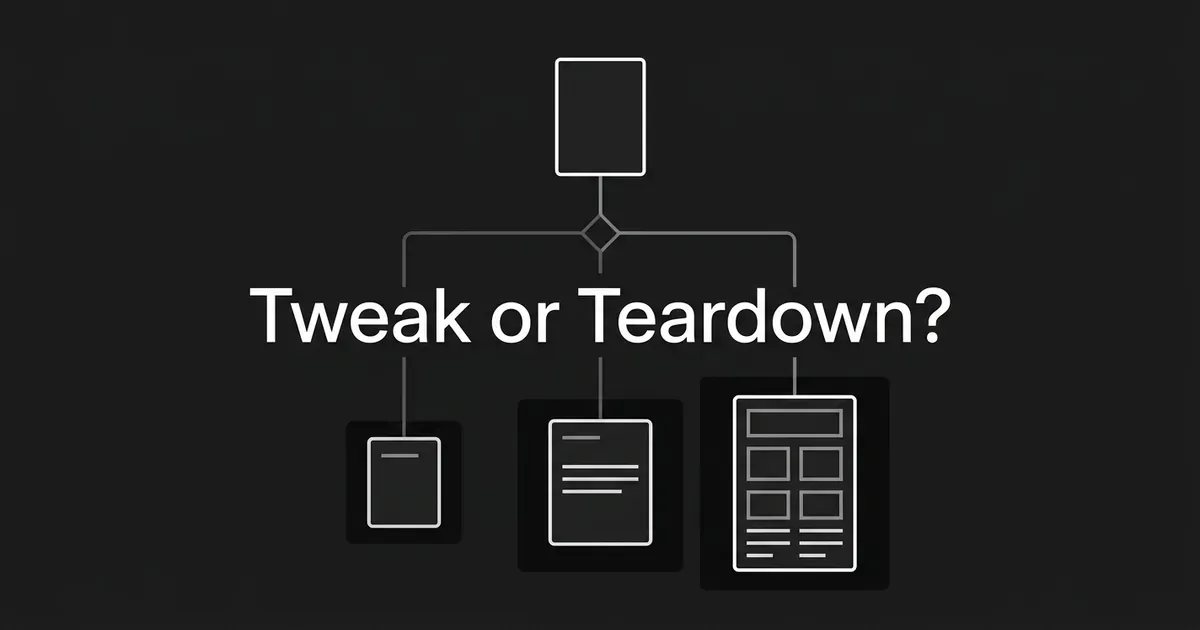
Three levels of content refresh effort, and one rule for choosing between them. This is the light vs heavy refresh question, made concrete.
- Light refresh. The page still serves the same reader, the same job, and the same format. The problems are local: a few facts, links, headings, metadata fields, or examples.
- Focused refresh. The job is still right, but several sections, claims, sources, examples, or coverage areas need work.
- Heavy refresh, or full teardown. Something red is showing: the intent or format changed, the facts carry real risk, trust or evidence is missing, coverage has a big hole, or the structure itself blocks the page from doing its job.
One thing to be honest about up front: this three-level model is a house method, not an industry standard. There is no credible universal number of hours, percentage of copy, traffic decline, or word count that decides the level for you. So we use observable evidence instead. That is what the eight steps below collect.
Keep one boundary in mind. The refresh vs teardown language here describes scope and depth, nothing more. Whether this URL should be kept, merged, or redirected is a separate decision. You have decided to refresh it, and we are only asking how much refresh needed on this page.
Step 1: Write down the page's job in one sentence
What to do. Before you touch a single sentence of copy, write the page's job on one line. Use this shape: "For [audience] trying to [job] through [query family], this page should help them [outcome] in [format]."
Then capture the supporting details: the audience and buyer stage, the task the reader is trying to finish, the primary query you are using as your inspection lens, the page type and dominant format, the business outcome the page supports, the person who can approve factual and product claims, and the date of the last real review if you have one.
How you know it is done. Someone who did not write the page can state its audience, job, query lens, and format without reading your whole site. The owner and the fact reviewer are named.
Where people go wrong. They define the page by a keyword or a URL and stop there. They assume the original brief is still valid. They start editing sentences before anyone agrees on what the page should help a reader do.
Pro tip: If your team cannot write that one sentence, mark "unclear page job" as an amber flag right now. An unclear job is exactly what makes a structural problem look like a typo.
That one sentence is your first scope control. Everything after this compares the page to it.
If you already keep your persona details, content-type templates, brand voice, product context, and your claims to make or avoid as structured data, this step goes faster and lands the same way every time. That is what Deep IQ inside DeepSmith is for: it holds that context once so you are not rebuilding the brief from memory on every page. It will not decide the effort level for you, and it does not replace the person who owns the facts.
Step 2: Build a claim and risk ledger before you edit
What to do. Read the page top to bottom and build a simple ledger. One row per thing that might need checking, with columns for the page area, the claim or element, its current source or owner, the change risk (low, medium, high), the action (keep, clarify, verify, replace), and the reviewer.
Then sort every claim into three buckets:
- Stable: definitions, durable principles, examples that are still correct.
- Time-sensitive: product features, prices, statistics, named people, market conditions, standards, policies, screenshots, and dated examples.
- High-risk: anything where an error could mislead a buyer, create compliance or safety exposure, misrepresent a product, or cost you trust. These need an expert review even when the wording change looks tiny.
Do not stop at body copy. Check the byline, the author or reviewer information, the source list, tables, downloads, embedded media, screenshots, calls to action, and links. Where an owner is missing, write "missing owner" and move on. Do not fill the gap with a guess.
How you know it is done. Every material claim has one of three statuses: verified as current, needs verification, or must be replaced. High-risk rows have a named reviewer. Broken links, missing assets, stale screenshots, and CMS dependencies are logged as separate work items.
Where people go wrong. They treat the publication date as the only freshness signal. They change that date before checking the body. They update one statistic and leave the outdated conclusion, chart, or call to action sitting right under it. And they let an AI tool fill in a missing source or product claim, which is how an unsupported sentence gets published.
A word on dates, because this trips up so many teams. Show a date only when the page genuinely supports it. Show when the page was updated, use the correct time zone, keep the same convention across your site, and never use a future date or a date unrelated to the page. A date records a real change. It is not a lever.
Step 3: Re-test the page against what searchers want now
What to do. Take your primary query plus a few representative variants. Search each one in a neutral context and write down what the current results imply the searcher actually wants. For each query, look at:
- The top ten results as a practical sample.
- The themes and subquestions that keep coming up.
- The dominant content types: blog posts, product pages, category pages, tools, templates.
- The dominant format: steps, lists, comparison tables, definitions, calculators, examples.
- The result features that change how the answer gets presented.
- The structure and topic coverage of the leading pages.
- The query language and context: modifiers, location, time, device.
Now compare all of that to your page's job, title, intro, structure, and answer. Give the comparison one of three labels: intent stable, intent partially shifted, or intent materially shifted.
How you know it is done. You have a short intent table per query. It records what the result set is asking for, what your page supplies, and the exact mismatch. You can say whether the problem is a missing section, a weak answer, or a page-architecture problem. Those three are very different amounts of work.
Where people go wrong. They trust a keyword tool's intent label instead of looking at results. They check one competitor and treat it as the market. They add modifiers to the copy while leaving the answer format untouched. Or they copy the leading page rather than finding the reader need nobody has met yet. A shifted result format is a signal to revisit your brief, not a template to duplicate.
This step settles more of the light vs heavy refresh question than any other, so give it real attention. Intent is observable. Go and observe it.
Step 4: Map the coverage gaps that actually matter
What to do. Build a coverage matrix with one row per reader question or necessary subtopic. Columns: the question, your current answer (complete, partial, absent), the evidence or example behind it, what current results commonly cover, the gap type, and the required work.
The matrix exists to separate three problems that get confused constantly:
- The page mentions the topic but never answers it.
- The page answers it but has no current evidence, example, or first-hand detail.
- The page has the right material but buries it in a bad structure.
Each of those costs a different amount of work. Lumping them together as "needs more content" is how a light job turns into an unplanned rewrite halfway through.
Protect the page's unique value while you do this. A refreshed page should not become a tidy summary of the top ten results. Look for your original examples, product or process detail you can substantiate, expert interpretation, useful comparisons, a clearer path to the reader's goal.
How you know it is done. Every important reader question is marked keep, clarify, verify, add, or deliberately out of scope. Each addition has an evidence owner or a source plan. Your writer gets a bounded list of gaps, not a vague instruction to make the page longer.
Where people go wrong. They use competitor headings as a mandatory outline. They equate more words with more value. They bolt on FAQs that repeat the page. They take an AI-generated gap list at face value without checking whether the topic even matters to this page's audience.
This is also the slowest inventory step by hand, especially across a big library. DeepSmith's Content Map crawls and classifies your pages onto one shared topic taxonomy and funnel stage, maps your competitors onto the same taxonomy, and shows coverage gaps, untapped topics, and per-topic depth. Sitemaps are rechecked every 24 hours, so the picture stays current. Use it to see the topic and funnel context around your page. It is not proof that a page needs more words, and it does not hand you an effort level.

Step 5: Check structure, links, assets, and technical dependencies
What to do. Read the page twice: once as a reader, once as a publisher. Work through this list.
- Title and main heading: descriptive, matched to the page job, not exaggerated.
- Heading hierarchy: sections are findable and in a logical order.
- Opening answer: the reader gets a clear answer or orientation early, when the format calls for it.
- Readability: paragraphs, lists, tables, examples, and definitions make the page easy to follow.
- Internal links: each one has a reason, points somewhere relevant, and sits in descriptive context.
- External sources: important claims have support, and those sources still resolve.
- Images and media: visuals still match the copy, load correctly, and carry useful alternative text.
- Calls to action: the next step matches the reader's stage.
- Metadata and structured data: title, description, author, dates, and markup match the actual page.
- Page and template behavior: mobile readability, layout, embeds, forms, navigation, loading.
- Technical dependencies: indexing, CMS, template, analytics, design, or engineering fixes.
Here is the part worth underlining. A template or loading problem is not a reason to give the page more copy effort. Log the dependency, name the owner, write the acceptance test, and move on. Adding paragraphs has never fixed a broken component.
How you know it is done. Every issue is filed as copy, evidence, asset, link, metadata, CMS or template, or engineering work. Your editor knows which items belong in the refresh brief and which need a different owner.
Where people go wrong. They call every issue "SEO." They bury a working answer under a new introduction. They add internal links no reader wants. They hand the content team a technical recommendation the content team cannot execute.
Step 6: Assign the effort level with a red-flag gate
Now you have evidence. Time to size the content update effort using observable work, not a stopwatch. This is where refresh vs teardown gets decided.
What to do. Score the page on five dimensions. Together they answer how much refresh needed, with evidence attached.
| Dimension | Green: local work | Amber: focused work | Red: heavy work |
|---|---|---|---|
| Page job and intent | Same audience, task, query family, and broad format | Same core task, but several subquestions or expectations changed | Different task or format; the page no longer answers the job |
| Facts and volatility | Most claims current, one or two local fixes | Several claims, examples, links, or assets need rechecking | Material or high-risk facts outdated, unsupported, or missing a reviewer |
| Coverage and value | Answers the necessary questions, needs clarification | Several gaps, weak evidence, missing examples | Broad coverage failure, or no substantiated value beyond a summary |
| Trust and ownership | Author, reviewer, sources, and claims are clear | Some source or reviewer gaps to close | Trust signals or expert review absent where the subject demands them |
| Structure and experience | Headings, order, links, and assets need small fixes | Multiple sections need reordering, expansion, or new assets | Architecture, template, or experience blocks the page from working |
Then apply the escalation rule:
- Any red in intent, factual risk, trust, or architecture means heavy, even if only a few sentences technically need editing.
- All green except one isolated defect means light.
- Several ambers and no red means focused.

Level 1, light refresh. Correct a few verified facts or dates. Repair or replace links. Clarify a heading, answer, paragraph, example, or call to action. Swap a stale screenshot. Make a targeted metadata correction. Add a relevant internal link. Run a focused editorial and factual QA pass. Done means the named defects are fixed, every changed claim is verified, the job and structure are intact, and no extra scope snuck in.
Level 2, focused refresh. Re-research the query and revise the outline at section level. Update multiple sections, claims, examples, and sources. Add the bounded subtopics your coverage matrix found. Improve answer order, headings, tables, internal links, metadata, and assets together. Get a subject-matter review on changed claims. Done means the work order names every section to keep, revise, add, or remove, every new claim has evidence or an owner, the format still matches the job, and every dependency has a name on it.
Level 3, heavy refresh or full teardown. Rebuild the brief and outline before rewriting. Re-research the query, related questions, and evidence set. Build a claim and source ledger for the rebuilt page. Rework most sections, examples, tables, and answer order. Plan or replace visual assets. Rebuild the internal-link and metadata plan. Get expert, editorial, product, legal, or technical review as the subject requires. Finish with a full pre-publish QA pass and a change log. Done means a new writer can execute the brief without repeating your diagnosis.
That last label is about effort only. Calling something a teardown says nothing about what happens to the URL.
Three quick examples, so the rubric feels real:
- Light. Same task, same format, one outdated product detail, one broken source link, one vague heading. Verify, repair, clarify, QA.
- Focused. Same reader task, but several sections describe an earlier version of the topic, the examples are dated, and a few recurring questions are missing. Section-level research, new evidence, bounded additions, link and asset updates, expert review.
- Heavy. The format no longer matches the result set, the intro promises the wrong task, major claims need rechecking, and nobody owns the evidence. Start with a rebuilt brief.
Step 7: Turn the diagnosis into a work order
What to do. Write the brief at the level of detail your chosen effort implies. Every work order carries the page job, audience, buyer stage, query lens, and format; the chosen level and the evidence for it; the red or amber flags that caused the classification; sections to preserve, revise, add, reorder, or verify; the claim ledger and source plan; the reviewers; required examples, tables, screenshots, and alternative text; internal and external link requirements; metadata, byline, date, and structured-data requirements; CMS, template, engineering, or design dependencies; and a definition of done with the approval sequence.
Scale it to the level. Light gets a short defect list, the exact passages, the sources to verify, one reviewer, and a QA checklist. Focused gets a section-level outline, research tasks, the claim ledger, assets, a link plan, a reviewer, and acceptance criteria. Heavy gets a rebuilt brief, a complete outline, a source and claim system, an expert review plan, an asset and template plan, link architecture, dependencies, and staged QA.
How you know it is done. The work order is assignable. A writer knows what not to touch, what must change, what evidence is required, who approves it, and how to recognize the finish line.
Where people go wrong. They write "refresh this page" and call it a brief. They put a time estimate on it before listing a single deliverable. They mix diagnosis and execution, so new gaps keep surfacing after the writer has started. And they treat a full teardown as permission to add every topic they have ever wanted to cover.
Once the sizing is done and the brief exists, execution is a production problem. DeepSmith's Content Studio Writer takes a structured brief and produces a researched, brand-grounded article with internal and external links, a cover image, and publish-ready metadata, and Produced Content is where you review and publish it. That belongs after the sizing decision, never inside it. It does not set your level, approve your facts, or stand in for expert review.
Step 8: Run the pre-handoff check and record the real change
What to do. Before this leaves your hands, confirm every line below.
- The selected level matches the flags you actually observed.
- Every high-risk or changed claim has a reviewer.
- The outline or defect list matches the coverage matrix.
- Sources and examples are current and attributable.
- Headings, answer order, links, media, metadata, and structured dates are inside the scope.
- Technical dependencies have owners and acceptance tests.
- The displayed date changes only if the page materially changed, and the convention matches the rest of your site.
- The work order contains no invented statistics, sources, product capabilities, customer results, or deadlines.
How you know it is done. The handoff contains the page job, the level, the rationale, the deliverables, the evidence, the reviewers, the dependencies, and the definition of done. Your change log will make plain what actually changed.
Where people go wrong. They approve a heavy scope with no new outline. They approve a light scope without testing whether the issue is really isolated. They update the date before the work exists. They let a missing source quietly become an unsupported sentence.
A few traps worth naming
You will meet these on almost every page, so it helps to spot them early.
- Old does not mean heavy. Age is a prompt to inspect, not a level.
- A traffic drop does not explain the work. It tells you to look. The rubric tells you what to do.
- A date change is not a refresh. The body has to earn it.
- A long page is not automatically thorough. Word count is not your scope control.
- A short page is not automatically weak. If it finishes the reader's job, adding length makes it worse.
- Current facts do not mean a sound page. Intent, structure, evidence, and answer order can still push you to focused or heavy.
- A technical problem is not a copy problem. Log the dependency.
- Not every claim deserves the same review path. A wording tweak and a regulated claim are not the same risk.
- The heavy label should be earned by evidence, not anxiety. The urge to make a page perfect is not a red flag.
What to do next
Pick one page. Run the eight steps on it today. Write the one-sentence job, build the ledger, check intent, map the gaps, inspect the structure, apply the red-flag gate, and turn the result into an assigned work order with owners, evidence requirements, dependencies, and a definition of done.
That is it. You now have a repeatable way to size content update effort on any page, and a brief someone can actually pick up.
If the production half is where your team keeps stalling, that part can be systematized too. Start a 7-day free trial of DeepSmith and see what a sized brief looks like when it comes back as a finished article.