Ten clients. Ten voices, ten product truths, ten reviewers, ten CMS logins, and one team expected to publish for all of them this month. If that feels like a lot, it is. This guide is for the agency owner or delivery lead who wants one agency content workflow across the whole roster, without one client's voice, facts, or approvals leaking into another's.
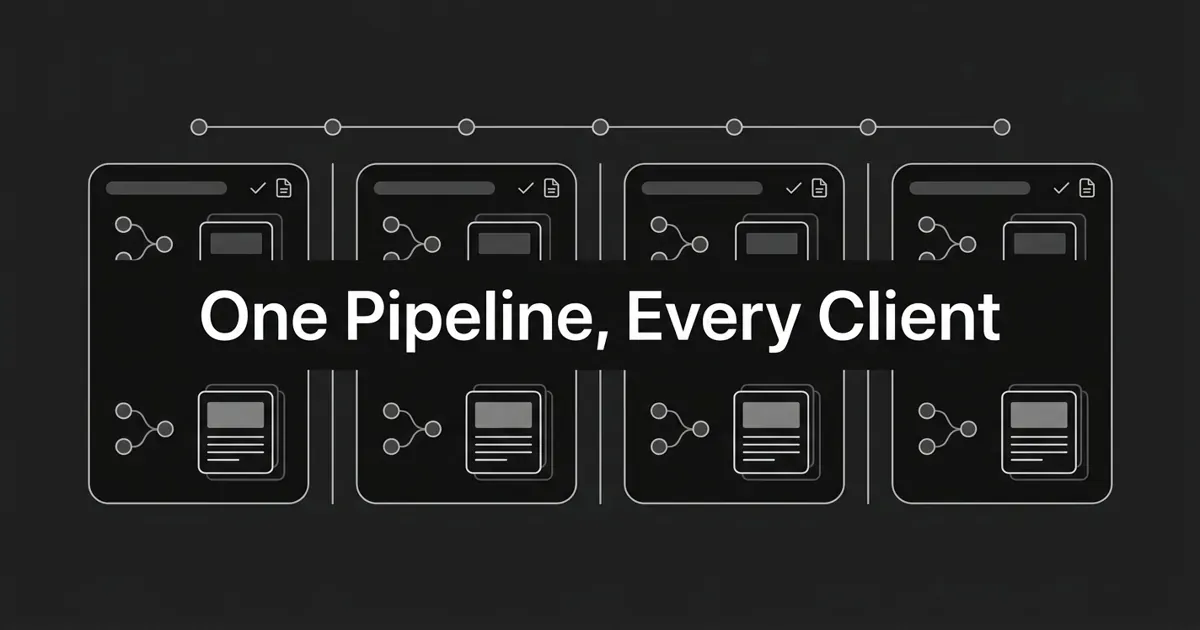
Here's the short version. Standardize the method, never the context. Your stages, checklists, naming rules, and report template should be identical for every account. Your brand facts, voice, prompts, competitors, queues, and approvers should never be shared at all.
That single distinction is what makes multi-client AI content safe to scale. Let's build it, one step at a time.
Step 1: Give every client its own workspace
Start with the boundary. One client, one workspace, no exceptions. Every other stage of your agency content workflow depends on this one holding.
That workspace holds only that client's brand and product context, personas, approved claims, competitors, tracked prompts, ideas, planned and produced content, reporting, publishing destinations, and the people allowed to touch any of it. Nothing else lives there.
DeepSmith is built for exactly this shape: one account, a separate workspace per brand or client, each fully isolated with its own context, content, and plan, and each billed and limited independently. Teammates come in as owners or members, per workspace. The practical win is that you can put a smaller client on a smaller tier and a heavier account on a bigger one, instead of forcing the whole roster onto one plan.
Give workspaces a naming convention you never break. Client name, market, account owner. Then keep an operating register with pointers only: website, strategist, delivery owner, client approver, CMS destination, reporting recipient, current plan. Pointers and status, never product facts.
How you know it's done: run an isolation preflight before any live work. The workspace name and website identify one client with no ambiguity. The competitor list holds only that client's rivals. The prompt list holds only that client's buyer questions. The queue has no inherited ideas from another account. The CMS destination points at the right site. Then the test that matters: open a test brief for Client A and confirm it contains no trace of Client B's name, product, URL, persona, or voice.
Common mistake: running one shared workspace and separating clients with tags. Tags tidy a queue. They do not create separate brand context, prompt history, competitor sets, reports, or approval authority. If the client boundary matters, make it a workspace boundary.
Step 2: Lock each client's brand and product facts before you write anything
Most agency drafts go wrong here, not in the writing. The copy sounds fine and describes the wrong feature.
So before a single article gets scheduled, build a context pack per client and store it in the workspace, not in a strategist's notes. Six layers:
- Positioning: category, differentiators, proof points, claims to make, claims to avoid.
- Products and services: one profile per offering with features, value props, use cases, and that product's real competitors.
- Personas: goals, triggers, requirements, challenges, and the value props that actually land.
- Brand voice: tone, formality, rhythm, preferred vocabulary, banned words, and a few approved example passages.
- Visual guidelines: palette, illustration style, typography for covers.
- Content types and trusted sources: the formats you reuse and the sources that account is allowed to cite.
In DeepSmith this layer is Deep IQ, set up once from the client's website and refined anytime, and every other module reads from it. That's the point of it for you: drafts come out in that client's voice with that client's product facts, per account, with no re-briefing and no cross-client bleed. Onboarding stops being three weeks of teaching a tool who the client is.
Now add a factual lock. For every important claim, record the approved wording, the product it applies to, who can change it, and the date it was last checked. If the context doesn't establish a fact, the rule is to leave it unknown and ask the client. Never fill the gap with a plausible-sounding feature, a comparison, or a number.
One more thing on voice, because this is where agencies lose their edge. "Friendly and expert" is not a voice spec. It's a wish. If you want to manage client brand voices at ten accounts, each one needs positive and negative examples: the preferred opening, the level of directness, the sentence rhythm, the CTA style, and the phrases that must never appear.
How you know it's done: a strategist who did no onboarding can answer seven questions from the workspace alone. Who is the reader? Which product is in scope? What can this client claim? What must a draft avoid claiming? Which voice traits guide the copy? Which sources are trusted here? Who approves facts and the final asset? If any answer means digging through an old email thread, the pack isn't finished.
Where people go wrong: capturing voice but not product facts, importing one client's competitors or sources into another workspace, letting context go stale because nobody owns it, and defaulting to a house agency voice that makes every client sound the same.
Step 3: Baseline each client's buyer prompts, then turn the gaps into a backlog
Every account needs its own measurement set. Not a category-wide list you reuse across three clients in the same vertical.
Build the prompt set from that client's real buyer questions, grouped by the distinctions that matter: problem discovery, use case, product and feature, comparisons and alternatives, and decision-stage questions. Add the prompts where a named competitor already shows up. For each one, record the buyer stage, persona, product, platform, owner, and whether it's a recurring measurement prompt or a one-off.
Then keep it stable. A baseline that changes every month can't show a trend, and a trend is what your client is paying for.
Use the definitions precisely, because clients will quote you back to yourself. A mention means an AI answer named the brand. A citation means an AI answer linked to one of the brand's pages as a source. Mention rate and citation rate move independently. A brand can be named constantly and cited never. Report them separately, and never present either as proof of traffic or revenue.
From there the backlog writes itself. Look at which client pages are actually being cited and which prompts drive them. Look at which competitor wins the prompts your client is missing, and on which exact page. Attach that evidence to the idea, so the strategist can explain to the client why this article exists.
How you know it's done: every planned idea carries the prompt or gap that motivated it, the persona and buyer stage, the product in scope, the outcome you want, the approved sources, a named strategist and approver, a planned date, and the target CMS. You can show the client the question, the current answer, the competitor page, and the reason the article is next.
Where people go wrong: comparing two clients' raw citation rates as if the numbers were equivalent. Different prompt sets, different competitors, different platforms, different plan coverage. Compare each client against its own baseline instead.
Step 4: Plan the queue before you switch on scheduled production
One queue per workspace. One scheduling convention across the agency.
An agency content pipeline breaks when a shared calendar quietly becomes a shared context. So build the roll-up for capacity if you need it, but make every row point back to exactly one workspace, and never let a row carry another client's brief.
Each queue item should name: client and workspace, the evidence behind the idea, the target prompt or gap, persona, funnel stage, content type, the product in scope, required sources and prohibited claims, the writer or strategist, the internal reviewer, the client approver, internal and client review dates, the publication date, the CMS destination, the distribution channels, and a status with a blocked reason.
That looks like a lot of fields. It's cheaper than one article published for the wrong brand.
Match volume to each workspace's plan before you promise a cadence. Article allowances, tracked prompts, seats, and engine coverage all sit at the workspace level, so a client's monthly output is capped by that client's tier. If the account needs more, change the plan or change the scope. Don't quietly overrun and hope.
How you know it's done: nothing gets scheduled until it has one workspace and no shared-client references, evidence attached, the right persona and format, three named humans (writer, internal reviewer, client approver), a date that fits both the plan and your team's review capacity, and a correct CMS and channel setup.
Pro tip: schedule the reviewer before you schedule the article. A queue that produces faster than your strategists can review isn't throughput. It's a backlog with a different name.
Where people go wrong: using scheduled production to compensate for a thin context pack, and letting a bulk schedule inherit the wrong client's CMS or distribution settings.
Step 5: Produce inside the client's context, then run internal QA
Here's the good news: this is the step where agency content at scale actually pays off, because the mechanical work is the part a system can carry.
DeepSmith's Writer turns one planned idea into a finished, brand-grounded article: researched, internally and externally linked, with a cover image and publish-ready metadata. Keyword coverage, heading structure, schema markup, internal linking, and metadata are part of the pipeline rather than a cleanup pass afterwards. Autowrite goes further and writes a planned item on its scheduled date with nobody in the app.
For client work, use the review-first path. Let the article land in Produced Content and treat that as the start of your QA, not the end of the job. "The system produced it" and "the strategist finished internal QA" are two different events, and your agency reputation lives in the gap between them.
Your internal QA, in the client's own workspace, checks:
- The opening answers the intended buyer question directly.
- The terminology, positioning, and product facts are this client's.
- Every claim, comparison, number, and date is supported by approved context or a cited source.
- Internal links point at this client's pages and fit their site structure.
- External sources are appropriate for this account and no competitor slipped in as a reference.
- Headings, schema, metadata, alt text, and readability are complete.
- The cover follows this client's visual guidance.
- Any unresolved fact is visibly flagged for client confirmation, not quietly guessed.
How you know it's done: the internal reviewer can pass the asset to the client without doing a mechanical rewrite. Their time went to judgment, positioning, and accuracy. That's the whole trade you're making.
Where people go wrong: confusing "on-brand" with "factually approved." Publish-ready reduces editing. It does not transfer responsibility for a client's product truth to a tool. Check the facts anyway.
Step 6: Route every asset through one named client approver
You know the failure. Three stakeholders, contradictory feedback, an email chain, and a version nobody can point to.
Fix it with an explicit status ladder that every account uses: ready for internal QA, internal changes requested, ready for client review, client changes requested, approved to publish, published, repurpose ready.
Name one decision-maker per client and one internal owner. Others can comment. You consolidate the feedback before anything goes back into production. Set a due date per review stage and a revision limit your contract actually supports.
Send an approval packet, not a link and a hope. It should carry the title, format, persona and buyer stage, the prompt or gap behind the piece, the current version and preview, the product claims needing client confirmation, key sources and open questions, the intended metadata and image, the CTA and its destination, the channel versions you'll generate from it, and one specific decision request with a deadline.
Then record the approval properly: who approved, which version, when, and whether that approval covers the derivative channel assets too. Keep comments attached to the asset, not buried in inboxes. If your platform doesn't hold a client sign-off trail, keep that record in your project-management or CMS system and link it to the workspace item.
How you know it's done: internal reviewer cleared it, the named approver approved that exact version, requested changes are resolved or explicitly accepted, and the publish owner knows the workspace, destination, and date.
Where people go wrong: treating silence as approval without a contractual rule, approving the article but never showing the client the LinkedIn or newsletter variants, and sending a newer version to the CMS while the client reviews an older one.
Step 7: Publish the approved version, then repurpose from it
Publish only from the approved canonical version. Before you click, recheck the workspace, title, slug, metadata, internal links, cover, byline treatment, CTA, destination, and status.
Publishing goes straight to WordPress, Webflow, Strapi, Sanity, or Contentful, or to your own webhooks, with Markdown and HTML export as a fallback. Confirm the connection belongs to this client's site, not the tab you had open ten minutes ago.
Distribution comes after approval, never before. Finished articles arrive with social posts already written, and the Apps Library turns one article into platform-native versions for LinkedIn, X, Medium, Substack, newsletter and nurture email, Reddit, Facebook, Instagram, Slack or Discord, and WhatsApp. That gives each client a channel plan instead of a blog post.
Keep every derivative inside the same client boundary. Same voice, same product facts, same CTA, same handles and links. Repurposing an unapproved draft is how one wrong claim shows up on six channels at once.
How you know it's done: the live page is on the right client's site, matches the approved version, carries complete metadata and links, and the derivative assets use the right voice and destinations. Someone owns the posting, and the live URLs are recorded for reporting.
Where people go wrong: assuming generated social posts are already scheduled, and reusing a house social template that carries another client's CTA or handle.
Step 8: Report per client, and scale by batching work, not data
One report template across the roster. Populated from one workspace at a time.
A client-ready report answers six questions. Where was the client mentioned and cited this period? Which tracked prompts improved, declined, or stayed open? Which of their pages earned citations, and which were ignored? Which competitors won the prompts they're missing, and on which pages? What did you produce, approve, publish, and repurpose? And what's the next evidence-backed action?
You already have the raw material per workspace: mention rate, citation rate, share of voice, sentiment, and trend, with a per-platform breakdown, a competitor leaderboard, prompt-level history, and page-level attribution. State the time window in every report, keep the prompt and competitor set stable, and show the underlying answer or cited page rather than a lone headline number.
One caution worth being precise about with clients: client-branded reporting is not the same as a fully re-skinned platform running on your domain. Say what you actually deliver.
Then scale by batching function, not data. That is what agency content at scale looks like in practice: the same motion repeated across accounts, never merged across them. Review all client queues on Monday. Run internal QA in one block. Build approval packets on another day. Draft reports from the shared template. Each batch opens the correct workspace and uses that client's context, every time. Keep a blocked-reason field so you can tell missing approval from missing product facts from plan limits.
How you know it's done: every active client has a context owner and review date, a stable prompt baseline, a visible backlog with evidence, a cadence inside plan limits, a named reviewer and approver, a publish record, and a next action tied to evidence.
Where people go wrong: sending one agency dashboard with mixed client data, hiding plan limits until a queue stops running, and optimizing for article count instead of client-specific usefulness.
What to do next
Build the system once, then apply it client by client. Draft the workspace template, the context checklist, the prompt baseline, the queue fields, the approval packet, and the report format. That's your product now, not a set of habits living in someone's head.
Then pilot it with one client. Run the isolation test. Fix what breaks. Only then add accounts in batches.
You don't need a bigger delivery team to serve a bigger roster. You need the boundary to be structural instead of careful. A good agency content pipeline looks identical from the outside on every account, and shares nothing on the inside.
If you want the isolation, context, tracking, and production to sit in one place, DeepSmith runs multi-client work as separate workspaces with their own brand context, prompts, competitors, and queues. There's a 7-day free trial with real data and real drafts before you pay, no long-term contracts. Start a free trial with one client account and see how the pipeline holds.