

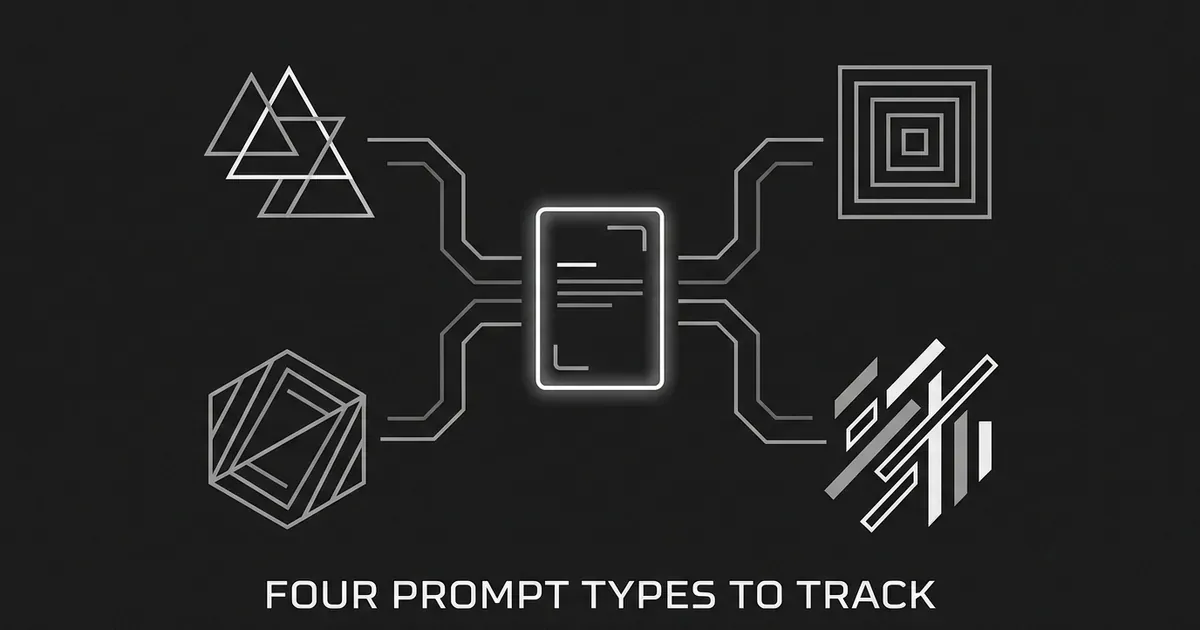
If you've just started tracking your brand in AI answers, the first thing you run into is a blank list and a question that sounds simple: what prompts should I track? It's easy to fill that list with whatever comes to mind first, usually your brand name and a few product phrases, and then wonder a month later why the numbers don't tell you much. The trouble is usually that every prompt on the list asks the same kind of question.
A better way to build the list is to think about the types of prompts to track, because each type tests something different. In this guide we'll go through four of them, which are category, comparison, problem, and brand prompts. For each one you'll see what it looks like, what it can show you, what it can't, and what to do with the result. You'll also get a way to choose between them, a note on how to read the answers without over-reading them, and a short FAQ at the end.
How these four were chosen
These four types were picked because each one answers a different question a marketing team has about its visibility in AI search.
- Are we discoverable? That's the category prompt.
- Are we considered next to the alternatives? That's the comparison prompt.
- Does AI connect us to the problem we solve? That's the problem prompt.
- Does AI describe us correctly? That's the brand prompt.
This is an editorial framework for AI tracking prompt types, not an industry standard. Different guides split prompt intent in different ways. Some group category and problem prompts together, and others lay out four separate types the way we do here. So don't worry if a prompt of yours seems to fit two of the groups. When that happens, sort it by its main purpose. A prompt that names your brand and asks how it stacks up against a rival is brand-named, but its job is to evaluate options, so we treat it as a comparison prompt. A prompt that names your brand and asks what it does or whether it fits a certain buyer is a brand prompt.
The table below puts the four side by side so you can keep it in view while you read the sections.
| Prompt type | The question behind it | What it helps you see |
|---|---|---|
| Category | Which options exist in this market? | Whether buyers can find you before they've chosen a vendor |
| Comparison | How do these options compare? | Whether you make the shortlist and who appears next to you |
| Problem | What can help me with this need? | Whether AI links the problem you solve to your kind of solution |
| Brand | What is this company or product like? | How accurately AI describes you |
It also helps to know what a tracked prompt really is. A prompt tracker submits the same questions to AI platforms again and again and records what comes back. What you're measuring is the answer for one prompt, on one platform, at one point in time. It isn't a count of every real conversation your customers have, and it doesn't tell you how often anyone asks the question. If you want the longer version of how a list of questions turns into mention and citation rates, the guide on what is prompt tracking walks through it.
1. Category prompts
Best for: checking whether buyers can find you while they're still comparing kinds of solutions, before they've picked a vendor.
A category prompt asks about the options in a market without naming any brand. The person asking knows what sort of tool or service they want but hasn't chosen one. An example would be "What AI visibility tracking platform would suit a small B2B marketing team?" That example is a template we made up to show the shape, not something a customer is known to have typed.
What it can show you is whether your brand turns up when an AI answer lists or recommends options in your space. This is a discovery signal, because the buyer hasn't asked for you by name. If relevant competitors appear and you don't, that points to a visibility gap for that particular question. It's worth writing down which competitors showed up and what sources the answer used, because those are the pages you'll want to learn from.
Here is what to do with a category prompt in practice.
- Write three to five of them in the words a buyer would use for your category, not the words your team uses internally.
- Add one piece of buyer context, such as company size or use case, when your real audience has one.
- Check whether the answer names the right kind of providers. If it lists tools that have nothing to do with your business, the prompt may be off, and you shouldn't treat that as a content opportunity yet.
Limitation: a category prompt tells you what the tested AI platform returned under your tracking conditions. It doesn't prove people are asking that question, and it doesn't promise another buyer would see the same answer. Very broad category prompts can also produce answers that are too general to act on, so a little context usually helps.
2. Comparison prompts
Best for: finding out whether you're in the set of options a buyer is weighing, and which alternatives sit beside you.
A comparison prompt asks the AI to evaluate named products or to recommend one for a particular need. A template would be "How does [Your Brand] compare with [Alternative] for a small team that needs to monitor AI citations?" The bracketed names are placeholders you'd swap for real ones, and the question makes no claim about any product.
This is the prompt type closest to a buying decision, so it's the one where it matters most who else is in the answer. You can learn three things from it. First, whether you show up at all. Second, which alternatives the AI puts next to you, which may not be the competitors your sales team talks about. Third, what dimensions the answer uses to tell the options apart, such as price, ease of setup, or the size of team each one suits.
That third point is easy to skip and it's useful. If the answer says one option is better for small teams and your page never says who you're built for, that's a lead to follow up on your own pages. Treat it as something to investigate, not as proof that the AI got it right or wrong.
If you want to see how this plays out across many prompts, the guide on reading prompt-level win and loss data shows how to line up answers, mentions, and citations against competitors one prompt at a time. And if your main interest is how rivals appear in answers, the roundup of tools to track competitor visibility in ChatGPT covers that side.
Limitation: there are far too many possible pairings and buyer situations to track all of them, and you don't need to. Pick the handful of rivals buyers most often weigh you against. Also keep in mind that being mentioned in a comparison answer isn't the same as being endorsed, and it isn't a complete shortlist.
3. Problem prompts
Best for: seeing whether AI connects the need you solve to your kind of solution, early in a buyer's exploration.
A problem prompt describes a need, a pain point, or an outcome the person wants, without naming the product category that could fix it. This is the buyer who doesn't yet know what to search for. An example would be "How can a small marketing team tell when AI search answers cite competitors instead of its own pages?" It asks about a task, not a product.
The signal here is a bit different from the other two. You're looking at whether the answer points toward a type of solution, offers useful guidance, or leans on sources that relate to your area of expertise. For a business, that shows whether the knowledge and content you already have is present in the answer before the buyer knows which category to look for. It's also a good way to see which other sources an AI uses when it explains the problem, since those are the pages sitting where your page might be.
Some practical steps for problem prompts.
- Pull wording from sales calls, discovery conversations, customer interviews, demo notes, and support requests. Customers describe their problems in their own words, and that's the wording you want.
- Keep the prompt about the need. If you slip a product category into it, it turns into a category prompt.
- Read the sources the answer cites. If they're guides and explainers, a helpful article from you may have a place there.
A search query can be a starting point as well, and you can turn it into a question as long as you keep what it was asking. For example, "budget project management tools" could become "What are the best project management tools for a startup with a small budget?" but only if that's really the buyer's need. Don't add requirements just to make the prompt sound more like a conversation.
Limitation: a problem prompt isn't automatically a recommendation prompt, and a helpful answer may never name a provider at all. If the answers rarely point to a solution type or cite anything useful, the prompt may be too broad to give you a signal you can act on.
4. Brand prompts
Best for: checking how AI describes your company to someone who already knows your name.
A brand prompt names your company or product directly and asks about it or about one attribute of it. Two templates would be "What does [Your Brand] do?" and "Is [Your Brand] a good fit for a small marketing team?" Again, these are shapes to copy, not claims about any company.
What a brand prompt reveals is how the AI talks about you. It shows whether the key details are right, whether the description is complete, and whether the tone or the facts change from one month to the next. This is where you'll catch an outdated description of what you sell, a missing product, or a summary that doesn't match how you position yourself. When you find one, check it against your own authoritative company information before you decide what to change.
Because the buyer in this case already named you, a brand prompt tells you very little about whether a stranger would find you. A brand-name prompt also makes it more likely that the answer talks about that brand, simply because the name is in the question. So a good result here shouldn't be mixed up with a good result on category prompts. They measure different things, and putting them in one average can make a weak discovery picture look healthy.
Limitation: brand prompts are the easiest ones to do well on, which makes them the easiest ones to over-trust. Use them to check accuracy, and use the other three types to check whether people can reach you at all.
Choosing and wording the types of prompts to track
Once you know the four types, the next question is how to word each prompt. The most reliable source is the language of real buyers, and this guide to choosing AI search prompts takes a similar view. Sales calls, customer interviews, demo notes, support tickets, and community threads all hold questions in the exact words people use. Questions tied to your most useful website pages are another good source, and this guide to picking prompts to track has more ideas for finding them.
Use natural questions, and add meaningful context such as company size, industry, or use case when that matches the audience you want to reach. Keep each prompt about one thing, so you can tell later what the answer was responding to.
You'll notice that none of this depends on knowing how often each question is asked. That's on purpose. Major AI platforms don't generally give marketers an exact public count of the questions their users enter, and an estimated search volume isn't the same as AI prompt volume. Search data and customer conversations are good for building a representative test set, but they aren't a direct measure of demand. The guide on whether anyone can know AI prompt volume explains what estimates exist and how to prioritize without them. If you're starting from a keyword list, the guide on how to do keyword research for AEO shows how to turn those keywords into questions.
Another common question is how many prompts of each type you need and how to group them. That's a separate job, and the guide on how to organize tracked prompts by topic, funnel stage, and persona covers it, so we'll leave it there.
Reading the answers without over-reading them
Before you act on any result, it helps to keep three terms apart.
- A mention is when an answer names your brand.
- A citation is when an answer links to one of your pages as a source.
- A recommendation is when an answer actively suggests your brand or option.
These aren't the same thing. An answer can name you without linking to your site, and being named isn't the same as being recommended. A citation shows that a page was linked in that answer, but it doesn't prove that page was the only thing that shaped the answer. If you report a rate, say what period, how many prompts, which platforms, and what the denominator was. And if a collection run failed, don't count it as an answer where you simply weren't mentioned.
It also helps to know how much AI answers move around. In an experiment reported by SparkToro, run in November and December 2025, researchers ran 142 human-written prompts about choosing headphones for a traveling family member and collected 994 responses from ChatGPT, Claude, and Google's AI features. ChatGPT and Google's AI gave the same list of brands in fewer than one in 100 repeated comparisons, and the exact order was even less consistent, though individual brands could still show up often even when the full list changed. The researchers said the work wasn't definitive and that larger samples would help. Those numbers describe that one experiment and not every industry or model, so use them as a reason to repeat your checks and not as a rule for how many runs you need. You can read the details in the SparkToro research write-up.
Google's own documentation adds one more caution. It explains that AI Overviews and AI Mode may use a technique called query fan-out, which means issuing several related searches to put together a response, and that the two features can show different answers and links. Meeting Google's eligibility requirements doesn't guarantee that a page will be served. So a tracked prompt is a controlled test of the answer that came back. It isn't a full account of every search or bit of personalization behind one person's experience, and the guide on personalization and location in AI answers goes into why two people can see different results.
Taken together, this is a good reason to run the same prompts on a schedule and look at changes over several weeks, not a single screenshot. If you track on more than one engine, the guide on tracking the same prompts across ChatGPT, Gemini, and Perplexity shows how to compare them fairly.
Tracking all four types in DeepSmith
You can run all of this by hand in a spreadsheet, and many teams start that way. The part that gets tiring is repeating the same questions on a schedule and keeping the answers somewhere you can look back at them. DeepSmith's AEO module does that part. You define the questions, the platform checks them on a schedule, and it reports mention rate, citation rate, and share of voice, with the full answer history for each prompt so you can read what the AI actually said. Discover Prompts can generate a starter set from your product, persona, and buyer-stage context, which is a helpful way to get a first list of category and problem prompts down without staring at a blank page.
The same data also shows the pages AI cites for each prompt and which competitors win citations, so a comparison prompt where a rival is named and you aren't becomes something you can look at directly. From there, Opportunity Agents can turn those gaps into content ideas, each one carrying the data point that justifies it. That doesn't mean publishing a given article will cause an AI engine to mention or cite you, so treat the ideas as a sensible next thing to try. If you're also weighing which software to use for the tracking itself, the roundup of the best prompt tracking tools compares the options, and the wider roundup of the best AI visibility tools covers the field.
How to choose which type to start with
You don't have to pick one of the four, because they work as lenses on the same question of how you show up. Still, most teams have a place they'd rather begin, and this mapping can help you decide.
- If your question is whether people can find you at all, start with category prompts.
- If your question is whether you're being considered next to rivals, start with comparison prompts.
- If your question is whether AI links your expertise to the need you solve, start with problem prompts.
- If your question is whether AI describes you correctly, start with brand prompts.
A reasonable first week is a small set with a few of each type, say two or three per type, so you can see all four lenses before you decide where to spend more effort. After a few weeks of repeated checks, you'll know which type is showing the biggest gap, and that's usually where the next article or page update should go. If tracking data tends to sit unused on your team, the guide on why prompt tracking data goes unused has some ideas for giving it an owner.
When you're ready to try it, start a free DeepSmith trial and set up your first prompts. The 7-day trial gives you real data before you pay, and there are no long-term contracts.
Related guides
- What Your CMS Needs to Support for AEO: Evaluate whether your CMS supports AEO by checking structured data and schema control, clean semantic markup, fast updates, redirect and metadata handling, and what to ask vendors before.
- Does Position Matter in AI Answers? Rethinking Rank for AI Visibility: Judge whether being listed first in an AI answer is worth chasing, and which signals (mention, framing, citation) are more reliable than a rank number.
- How AI Visibility Tools Collect Data: APIs, Scraping and Prompt Runs: Understand the three main ways tools get answers (official APIs, scraped interfaces, and scheduled prompt runs) and what each means for coverage and cost.
- How to Evaluate an AI Visibility Tool: Questions to Ask Before You Pay: Walk into a vendor demo with a scored checklist and a set of pointed questions about engines, data, reporting and exit terms.
- How to Improve Your Visibility in Perplexity: What You Can Influence: Identify what you can influence in Perplexity: source quality and freshness, clear answer passages, authoritative third party mentions and crawl access, and which factors sit outside your control.


