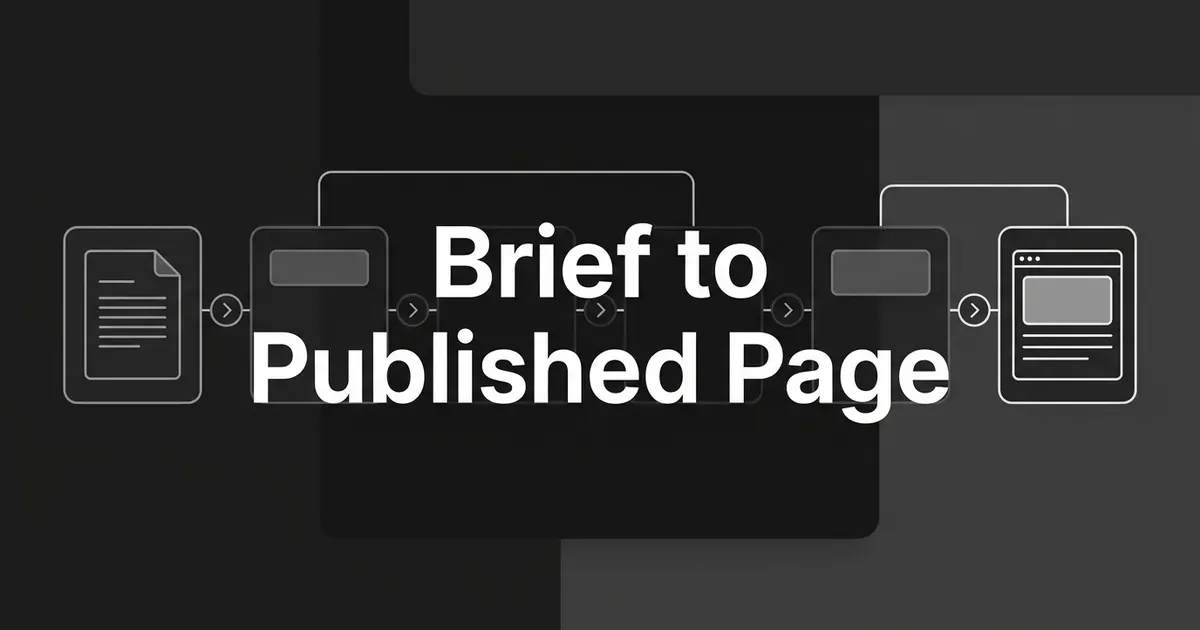
An AI content platform connects a brief and a set of brand and source materials to a sequence of research, drafting, editing, review, and publishing steps, and it passes each step's output forward so a person or a system can check it and act on it. That is how AI content platforms work at the simplest level, and most of what matters about them happens at the points where one step hands its work to the next.
If you have only used a chat window to ask for an article, this can be hard to picture. A chat window gives you text back. A platform is closer to a small production line, with inputs going in at one end and a page in your CMS coming out at the other. This guide walks through that line in order, so you can see what each stage does, what it passes along, and where a person still needs to look.
The pipeline below is a representative one, not a feature checklist. Platforms combine stages, skip some, or leave a few for you to do outside the software, so use it as a map for asking questions, not as a description of any one tool.
What an AI content platform is doing behind the text box
The most useful way to think about an AI content platform is as an orchestrated workflow built around a language model, not as a text box that happens to write articles. A workflow accepts inputs, runs steps such as research, generation, review, and publishing, and passes values from one step to the next. The finished article is one possible output. Outlines, images, metadata, analysis, and structured data can all be outputs too.
You will also hear the word "agent" in this space, and it helps to keep the two ideas apart. A workflow follows a route that was set in advance. An agent uses a model to direct more of its own process and to decide which tools to use. Anthropic's write-up on building effective agents draws this same line, and it points out that the added flexibility of an agent can come with higher latency and cost. A fixed pipeline is easier to explain and easier to predict, which is why we describe it as a sequence here.
The idea that holds the AI content platform pipeline together is the handoff. One stage produces an artifact and the next stage uses it. A brief turns into research questions. Retrieved material turns into an evidence set. An outline turns into a draft. A draft turns into reviewed content, and approved content turns into a post in your CMS. When you understand what travels across each of those gaps, you can tell whether a platform is doing real work or just wrapping a prompt in a nicer interface.
Our guide to designing an AI content production workflow covers the planning side, and here we stay on the mechanism.
Stage one and two: the brief goes in, and research comes back
The first stage is intake. A content brief translates the assignment into information the workflow can use. Typical inputs include the topic and working title, the audience and the problem they have, and the search or buyer intent behind the piece. They also include the content type or article shape (an explainer rather than a comparison, for instance), target terms, the questions the piece must answer, and what it should leave out.
Alongside the brief sits brand context. That can mean the brand name and voice, audience details, product facts, claims to use or avoid, and approved calls to action. It can also include source requirements, links to existing site pages, the publishing destination, an owner, and a review date. None of these fields is mandatory in every system, and many platforms let you store brand context once instead of retyping it for every article.
One documented example from AirOps shows how that can work. Its brand kit separates general writing rules from rules for a particular content type, audience, or region, and the region-specific rules win when two rules conflict. That is one product's design, not an industry standard. If you want to see what a clear brief looks like from the writer's side, we cover that in how to write a brief a platform can execute.
What goes forward from intake is a normalized brief plus the context that applies to it. If the topic, the audience, the intended answer, or the evidence boundary is fuzzy at this point, every later stage inherits the fuzziness. The result is often fluent copy that misses the assignment.
Research is the second stage, and the method varies. A platform might run a live web search, crawl your own pages, search through files you uploaded, or combine those. It helps to keep one distinction clear. A language model writing from its learned patterns is not the same operation as a system retrieving a passage from a source. Retrieval can feed material to the model, but retrieval by itself does not prove the finished article is accurate.
A common retrieval pattern works like this. Files are added to an index, split into chunks, and converted into embeddings. When the workflow asks a question, the system searches for the chunks closest in meaning, even if they share few exact words with the question. The results can include the passage, a similarity score, and the file it came from. OpenAI's retrieval documentation describes this pattern, and it notes that some systems also support metadata filters or a mix of semantic and text-based ranking. That same documentation shows one provider returning 10 results by default and up to 50 when you change a setting. Treat that as one provider's configuration, not a recommended number of sources for an article.
Search results can leave out relevant material or include weak matches, and a similarity score is not a measure of correctness or authority. Web search tools can pull in current material and attach source citations, and some offer an offline or cache-only mode as well as live access. A citation is a trail back to a source. It does not show that the source supports every sentence written near it. For more on how retrieval decides which sources an answer leans on, see our explainer on grounding and RAG.
A good research handoff is a compact source ledger. For each claim it records the source, the relevant passage, the date where there is one, and any caveat, and it flags missing or conflicting evidence instead of filling the gap with plausible-sounding prose.
Stage three and four: planning the structure, then drafting
Before a full draft exists, a workflow may ask a model to propose headings, map evidence to sections, or write an outline. Splitting the outline from the draft gives you a cheap place to check whether the plan answers the brief and stays in scope, before anyone pays for a whole article built on a weak plan.
This is an example of prompt chaining, where each model call works on the output of the one before it. You can place programmatic checks between the calls. An outline can be checked for required sections, for coverage, and for claims that have no source, and then passed on to drafting. Splitting the task makes each call narrower but adds time.
Other patterns exist, and some platforms run several specialized agents as a multi-agent content pipeline. Independent research or review tasks can run in parallel and have their results gathered together afterward. An evaluator-optimizer loop has one call produce material and another judge it against explicit criteria, which only helps when the criteria are clear enough to judge.
What passes forward from planning is an approved outline, a section plan, an evidence map, or a list of open questions. That becomes the scaffold for the draft. A weak outline can sink the final article even when every paragraph reads well on its own.
Drafting then combines the brief, the selected sources, the outline, and the brand context in a prompt or a series of prompts. It may return plain prose, or it may return structured fields such as a title, sections, a summary, metadata, or image instructions.
Reusable brand context can include the brand's background, voice, author persona, product details, differentiators, audience, content format, writing rules, and the call to action. That cuts down on repeated briefing, but it is an input to generation, not proof that each sentence will be on-brand or correct. If you want a closer look at how to feed a platform the right facts, our guide on grounding AI content in your brand voice and product facts goes through it.
Some systems force the model's output into a schema, for example by requiring certain fields in a predictable format. That helps downstream software read and route the result. It does not guarantee that what sits inside those fields is true, complete, or editorially sound, and a perfectly valid title-and-body object can still hold an invented claim.
The handoff from drafting is the draft plus any companion fields. The source trail should stay attached to the claims it supports, because a polished draft does not verify itself.
Stage five: editing, linking, and checking metadata
After drafting, an editing or optimization stage may check that the draft follows the outline, covers the topic that was requested, uses the intended headings and metadata, and fits the site's voice. Automated checks are good at predictable requirements. They are not a stand-in for a factual or editorial review, and it is a mistake to treat them as one.
The system needs an inventory of your pages and a reason to connect two of them. It may crawl or index your existing content, find a page that supports the current paragraph, and insert a link. You then want to confirm that the destination supports the sentence and that the anchor text describes the linked page. Google's guidance on crawlable links says links are generally crawlable when they are an anchor element with an href attribute. It also says anchor text should be descriptive, and relevant, and that there is no magic ideal number of links per page. Our piece on how AI platforms automate internal links goes further into this part.
Metadata and SEO work belong here too. It is best treated as ordinary editorial quality work, not as a ranking guarantee. Someone, or something, should look at the headings, the page title, the meta description, the image text, any structured data, and the internal links, and ask whether each one is accurate and fits the page.
Google's page on AI features and your website is worth reading here because it is plain about what is and is not required. It says ordinary SEO best practices still apply to AI features in Search, and that a page needs to be indexed and eligible to show with a snippet before it can be considered as a supporting link in AI Overviews or AI Mode. It also says there are no extra requirements or special schema for those features. Being eligible is not a promise that a page will appear.
What leaves this stage is an edited draft with checked links and metadata, headed to a human or automated release gate. Broken link destinations, links that do not fit the sentence, and prose shaped around keywords are signs this stage has optimized for the checklist instead of the page.
Stage six: review is where the release decision gets made
Review is a real stage in the pipeline, not just a last proofread. In some platforms a reviewer can be asked to approve or edit a single text output, or to pick and edit among several outputs before the workflow goes on. AirOps documents this as a human review step in which the workflow pauses and stays pending until the reviewer either accepts the edited result or cancels.
A useful review gate covers a handful of things:
- Accuracy. Check facts, numbers, dates, quotations, names, and product details against the original source.
- Evidence. Make sure the source supports the sentence, and that any uncertainty or disagreement is still visible in the text.
- Assignment fit. Confirm the article answers the brief, stays in scope, and uses the intended shape.
- Voice and claims. Confirm the tone suits the audience and that nothing is said about your company or product that is not true.
- Links and metadata. Test the link destinations and read the titles, descriptions, structured data, image text, and headings.
- Release readiness. Confirm the CMS, author, status, schedule, and permissions are the ones you intend.
Language models can write statements that sound right and are not. Google's guidance on generative AI content calls for manual review and fact-checking of AI-generated web content, including metadata that may show up in Search. It also makes clear that the focus is on quality and usefulness, not on whether AI wrote the copy. Using automation, AI included, mainly to manipulate rankings goes against Google's spam policies, and mass-produced pages with no added value may fall under its scaled-content policies. If you want a hands-on routine for this stage, we have a walkthrough on how to fact-check an AI draft, and a separate piece on what Google says about AI-generated content.
There is one more thing review has to account for. Retrieved pages and uploaded files are untrusted inputs. A source can contain instructions written to push the model off its task or to steer a tool it can use. OpenAI's guide to safety in building agents suggests treating retrieved text as data and not as instructions, pulling out only the fields you need, limiting the output format, restricting tool access, and asking for human confirmation before sensitive actions. These steps lower the risk, and they do not make a model infallible.
What goes forward from review is a reviewer-approved version and a release decision. If nobody approves, the workflow should hold the content in review or send it back for revision. A generated draft should never quietly be treated as an approved one.
Stage seven: publishing is its own handoff
Writing an article and publishing it are different jobs, and the second one has its own ways to go wrong. Any tool that pushes finished posts into a CMS has to solve this step, and our guide to AI content tools with CMS auto-publish shows the main ways they do it. A connector or an API has to map the article and its metadata onto the fields of the target CMS, log in with the right permissions, and create or update a record. The workflow might publish at once, save a draft for review inside the CMS, submit the post as pending, or schedule it. The exact statuses and connector behavior depend on the platform and the CMS.
WordPress gives us a concrete, documented example. The posts section of its REST API covers creating and updating posts at /wp/v2/posts and /wp/v2/posts/<id>. The documented post fields include title, content, excerpt, slug, date, status, author, featured media, categories, tags, and meta. There are five supported post statuses: publish, future, draft, pending, and private. In WordPress, a draft is incomplete, a pending post waits for a user with the publish_posts capability, and a future post is scheduled for a later date. Those meanings belong to WordPress, so do not assume another CMS uses the same ones.
Images take their own path. In WordPress an image is a separate media item with fields for alternative text, caption, description, and an attachment ID, plus the original file URL. The post's featured_media field is what attaches an image as the featured image. That is why it is worth checking an integration's actual field mapping instead of assuming that a generated image lands on the live page just because it was made. If you are connecting a platform to something other than WordPress, our guide on connecting an AI content platform to Webflow, Shopify, or a headless CMS walks through the mapping questions.
After the handoff, look at the record in the CMS or preview the page. Confirm the title and body, the way headings and links render, the image and its alternative text, the metadata, the publication status, and the canonical live page. A successful API request does not show the public page looks right. Plugins, themes, permissions, and custom fields in a given CMS can change the result.
What should come back from the CMS is a post record and, once public, a live page. A good publishing workflow keeps hold of the final status and the page's identity, so an editor can always tell whether a piece is a draft, awaiting review, scheduled, or live. Those four words describe four different states, and "publish-ready" is not the same as "published."
Where the pipeline goes wrong, and what people get wrong about it
- "The model researched the topic, so the claims are sourced." Generating text and retrieving a source are separate operations, so check each claim that matters.
- "A citation means the sentence is true." A source trail helps you inspect the work, but the cited page may not support the claim.
- "Structured output means correct output." A schema makes results easier to parse, and the meaning inside the fields still needs a human look.
- "Brand context guarantees brand voice." Stored rules guide generation, and the final copy still needs editorial judgment.
- "Automated linking means good linking." Relevance, anchor text, and rendering all matter, and there is no universal target number of internal links.
- "Publish-ready means published." A finished draft and a public CMS page are different states.
- "More autonomous means better." A fixed workflow is predictable for repeatable tasks, while an agent can adapt but may add cost and delay.
We did not find an independent benchmark for typical hours saved, cost per article, ranking effects, or AI citation gains for AI content platforms as a category. If a vendor quotes one of those numbers, ask where it came from and how it was measured.
How to use this map
When you look at any platform, or at a workflow you are building yourself, walk the same seven stages of the AI content production workflow and ask what each one hands to the next. Where does the brief go, and what happens if it is vague? Does the research keep a trail you can inspect? Is there a place to check the outline before the full draft? Do edits and links get checked by something other than the model that wrote them? Who approves, and what happens when nobody does? And once the post is in the CMS, who looks at the live page?
You do not need every stage to be automated to get value from the pipeline. A good first step is to pick the stage that eats most of your week and look at how that handoff works today.
DeepSmith follows a pipeline of this kind. An idea moves through Planned Content, the Writer researches and drafts it with your stored brand context, and the finished article lands in Produced Content, where you review, edit, and publish it to your CMS. If you want to see how the stages feel on your own topics, you can start a free trial and run a real brief through it.
Related guides
- Why AI Drafts Fail Content Optimization Checks and How to Fix Them: Diagnose why AI drafts fail optimization checks, such as missing terms, weak structure, thin sections or off-intent angles, and apply a specific fix for each cause before rechecking.
- How AI Search Changes What You Should Ask of a Content Platform: See how AI search shifts what to demand from a platform, such as grounded sources, answer-ready structure, citation tracking and freshness, compared with older keyword and ranking features.
- Content Optimization Tool or AI Writer: Which Gap Are You Filling?: Decide whether you need an optimization tool, an AI writer or both by identifying whether your gap is improving existing drafts, producing new ones, or both, and what.
- How to Evaluate an AI Content Platform in a Two-Week Trial: Plan a two-week trial by choosing test tasks, setting criteria and a scorecard, running the same briefs through the platform, and comparing results to decide whether to adopt.
- How to Measure Whether an AI Content Platform Is Paying Off: Measure whether a platform is paying off by comparing cost per article, hours saved, output volume and search or AI visibility results against your baseline over a fixed.