A client asks why a rival keeps showing up in ChatGPT answers, and last quarter's competitor audit cannot tell you whether that is new or what you are doing about it. That is the gap between a one-off analysis and a real competitive intelligence program. This guide walks you through setting up that program for one client account: who owns it, what you watch, how alerts get triaged, and how the findings turn into a report the client actually reads. What separates a working competitive intelligence strategy from a pile of alerts is the decisions and owners behind it, and that is what this guide sets up first. By the end you will have a repeatable operating system for ongoing competitor monitoring that you can run across every account on your roster, not a spreadsheet you rebuild every quarter.
What you need: a named client sponsor to interview, a place to keep an account operating document (a shared doc or workspace works fine), and a spreadsheet or tool for the signal log. Nothing here assumes a specific stack.
Step 1: Define the decisions this client's program needs to support
Before you pick a single tool, sit down with the client sponsor and the account team and ask what they actually need to decide. Do they need to know whether to revise positioning? Whether to answer a rival's new claim? Whether to prioritize one content opportunity over another? Whether a shift in AI-search visibility needs explaining at the next check-in? Write down each decision, who makes it, how soon it needs an answer, and what evidence would actually change that decision.
Ask around the account too. Sales, content, and product each carry different priorities, and a competitive intelligence program that only reflects the account lead's view will miss what the rest of the team needs. Put this review on the calendar at least once a quarter, since a client's priorities shift as their business does.
You know this step is done when the account has a short list of specific questions with a named recipient for each, instead of a vague instruction to "track everything." A workable example looks like this: which competitors are being cited for the buyer prompts we agreed to track, and what should the content team consider doing about the gaps.
Most teams skip straight to picking tools and setting up dashboards before anyone has agreed on the decisions those dashboards are meant to inform. The alerts that come out the other end can be perfectly accurate and still be irrelevant to the client, because nobody asked what mattered first.
This mirrors how the wider competitive intelligence field frames the work: define the business issue, determine your sources, gather and organize what comes back, produce something actionable, communicate it, and revisit the process itself. That framing, drawn from management-accounting guidance on competitive intelligence, is basically the eight-step loop this guide walks through, just applied to one client account instead of one company. Skipping the first stage is exactly what turns a program into noise, since nobody agreed what question the alerts were supposed to answer.
Step 2: Set the watchlist and a comparable starting baseline
Once you know what the client needs to decide, choose the competitors and alternatives worth watching, and be able to explain why each one made the list. Define the markets, product lines, AI engines, and buyer-prompt set that are in scope for this account. Then document the starting state, dated, so every future check compares against something real. For AI search specifically, that means saving the actual answers, which brands got mentioned, which pages got cited, and which platform returned each answer.
Keep the initial prompt set stable long enough to compare like with like. If you add or drop a prompt later, note when and why, because a shifting comparison set makes a trend look real when it is really just a different sample.
This is also where a tracking platform earns its place. DeepSmith lets you generate or write your own buyer-prompt set for the client, then track it on a schedule instead of running one-off checks by hand. Answers get preserved over time, and mentions get separated from citations automatically, so you are not squinting at screenshots to tell whether the brand was named or actually linked. Deciding the right mix of branded, unbranded, and competitor prompts is worth doing carefully before you lock the set, since that mix shapes everything downstream.
You know this step is done when another strategist on your team could look at the watchlist and reproduce next week's check without guessing which client, competitor, engine, or question you meant. Where teams go wrong: they add a dozen nearly identical prompts, then treat results from different scopes as one continuous series, or they mistake a small prompt sample for a complete picture of buyer behavior. A tracked prompt set is a monitored sample, not the whole of what buyers ask.
If you run this across several clients, keep each one's watchlist, baseline, and product facts inside that client's own workspace. Nothing from one account's rival list or approved claims should ever bleed into another's drafts or dashboards.
Step 3: Give every part of the loop an owner
Name one person accountable for this client's program, usually the account or strategy lead. Then get specific about the rest of the loop: who maintains the source list and collection settings, who verifies a change before it gets escalated, who recommends a response, who signs off on what goes to the client, and who owns the resulting task once it is assigned. Specialists can absolutely contribute observations without each becoming a competing program owner. Name a backup too, for when someone is out or moves on.
You know this is working when a new signal has an obvious path: collection, verification, a recipient, a decision, and a follow-up, with no step left to chance. Put names or roles next to each stage in the account's operating document so nobody has to ask.
The mistake to watch for is confusing who receives the alerts with who owns the decision. A strategist can be first to see every notification, but if nobody can approve a response or check back on whether it worked, the whole loop just ends in an inbox.
Step 4: Build a small set of competitor listening posts
A listening post is a defined watch point: a source, the signal you are watching for, how you check it, who owns the check, and who receives what it finds. Build a short register of these for the client rather than trying to watch everything a competitor does. Useful public listening posts include a rival's product announcements, its pricing and product pages, newly published site content, relevant industry coverage, and the AI answers to your agreed buyer prompts. Where it makes sense, ask customer-facing staff to flag recurring competitor claims they hear from prospects, so you can verify them properly rather than repeating hearsay.
For each listening post, record the client, the competitor, the intelligence question it serves, the signal category, the source, why it matters, how you check it, how often, who owns collection, who receives it, when it was last checked, and a review date for deciding whether to keep it. That last field matters: a listening post that never surfaces anything useful should get retired, not left running out of habit.
This is where a competitor's published content and its AI-search performance both need a dependable check. DeepSmith's Content Map checks competitor sitemaps daily and folds new pages in automatically, so a competitor's new page shows up as a listening-post event instead of something you stumble across weeks later. Its competitor citations view also shows which of a rival's exact pages are winning citations for your tracked prompts and on which platform, which turns "they seem to be doing well in AI search" into something specific enough to act on, and worth reverse-engineering once you have it.

Keep every listening post lawful and above board. Verify claims against real published sources, never pose as someone else to pull information out of a rival's staff, and do not repeat an unverified rumor as if it were confirmed, which is roughly the field's own code of ethics for competitive intelligence practitioners. A listening post that only uses public, honestly obtained sources protects both the client relationship and the agency's reputation.
You know this step is done when every watch point serves a specific decision and has a repeatable way to catch a change, and the owner can explain in one sentence why that source made the list. Where teams go wrong: they chase source count instead of signal quality. A pile of noisy sources adds triage work across the whole roster and can bury the one change the client actually needed to see.
Step 5: Configure collection and alerts, without promising coverage you cannot deliver
Ongoing competitor monitoring only works if the collection side runs without you remembering to check it. Automate collection wherever the source supports it, then keep a scheduled human review for interpretation and for whatever the automation misses. Google Alerts is a reasonable starting point for public-web mentions: enter a topic, open the options to set frequency, source types, language, region, and result count, and pick the account that should receive it. Come back periodically and edit or delete an alert once it stops earning its place, and test any new alert against distinctive competitor and product terms so you catch irrelevant matches early.
For AI search, track the agreed buyer prompts on a schedule and keep the full answer, not just a pass or fail. Separate whether the brand was mentioned from whether one of its pages was actually cited, because a competitor can win a citation without ever displacing your client from an answer, and your client can get named without earning a link at all. DeepSmith runs this tracking on a schedule and reports mention rate, citation rate, and share of voice with trends over time, along with which of your client's pages are earning citations and for which prompts. For competitor publishing, check the sitemap-based competitor listening post you set up in step 4 rather than counting on a news alert to catch every new page a rival puts out.
You know this step is done when the account owner can say, without checking, what runs automatically, when each collection gets reviewed, where the results land, and what still needs a human look. The mistake here is treating an alert email as complete surveillance, or describing scheduled AI-answer tracking as a real-time breaking-news feed. Those are genuinely different jobs, and conflating them sets a client up to expect something the program was never built to deliver.
Common mistake: a daily alert is not a daily client report. Route a confirmed, urgent change to its owner right away, and batch everything else into the next scheduled review, so clients get decisions and context instead of inbox noise.
Step 6: Triage, verify, and route every meaningful change
Every observation gets one of three outcomes: discard it as irrelevant or a duplicate, log it for the next digest because it is real but not urgent, or escalate it to its decision owner because it might actually matter. Before you escalate anything, go back to the original source, confirm the competitor and the market, note when the change happened, and separate the published fact from your interpretation of it. Save the evidence, and say plainly what you are still not sure about.
A workable set of routing rules, adapted to the account rather than treated as an industry standard: a confirmed pricing or product change touching an active client decision gets a prompt review from the account lead. A newly published rival page relevant to a tracked buyer question goes into the weekly review. A vague name match or an unchanged page gets dismissed or merged with an existing entry. Set a response window that fits this account for urgent items, rather than borrowing a generic one from somewhere else.
For the signal log itself, track the client, the competitor, the category, the source, when you observed it, the event date if you know it, a short factual description, its verification status, your confidence level, why it matters to this client's questions, urgency, who should receive it, the proposed action, who owns that action, a due date, current status, and the next review date. That sounds like a lot of columns, but most entries only ever touch the first half of the list, since most observations get discarded or logged without ever needing an owner or a due date.
You know this step is done when every retained signal has either a recipient and a next step, or a documented reason it needs neither. The mistake to avoid: forwarding an unverified screenshot straight to the client, or treating one AI answer as proof of a lasting trend when it might just be that day's response.
Step 7: Run a short weekly intelligence-to-action review
At a fixed time each week, sit down with the signal log and compare what came in against the baseline and recent history. Look for patterns rather than reacting to each entry in isolation, and pick the small number of findings actually worth communicating this week. For each one, answer five questions in writing: what changed, how do you know, why it matters for this client, what if anything you should do about it, and who owns that action and by when. Different recipients only need the part relevant to their own work, so do not send the whole log to everyone.
A workable format for this digest covers the period it spans, the top verified changes, any movement in the tracked AI-prompt set, the decisions that need making, the actions already assigned, and a short "nothing material changed" note on the weeks that call for it. Keep the underlying signal log accessible for anyone who wants to dig deeper, but keep the digest itself short enough that someone can read it in under two minutes. A weekly cadence is a sensible default for a fast-moving account, though a slower market might genuinely call for something less frequent.
A 2026 survey from Crayon found that teams sharing competitive intelligence weekly or faster reported revenue impact at 79 percent, compared with 41 percent among teams sharing it monthly or less often. That is a reported association between cadence and outcome, not proof that switching to a weekly review by itself causes the revenue impact, since faster-sharing teams may simply be more mature in other ways too. It is still a reasonable data point to bring into the conversation when you are making the case for a standing weekly slot.
You know this step is done when a stakeholder can read the update and immediately spot the decision or action without opening a single source themselves, and when the action log shows an owner and a status for every open item. Where teams go wrong: they hand over a list of rival activity with no interpretation attached, or they save everything for a long quarterly report that arrives well after the decision window has closed.
Step 8: Report outcomes monthly, and reset the program every quarter
In the monthly client conversation, show the same measures over time rather than a fresh set each month, along with the notable competitor changes, how the client responded, and where prior actions stand. For AI search, the useful measures are per-prompt mention and citation rates, which of the client's pages are earning citations, competitor citations on the same prompts, and share of voice within the scope you are actually tracking. Bring the real answers or the page-level evidence behind any conclusion that matters, rather than a number with nothing under it.
DeepSmith's reporting view is built for exactly this: mention rate, citation rate, and share of voice trends alongside the pages and prompts driving them, which saves you from rebuilding this deck from scratch every month. Framing citations, mentions, and share of voice clearly matters here too, so a client without an AEO background still follows the story.
Each quarter, revisit the whole competitive intelligence strategy behind the account: the intelligence questions, the competitor list, the watched sources, the tracked prompts, the recipients, and the alert settings, and check whether agency capacity still matches what the program is asking for. Retire listening posts that have not earned their keep, and only add new ones when an actual client decision needs them.
Separate two kinds of measure when you report. Program health looks at whether the agreed collection ran, how many observations turned out relevant, whether urgent items got routed in time to matter, and whether actions actually closed. Market outcomes look at citations and share of voice. Neither one alone proves the program caused a result, and conflating them is how a competitive intelligence program loses credibility with a skeptical client.
You know this step is done when the report connects evidence to decisions and to the status of past actions, and when next quarter's plan reflects what the client actually said was useful. The mistake to avoid: reporting a visibility number moving up or down without showing the prompt set, the period, the engines in scope, or the actions behind it, and letting alerts that stopped mattering keep running indefinitely.

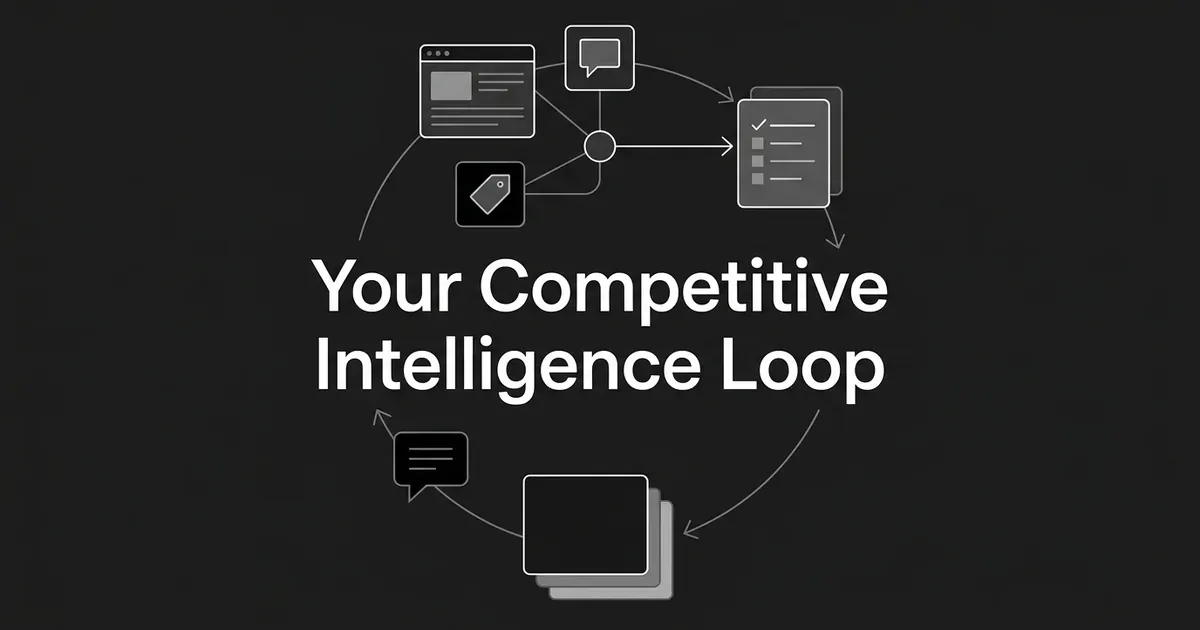
The diagram above is the shape of what you just built: not a list you finish once, but a loop that keeps feeding itself. The quarterly reset in step 8 is what sends you back to step 2 to revise the watchlist, which is the part a straight read of eight numbered steps does not make obvious on its own.
What to do next
Pick one client. Write down the decisions their program needs to support and the watchlist that serves them. Name the owner for each stage of the loop. Run one full monitoring cycle, from collection through the weekly digest to the monthly report. Then sit down with the client and ask what was actually useful and what was noise, and adjust the plan before you run it again.
If the AI-search piece of this is where you are currently improvising, a scheduled tracker takes that part off your plate. DeepSmith tracks your client's buyer prompts on a schedule, preserves every answer, separates mentions from citations, and surfaces competitor citations on the same prompts, so the evidence for your weekly digest and monthly report is already sitting there when you need it. Start a free trial and set up tracking for one account to see how it fits into the loop above.