

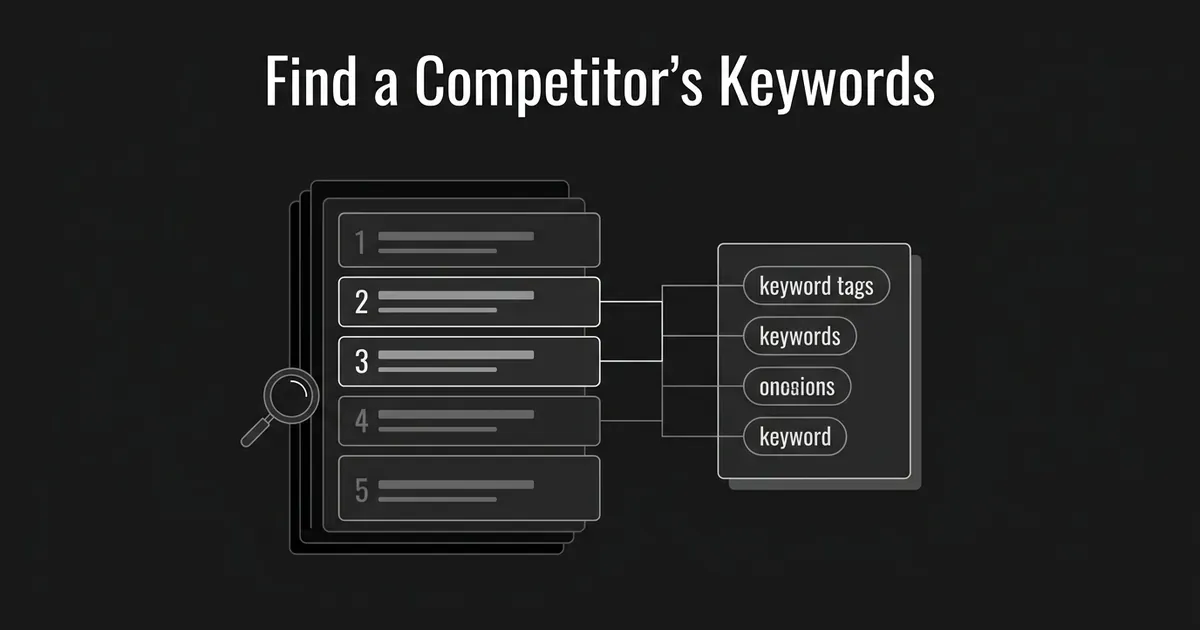
If you want to know what a competitor is getting found for, the fastest path is a competitive SEO tool: put the domain into Semrush or Ahrefs, open its organic keyword report, and you'll see the terms it ranks for, the page each one lands on, and roughly how much search volume it's pulling. You can also build a rougher version by hand if you don't have a paid tool yet. This guide walks through both routes to find competitors keywords, plus what to do with the list once you have it: content ideas, a PPC check, and a read on how a rival is positioning itself.
What you need: a competitor's domain, a market you care about (which country, mainly), and either a competitive SEO subscription or an hour to search by hand. If you're trying to find competitors keywords for the first time, start with the tool route below and fall back to the manual one only if you don't have access. By the end you'll have a clean keyword-and-page inventory and a plan for what to do with each part of it.
Pick the competitor and the market you care about
Write down the exact domain you're going to inspect and the country or region that matters to your business. Decide up front whether you want the whole site or just one product area or section. If the competitor is a large publisher or a marketplace, pulling data for its entire domain buries the useful signal. A narrower slice, like just its product pages or its blog, usually tells you more.
Pick a company that actually serves the buyers you're chasing, or a site that keeps showing up when you search the questions those buyers ask. Those two things aren't always the same business. A publisher that outranks you on a buyer question is a useful search competitor to study even if it doesn't sell anything like your product.
You're done with this step when you have a named site, a defined market, and a clear reason its visibility matters to you. Where people trip up here: they treat any high-ranking publisher as a direct rival, they mix countries together in one list, or they read rankings for a huge site as if they say something specific about the one product area they actually compete in.
It also helps to write down what you're hoping to learn before you pull any data. Are you looking for content ideas, checking whether your positioning still lands next to this rival, or scoping a PPC test? Each of those questions points you toward a different slice of the eventual list, and deciding that up front saves you from staring at ten thousand rows with no filter in mind.
Pull the competitor's organic keyword report
This is the step people mean when they ask how to see what keywords a competitor ranks for, and it's where a competitive SEO tool earns its subscription price.
In Semrush, open Organic Rankings, then Positions, and enter the competitor's domain with the country database you picked in step one. The report pairs each keyword with the page it ranks on and the metrics that go with it. Semrush describes this as covering keywords where it has detected the domain ranking somewhere in Google's top 100 results for that database, which is a real boundary worth keeping in mind: it's a large, well-sampled view, not a complete record of every query the site touches. Start with the default view, and reach for a position filter like top 10 only when you want the clearest examples of where the competitor is already strong. That's a way of looking at the data, not proof that positions 11 through 100 don't matter.
In Ahrefs, put the domain or a specific URL into Site Explorer, choose the country and the scope you want, and open Organic Keywords. Ahrefs distinguishes between an exact URL, a URL prefix, the whole domain, and the domain plus subdomains, so check which scope you're actually looking at before you treat a product-section sample as if it covers the whole site.
You're done here once you can point to a report that has real keywords tied to the actual page each one ranks on, for the site and market you picked. The mistake to avoid: opening a keyword-ideas tool or a paid-keyword report and calling the result an organic ranking list. Those are different datasets, and mixing them up is the single most common error in this kind of competitor keyword research.
A quick note on what these numbers actually mean before you go further: search volume is an estimate of how often people search a term, not the competitor's traffic, and estimated traffic is the tool's modeled guess at visits, not access to the competitor's real analytics. Keyword difficulty is a screening score specific to that tool, not a guarantee about whether your own page could rank. Keep those distinctions straight as you read the report, since it's easy to start treating a modeled number as if it were observed fact.
Narrow the list without losing what it's telling you
Keep the full, unfiltered report somewhere safe, then build a working view on top of it. Semrush's Positions table lets you filter by top 3, top 10, top 20, top 50, custom position bands, search intent, and SERP features, and the columns include keyword, intent, current and previous position, estimated traffic, traffic share, search volume, keyword difficulty, CPC, ranking URL, and when the data last updated. Sort by whatever question you're actually asking instead of defaulting to the traffic column.
Separate branded and navigational searches (people searching the competitor's own name) from the nonbranded terms that describe a buyer's actual problem. Flag anything irrelevant, wrong geography, job listings, support pages, a term with a different meaning than you expect, rather than deleting it outright. Even a branded term can be worth a glance, since it tells you something about how buyers already talk about the competitor, even though it's rarely a term you'd target yourself.
You're finished with this pass when your working list has a clear rule for what stayed in it and every row can be traced back to its original keyword and page. Where this goes wrong most often: sorting only by search volume, treating a difficulty score as a decision instead of an input, tossing branded terms before actually looking at what they reveal, or reading the estimated traffic column as if it were the competitor's real analytics.
Export a keyword-and-page inventory you can actually use
Export the filtered report and keep, wherever the tool provides it, the keyword, the ranking URL, the position, the market, the intent, the search volume, the estimated traffic, the CPC, and the date of the pull. Add your own columns for page type, how relevant it is to your buyers, and any notes. If your access allows it, also keep an unfiltered export somewhere as a reference.
Semrush supports Excel, CSV, and semicolon-CSV exports, including a specific row range or a set number of top rows. Its documented report limits are 10,000 results on the Pro tier, 30,000 on Guru, and 50,000 on Business, so it's worth checking which limit applies to your account before you assume the export is exhaustive. Ahrefs publishes monthly export-row allowances that scale from 500,000 rows on its Lite plan up past several million on higher tiers, but a large allowance still isn't a promise that every possible ranking is sitting in the tool's index.
You're done when a teammate could open the file cold, tell what market and date it covers, and find the page tied to any keyword in it. The common mistake: exporting keywords by themselves without the country or the ranking URL, or describing a capped export as the competitor's entire keyword footprint.
Build a manual sample when you don't have a paid tool
You don't need a subscription to start. Visit the competitor's homepage, its product or service pages, and a handful of its more recent articles. Write down the language that keeps showing up in page titles, headings, meta descriptions, and URL paths. Treat all of it as candidate terms, not confirmed rankings, because a page can be built around a phrase without actually ranking for it.
For a topic you care about, search a plausible phrase in Google and note whether a competitor page shows up, which page it is, and the market and date you checked. The site: operator (typing site:competitor.com followed by a term) can help you find pages that might be relevant on a domain, and it's worth pairing with a handful of ordinary searches for the queries you actually expect buyers to type. Google itself says site: results aren't necessarily an exhaustive list of everything indexed, so treat it as a way to find candidate pages, not a keyword export tool. A sitemap or the site's own navigation can help the same way: it shows you pages, not the queries those pages rank for.
You're done when your sheet clearly labels every entry as either observed in actual search results or inferred from the page's own language, with the page and the query recorded as separate things. The mistake worth avoiding here is reporting a heading, a sitemap URL, or a keyword-idea suggestion as if it were a proven ranking. A page titled around a phrase may be targeting it without ranking for it, and a page can rank for queries that never appear word for word anywhere on it, so keep targeting clues and observed results in separate columns.
Expand your candidate list, then check what each term really is
If your manual sample feels thin, open Google Ads Keyword Planner and use Discover New Keywords to get more ideas related to the competitor's product, service, or site. Google describes this as a free research tool, though its own help documentation notes that using it requires a completed Google Ads account with billing set up, and running actual ads would cost money separately from browsing keyword ideas. Planner gives you estimated monthly searches and advertising-cost figures, and those numbers are useful, but label the output ideas, not confirmed competitor rankings.
Take an important candidate and check it directly in the organic results, then look at what kind of pages show up. Where you have access to a competitive ranking tool, confirm the competitor's actual URL and position for that term rather than assuming. This verification step is what separates real competitor keyword research from a list of guesses.
You're done once your sheet clearly separates confirmed tool-reported rankings, terms you personally observed in search results, and unverified ideas from a suggestion tool. Where people go wrong: treating an ad-click forecast as if it describes the competitor's real organic traffic, or treating a website-related keyword suggestion as proof that a page already ranks for it.
Read the ranking pages, not just the keywords
For the keyword-and-page pairs that matter, actually open the competitor's page. Note what question it's answering, the format it uses, who it's written for, the claims it makes, and the product language it leans on. Group related terms around the page or the buyer question they serve, instead of planning one article per near-identical phrase. Note whether a term points to an explainer, a hands-on tutorial, a comparison, a product page, or a support article, since those call for different pages on your own site.
This is where the list turns into content ideas and a positioning check, not permission to rewrite the competitor's article or copy its claims.
DeepSmith's Content Map organizes your own site's pages and a competitor's pages by topic and funnel stage, so you can see where you're thin next to a rival without building that map by hand. AI Visibility, separately, shows which competitor pages are getting cited when AI engines answer the prompts you're tracking. Those two views are complementary evidence about topics and about how AI engines describe a competitor, not a replacement for the organic-keyword reports above: DeepSmith doesn't export a rival's Google rankings, and an AI citation isn't the same thing as an organic position.
You're done with this step once every content idea you've written down names the buyer question involved and the kind of page that could answer it, with the competitor's page used as evidence of how that rival handles the topic rather than a template to copy.
 The mistake to watch for: rewriting the competitor's article almost word for word, assuming any keyword on a rival's site is automatically relevant to your product, or treating an AI citation as if it were an organic Google ranking.
Put the list to work: content, PPC, and positioning
Turn informational terms into new briefs or updates to pages you already have. Use the product and comparison language you found to check whether your own positioning speaks to the same buyer needs the competitor is addressing. For paid search, treat the organic terms and their CPC estimates as candidate ad themes, and validate each one against your offer, your landing page, and your own campaign data before you actually bid on it. Keep your SEO ideas and your paid-ad ideas in separate columns so they don't get confused later. Recheck the rankings that matter to you again down the line rather than treating one pull as permanent.
Once you've acted on a few of these terms, use your own Search Console's Performance report to check whether the pages you updated actually picked up impressions and clicks for them. That's a check on your own site, not a way to see a competitor's data, but it's the honest way to know whether the work paid off.

Once you have a vetted, buyer-relevant idea, DeepSmith's New Ideas backlog is where it goes next: add it there, give it a date in Planned Content, and Content Studio's Writer turns it into a finished, on-brand article, pulling on the brand and product context stored in Deep IQ so you're not re-briefing from scratch each time. That's a use for the research you just did, not the method for pulling a competitor's organic keywords in the first place.
At this point you've done the actual work of finding competitors keywords and sorted it into something usable. You're done when your working file has a clear next action next to every useful group of terms: a content idea, a review of an existing page, a PPC test, a positioning note, or a decision to do nothing with it. The mistake worth avoiding: assuming a competitor's rank on a term means it will convert the same way for you, treating an estimated CPC as a guaranteed bid for a PPC test, or writing an article for every single exported keyword without first checking whether it's actually relevant to your buyers.
What to do next
Save a clean keyword-and-ranking-page inventory somewhere your team can reference, and pick a small set of buyer-relevant content or PPC hypotheses out of it rather than acting on everything at once. Validate each one before you commit real time or budget to it. If you want the research to turn into finished articles without the manual handoff, DeepSmith's 7-day free trial lets you try that path with your own data and see a draft before you pay anything.
If you're working with more than one rival and want to compare gaps across all of them at once, that's a separate workflow, keyword gap analysis, built for prioritizing across several competitors rather than reading one list closely.


