
You did it. Your blog post ranked. Traffic poured in. And then… crickets.
No demos, no trials, no pipeline. Just a bounce rate that screams, "You brought the wrong people to the party."
I've been there, and that's exactly what search intent misalignment feels like. Most teams treat intent as a vague label. Knowing a query is "informational" doesn't tell you what to write or how to guide a reader toward something useful.
Intent only starts making you money when you treat it like a content spec. It's a set of decisions about the promise you make, the format you use, the proof you show, and the next step you offer. It's a system designed for both the human on the other side of the screen and the AI that's increasingly answering their questions before they even click.
This is the framework I wish I had ten years ago. It's a system for classifying intent, structuring your content so AI will cite it, handling those messy mixed-intent keywords, and measuring performance with a loop you can actually run.
What is search intent, and why does it determine whether your SEO content wins or fails?
The practical definition: "what would satisfy the searcher right now?"
Forget the textbook definitions. Search intent isn't about what the keyword says; it's about what the person typing it needs to feel like they're done.
Someone searching for a "content calendar template" wants to download a file, not read your 3,000-word history of calendars. If you apply that simple "satisfy in 30 seconds" test, you'll get a more honest read on intent than any chart of keyword modifiers ever gave you.
Here's the working definition we use for all our briefs and reviews: intent is the job the searcher is trying to finish. Everything else, from the format and length to the CTA, flows from that job.
The real cost of getting intent wrong (even when you rank)
When your content doesn't match the intent, you might still rank for a little while, but the engagement signals will kill you. Dwell time is low. Users hit the back button to try another result (what we call the pogo-stick pattern), and you can be sure Google notices.
For your team, the wrong traffic never converts. It just inflates vanity metrics and leaves your pipeline empty. I learned this the hard way. We once spent an entire quarter getting a post to #1, only to realize it generated hundreds of thousands of pageviews and zero qualified leads.
Rankings that don't produce pipeline are a distraction. Fixing intent on the pages you already have is almost always a better use of your time than publishing something new.
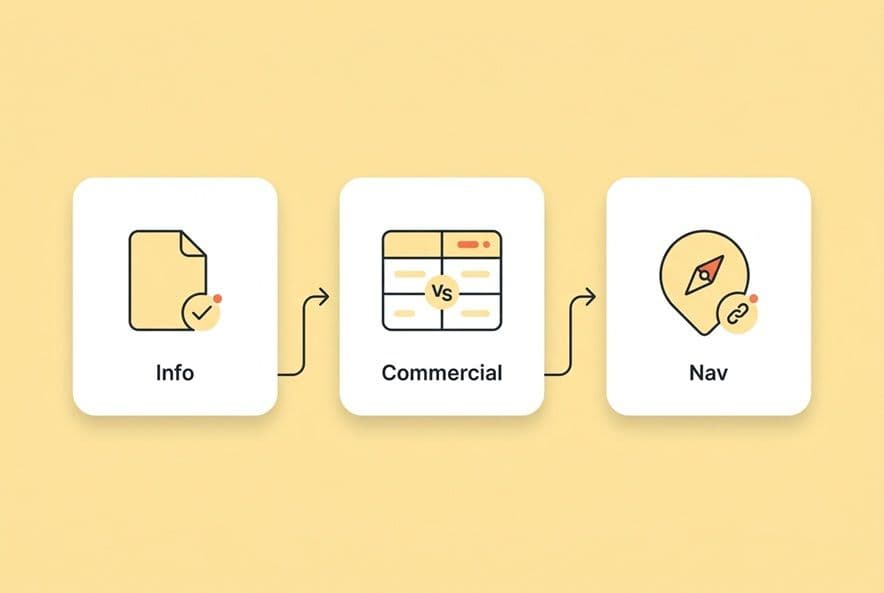
How do you identify informational vs commercial vs navigational intent (especially when it's ambiguous)?
Most guides give you a simple table of words. That approach falls apart with ambiguous queries like "project management for content teams." Is the user trying to learn how to organize their work (informational) or are they looking for tools (commercial)? Getting it wrong is a great way to waste a month of your content team's time.
Here's a faster, more reliable way to classify intent using three signals.
Query-language signals that reliably indicate intent
The words people use are your first clue. Use them as a starting filter, but don't treat them as the final answer.
- Informational intent signals: how, what, why, guide, tutorial, definition, examples, learn, tips. These folks want to understand something. They're building a mental model, not pulling out their credit card.
- Commercial investigation signals: best, top, vs, alternative to, review, compare, for [your role]. The reader knows a solution category exists and is trying to figure out which option is right for them. This is evaluation mode.
- Transactional/do intent signals: buy, pricing, trial, download, sign up, book a demo. The decision is pretty much made. They just need you to show them the button.
- Navigational/branded intent signals: [brand name] login, [brand name] support, [brand] vs [competitor]. They already know where they want to go. Your only job is to be the destination or get out of their way.
Always look at the whole query. "Content calendar" by itself probably means they want a template to download (transactional). "Content calendar benefits" is clearly informational.
SERP signals: what the ranking pages and features are telling you
The query gets you in the ballpark. The search engine results page (SERP) tells you what game you're actually playing. A quick search shows what Google is already rewarding, which is the best signal you have for what works.
- Top results are long-form guides? That's informational. Don't even think about building a landing page.
- Top results are comparison pages or "best of" listicles? That's commercial investigation. Your how-to guide won't stand a chance.
- Top result is a brand's own homepage or login page? Navigational. You either own this keyword or you don't.
- A featured snippet or AI Overview is at the top? Informational. The bar is high for a clean, direct answer in your first couple of sentences.
- People Also Ask boxes are showing up? Google is literally handing you the sub-headings for your informational article. Don't overthink it.
One last critical check: intent isn't universal. A query that's informational in the US might be commercial in the UK where the market is more mature. Before you brief content for a new region, do a separate SERP analysis for that specific place. Never assume intent just carries over with translation.
A decision tree for mixed/unclear queries
When you're getting conflicting signals, here's the tie-breaker sequence I use:
- What's the dominant format in the top 3 results? This carries a lot of weight. If two are guides and one is a comparison, your best bet is an informational guide that includes a comparison section.
- What's the searcher's most likely next action? If they'd probably keep learning, it's informational. If they'd start comparing tools, it's commercial.
- Apply the "satisfy in 30 seconds" test. What outcome would make a click on your page title feel like a win? That tells you the dominant intent.
- Name the secondary intent and give it a home. If a query is mostly informational but you know a third of the readers want a tool comparison, add that section. Just don't build a whole new page for it yet.
Once you get the hang of it, this whole process takes less than five minutes per query.
What should SEO content look like for informational intent queries?
The opening answer pattern that earns trust (and AI extraction)
The biggest mistake I see in informational content is burying the lead. If someone asks "what is a content cluster," they want the definition in the first sentence. The rest of the article is just there to provide support and detail.
Here's the pattern for both your human readers and the AI bots that are scraping your site:
- Sentence 1: A direct answer to the question.
- Sentence 2: The implication that makes that answer useful.
- Rest of section: Evidence, examples, and what to do next.
For example: "A content cluster is a group of pages covering a topic from multiple angles, all linked to a central pillar page. This structure signals topical authority to search engines and gives readers a clear path through related content." Two sentences, and the concept is covered. This pattern works at the section level, too. If every H2 and H3 opens with a direct answer, every section becomes a potential citation for an AI Overview.
The "complete enough" coverage model (without turning into a textbook)
Informational content has a scope trap. There's a constant pressure to cover everything, and you end up with an exhausting reference document nobody wants to read. The real test isn't "did I cover all the angles?" It's "did I answer the core question and its most obvious follow-ups?"
Here's a practical model: one clear answer, two or three supporting sub-questions, and one "what's next" path. Use the "People Also Ask" results to find the sub-questions people actually care about. Keep your definitions tight and let your examples do the heavy lifting. A 700-word guide that perfectly satisfies an informational need will always outperform a 2,500-word monster that was padded to hit a word count.
Converting informational traffic without forcing a product pitch
Look, informational readers aren't ready to buy, so a hard CTA ("Start your free trial!") just creates friction and makes you look tone-deaf. But doing nothing is a huge missed opportunity.
The right move is a soft next step that matches their context.
- Link to a related guide that goes one level deeper.
- Offer a template, checklist, or worksheet that helps them apply what they just read.
- Use a content upgrade or newsletter opt-in that stays on topic, like "get the content checklist we use with our own team."
Save the demo CTA for your commercial pages. On an informational page, it just feels dishonest.
What should SEO content look like for commercial intent queries (commercial investigation)?
Writing for commercial intent is tough. You have to sound like a trusted friend giving a recommendation, but you have to do it while ranking in a SERP filled with biased lists and paid reviews. The only way to win is to make your evaluation framework, not your final conclusion, the most credible part of the page.
The credibility stack: criteria first, then options
Before you name a single tool, you need to define what matters. What criteria should an intelligent buyer use to evaluate this category of software? What are the common trade-offs? What does "good" even look like for different kinds of teams?
When you lead with the criteria, readers trust that you're helping them decide, not just selling them your product. Your framework becomes useful on its own, even if the specific tools change over time. This approach also naturally prevents the classic "#1 best tool is our tool" bias that kills credibility instantly.
Side-by-side comparisons that AI and humans can parse
Once you've established your criteria, use a comparison table that's structured for citation. It lets readers scan for what's relevant to them, and it's a format that AI systems love to cite. A useful table goes beyond just listing features and gives people real decision support.
For each option in your table, you should have columns for:
- Use Case Fit: Who is this really for? (e.g., "startups," "enterprise marketing teams")
- Key Differentiator: What's its one big strength?
- Primary Trade-Off: What do you give up by choosing this one? (e.g., "less flexible," "needs developer support")
- Best For: The specific scenario where this option shines. (e.g., "teams that publish at high volume")
- Next Step: What to do if this option seems like a fit. (e.g., "view a 5-min demo," "download the free template")
Being honest, like saying your product is "Best for large enterprise teams with dedicated ops support," is far more useful (and believable) than generic praise like "powerful and flexible."
The "not a fit if…" section (a huge trust builder)
This is the section most companies are afraid to write, but it's the one that builds the most trust. For any solution you recommend, including your own, you have to name the scenarios where it's the wrong choice.
"This isn't a fit if your team is under five people and has no dedicated SEO support" is an honest limitation. It makes the reader believe everything else you wrote. It also helps you filter out unqualified leads, which protects your conversion rates and keeps your sales team happy.
CTAs that match commercial intent
Readers at this stage are close to making a decision, but they still need a low-risk next step. A hard sell can scare them off.
Good mid-funnel CTAs include things like "Download the comparison checklist," "See how [our product] handles [a specific use case]," or "Get the evaluation template." A demo link is okay here, but it should be framed as "see it in context," not "talk to sales." The difference is the perceived cost and commitment of that click.
What should you do with navigational intent queries (brand, product, and "login" searches)?
When to create a page vs when to improve your site structure
Most navigational queries don't need new content; they need better infrastructure. If people are searching for "[your brand] pricing" and can't find it, the problem isn't a content gap. It's your site architecture.
Before you create a new page, ask yourself: does a page for this already exist? If it does, is it easy to find from the homepage? Is it titled correctly and indexed by Google? Fix those things first. Creating new content should be your last resort.
Brand vs competitor navigational intent: how to respond ethically and effectively
Queries like "[competitor] alternative" are a mix of navigational and commercial intent. The searcher is actively looking to switch. These searches deserve a dedicated alternative page that treats your competitor fairly. Acknowledge their strengths, and then make a clear, honest case for where your solution is a better fit.
The same goes for "[your brand] vs [competitor]" searches. The right response is a comparison page built on honest trade-offs, not just marketing fluff. If your product doesn't win on price, just say so. If you win on ease of use for a specific type of customer, make that the main story.
Navigational intent check: is your site answering the query in one click?
Run this quick audit for your most important navigational searches:
- Does the page title match what the searcher expects? ("Pricing," not "Our Plans & Your Investment")
- Is the page linked from your main navigation and your footer?
- Does your own site's search bar return it as the first result?
- Do your branded SERP sitelinks point to the right pages?
- Have you added schema markup to improve your structured data where it makes sense?
If the answer to any of these is "no," that's your fix. No writing required.
How do you handle mixed or shifting search intent without creating bloated pages?
Let's be real, real queries are messy. "Content marketing ROI" is informational for a junior marketer, commercial for a director who needs to justify a tool purchase, and navigational for someone looking for a specific calculator they've used before. Your content has to account for this mix without becoming a bloated mess.
Three patterns: "one page, modular sections" vs "separate pages" vs "hub + spokes"
- One page, modular sections: Use this when the intents are related and the audience overlap is high. A guide on "content calendar templates" can have an explainer (informational), a tool comparison (commercial), and a download link (transactional) all on one page, as long as the sections are clearly labeled and the page opens with the dominant intent.
- Separate pages: Use this when the intents serve different audiences with different needs. "What is a content audit" (informational) and "best content audit tools" (commercial) should be two separate pages that link to each other.
- Hub + spokes: Use this for broad topics that have a lot of sub-questions. A pillar page on "content strategy" can cover the high-level landscape and link out to individual "spoke" pages on subtopics like "content calendars" or "content audits." This is the topic cluster model in action.
How to detect intent drift (before your performance collapses)
Intent changes as markets mature. A query that was informational two years ago might be commercial today. Here are the signs that your page has drifted away from the current SERP intent:
- Your rankings are gradually slipping, even though you haven't changed anything.
- Your bounce rate is going up and time-on-page is going down.
- New comparison or tool pages start showing up in the top results.
- Search volume is shifting toward versions with commercial modifiers (e.g., "what is X" is declining, but "best X" is growing).
Check for these patterns every quarter on your most important pages. It's like a regular health check for your content engine.
The update approach: what to change first
When you spot a drift, prioritize your fixes in this order:
- Opening answer and H1/title. Fix the first 100 words to match the new dominant intent.
- Missing section type. If the SERP is now full of comparison tables, you need to add one to your page.
- Internal link paths. Update your internal links to provide the right next step for the new intent.
- CTA alignment. Replace a hard CTA with a softer offer if the page is now attracting more top-of-funnel traffic.
How do you optimize for AI assistants, AI Overviews, and zero-click SERPs while still building brand visibility?
A growing number of your buyers are getting answers from AI like ChatGPT, Perplexity, or Google's AI Overviews before they ever click on a link. Optimizing for this isn't some new, mysterious science. It's just an extension of good intent optimization, applied at the section level. Understanding the shift from SEO to AEO is key to staying ahead.
Write for extraction: "answer-first" sections, clear claims, and scannable structure
AI systems don't read articles, they extract passages. The same "answer-first" pattern that makes your content easy for a busy human to scan also makes it easy for an AI to extract.
- Open every H2 and H3 with a direct answer to the implied question.
- Use short, declarative sentences for your key claims.
- Break down processes into simple numbered steps.
- Keep your paragraphs short, ideally under four sentences.
Create "citable" blocks: definitions, steps, checklists, and comparison tables
Some formats are cited by AI systems way more often than others because they are pre-structured. You should try to design these into every article you publish:
- Definitions: "A [term] is [a concise explanation]."
- Numbered step sequences: Linear processes with clear action verbs.
- Comparison tables: Two or more options across consistent criteria.
- Checklists: Scannable, binary action items.
- FAQ blocks: A direct question followed by a concise answer, ideally with FAQ schema markup.
Measure what AI is doing with your content (not just what Google ranks)
Most teams I know check their rankings, but do you have any idea which of your pages got cited in ChatGPT last month? A modern measurement framework has to track which prompts your brand shows up for, your mention and citation rates, and which specific pages are getting cited.
We started using a platform called DeepSmith AI Visibility for this. You define the prompts your buyers are asking across the major AI platforms, and then you can track your mention and citation rates over time. The "Pages" view shows you which of your content assets are actually earning citations. It gives you a real feedback loop to guide your strategy instead of just guessing.
What metrics and workflows prove your intent strategy is working (and help you scale it)?
The intent-fit KPI set (beyond just rankings)
Rankings tell you if you got into the game. These signals tell you if you're actually winning it:
- Engagement rate / time on page: If it's low for the page type, you probably have an intent mismatch.
- Scroll depth: If readers are dropping off at 30% on a long guide, your opening didn't deliver on its promise.
- Assisted conversions: How many people who eventually converted touched this piece of content along the way?
- Internal link click-through: Are people actually following the next steps you suggest?
- Query refinement (in GSC): If users search for the next logical step after visiting your page, you satisfied their intent. If they just rephrase the same question, you failed.
A lightweight workflow for cross-team alignment (SEO + content + product + sales)
Intent definitions drift when teams work in silos. An easy fix is a shared document that defines the priority intents for each topic cluster. Then, have a 30-minute sync once a month where each team brings one signal from their world (SEO spots a ranking shift, sales hears new language from buyers). The output is just a short list of pages that need updating.
Scaling intent mapping across clusters
Mapping intent for every single keyword manually just doesn't scale. The solution is to map intent at the cluster level. You assign a primary intent to a whole topic cluster, and individual keywords inherit that intent unless they have a clear modifier that contradicts it.
This is where tooling really matters. We use DeepSmith Topics to auto-cluster our keywords, see search volume, and identify coverage gaps against our sitemap. Instead of staring at a spreadsheet with 200 keywords, you just review the clusters and push them into production. From there, DeepSmith Content Studio handles the brief-to-draft pipeline with SEO and AEO optimization built in, so you're not trying to bolt it on at the end. The goal is to eliminate the manual work so your team can focus on strategy.
Build an intent-led content system (not a one-off optimization)
This framework isn't a one-time project; it's a new operating system for your content team. It's how you classify queries before you brief them, how you structure your sections to satisfy both people and AI, and how you measure what's actually working.
Start small. Pick five of your top-traffic pages and check them against the intent-fit KPIs. Update the opening answer on the worst offender, add one "citable block" like a checklist, and fix any misaligned CTAs. Then, make "intent classification" a required field in your brief template.
By the time you've published your next few articles this way, intent alignment will stop feeling like an extra step. It will just be how your team thinks. And the rankings and AI citations? They become the natural result of building the system correctly, not something you have to chase after the fact.