

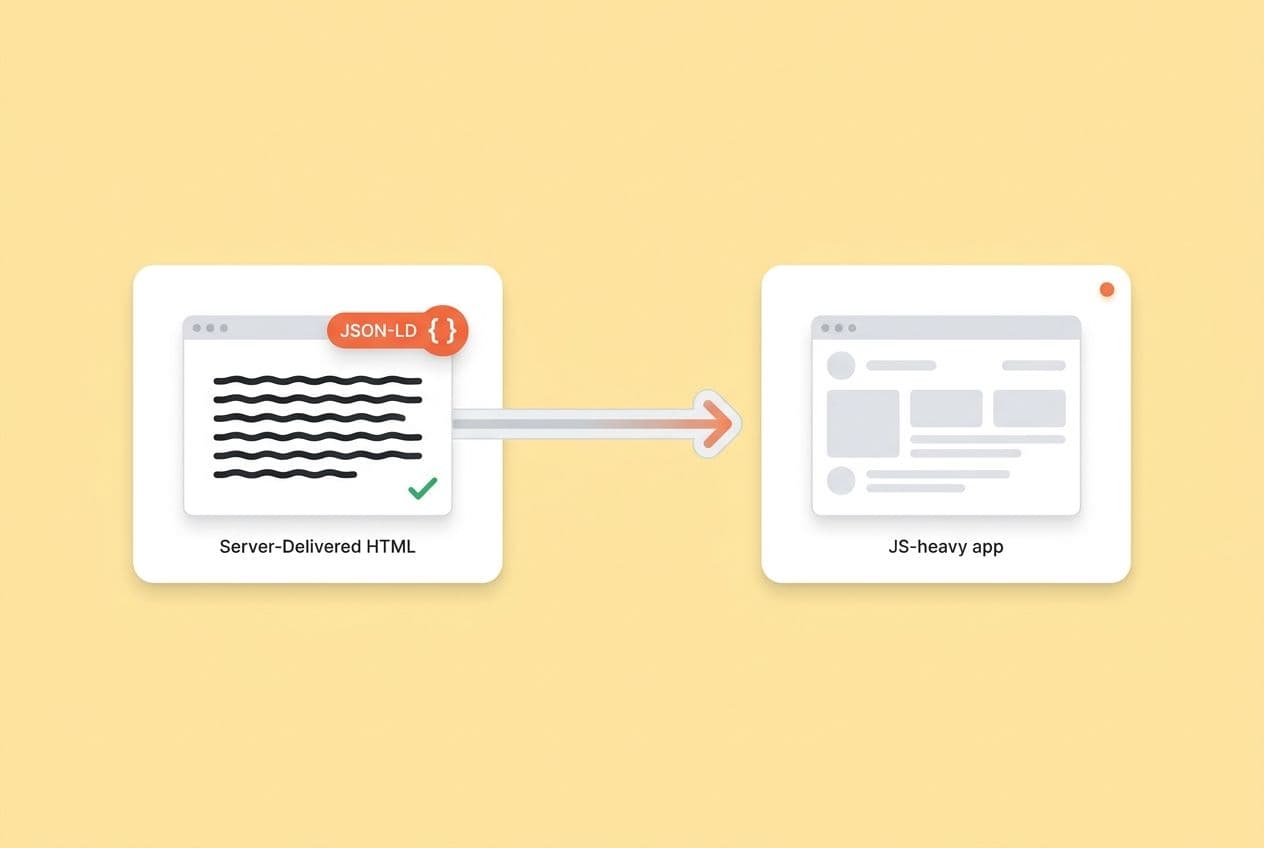
Let's get straight to it. The fix is simple, but it requires discipline: make your critical content and structured data exist in the initial server response HTML. Use Server-Side Rendering (SSR), Static Site Generation (SSG), or prerendering to get it done.
Don't count on client-side hydration to get content into the DOM. By the time your JavaScript runs, most AI crawlers are already gone. The only way to know you’ve fixed it is to test the raw HTML and do no-JS fetches, not by just loading the page in Chrome.
I’ve seen this movie before. Maybe you're living it right now. Your pages look perfect in the browser. Your team shipped a polished SPA with buttery-smooth transitions, lazy-loaded sections, and a slick tabbed interface. And yet, your competitors keep showing up in ChatGPT answers while your brand is invisible. You want to fix it, but you can’t rewrite the whole app. Engineering’s backlog is already the length of a CVS receipt.
That gap between “works in the browser” and “visible to AI” is exactly what this guide is about. I’ve been in that gap. This is the playbook we built to get out of it.
Here’s what we’ll cover:
- What AI crawlers actually fetch (and why you can’t count on JS execution)
- How to choose SSR, SSG, or prerendering on a per-route basis
- The common SPA patterns that silently hide your content from LLMs
- Framework-specific steps for Next.js, Nuxt, and vanilla React SPAs
- How to embed schema so AI bots can actually use it
- A verification process and measurement loop to make sure your fixes stick
Do LLM Crawlers Render JavaScript or Only Read Raw HTML?
Assume they only read HTML. If your content isn't in the initial server response, you have to treat it as invisible to AI crawlers. That’s the working assumption that will save you a world of pain.
Here’s the thing you have to internalize. There are three different ways your site gets seen:
- Browser rendering: The full orchestra. Full JavaScript execution, DOM hydration, user interactions firing. This is the complete picture your users (and you) see.
- Googlebot rendering: This is a two-step process. Googlebot fetches the HTML first, then comes back later (sometimes minutes, sometimes days) to render the JavaScript. It’s not instant, but it eventually happens.
- LLM/AI crawlers: They fetch the raw HTML. Some might execute a tiny bit of JavaScript; many don't. None of them are waiting around for your React hydration to finish before they start extracting content. There’s just no standard behavior here.
The key distinction is between rendering and extraction. Even if a crawler technically runs some JS, its content extraction pipeline may have already finished. AI systems are built to harvest text and schema from raw responses. They aren't waiting for a React tree to mount.
| Content location | Visible to AI crawler? |
|---|---|
| Present in initial HTML response | Yes — reliably |
| Injected after JS hydration | Unreliable — often missed |
| Loaded on scroll or user interaction | No — effectively invisible |
What "counts" as visible content for AI engines?
Visible means it’s in the fetched response body. Not in the DOM after your scripts run. Not in a CSS pseudo-element. Not hiding behind a consent banner that blocks the page from rendering.
Something to keep in mind: many AI pipelines will down-convert your beautiful HTML into simple text or Markdown before processing it. This means that clean, readable body content often gets more weight than heavily nested layouts or metadata in the <head>. Your H1, your paragraphs, your JSON-LD, all of it needs to live in the initial HTML response.
How Do You Choose Between SSR, SSG, and Prerendering for AI Visibility?
Decide this route-by-route, not for the whole app. The goal isn't to convert everything. That’s a recipe for a six-month project that never ships. The goal is to make sure your most important pages, the ones that drive pipeline and deserve to be cited, deliver HTML-first content.
Just so we’re on the same page with definitions:
- SSR (Server-Side Rendering): The server generates HTML on every single request, pulling fresh data. This is great for dynamic content.
- SSG (Static Site Generation): The HTML is generated once at build time. It’s fast, cheap to serve, and perfect for content that doesn’t change often.
- Prerendering: You take a static HTML snapshot of each route and serve that to crawlers (or everyone). Think of it as a bridge for SPAs that can't migrate to a new framework just yet.
Route-by-route guidance
Not every page on your site is created equal. You need to prioritize based on citation potential and business impact. Here’s how we think about it:
- Blog posts, docs, glossary pages: SSG is your best friend here. This content is stable, high-value for citations, and the build-time generation is a one-time cost.
- Product pages, pricing, comparison pages: SSR or SSG with frequent rebuilds. These pages drive pipeline and should be winning citations for high-intent queries.
- Landing pages: SSG. These are static by nature. There’s no reason they shouldn’t be fully rendered as HTML.
- App shell, authenticated dashboards, user settings: Client-side rendering is totally fine. These pages aren't going to earn AI citations anyway.
| Approach | Best for | Trade-off | Common failure mode |
|---|---|---|---|
| SSG | Stable content (blog, docs, glossary) | Build time grows with scale | Stale content if rebuild isn't triggered |
| SSR | Dynamic content (pricing, personalized pages) | Infra cost, caching complexity | Slow TTFB without proper caching layer |
| Prerendering | Existing SPAs needing quick wins | Snapshot can go stale; limited interactivity | Prerender cache not invalidated after content updates |
One pattern I really like is SSR with a stale-while-revalidate caching strategy. It's a practical way to get HTML-first benefits for pages that need to be fresh, but without hammering your server on every single page view for high-traffic routes.
What SPA Patterns Make Content Invisible to LLMs Even When Humans Can See It?
Here’s my rule of thumb: if disabling JavaScript makes the content disappear, you have to assume AI engines can't see it.
I’ve been burned by every single one of these. Here are the specific patterns that catch teams off guard.
Empty shell + hydration delay
Your server sends back <div id="root"></div> and a prayer. React mounts, fetches its data, and renders a beautiful page. A human sees it all. An AI crawler sees an empty div.
The fix: Make sure the server renders the actual content before sending the response.
Lazy-loaded main content
Lazy-loading images with loading="lazy" is a great performance win. But if your text content—your hero copy, your feature descriptions—is lazy-loaded by a JavaScript Intersection Observer, any crawler that doesn't run JS will never see it.
The fix: Lazy load your images and non-critical UI. Keep your core body copy in the initial HTML payload.
Infinite scroll without a fallback
Infinite scroll is great for engagement, but it depends on a user scrolling. Bots don't scroll. If your blog index or product list only loads more items via a scroll event, everything past that first screen is invisible.
The fix: Always include paginated links (like <a href="/blog/page/2">) in the HTML as a fallback for crawlers and non-JS users.
Tabs and accordions that load content on click This one gets teams all the time. If your product page hides feature details behind tabs, and clicking a tab fires a JS fetch to get the content, that content might as well not exist for a crawler. The fix: Render all the tab content in the initial HTML, then use CSS to control what’s visible. The content exists in the DOM; JavaScript just toggles which panel is shown.
CSS pseudo-element content
Any text you put in a ::before or ::after pseudo-element is not in the DOM, so it won’t be extracted. On the other hand, text hidden with display: none or visibility: hidden is in the HTML and will be seen, though you open a different can of worms by deliberately hiding content.
How Do You Implement SSR/SSG/Prerendering in Next.js, Nuxt, or a React SPA Without Rewriting Everything?
Don't boil the ocean. I can't say this enough. Pick 10–20 of your most critical routes, get them to be HTML-first, and then iterate. This is a game of inches, not a single grand gesture. Here’s the playbook.
Step 1: Route inventory and prioritization
Get your team in a room (or a Zoom) and list out every route in your app. Tag each one:
- Must be AI-visible: These are your citation targets. Product pages, pricing, comparison pages, blog posts, documentation.
- Can stay client-side: Dashboards, settings pages, auth flows, anything behind a login wall.
Focus all your energy on that first list. Ignore the second for now.
Step 2: Next.js
Next.js is built for this, which makes the work fairly surgical. For your priority routes:
- Use server-side data fetching. That means fetching data at request time for SSR or at build time for SSG. This ensures content is in the HTML before it ever reaches the client.
- Be ruthless about
use client. If a component contains copy that should be earning citations, it needs to render on the server. - Verify that your H1, hero copy, and any structured data are present before hydration runs.
Anti-patterns to hunt down on your priority routes:
- Fetching hero copy or product descriptions inside a
useEffect. - Injecting your JSON-LD schema on component mount.
- Hiding content behind an interaction like a modal, tab, or accordion that is loaded via a JS fetch.
Step 3: Nuxt
Nuxt starts with SSR enabled by default, which is great, but I’ve seen plenty of teams accidentally opt out of it.
- Confirm SSR mode is active for your target routes (no
ssr: falsein your global config). - Avoid wrapping components that contain core page content in
<ClientOnly>. - For static content like your blog or docs, use
nuxt generateto pre-build the HTML at deploy time.
Anti-patterns:
- Client-only plugins that intercept or delay the rendering of key content.
- Fetching dynamic data only on the client for content that could and should be static.
Step 4: React SPA (no SSR framework yet)
If a migration to Next.js or Nuxt isn’t happening this quarter, prerendering is your fastest path to visibility.
- Use a prerendering service or a build-time tool to capture static HTML snapshots of your priority routes.
- Serve those snapshots to crawlers (or just serve them to everyone for simplicity).
- Start planning for a phased migration to an SSR-capable framework. Prerendering is a great bridge, but managing cache invalidation can become a real headache over time.
Progressive enhancement patterns
This mindset applies no matter what framework you use. The core idea is simple: ship a complete, readable HTML document, then enhance it with JavaScript.
- Tabs/accordions: Render all the content in the HTML, then use CSS classes to show/hide the panels. JavaScript’s job is just to update a class on click.
- Infinite scroll: Include your
<a>pagination links in the HTML. JavaScript can intercept those clicks to load content inline, but the links are there as a fallback. - Filters and sorts: Render the default, unfiltered result set on the server. JavaScript can then handle filtering or sorting on the client.
Our minimal acceptance criteria for a route
A route is "LLM-visible" on our team when it passes this checklist:
- The H1 is in the raw HTML response.
- The core body copy is in the initial HTML (not a loading spinner).
- Internal links exist as
<a>tags in the HTML. - JSON-LD structured data is present in the HTML
<head>or<body>, not injected after mount. - Disabling JavaScript leaves the content readable. The interactivity can break, but the content cannot disappear.
How Do You Make Schema (JSON-LD) and Key Page Facts Visible and Maintainable?
Generate your JSON-LD in server-rendered HTML, and make sure the same facts are stated in plain English in the body copy.
I learned this one the hard way. We spent a week crafting the perfect Product schema, deployed it with a tag manager, and... nothing happened. The reason? The schema didn't exist in the initial HTML response. For Googlebot, this might eventually work. But for AI crawlers that don't execute JS, that schema was completely invisible.
The body-first principle
Don't rely on schema alone. Generate your JSON-LD on the server from the exact same data source that populates your visible content. This is the only way to guarantee that your schema and your body copy can't drift apart. Keep your entity names consistent, too. If you're "Acme Corp" in the schema, don't call yourself "Acme" in the copy and "AcmeCorp" in the footer.
A minimal server-rendered Article schema looks like this:
<script type="application/ld+json">
{
  "@context": "https://schema.org",
  "@type": "Article",
  "headline": "How to Make JavaScript-Heavy Sites Visible to LLMs",
  "author": {
    "@type": "Organization",
    "name": "Your Company"
  },
  "datePublished": "2025-01-15"
}
</script>
This script block has to be in the HTML delivered by the server, not added by a script that runs after the page loads.
Common mistakes I've seen:
- Schema added in a React
useEffector Vuemounted()hook. - Schema placed behind an A/B test variant that bots will never see.
- Schema that references a product name or feature set that doesn't match the visible page content.
How Do You Verify (and Keep Verifying) That LLMs Can See Your Content After Launch?
Fixing your rendering is step one. Making sure it stays fixed is the real job. Your verification process has to be a repeatable test, not a one-time check you did on deploy day.
Tests you can run right now
View Source (not DevTools): In Chrome, right-click and hit "View Page Source." This shows you the raw, unadulterated server response. This is what AI crawlers see. Look for your H1, the first few paragraphs of body copy, your internal links, and your JSON-LD block.
JavaScript-disabled test: In Chrome DevTools, go to Settings → Debugger and check "Disable JavaScript." Then reload the page. Your core content must still be readable. It's okay if interactivity breaks, but the content can't vanish.
Raw HTTP fetch: My favorite quick-and-dirty test. Use curl -s https://yourpage.com/pricing | grep "your expected headline" to confirm the response body contains what you think it does. This is the closest you can get to seeing what a bot receives.
Google Search Console URL Inspection: The "Test Live URL" feature is a good sanity check. It shows you what Googlebot fetches. It’s not a perfect proxy for LLM crawlers, but if Googlebot can't find your content, it’s a sign of a deeper problem.
Common blockers to check:
- Is your CDN serving different content to bots vs. users? Test with different user agents.
- Does a consent banner hide the body content until it's accepted? That's blocking crawlers, too.
- Are geo-restricted CDN rules serving blank pages to certain IP ranges?
The ongoing measurement loop
Technical fixes are just table stakes. The real proof is tracking citation and mention outcomes over time. You need to build a repeatable loop:
- Pick 10–20 prompts your ideal customers ask AI platforms.
- Map each prompt to a priority page on your site.
- Verify that page passes all the HTML visibility tests above.
- Publish or improve the content to make it the absolute best answer to that prompt.
- Track your mention and citation rates for those prompts over time.
This is where the process moves from engineering to marketing. All these technical checks are just leading indicators. They tell you if you've set up the system correctly, but they don't tell you if you're actually winning.
This is a measurement problem. We use a tool called DeepSmith for this. Its AI Visibility features let us track our brand mention and citation rates across ChatGPT, Gemini, Perplexity, and others, right down to the prompt level. It shows us which of our pages are earning citations and which are still invisible. It also benchmarks us against competitors, so we can see who is winning on which prompts and prioritize our efforts. DeepSmith doesn't fix your rendering, but it closes the measurement loop that makes it impossible to know if all this technical work is actually paying off.
What to report to leadership:
- Leading indicators: What percentage of our target prompts have a dedicated, HTML-visible page? What’s our technical pass rate across priority routes?
- Lagging indicators: What is our brand mention rate by platform? How is our citation rate trending over the last 90 days? What’s our share of voice vs. our top competitors?
Optional CI automation: For your most critical routes, you can even add a regression test to your CI pipeline that fetches the raw HTML and asserts that key text selectors exist. That way, if a deploy accidentally breaks SSR on your pricing page, the build fails before it ever reaches production.