
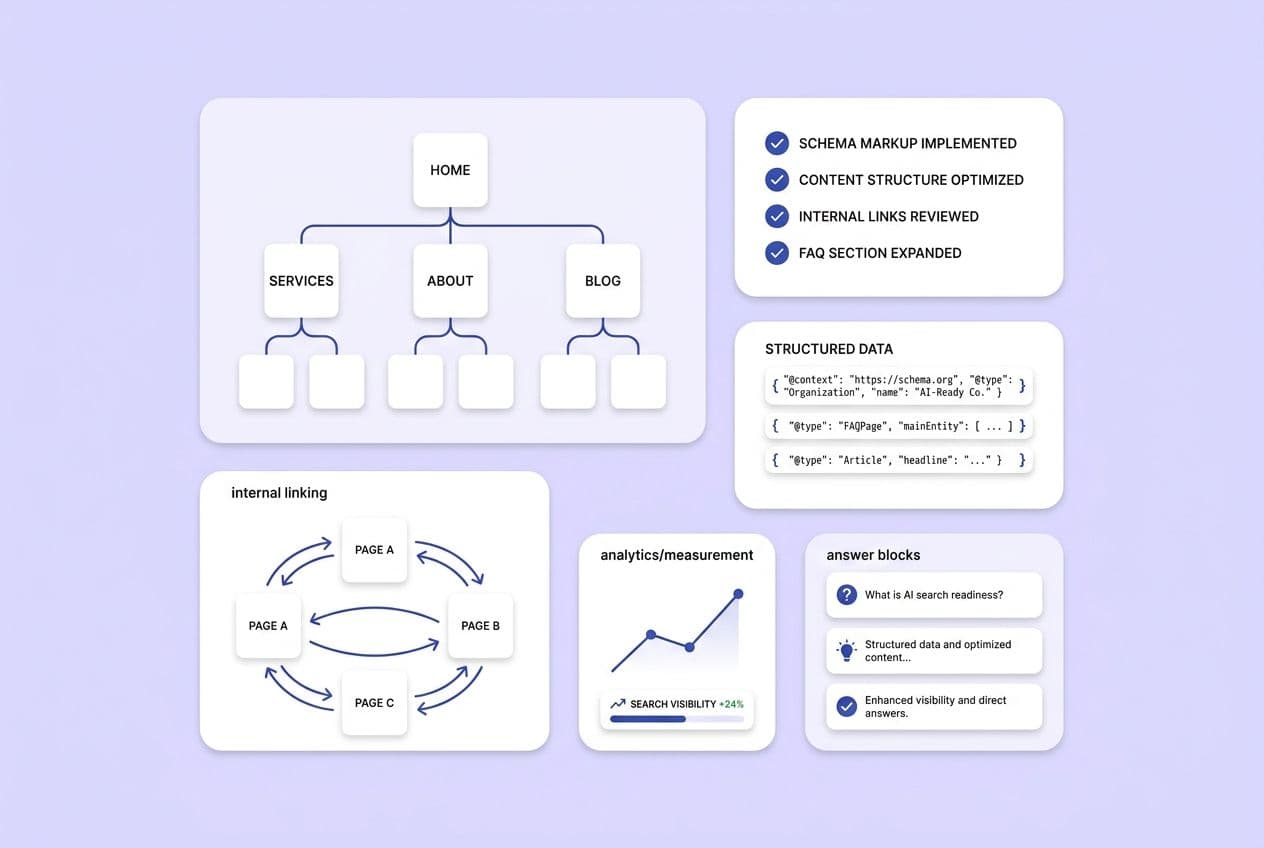
I’m going to give you the whole system right up front. To structure your website for AI search in 2026, you need to do six things:
-
Map buyer prompts to specific pages on your site.
-
Make your most important content technically easy for AI crawlers to get.
-
Build modular answer blocks into your page templates.
-
Use structured data and consistent names for things across your entire site.
-
Create internal linking systems that show off your topical authority.
-
Set up a way to measure what’s working and have a schedule for refreshing content.
That’s it. That’s the entire system. Everything else you read online is just a tactic that fits inside one of those six moves.
If you’re a content lead at a Series A or B SaaS company, you’ve probably felt that little jolt of panic. You search your brand in ChatGPT or Perplexity, and a competitor shows up, but you don’t. Your boss is asking about your “AI search strategy.” You don’t have one. What you have is a decent SEO program, a bunch of different tools, and a content backlog that never seems to shrink. The advice you’ve found so far, like “add FAQ schema” or “write conversationally,” feels like putting a band-aid on a broken leg. Useful, but not a plan.
Here’s the hard truth I had to learn: AI search visibility is a site architecture problem, not a content tips problem. The teams winning citations aren't just sprinkling schema on a few blog posts. They're building sites that are designed for extraction, technically open to AI retrievers, and have a process for tracking what’s working.
This is the playbook. I’m going to walk you through each layer of that system, in the order you should actually tackle them.
What does "AI search" actually change about website structure in 2026?
The big shift is this: AI search moves the goal from ranking pages to earning extraction. When someone asks ChatGPT "what's the best tool for X," the system doesn't just show a list of links. It synthesizes an answer, usually citing two or three sources. To get into that answer, your content has to be selectable at the section level, not just rankable at the page level.
That’s the structural change we all need to wrap our heads around. AI systems pull out chunks of content: a paragraph, a definition, a comparison table. If your sections are vague, buried under a long-winded intro, or don't make sense without reading the whole page, the AI retriever just moves on to find something cleaner.
Of course, the old rules haven't disappeared. Strong traditional SEO performance still correlates with AI citations. Pages that rank in Google get crawled and selected more often by AI retrievers. Don't throw away your keyword strategy. But SEO alone isn't enough to get you cited. The shape of your content matters more than ever.
| Traditional SEO structure focus | AI search structure focus |
|---|---|
| Keyword → page | Prompt → answer block |
| Long narrative intros | Answer-first summaries |
| One topic, one page | Self-contained sections within a page |
| Inconsistent entity naming | Explicit, consistent entity signals |
| Internal links for PageRank flow | Internal links that make cluster authority legible |
| Schema as a nice-to-have | Site-wide structured data as infrastructure |
What "extractable" content looks like in plain English
I’ll give you an example. Before: "Internal linking is an important part of any content strategy. When done correctly, it can help users navigate your site and also signal topical relevance to search engines." It’s true, but it’s filler. An AI can't safely cite that.
After: "Internal links connect related pages within your site, helping both users and search engines understand how your content clusters around a topic." One sentence. A complete, attributable claim. That’s extractable.
Writing in self-contained sections also reduces hallucinations. When a section needs surrounding context to be understood, AI systems either skip it or get it wrong. You have to write each section so it can stand on its own, with the topic named and the claim complete. No pronouns left dangling from three paragraphs up.
What are the highest-leverage site-wide decisions to make first when you're resource-constrained?
When you’re a small team, you can’t do everything. You have to prioritize changes that improve your entire site, not just one-off pages. Here’s the order of operations I’d recommend, with some honest notes on how hard each step is.
-
Identify priority prompts. What do you actually want to be cited for? (Low effort to start, but everything else depends on this.)
-
Ensure those pages are crawlable, indexable, and server-rendered. None of your great content matters if AI crawlers can't even get to it. (Medium effort, needs some help from engineering.)
-
Standardize templates for answer-first structure. This gives you consistency at scale, which is way better than one perfect page. (Medium effort, huge leverage over time.)
-
Strengthen internal linking. This makes your expertise obvious to both Google and AI. (This is an ongoing job, but it compounds.)
-
Add and scale structured data. Once your templates are clean, this amplifies the signal. (Medium effort, requires technical coordination.)
-
Instrument measurement and a refresh cadence. Without this, you’re just guessing. (Low setup effort with the right tools, but requires an ongoing commitment.)
The classic trap, and one I’ve fallen into myself, is jumping to tactics. We convince ourselves, "We added schema to 10 blog posts!" But schema on 10 pages does nothing if those pages are client-rendered, disconnected from the rest of your site, or just a wall of text with no clear answers.
A quick note: this order is designed for a typical SaaS marketing site. If you’re running an e-commerce site with thousands of products or a huge documentation hub, you’ll probably need to focus more heavily on the technical access steps first.
A simple site-wide AI readiness audit you can do this week
Run through these 10 questions. Be honest. It's a simple yes or no.
-
Are your most important pages server-rendered (not just client-side JavaScript)?
-
Are all priority pages indexed and not accidentally blocked with a noindex tag?
-
Is your XML sitemap broken down by content type and updated automatically?
-
Do you have a consistent page template for each major content type (guides, comparisons, pricing)?
-
Do all your templates put a direct answer in the first couple of sentences of each section?
-
Are all new pages published with at least 3–5 internal links to and from them?
-
Do your pages show freshness signals, like a "last updated" date?
-
Do you have author pages with consistent attribution?
-
Is your product or brand name used the exact same way on every single page?
-
Do you have any system at all for tracking if your brand appears in AI answers?
If you answered "no" to more than four of these, you have architecture work to do. Page-level tweaks won't move the needle until you fix the foundation.
How do you build a prompt-to-page architecture so you're not optimizing randomly?
A prompt library is useless if it’s just a spreadsheet of 200 questions. The whole point is to create an execution map that tells your team what to build, where to put it, and how to connect it.
Start by gathering prompts from the real world, not from your imagination:
-
Listen to sales call recordings ("customers always ask how we compare to X").
-
Read through support tickets and onboarding questions.
-
Check G2, Reddit, and community forums in your space.
-
Look at your on-site search queries.
-
Analyze competitor comparison and alternatives pages.
-
Dig into category-level search queries in Ahrefs or Semrush.
Group them by topic—persona, use case, funnel stage, whatever makes sense for you. Just don't get stuck here. Taxonomy paralysis is a real trap where you spend weeks building a perfect classification system instead of writing.
Then, map each group of prompts to the best type of page:
-
"What is X?" → glossary page or a foundational guide.
-
"X vs Y" → comparison or alternatives page.
-
"Best tool for [job]" → category or solution page.
-
"Pricing / plans" → pricing page (with crystal clear language).
-
"How to do [task]" → docs or a how-to guide.
Just as important, decide what not to target. Chasing off-category prompts or low-intent questions just dilutes your authority. It’s better to own ten prompts completely than to half-answer fifty.
Here's the execution rule we live by: every prompt cluster needs (1) a primary page, (2) two to four supporting pages that answer related questions, and (3) internal links that connect them all.
This is where prompt tracking becomes a real operational tool. We built DeepSmith AI Visibility — Prompts because we needed to see which prompts we were winning for our own brand across ChatGPT, Gemini, Perplexity, and others. The AI Visibility — Pages tool then shows us which of our pages are actually earning those citations. And AI Visibility — Competitors shows us who is winning in our category. It’s the feedback loop that turns a one-time mapping project into a system you can run week after week.
Prompt mapping table
| Prompt | Searcher intent | Page type | First-paragraph answer | Supporting block | Internal links to add |
|---|---|---|---|---|---|
| "What is [your category]?" | Education / awareness | Glossary / guide | 1–2 sentence definition | Definition + examples + FAQ | → comparison page, → solution page |
| "Best [tool type] for [use case]" | Evaluation | Category / solution page | Direct "best for" statement | Comparison table, "best for / not for" | → pricing, → case studies |
| "[Your brand] vs [Competitor]" | Decision | Comparison page | Clear differentiation claim | Side-by-side table, criteria | → pricing, → docs |
| "How to [core workflow]" | Implementation | How-to guide / docs | Step 1 stated immediately | Numbered steps, prerequisites | → glossary, → integration pages |
| "[Your brand] pricing" | Purchase intent | Pricing page | Plan overview in plain language | Plan table, inclusions/exclusions | → comparison, → trial/CTA |
| "Alternatives to [competitor]" | Switching intent | Alternatives page | Direct "if you're looking for X, consider Y" | Options table, use case fit | → solution pages, → comparison |
What templates and answer blocks should every key page type include to earn AI citations?
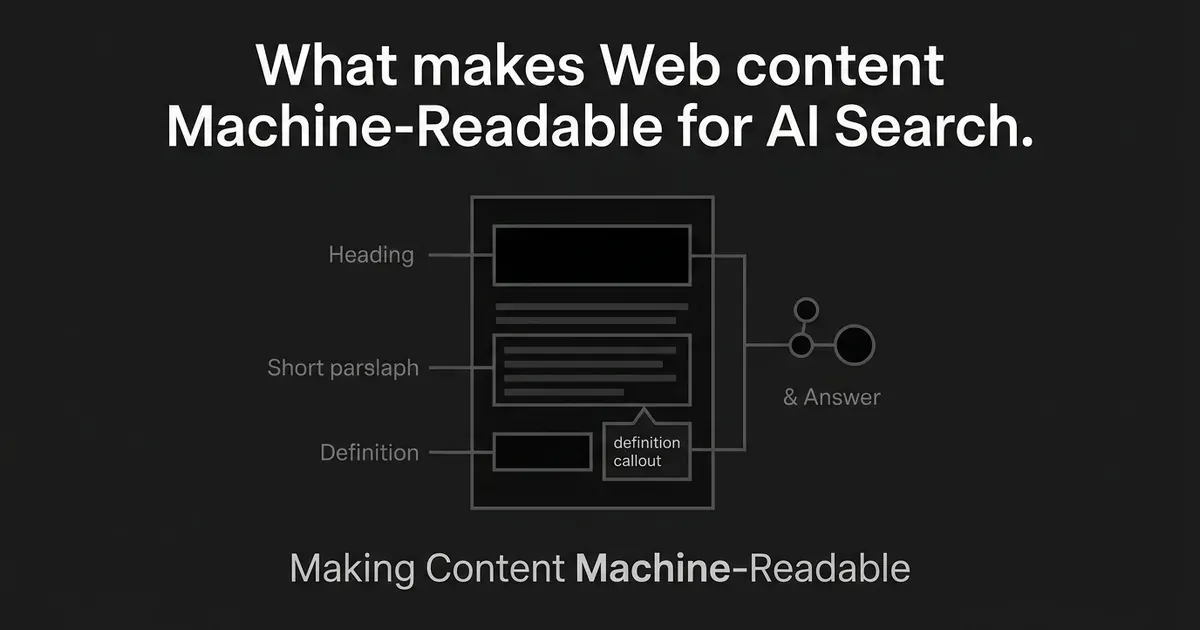
You win citations by standardizing modular blocks that AI can lift safely, not by writing beautiful narratives. Think of these as reusable components that appear consistently across your site. Each one must be independently extractable.
Universal blocks to standardize across the whole site:
-
Answer-first summary: 1–2 sentences at the top of every single section.
-
"What it is / what it isn't": This helps prevent misrepresentation. AI systems love sharp definitions.
-
Step-by-step workflow: Anywhere a process is being described.
-
Comparison table: For options, tools, or criteria.
-
"Best for / not ideal for": This is the kind of decision support AI engines constantly cite.
-
Limitations and edge cases: This is a huge trust signal that most sites skip entirely.
-
Proof points: References to data, clear methodology, or observable results.
-
Consistent entity definitions: Define your product and category terms the same way, every time.
Page-type specifics for SaaS:
-
Blog guide: Steps, common pitfalls, and an FAQ at the bottom.
-
Glossary: A crisp definition, a real example, and links to related terms.
-
Comparison/alternatives: Table first, explicit criteria, and a "when to choose which" block.
-
Pricing page: Plain-language differences between plans, clear inclusions/exclusions, and the same plan names everywhere.
-
Docs/how-to: Prerequisites up front, numbered steps, and what the expected outcome is.
The most common failure I see is a mix of inconsistent headings and marketing fluff that can't be extracted. "Our platform empowers teams to unlock their potential" is not citable. "DeepSmith is an AI content production and visibility platform for SaaS marketing teams" is. This principle applies to every H2 and every intro paragraph on your site.
Operationalizing this is where small teams get stuck. Manually checking template compliance across hundreds of pages is a nightmare. This is exactly why we built DeepSmith Content Studio. It uses a multi-agent pipeline to produce drafts that follow our structured templates, with all the right formatting built in from the start. It handles the brief, the draft, the internal links, and the section structure in one workflow. It doesn't replace our subject-matter experts—the humans still have to validate accuracy and judgment. But it does handle the soul-crushing work of structural consistency.
A minimal "citation-ready" section pattern for your writers
Every section answering a specific question should follow this pattern:
-
Direct answer in 1–2 sentences. State the claim. No warm-up.
-
3–6 supporting bullets. The facts or steps that back up the claim.
-
A caveat or edge case. "This applies when X; if Y, the approach is different." This is what separates trustworthy content from generic fluff.
-
Related links. A couple of internal links, either in the text or at the end of the block.
Comparison table: page types vs required blocks
| Page type | Primary intent | Must-have blocks | Common mistakes |
|---|---|---|---|
| Blog guide | Education / awareness | Answer-first intro, steps, pitfalls, FAQ | Long narrative setup before answering; no scannable structure |
| Glossary | Definition / reference | Crisp definition, example, related terms | Circular definitions; no examples; missing internal links |
| Comparison / alternatives | Evaluation | Table-first, criteria listed, "when to choose" | Biased framing without explicit criteria; missing competitor context |
| Pricing | Purchase decision | Plan differences, inclusions/exclusions, consistent naming | Vague plan names; no machine-readable limits; inconsistency with other pages |
| Docs / how-to | Implementation | Prerequisites, numbered steps, expected outcome, troubleshooting | Assumed context; no expected outcome stated; no error handling |
What technical architecture makes your site retrievable by AI crawlers without breaking SEO?
AI visibility still relies on the boring technical fundamentals. I learned this the hard way. If your most important pages can't be fetched cleanly as HTML, no amount of template optimization will save you.
Rendering — A chat for Content & Engineering
Server-rendered HTML is the gold standard for AI crawlers. Client-side-only JavaScript is a huge risk. The retriever hits the page, gets a nearly empty file, and just moves on. Your priority pages—solutions, comparisons, pricing—must have their core content rendered on the server. This is an engineering decision, but as content leads, we have to be the ones pushing for it.
Crawl and index hygiene — A job for SEO & Engineering
Orphaned pages don't get found. Every key page needs multiple internal links pointing to it. You also need to audit for accidental noindex tags, which happens way more often than you’d think, especially after a site migration.
robots.txt strategy — A conversation for SEO & Legal
This is a genuine trade-off. Blocking AI training bots (like GPTBot) might be a reasonable business decision. But blocking retrieval bots—the ones that fetch content to answer queries—kills your citation visibility. They are not the same thing, and most AI companies use different bot identifiers for each. You need to know what you're blocking and why. Make it a conscious decision, not a default setting.
XML sitemaps — An SEO task
Segment your sitemap by content type: blog, docs, landing pages, pricing. This helps crawlers understand your site's hierarchy. And please, keep them current. A sitemap full of 404s is a low-effort fix that signals you don’t have your house in order.
Site-wide structured data — A project for SEO & Engineering
Before you go crazy with page-level schemas, get the basics right: Organization, WebSite, WebPage, and SameAs (linking your brand to places like LinkedIn or Crunchbase). Then you can layer in page-level schemas like FAQPage or HowTo where they actually apply. Don’t add schema just for the sake of it.
If you only fix 5 technical things, fix these
-
Server-render your critical pages. Solutions, comparisons, and pricing pages should never depend on client-side JavaScript.
-
Audit and clean your indexation. Hunt down noindex tags, bad canonicals, and orphaned pages.
-
Segment and maintain your XML sitemaps. One sitemap per content type. Automate it.
-
Make an intentional robots.txt decision. Know which bots you’re blocking and why. Document it.
-
Implement base organization and entity schema. This is the foundational signal that tells AI you're a real entity.
A quick note on governance
Not everything should be crawlable. Your customer-only docs, internal knowledge bases, and gated reports should be behind a login and blocked from all public crawlers. The goal is a clean separation: public content is open and structured; proprietary content is protected. Audit this line quarterly.
How should internal linking and site taxonomy change for AI search — and why do clusters still matter?
Internal linking is how you make your expertise visible. AI systems, like Google, infer topic ownership from how your content is connected. A brilliant page sitting all by itself is a citation candidate that will never get found.
Taxonomy: Build hubs, kill overlap
Define your content hubs around what buyers actually search for: use cases, job roles, industries. A common failure is creating overlapping categories that confuse everyone, like having separate hubs for "small business," "SMB," and "startups" when they all serve the same prompts. Pick one and stick with it.
Your internal linking system
-
Every pathway from a hub page to supporting content to a conversion page should be explicit.
-
Every time a glossary term is mentioned in a guide, it should link to the glossary page.
-
Comparison pages should link to the solution pages they talk about.
-
New pages should never be published as orphans. They need a baseline of internal links on day one.
Anchor text matters
Descriptive anchor text always wins. "How to reduce churn in SaaS" is infinitely better than "click here." And use your company and product names consistently. Inconsistency creates ambiguity for AI systems trying to figure out what you’re an authority on.
We had a huge problem with this at scale. That's another reason we built DeepSmith. The Topics tool identifies gaps in our content clusters, and the Content Studio pipeline automatically suggests internal links while we're drafting. It means we stop forgetting to connect new articles to the rest of the site.
Internal linking rules your team can actually follow
-
Minimum links per page: 3–5 internal links in the body of every page.
-
Link types to include: At least one link up to a parent hub, one to a definition, one to a comparison, and one "next step" link.
-
Placement: Put links inside your answer blocks and section bodies, not just in a "related articles" widget that everyone ignores.
-
Orphan check: Run a monthly audit to find pages that shipped without links.
What measurement and operating cadence keeps your site citation-ready over time?
Getting your site ready for AI search isn't a one-time project. It’s an ongoing process. The sites that stay visible are the ones that are instrumented to catch problems, spot what competitors are doing, and refresh content on a predictable schedule.
What to measure and what it means
-
Mention rate: How often your brand appears in AI answers for your target prompts, even without a link. This is a baseline signal of brand awareness.
-
Citation rate: How often your brand appears with a link. This is more valuable and shows the AI trusts your content as a source.
-
Linked citation ratio: Citations with links divided by total mentions. This is a proxy for your authority. If you're mentioned a lot but rarely linked, the AI might not see you as a primary source.
-
Share of voice vs competitors: What percentage of citations do you own for your prompt set compared to your rivals? This is the only competitive metric that matters.
-
Representation accuracy: Is the AI describing your product correctly? If not, it means your content isn't being extracted cleanly.
This is the final piece of the puzzle we had to build for ourselves. DeepSmith AI Visibility gives us dashboards for all of this—mention rates, citation rates, competitive share—so we can monitor our performance without having to build a data science team. It also shows us exactly which pages are getting cited, so we know what to update when we start losing ground.
Operating cadence table
| Frequency | What you check | Output | Owner |
|---|---|---|---|
| Weekly | Priority prompt set: your mention/citation rates, any competitor wins or new losses. | Flag any regressions; add urgent content refreshes to the backlog. | Content lead |
| Monthly | Top "citation candidate" pages: update answer blocks, comparison tables, and FAQs. | Refreshed pages with stale claims removed. | Writer + content lead |
| Quarterly | Cluster structure: prune pages that are cannibalizing each other, merge duplicates, and validate your robots.txt and sitemaps. | Updated site architecture and a clean crawl path. | SEO + Engineering + content lead |
For lean teams: treat your citation backlog like a product backlog. Every priority page should have an owner, a last-updated date, and a deadline for how quickly inaccuracies get fixed. For us, high-visibility pages (pricing, key comparisons) have a 2-week SLA. The cadence doesn't have to be heroic, just systematic.
What does the complete site-wide AI search checklist look like?
Copy this into whatever project management tool you use. Work through it in order. Don't skip to step 5 before you've handled steps 1 and 2.
1. Prompt strategy + mapping
-
Define 20–50 priority prompts from real-world sources.
-
Group prompts into logical clusters.
-
Map each cluster to a primary page and supporting pages.
-
Decide which prompts you're not going to chase.
-
Set up tracking for your priority prompts.
2. Site templates + answer blocks
-
Audit your templates for answer-first structure.
-
Add "what it is / what it isn't" blocks to definition pages.
-
Standardize "best for / not ideal for" blocks on evaluation pages.
-
Add limitations and edge cases sections.
-
Verify you're using consistent names for your products and features everywhere.
3. Technical accessibility (rendering, crawl/index, bots)
-
Confirm priority pages are server-rendered.
-
Audit for accidental noindex tags.
-
Review your robots.txt and document your decisions about AI bots.
-
Check for orphaned pages in your priority content set.
4. Sitemaps + internal linking
-
Segment your XML sitemap by content type.
-
Automate sitemap updates and remove dead links.
-
Verify every priority page has at least 3–5 internal links pointing to it.
-
Implement clear linking pathways (hub → supporting → conversion).
-
Run a monthly orphan-page check.
5. Structured data + entity consistency (site-wide)
-
Implement
Organizationschema withSameAslinks. -
Add
WebSiteandWebPageschema. -
Add
FAQPageschema to pages with actual FAQs. -
Add
HowToschema to step-by-step guides. -
Audit for inconsistent product/brand naming and enforce one version.
6. Measurement + refresh loop
-
Define your priority prompts in a tracking system.
-
Establish your baseline mention and citation rates.
-
Set up a weekly check-in for your most important prompts.
-
Create a "citation backlog" with owners and SLAs.
-
Schedule quarterly audits for your site structure.
⚠️ Red flags that mean this checklist will fail:
-
You’re blocking AI retrieval bots in robots.txt.
-
Your most important pages are client-rendered.
-
Your product name, pricing, or features are described inconsistently across your site.