
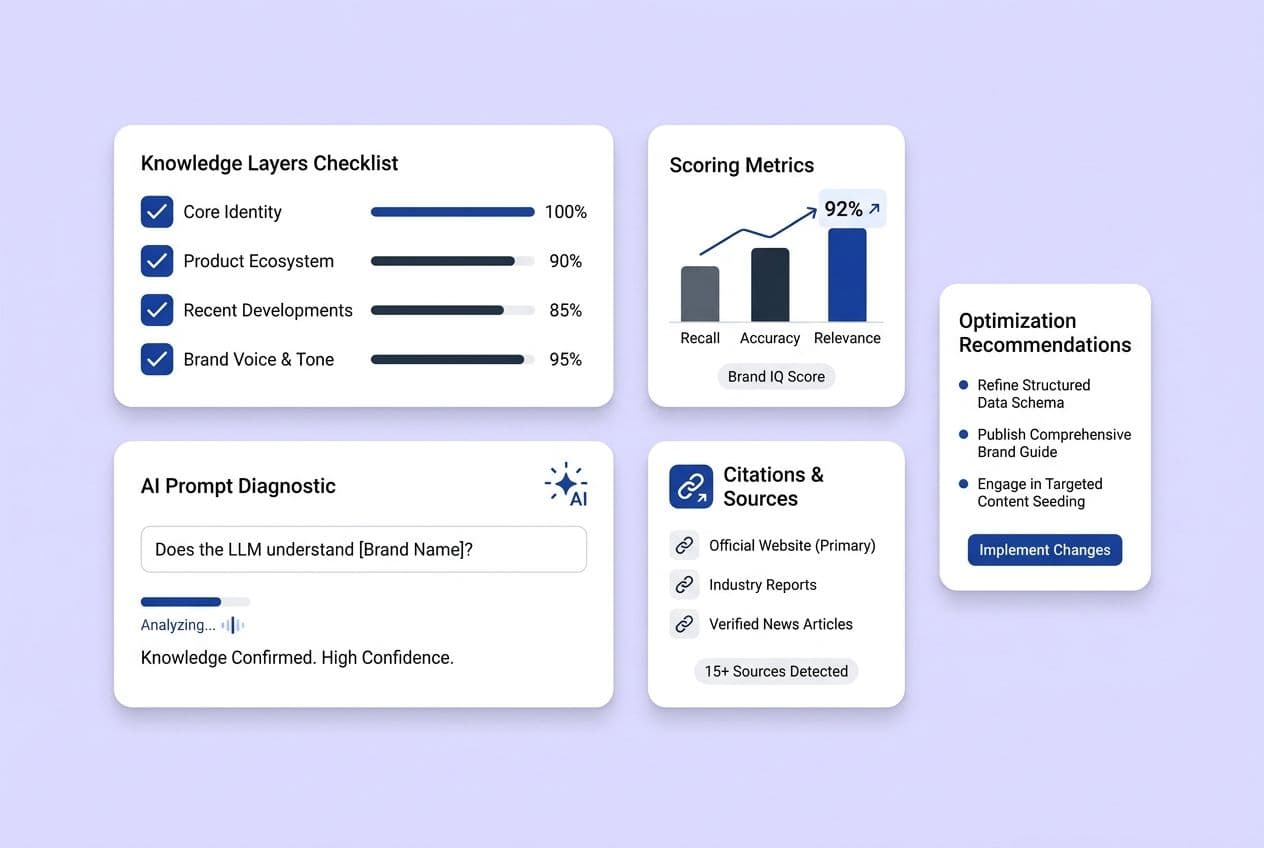
So, you want to know if LLMs know your brand. Here’s the short version: you need to test four layers (recognition, description, attribution, and recommendation) with a solid set of prompts that cover your buyer’s journey. Run each prompt a few times, score what you get with a simple rubric, and you’ll have a map of the gaps you can actually fix. This isn't about getting a vanity score to show your boss; it’s about building a real action plan.
If you’ve spent time manually searching ChatGPT or Perplexity, seen your brand show up one minute and disappear the next, and felt completely lost about what to do with that information, you are not alone. I talk to content leaders all the time who are doing ad-hoc spot checks. They get spooked when a competitor pops up and they don’t, and they're fielding questions from leadership about an "AI search strategy" without a real framework to stand on.
The frustration is completely valid. You’ve put in the work to rank on Google, you’ve built a content operation that works, and now it feels like these new AI tools have no idea you even exist.
Here’s the thing I’ve learned: one prompt, one answer, one check doesn't tell you anything reliable. What you need is a repeatable diagnostic. A system. This is the playbook I’ve built after running into this exact problem myself. We’re going to define what brand knowledge actually means, design a prompt set that reflects how buyers actually talk and think, run it enough times to trust the results, and turn the output into a prioritized list of things you can actually go and do.
What Does It Mean for an LLM to "Know" Your Brand, and What Should You Test?
Brand knowledge isn't a simple yes or no. An LLM can mention your brand but get your category wrong, describe you in the most generic terms, or recommend you for a problem you don't even solve. To figure out what's broken, you have to break "brand knowledge" down into four testable layers.
Brand knowledge isn't a simple yes or no. An LLM can mention your brand but get your category wrong, describe you in the most generic terms, or recommend you for a problem you don't even solve. To figure out what's broken, you have to break "brand knowledge" down into four testable layers.
The four-layer brand knowledge model:
- Recognition: The model knows your brand exists and puts it in the right box. A failure here is getting no response, being told you’re in the wrong industry, or being confused with a competitor who has a similar name.
- Description: The model can accurately explain what you do, your positioning, and what makes you different. Failure looks like a vague description that could be about any SaaS company, or one that’s only half-right and misses your real audience.
- Attribution: The model connects its claims about you to real, verifiable sources or specific pages on your site. When this fails, you get confident-sounding statements with no backup, or citations that don’t actually prove the point.
- Recommendation: The model suggests your brand when it’s a genuine fit for the use case, segment, and constraints in the prompt. Failure is getting recommended when you don’t belong (like an SMB tool for an enterprise buyer) or, just as bad, never getting mentioned even when you’re a perfect fit.
Why do we bother breaking it down like this? Because just counting "mentions" is a waste of time. You can get mentioned inaccurately (wrong category), weakly (a throwaway name at the end of a list), or in a totally irrelevant context. You’ve probably seen this yourself.
Common failure modes I see all the time:
- The model confuses you with a direct competitor.
- The description is technically right but so vague it’s useless.
- You get recommended to the wrong customers, like SMBs when you’re built for enterprise.
- You only ever show up in "alternatives to X" lists without any context.
Using the four-layer model saves you from spinning your wheels. If the model doesn’t even recognize your brand exists, tweaking your comparison pages is pointless. If recognition is fine but the description is wrong, you need to publish clear, canonical content about your positioning, not more blog posts. You have to target your fixes to the broken layer.
How Brand Knowledge Fails in the Real World: The 4 Gap Signals
These four layers give us four clear signals of failure to watch for:
- Absent: Your brand is nowhere to be found across multiple runs on relevant prompts.
- Inaccurate: The model mentions you but gets a key fact wrong about your category, use case, or features.
- Vague/low-confidence: You’re there, but the description is generic or the model says something like, "I'm not entirely sure, but..."
- Inconsistent recommendation: The model suggests you for one prompt but not a similar one, or puts you in lists where you clearly don't belong.
Here’s a real-world example: A buyer asks, "what are the best SOC 2-ready tools for content operations?" The model recommends your brand, even though compliance has never been your strong suit. It feels like a win, but it's not. It's a mismatch that will kill a buyer's trust as soon as they click through to your site.
Why Are LLM Answers So Inconsistent, and What Metrics Are Actually Trustworthy?
Treat any single LLM output as an anecdote, not a data point. I can’t stress this enough. You can ask the same prompt twice in a row and get different answers. This isn't a bug you have to work around; it's just how these systems work, and your diagnostic has to be built for it.
What causes all this variation?
- Sampling randomness: These models are designed to be a little bit random.
- Prompt phrasing: A tiny change like ""best tools" vs. "top platforms"" can give you a completely different answer.
- Model and version changes: GPT-4o, Claude 3.5, and Gemini 1.5 are all different beasts with different knowledge.
- Personalization: Some platforms will change results based on your search history if you’re logged in.
- UI differences: You’ll get different answers and citation styles from Perplexity, ChatGPT, and Google's AI Overviews.
Given all that, it's time to stop tracking things that don't matter.
| Metric | What it tells you | When it misleads you | How to use it |
|---|---|---|---|
| "We ranked #1" | Nothing stable | Always. Single outputs are not repeatable. | Don't use this as a KPI. Please. |
| Mention rate | How often you appear across many runs | If your prompts are biased toward you | Compare across models and over time |
| Citation rate | How often your pages are linked | Varies by platform | Track per platform and watch for trends |
| Quality score | The accuracy and fit of the mention | If you don't have a clear rubric | Use with the scoring rubric below |
Instead of chasing rank, measure these:
- Mention rate: Across a whole prompt set and multiple runs, how often does your brand show up at all?
- Citation rate: When the model cites sources, how often is it one of your URLs?
- Quality score: Based on a simple rubric, how accurate, specific, and well-contextualized was the mention?
These three metrics give you a stable baseline you can compare over time, across different models, and even between different team members running the tests.
A Practical Baseline: How Many Prompts and Runs to Get Started?
You don't need a data science team for this. Here's a lean-team starting point that works:
- 25–50 prompts to start, balanced across your buyer journey (more on this in a sec).
- 5 runs per prompt for your main set. For your most critical prompts (like your core use case or a key competitor comparison), bump that to 8–10 runs.
- For ongoing monitoring, 3 runs per prompt is fine once you have a baseline.
- Running 20 prompts five times each every month is a thousand times better than running 100 prompts once and never doing it again. Log your conditions, run the diagnostic on a schedule, and track the trend lines instead of freaking out over a single bad output.
How to Build a Prompt Set That Reflects Your Buyer Journey (Instead of Your Assumptions)
The fastest way to get useless results is to write prompts based on how your marketing team talks about your product. Buyers just don't ask questions that way. A good prompt set starts with their language, not your internal jargon.
Step 1: Source prompts from real buyer language
- Listen to customer interview recordings and sales call transcripts. What questions do people ask right before they buy?
- Read through CS support tickets. What problems originally brought people to you?
- Check your Google Search Console. What queries are already driving traffic to your most important pages?
- Look at the "People also ask" boxes for your main category terms.
- Hang out in community forums (Reddit, Slack, G2 reviews). Find the language people use when they're frustrated with the other options.
Step 2: Map those prompts to buyer journey stages
- Awareness: Problem-focused and educational. "How do I track whether my brand shows up in AI answers?" or "What is answer engine optimization?"
- Consideration: Comparing solutions. "Best AI visibility tools for SaaS marketing teams" or "What's the difference between AEO and SEO?"
- Decision: All about implementation, migration, and getting started. "How do I set up AI citation tracking for my content team?" or "Does [product] integrate with Webflow?"
Step 3: Balance your prompts so you're not just chasing "best of" lists
- Jobs-to-be-done prompts ("help me track my brand mentions in ChatGPT")
- How-to prompts ("how do I improve AI visibility for my SaaS brand")
- Alternatives prompts ("alternatives to [competitor]")
- Comparison prompts ("[Brand A] vs [Brand B]")
- Implementation and template prompts ("AI visibility reporting template for marketing teams")
Step 4: Isolate your direct brand prompts
Prompts like "Tell me about [Your Brand]" are important, but they're a separate test. Keep them in their own bucket. Don't include them in your main mention rate calculation, or you’ll artificially inflate your scores and get a false sense of security.
This is a lot to wrangle, and a platform like DeepSmith can help. Its AI Visibility Prompts feature lets you define and track a prompt library across all the major models and even suggests new prompts based on your context. That’s helpful for finding buyer-stage prompts you might have missed.
Prompt Set Coverage Grid
Use this table to plan your prompt set. Try to have at least 2–3 prompts for each cell that matters to you.
| Stage | Intent | Example Prompt Pattern | Layer You're Testing | Common Pitfall |
|---|---|---|---|---|
| Awareness | Problem framing | "Why don't I show up in ChatGPT results for my category?" | Recognition | Being too broad; tighten it to your specific category |
| Awareness | Category education | "What is AI citation tracking for content teams?" | Description | Tests the category definition, not your brand |
| Consideration | Best-of list | "Best AI visibility tools for SaaS marketing teams" | Recommendation | Easy to game with leading words; keep it neutral |
| Consideration | Comparison | "[Your Brand] vs [Competitor]" | Description + Attribution | Isolate this; don't mix it into your baseline score |
| Consideration | Alternatives | "Alternatives to [dominant competitor]" | Recommendation | Shows if you're in the consideration set at all |
| Decision | Implementation | "How do I set up AI brand tracking for a small content team?" | Attribution | Tests if your how-to content is good enough to get cited |
| Decision | Integration/compliance | "Does [product] work with [specific CMS or stack]?" | Description + Attribution | Lots of qualifiers; segment these carefully |
| Decision | Templates | "AI visibility reporting template for marketing director" | Attribution | Tests if your structured content gets cited |
| All stages | JTBD | "Help me understand where my brand stands in AI answers" | All four layers | A great diagnostic baseline to run on every model |
How to Avoid "Prompt Bias" That Makes Your Results Look Better (or Worse) Than They Are
Prompt bias is the easiest way to kill your diagnostic before you even start. Here's how to avoid it:
- Don't use leading phrasing. "Is [Your Brand] the best tool for AI visibility?" is a marketing question. "What are good tools for AI visibility tracking?" is a diagnostic question. Only the second one is useful here.
- Don't stack the deck. Prompts like "What's the best SOC 2-certified, founder-led, series-A-stage AI tracking tool?" are for a very specific, separate test. Keep them out of your baseline set.
- Maintain two separate sets: a neutral baseline set (no brand names, no leading questions) and a high-intent qualifier set (for testing specific segments). Score them separately.
How to Control Qualifiers like Persona, Size, and Region to Get Reproducible Results
Adding "for a 50-person SaaS startup" to a prompt will give you a totally different answer. That’s the point, but if you don’t control for it, your month-over-month data is meaningless. It’s like running an A/B test and changing the variable halfway through.
Define a consistent prompt formula:
[role/persona] + [company size] + [industry] + [constraint] + [job-to-be-done] + [success criteria]
You don’t need all six in every prompt. But when you use one, keep it consistent and write it down.
Use qualifiers strategically by journey stage:
- Awareness prompts: Keep it light. Role and industry are often enough. "As a content marketer at a B2B SaaS company, how do I know if my brand shows up in AI tools?"
- Consideration prompts: Add more constraints. "As a content marketing director at a Series B SaaS company with a two-person team, what are the best tools for tracking AI citation performance?"
- Decision prompts: Add hard requirements only when you're specifically testing a niche. "For a US-based B2B SaaS team that needs Webflow integration and SOC 2 documentation…"
Geographic segmentation:
- Only add region tags when they actually matter for things like compliance, product availability, or language.
- Treat region as a controlled variable. Run a prompt with "US-based" every time, not just sprinkled in randomly.
Version control:
- Give each prompt a stable ID (e.g.,
CONSID-07). - Log the date you change any prompt.
- Never, ever change a prompt mid-cycle and compare the "before" and "after" results as if they're the same.
This is the part everyone wants to skip, but it’s the difference between ad-hoc checks and a reliable diagnostic. This is how you build a system.
What's the Simplest Workflow to Run This Diagnostic Without It Becoming a Research Project?
A two-hour baseline run you actually complete is better than a perfect system you never execute. Here's the lean-team starting point you can actually repeat every month.
Step 1: Define your objective and scope Which of your brands are you testing? Which competitors? Which markets, segments, and AI models? Get specific before you start. Trying to test everything at once is a recipe for unusable data.
Step 2: Lock your prompt set Finalize your baseline and segmented prompts. Give them IDs. Check them for bias one last time.
Step 3: Set your test conditions Log everything on the checklist below before you run a single prompt. Your future self will thank you.
Step 4: Run the prompts with repetitions Run each prompt the number of times you planned. Copy the full, raw output each time. Don't summarize as you go.
Step 5: Store outputs in a structured sheet Your columns should be: prompt ID, run number, model name/version, date, raw answer text, and sources cited. One row per run. I know, spreadsheets. But trust me, it's worth it.
Step 6: Score the outputs with your rubric Use the rubric in the next section. Score everything after you've collected all the data, not during the process. You'll be more consistent.
Step 7: Summarize into gaps and priorities Aggregate your scores. Look for patterns and trends, not individual data points.
Step 8: Retest on a cadence and track trends Run your core set monthly and a deeper dive quarterly. Track the trend lines. The direction of change matters more than any single score.
Test Conditions Checklist
Log this stuff before every single run:
- Model name and version (e.g., ChatGPT GPT-4o, Claude 3.5 Sonnet)
- Date and time
- Region or VPN status (keep it consistent)
- Logged-in vs. logged-out (always use logged-out/incognito for baseline tests)
- Prompt version ID
- Run number (1 of 5, 2 of 5, etc.)
- Capture method (full text copy, screenshot, etc.)
- Any deviations (if something goes weird, note it)
How to Score What the Model Says So It's Not Just a Matter of Opinion
How do you stop the endless debate about whether an answer is "good" or "bad"? You use a rubric. A rubric converts messy text into comparable data. It’s not bureaucracy; it’s a tool for clarity. It also protects you from your own confirmation bias when you're hoping to see a good result.
I’ve seen teams argue for an hour over one ChatGPT output. A good rubric ends that debate in five minutes.
Score each output on five criteria using a simple 0–2 scale:
Scoring Rubric
| Criterion | What "Good" Looks Like | Score 2 | Score 1 | Score 0 | Notes/Pitfalls |
|---|---|---|---|---|---|
| Accuracy | Factually correct about your product and category | Correct category, use case, and key claims | Partially correct; minor errors | Wrong category, false claims, or not mentioned | Don't give partial credit for lucky guesses. |
| Specificity | A concrete description, not generic SaaS-speak | Names a specific feature or use case | General but not wrong | "A leading platform..." with no specifics | Be honest. A vague mention is a 1, not a 2. |
| Fit | Recommended in the right context and segment | Correct segment, use case, and constraints | Mentioned, but the context is a little off | Recommended where your brand doesn't belong | An irrelevant appearance is worse than being absent. |
| Attribution/Citation | Cites a real, verifiable source | Specific URL or named source cited | Vague reference to your site | No attribution or a made-up source | If a model doesn't cite, mark it N/A, not 0. |
| Confidence | The model's certainty level feels appropriate | Clear recommendation with solid rationale | Hedged but present ("might be a good option") | Refuses to answer or hallucinates confidently | A refusal is a 0. Log it as a separate, informative data point. |
Handling edge cases:
- Model refuses to answer: Score Accuracy and Fit as 0 and make a note. A refusal is a signal.
- Model gives a list with no explanation: Specificity is a 0 or 1. Attribution is likely a 0.
- You only appear in an "alternatives" section: That's a valid mention. Score it normally, but flag the context.
My best advice: Score the output you have, not the one you wish you had.
Once You Have Results, How Do You Interpret Gaps and Decide What to Do First?
Okay, you’ve run the diagnostic and have a spreadsheet full of scores. Now what? The goal is to turn that data into decisions. That means categorizing the gaps you've found before you decide how to fix them.
The four gap types (they map back to our layers):
- Missing: Your brand is absent on relevant prompts. The model doesn't have enough signal to include you.
- Inaccurate: Your brand shows up, but something important is wrong, like your category or use case.
- Weak: You appear, but the description is generic, low-confidence, or misses what makes you different.
- Invisible: Your content is out there and it's accurate, but the model isn't citing it. This is a distribution, structure, or authority problem.
What each gap tells you to do:
| Gap Type | Layer Failing | Implied Action |
|---|---|---|
| Missing | Recognition | Create foundational category content. Ensure your positioning is clear everywhere. |
| Inaccurate | Description, Attribution | Publish canonical pages with clear facts. Make your claims consistent everywhere. |
| Weak | Description, Recommendation | Go deeper. Create content that shows differentiation, comparisons, and proof points. |
| Invisible | Attribution | Make your content more citation-worthy with structured formatting, direct answers, and credible sources. |
A really useful next step is to map these outcomes to specific pages on your site. You can move from "we have a weak description problem" to "this specific page should be earning citations for this prompt, and it isn't." That’s when you can actually start fixing things. Tools like DeepSmith's AI Visibility have features that show citation trends at the page level, which makes this much easier. They can also show which competitor pages are getting cited, which is great for seeing what kind of content is working.
A simple prioritization model:
Prioritization Table
| Prompt cluster | Layer failing | Gap type | Frequency | Business importance | First action |
|---|---|---|---|---|---|
| "Best AI visibility tools for SaaS" | Recommendation | Missing | 8/10 runs, 3 models | High (core use case) | Publish a new category page targeting this cluster. |
| (Your clusters go here) |
When you prioritize, you have to weigh three things: impact (is this tied to a high-intent prompt?), effort (how hard is this to fix?), and confidence (is the signal clear and consistent?). Don't waste effort on a noisy signal.
One practical thing to try when you have an "invisible" gap is to improve how machine-friendly the target page is — use clear headings, Q&A-style blocks, short declarative answers, and structured lists so systems can identify and cite the right lines. Search Engine Journal has a good guide to building machine-friendly markup and pages that machines can identify, read, and cite; you can apply those principles to your high-priority pages.
How Do You Turn This Into an Ongoing Report That Leadership Will Trust?
This whole system is useless if it lives and dies in a spreadsheet. A one-time snapshot tells leadership you did a project. A monthly trend line tells them your work is having an impact.
The biggest point of failure I see is the handoff from diagnostics to execution. The spreadsheet gets forgotten, and nothing gets fixed. A unified system, whether it's a tool like DeepSmith or something you build yourself with project management software, is key to closing that loop. You need to be able to turn a finding from your diagnostic directly into a content brief.
Monthly "AI Brand Knowledge" report template:
- KPI snapshot: Mention rate, citation rate, average quality score, and how they’ve changed.
- What changed: Top 3 wins (e.g., improved scores, new citations) and top 3 losses (e.g., new inaccuracies).
- What we learned: An insight tied to the four layers. ("Our attribution scores for decision-stage prompts improved after we published the new implementation guide.")
- What we're doing next: The priority actions for the next sprint, with owners.
- Risks and uncertainties: Mention model updates, sample sizes, etc.
Handling model drift:
- Keep a stable "core baseline" prompt set that never changes so you can compare apples to apples.
- When a model update clearly shifts all your results, log it and treat the next month as a new baseline. Don't panic.
- Look for 3-month trends, not week-over-week blips.
Internal alignment tip: When you present your results, share the rubric and the prompt list. The most common objection you'll get is "how do you know that's accurate?" When stakeholders can see your methodology, the conversation shifts from skepticism to a productive discussion about priorities.