

If your competitor keeps showing up in ChatGPT and you don't, take a breath. This is fixable, and it usually is not a content problem. It is a structure problem.
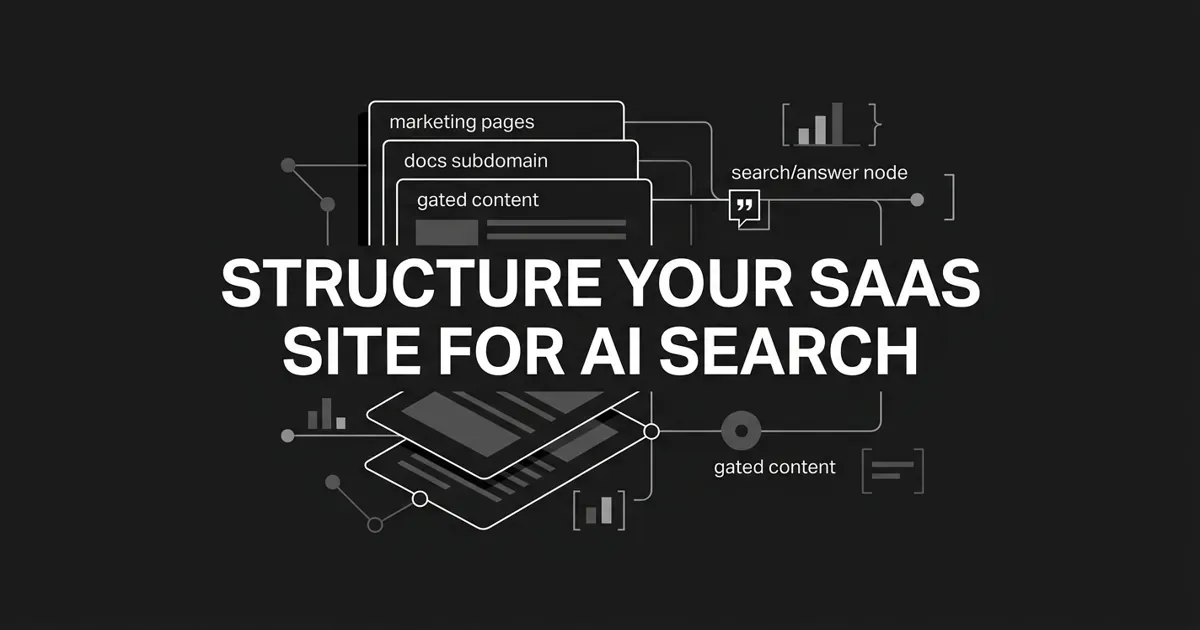
Here is the task for this guide. You are going to organize the three surfaces of a SaaS website (your marketing pages, your docs subdomain, and your gated product content) so AI engines can retrieve and cite the parts you want surfaced, while the rest stays controlled. That is the whole job of SaaS AI search: get the right pages in front of the engines in a form they can quote.
You do not need a redesign. You need a few deliberate decisions about what lives where and how each surface is served.
Start with how AI engines actually read your site
Before the steps, three ideas need to run through everything you do.
First, AI engines extract facts. They do not rank pages the way Google does. A page that hands the engine a clean sentence and a URL will win the citation over a stronger page that buries the same answer three scrolls down. Clarity beats authority at the moment of extraction.
Second, authority still compounds upstream. Most AI answer citations come from pages that already sit in the traditional top ten organic results. So ranking has not stopped mattering. The work is to take the pages that already rank and make them extractable.
Third, your three surfaces have different jobs. Here is a line worth taping to your monitor: marketing surfaces claims, docs surfaces facts, gated content surfaces evidence. Marketing is open and persuasive. Your docs subdomain is open and the most-cited asset class you own. Gated content is the tricky one, and we will give it its own step.
That is the mental model. This is SaaS site architecture AI engines can read, and it is more plumbing than prose. Let's build it.
Step 1: Map the buyer prompts you want to win
Everything downstream depends on this one list, so start here.
Write out 30 to 60 questions your buyers actually type into AI engines, grouped by funnel stage. Top of funnel looks like "what is [your category]" and "how does [your product] work." Middle looks like "[your product] vs [competitor]" and "how to integrate [your product] with [tool]." Bottom looks like "is [your product] SOC 2 compliant" and "[your product] pricing."
Now do the part most teams skip. Next to each prompt, name the single page that should own the answer. Pricing prompts point at your pricing page. Comparison prompts point at a versus or alternatives page. Integration prompts point at an integration page. Compliance prompts point at your security or a per-certification page.
A prompt with no owning page is a content gap wearing a disguise. Flag it.
While you are here, flag any prompt whose answer is currently locked behind a form. Those become candidates for the gating fixes in Step 4.
How to tell it is done: you have a simple three-column doc: prompt, owning URL, gating status. Every later step in this guide reads from that doc.
Where people go wrong: they list prompts and never map them to URLs. A list of questions feels like progress. It is not. The map is the asset.
This is also the moment to move from spot-checking to tracking. Typing your use case into ChatGPT once a week tells you almost nothing. DeepSmith's AI Visibility module lets you define the prompts that matter, generate a starter set from your product and buyer context, and then watch mention rate, citation rate, and share of voice per prompt over time. You go from a vague worry to a tracked inventory tied to real buyer questions. Most teams track 50 to 100 high-intent prompts per workspace.
Step 2: Build your marketing pages so AI can read them
Your marketing site is where most of the accidental damage happens, so let's fix it with a single test: can a bot that does not run JavaScript read every fact on the page?
Five page types earn the lion's share of AI citations on SaaS sites. Give these your attention first: pricing, comparison and alternatives, integrations, trust and compliance, and your core product and homepage.
Your pricing page is the highest-leverage page you own, because AI engines quote it more than any other marketing page. Treat it like structured data a reader can copy. Render every tier in server-side HTML, not a JavaScript-only widget. Give the page one H1, then each tier name as a heading with the price, billing unit, and headline inclusion in the same block. Every feature list must be visible without a click or a hover.
Here is the difference in plain terms. A pricing table that loads through a client-side slider and resolves at runtime is unquotable. One that renders as real text in the initial HTML, with tier names, prices, and features, is quotable. That is the whole game.
For comparison and alternative pages, build one page per head-to-head matchup. Answer four questions in the first 200 words: who it is for, where it wins, where it loses, and the pricing model. Use a real HTML comparison table with proper header cells. Skip the auto-generated pages where every claim is vague or reciprocal; engines quietly discount those.
For integrations, one page per integration at a stable URL. Cover what the integration does, what data flows, the auth method, setup time, and required permissions. Then link that page into the docs page that documents the same feature.
For trust and compliance, give each certification its own canonical page: SOC 2, ISO 27001, HIPAA, GDPR, whatever applies. Wrap the common procurement questions in FAQ markup. Procurement teams and their AI assistants both go looking for these.
How to tell it is done: load any of those five pages with JavaScript disabled and you can still read every fact. A quick "view source" confirms the data is in the initial HTML response.
Where people go wrong: rendering pricing and feature tables as JavaScript widgets that hydrate on the client. Bots that do not execute JavaScript see an empty page, and you never find out why the citations went to someone else.
Producing pages in this shape, every time, is the part that quietly eats your week. This is where a production engine earns its keep. DeepSmith Content Studio drafts articles with the short answer up top, clean heading hierarchy, tables, FAQ blocks, and JSON-LD already built in, so the structure engines reward is native, not bolted on later. Autowrite can even schedule pieces to write and publish on set dates, which is how a content calendar stops being aspirational and starts being operational.
Step 3: Turn your docs subdomain into a citation asset
Here is the good news for technical SaaS: you probably already own the most-cited surface on your whole site, and it is your documentation.
Docs pages win because they answer in a sentence. "How to configure SAML SSO in Acme" is far more quotable than a marketing page that mentions SSO once in a feature grid. When someone asks an engine "how do I…" or "what does…", your docs subdomain AI crawlers can reach is exactly where the answer should live.
So decide clearly what belongs in docs. Everything procedural, version-bound, or requiring reproduction goes here: API endpoints, config, limits, error messages, SDK setup, migration steps, release notes. Positioning, pricing narrative, and "why us" stay on marketing. When a page sits in the gray zone, like a reference architecture or a troubleshooting tree, default to docs when it is operational and marketing when it is persuasive.
Then give each docs page the structure engines pull from:
- One question, one H1.
- Plain-language headings ("Set up SSO," not "SAML configuration details"). Engines extract by heading proximity, so say what the section answers.
- A 40 to 60 word answer at the very top of the page. That is the snippet the engine lifts.
- Code fences with language tags. Both machines and humans read them.
- Canonical URLs kept stable across versions. Never orphan an old version; redirect it.
There is one more move that punches above its weight, and it is small. Add an llms.txt file. It is a proposed Markdown file at the root of your site that hands LLMs a curated map of your most important pages, and it sits right next to robots.txt and sitemap.xml. The format is simple: an H1 with your project name, an optional one-line summary, then H2 sections of Markdown links with short descriptions.
If your docs run on Mintlify, GitBook, ReadMe, or Docusaurus, this is mostly a config change, not a build. Several of these platforms auto-generate llms.txt and per-page Markdown mirrors and add HTTP headers that advertise them. Check what your platform already emits before you write anything custom. Curate the file to canonical, current pages only, and do not list pages you plan to deprecate.
How to tell it is done: every docs page renders its answer in HTML, has a per-page Markdown mirror, and your site serves llms.txt with an HTTP header pointing to it. Keep the docs subdomain AI crawlers depend on open, fast, and unauthenticated.
Where people go wrong, and this one is painful: gating the docs subdomain behind a login. Auth-walled docs are invisible to AI bots. Whatever else you do, never gate the docs subdomain. Your product docs AI citation share depends on those pages staying open.
Step 4: Choose a gating strategy that keeps you retrievable
This is the step where SaaS teams feel the real tension, so let's name it honestly. You want the lead, and you want the citation. Gated content is invisible to AI bots unless the content behind the gate is reachable as HTML. PDFs, client-injected modals, and login walls all block retrieval.
You do not have to choose between capture and visibility. Your gated content AI visibility and your lead-gen goals can both win, and you have two patterns that make it happen.
Hybrid gating, the recommended default. The body of the piece lives in the page HTML; only the lead-capture form gates the conversion. Crawlers read the article, humans still see a form. Put the form above or below the body, never in front of it. This works with the major retrieval bots, and it is the simplest fix for most SaaS resource content.
Separate-URL gating, for the big assets. Publish a teaser page with the form, and link it to a second public page that holds the full body. Each URL is independently indexable, and your internal links point at the full public version. Reach for this when an asset is too large to sit inline without hurting the page experience.
A few things to avoid, because they quietly cost you citations:
- PDFs behind forms. Even when a crawler reaches one, models struggle to quote non-HTML accurately.
- Modals where the body only appears after JavaScript runs.
- Adding noindex to a page you actually want cited. A noindexed page will not be cited even if a bot can reach it.
Your gated content AI visibility comes down to one question you can verify: can a real crawler user-agent fetch the body as HTML and get a 200 response? Check your access logs and make sure the major AI bots are getting 200, not 403.
How to tell it is done: every asset you want surfaced is reachable as HTML to a verified crawler, confirmed in your logs.
Where people go wrong: assuming your CDN or bot-management defaults are letting the AI crawlers through. Many sites block GPTBot, ClaudeBot, and PerplexityBot by accident and never notice. Which brings us to the next step.
Step 5: Add structured data so engines read your pages unambiguously
Schema is not a magic ranking lever, so let's set expectations first. What it does is hand engines a labeled map of the entities, attributes, and prices on a page, so they can ground an answer and resolve conflicts between pages. That is worth a lot when an engine is deciding whose number to quote.
For SaaS, a short list covers most of your surface:
- Product and Offer schema on pricing and product pages, with name, description, brand, price, currency, and a price-valid date.
- SoftwareApplication (a Product subtype) with application category and requirements.
- FAQPage schema wrapping the Q&A blocks on product, pricing, and trust pages.
- Organization and WebSite schema on the root domain, with logo and sameAs links to your social profiles and any Wikipedia or Wikidata entry.
- BreadcrumbList on interior pages, and Article schema on blog and changelog content.
Keep the implementation boring and correct. Use JSON-LD in a script block, which is Google's preferred format. Validate with a rich-results tester before you ship. And only mark up what is actually visible on the page. Hidden or cloaked structured data can trigger a spam action, and that is a fire you do not want to fight.
Pro tip: refresh the prices and feature claims in your schema on a fixed cadence, quarterly at minimum. Stale pricing schema loses citations to competitors whose numbers look fresher to the engine.
Step 6: Set your crawler access on purpose
Most SaaS teams have never opened their robots.txt with AI in mind. Let's fix that, calmly, because the defaults are rarely what you want.
The bots split into two groups, and the distinction matters. Retrieval and search bots (OAI-SearchBot, ChatGPT-User, Claude-SearchBot, PerplexityBot, Googlebot, and their siblings) are the ones that fetch pages to answer a live question. Those are the citations you want, so allow them. Training bots (GPTBot, ClaudeBot, Google-Extended, CCBot) fetch pages to train models. Whether you allow those is a content-policy call you get to make on purpose.
So a sensible SaaS default looks like this: allow the retrieval bots everywhere you want to be cited, and decide about the training bots deliberately rather than by accident. Name each major bot explicitly in robots.txt with an Allow or Disallow. Note that Google-Extended controls Gemini training only; blocking it does not touch your Google Search indexing.
Two cautions save real pain. Never blanket-block "User-agent: *" on your marketing pages, because that also cuts off Googlebot and Bingbot. And remember robots.txt is honor-system: it is a request, not a wall. The real control over what gets cited is whether the content is reachable as HTML without a login.
How to tell it is done: your robots.txt names each major AI bot with an explicit rule, and your access logs show the retrieval bots getting 200 responses on the paths you want quoted.
Where people go wrong: treating robots.txt as the only lever, or accidentally disallowing the whole site for a bot during a redesign. Marketing site redesigns are the single most common cause of an AI crawler getting locked out overnight.
Step 7: Bake retrieval-readiness into your workflow
You have made the structural fixes. The last step is making sure they do not quietly rot, because they will if this stays a one-time project.
Turn the pattern into a checklist your content brief already carries: a short answer at the top of every page, one H1 with clear headings, tables for comparisons, ordered lists for steps, stable URLs, and author and date markup on anything time-sensitive. Production passes the check before publish, not after.
Then assign the surfaces so nothing is orphaned. Marketing owns the marketing pages and pricing schema. Docs owns the docs subdomain and llms.txt. DevOps owns robots.txt and HTTP headers. Whoever owns AEO owns the citation map and prompt tracking.
Put two recurring audits on the calendar. Re-check robots.txt and noindex flags quarterly, since redesigns break them. And refresh pricing and feature schema on the same cadence so your numbers never go stale.
This is also where measurement earns its place. Make AI-engine citation share a first-class metric in monthly reporting, right next to traffic: citation share by prompt, your top cited pages, the competitors winning your prompts, and the gap prompts you still do not own. This is the same SaaS site architecture AI work from Step 1, now running as a habit instead of a heroic push.
DeepSmith's AI Visibility module tracks which of your pages earn citations across ChatGPT, Perplexity, Gemini, Claude, and Google AI Mode, with competitor benchmarks and per-prompt share of voice. When a competitor page starts winning your prompts, it feeds your Idea Bank through Remix, so awareness turns into a plan. The internal linking on every draft is handled during generation from your sitemap, not as a manual chore after. And each published piece arrives with LinkedIn, newsletter, and social versions ready, so distribution stops falling off the week.
What to do next
You do not need to do all of this at once. Pick the one that fits your site.
- Audit your five core page types (pricing, comparison, docs, integration, security) for JavaScript-only rendering, missing schema, and missing short answers.
- Wire llms.txt and per-page Markdown on your docs subdomain. On Mintlify, GitBook, ReadMe, or Docusaurus, this is a config change.
- Switch any hard-gated asset to hybrid or separate-URL gating.
- Stand up prompt tracking for your top 50 to 100 buyer prompts.
- Schedule the quarterly schema and robots.txt audits.
If you only change one thing this month, make it the docs move in Step 3. For technical SaaS, it is the highest-leverage swing you can take, because docs are the most-cited surface you own and the fix is often a single config toggle. Do the rest in order, and SaaS AI search stops being a mystery and starts being a checklist.
Want the structure and the tracking handled for you instead of by hand? You can start a free DeepSmith trial and see real data and real drafts before you decide.


