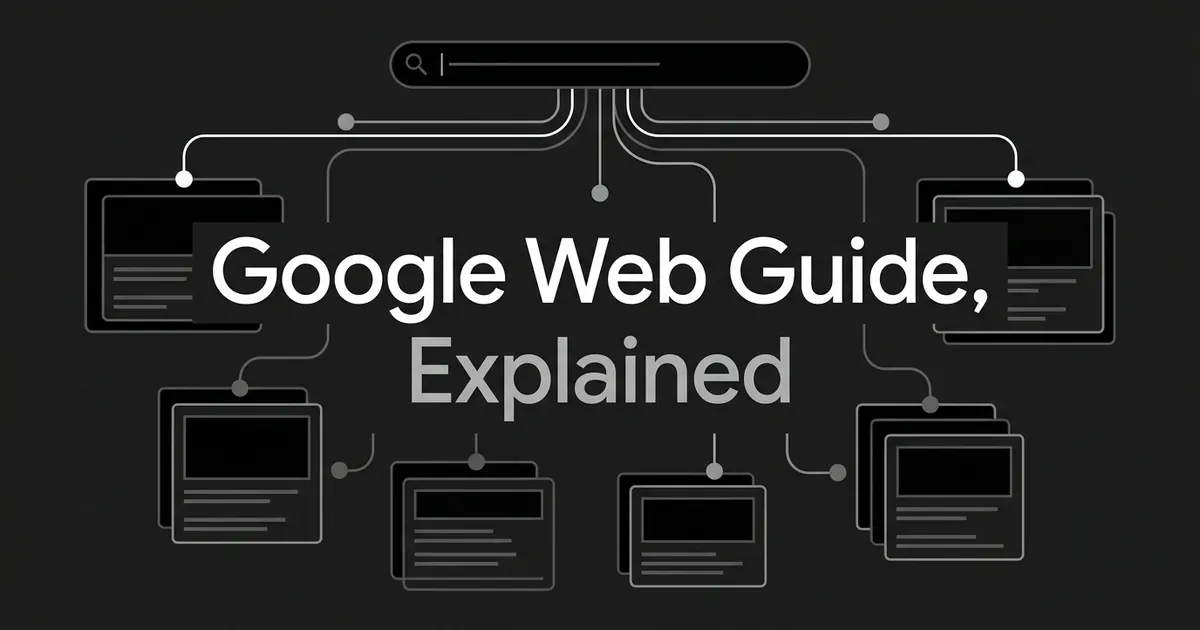
If you have seen the term Google Web Guide come up and wondered what is Google Web Guide, here is the short version. It is an experimental Search Labs feature that uses AI to sort your search results into themed groups of web links, instead of handing you one long list or one written answer. Google announced it on July 24, 2025, and it is still opt-in, so most people have not seen it yet.
That single distinction, organizing links versus writing an answer, is the thing to hold onto as you read the rest of this. Google Web Guide explained simply: it is a smarter way to browse the open web, not a chatbot and not a shortcut around clicking through to pages.
What is Google Web Guide?
Web Guide is a Search Labs experiment. Google describes it as an AI-organized search results page, one that uses a custom version of Gemini to understand both your query and the content sitting out on the web, then groups the matching pages into sections built around the different angles of your question.
Say you search "how to solo travel in Japan," which is the example Google itself uses. A normal results page gives you one ranked list, and you scroll through it hoping the good stuff is near the top. Web Guide instead might build separate sections for detailed guides, safety tips, personal trip reports, and forum discussions, each with a few links and a short note on why they are there.
It helps to be clear about what this is not. Web Guide is not a new content format you write for, and it is not a marketplace where publishers bid for a slot. It does not decide on its own that your page belongs in Search, either. Your page still has to earn a spot the normal way, through Google's existing crawling, indexing, and ranking systems. What changes is how the results you already earned get grouped and shown once they arrive on the page.
How does Web Guide organize search results?
The mechanism behind Web Guide is something called query fan-out, the same technique AI Mode uses. One open-ended question you type gets broken into several related searches behind the scenes, each one chasing a different angle of what you might mean.
Based on what Google has said and what independent researchers have observed, the rough sequence looks like this:
- Google reads your original query and works out its different possible angles.
- It generates a batch of related searches to cover those angles.
- It retrieves and ranks pages for each of those related searches.
- It removes duplicates and narrows the set down to the strongest pages.
- It groups the surviving pages into themed sections.
- It writes short introductions explaining what each section covers and why the pages inside it are relevant.
- It shows you those sections, with the underlying pages still sitting behind clickable links.
Google has not published the exact internal process, so treat that sequence as a reasonable explanation, not a confirmed algorithm. What matters more for you is the result: a page does not need to be the single best answer to your whole question to show up. It just needs to be a strong answer to one slice of it, and Web Guide can carve out a section where that slice belongs.
This is thematic organization, not a replacement for ranking. Web Guide still leans on Google's core search and retrieval systems underneath. A page still has to be discoverable and eligible for normal Search before any of this applies to it.
What you might actually see on the page
The layout is not one fixed template, and Google can change it while the experiment runs, but a few patterns show up across the examples reported so far. You will usually still see some ordinary organic links near the top, the kind you already know from a regular search. Below those, Web Guide adds its own introduction, a sentence or two framing the topic, followed by a set of themed sections with their own short headings and descriptions.
One travel-related test turned up sections for comprehensive guides, easier trails, community recommendations, and highly rated spots. A different test, built around a longer question about staying in touch with family across time zones, produced sections for detailed itineraries, child-friendly restaurants, tourism resources, and forum discussions. Each of those is a snapshot from one query at one point in time, not a template you should expect to see again. The number of sections, the labels Google chooses, and how many links land under each one will all vary by what you search and when.
Where can you find Web Guide?
Right now Web Guide lives in the Web tab of Search, and only for people who opted into the Search Labs experiment. If you are in the group that has it, you can always switch back to the standard list of results without turning the whole experiment off.
Google has said it plans to bring AI-organized results into other parts of Search too, including the All tab, as it learns where the format helps. Independent reporting from early 2026 described it as available in the United States and expanding into more markets, but that is a third-party snapshot of an experiment, not a permanent rollout you can count on. Search Labs features get changed, narrowed, or shelved all the time, so it is worth checking back rather than assuming today's version is the final one.
The interface itself is not fixed either. What one person sees, how many sections appear, how many links sit under each one, all of that can shift by query, by test group, and over time. Some early testing found regular organic links sitting above the AI-generated sections rather than being replaced by them, which is worth knowing if you were picturing something more disruptive.
Google Web Guide vs AI Overviews vs AI Mode
Here is where a lot of the confusion comes from, because all three features share some of the same underlying technology. Google has said AI Overviews and AI Mode can use different models and techniques even from each other, and Web Guide adds a third variation on top. Sharing a technique does not mean sharing an output.
The cleanest way to tell them apart is by what each one actually hands you.
| Web Guide | AI Overviews | AI Mode | |
|---|---|---|---|
| What it gives you | Web pages grouped into themed sections | A written summary at the top of the page | A back-and-forth conversation |
| What you do with it | Browse the sections and pick a path | Read the summary, then click through if you want more | Ask, refine, compare, and follow up |
| Best fit | Broad, open-ended questions with several angles worth exploring | Questions where a quick synthesis saves you time | Complex questions that used to take several separate searches |
| Where it lives | Search Labs experiment, opt-in | A regular Search feature, shown when Google judges it useful | A distinct AI-powered search mode |
Google Web Guide vs AI Overviews comes down to organized links against a synthesized answer. Web Guide keeps the destination as the web page itself, arranged so you can choose your own path through several types of sources. AI Overviews puts a generated explanation first and treats the linked pages as a way to go deeper afterward.
Web Guide against AI Mode is a different split: browsing against conversing. Web Guide gives you a structured page you scan once and pick from. AI Mode is built for going back and forth, asking a follow-up, narrowing your question, and getting a fuller answer each time.
Put simply, Web Guide says here are the useful paths through this topic, grouped by theme. AI Overviews says here is a short explanation, with sources if you want to check it. AI Mode says let's work through this together across a few questions.
This piece stops at telling the two apart. The tactical differences in how you actually write for AI Overviews versus AI Mode live in a separate guide. The standalone workflow for AI Mode gets its own piece too.
Does Web Guide change SEO?
Here is the honest answer: not in any way Google has confirmed. Google's own AI-search guidance says the standard SEO fundamentals still apply to features like AI Overviews and AI Mode, with no extra technical requirements standing in the way. There is no special AI text file and no unique schema markup needed for a page to show up in them, and nothing about Web Guide breaks that pattern, so Google Web Guide SEO is really just SEO, applied to a new way of presenting results you already earned.
There is no published Web Guide ranking formula, no confirmed content length, no required number of headings, and no special file you can add to qualify. Anyone selling a "Google Web Guide SEO checklist" is guessing at mechanics Google has not disclosed, and you should treat those guesses with some skepticism. The honest position is that nobody outside Google knows the weighting behind which pages land in which section, and pretending otherwise does not help you.
What actually helps is the same work Google's own SEO starter guide already describes:
- Answer the main question early in the page, rather than making a reader dig for it.
- Build sections around the real subquestions people have, not artificial keyword variations.
- Write each section so it stands on its own, since it might get pulled into a group based on that one angle rather than the whole page.
- Cover the topic honestly, including the limits and the parts that are still unclear.
- Use titles and link text that say plainly what the page is about.
- Link related pages on your own site to each other, so the topic's shape is easy to follow. If your CMS supports it, check your unique schema markup coverage while you are at it.
- Keep the important information in real text, not locked inside an image or a script.
- Publish something with real value in it, your own experience or a clear explanation, not a reworded version of what everyone else already wrote.
- Go back and update pages on topics that shift over time, like pricing, tools, or anything tied to a fast-moving product.
- Measure what actually happens before you draw a conclusion. Web Guide is still experimental, so a single week of traffic swings is not a stable pattern to build a strategy on.
And a short list of what not to bother with: there is no such thing as Web Guide schema, no special file format to add, and no guarantee that matching Google's likely fan-out questions gets you a spot. A page stacked with headings and keywords is not automatically optimized for anything. Treat a section heading you notice in someone else's screenshot as an observation, not a rule to copy.
If you are already tracking how your pages show up across AI search, this is one more surface worth watching rather than a reason to rebuild your content strategy. DeepSmith's AI visibility tracking covers Google's AI features alongside ChatGPT, Perplexity, and the rest, so a shift like this shows up in your reporting instead of catching you by surprise months later.
The real throughline is this: Web Guide changes how Google organizes and presents the results it already has, far more than it changes what makes a page worth showing in the first place. Keep writing clear, well-organized, genuinely useful pages, keep your site easy to navigate, and you are already doing the work that matters here.
Related guides
- Platform-Specific AEO: How to Get Cited in ChatGPT, Perplexity, Gemini, Copilot, and Google AI Overviews: ChatGPT, Perplexity, Gemini, Copilot, and AI Overviews each pick sources differently.
- Which Types of Search Queries Trigger Google AI Overviews Most Often: See which query types, industries, and topics are most likely to trigger an AI Overview for you, based on real study data across health, finance, local search.
- Correcting Outdated Brand Information in Google AI Overviews: Index, Knowledge Graph, and Structured-Data Fixes: Google AI Overviews showing stale facts about your company?
- Site Reputation Abuse and 'Preferred Sources': How Google's Newest Quality Signals Actually Work: Google's site reputation abuse policy and Preferred Sources both affect search, but they work differently.
- Brandofy Review: Features, Pricing, and Whether It Is Worth It: See what Brandofy actually tracks, what its $99 monthly plan includes, and where its public claims and pricing page fall short before you commit budget.