

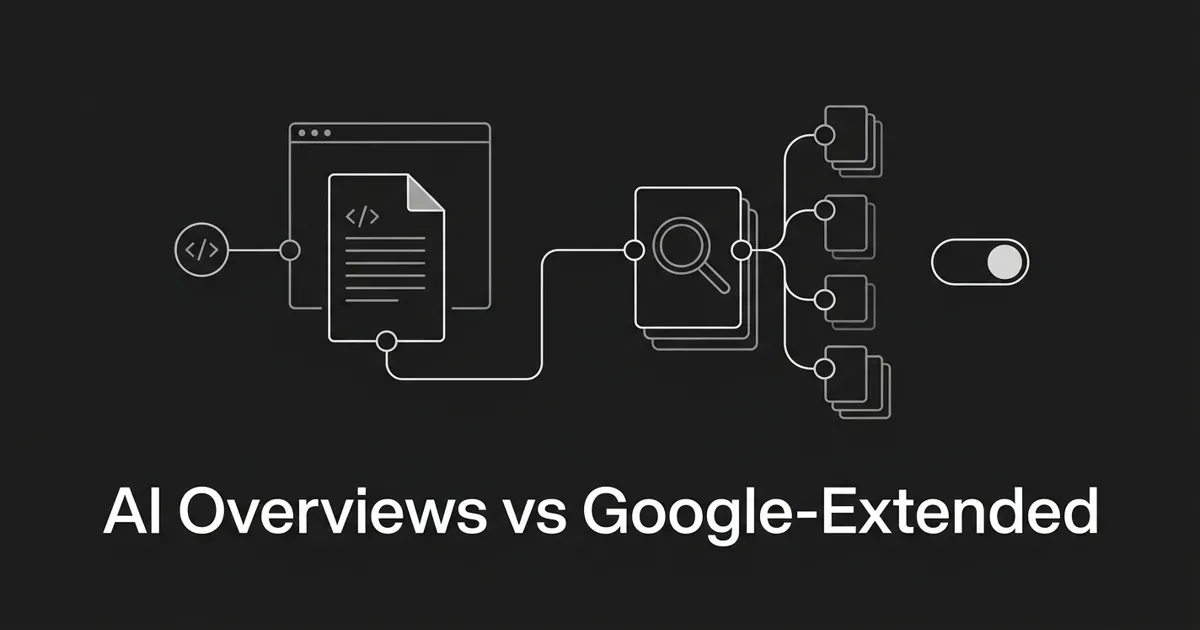
You added one line to your robots.txt, blocked Google-Extended, and figured you had opted your site out of AI Overviews. Take a breath, because that is the most common mix-up in this whole topic, and it is worth getting right.
Blocking Google-Extended does not remove you from AI Overviews. It never did. Here is the good news: once you see how the pieces actually fit, the confusion clears up fast, and you get back a real sense of control over what shows up and what does not.
This piece answers two questions your team keeps asking. The first is the AI Overviews JavaScript question: does Google render your JavaScript when it feeds AI Overviews? The second is what blocking Google-Extended actually turns off. There is no separate Google AI Overviews crawler doing something secret in the background. It is the same machinery you already know, wearing a new coat.
By the end, you will know which switch does what, which one you probably touched by accident, and the small handful of checks that actually move the needle. That is enough to stop guessing.
The short version, before we go deep
Two switches, not one. That is the whole idea.
AI Overviews ride on top of Google Search. They pull from the same index that Googlebot builds by crawling and rendering the open web. So the controls that affect AI Overviews are the controls that have always affected Google Search.
Google-Extended is a separate switch for a separate job. It governs whether your content can be used to train and ground Google's Gemini models. That is it. It has nothing to do with whether you appear as a source inside an AI Overview.
Mix those two up and you either block the wrong thing or block nothing useful at all. Keep them apart, and every decision after this gets simpler.
How Google AI Overviews reads your site
Start here, because it settles most of the anxiety: AI Overviews are part of Search, not a parallel system scraping you on the side.
Google's own documentation frames AI Overviews and AI Mode as surfaces of Google Search itself. They surface links from the same open web that classic Search indexes. To be eligible as a supporting link in an AI Overview, a page has to be indexed and eligible to appear in Google Search with a snippet. That is the whole bar. There is no extra requirement, and no separate Google AI Overviews crawler you need to court.
So how do these answers pull in sources? Through a technique Google calls query fan-out. While the response is being built, the system fires off several related searches across subtopics and pulls in supporting pages. Because the answer is generated on the fly, it often surfaces a wider and more diverse set of links than a plain ten-blue-link results page.
That last part matters for you. You do not have to sit in the top three to get cited. Fan-out reaches deeper into the index for relevant supporting pages. The catch is unchanged: those pages still have to be indexed and snippet-eligible. Same bar as classic search, no shortcut around it.
Here is the mental model to keep. If your page is in Google's index with a snippet, it is a candidate for an AI Overview citation. If it is not in the index, it cannot be cited, full stop. The path to citation runs straight through the ordinary crawl, render, and index pipeline.
Does Google render your JavaScript? Yes, with a catch
Short answer: yes. Googlebot does not stop at the raw HTML your server sends. It runs a full headless Chromium renderer, the Web Rendering Service, to execute JavaScript and build the page the way a browser would. Whatever it can render and index is what AI Overviews can pull from, because they lean on the same Googlebot rendering AI Overviews depend on for every other Search result.
So the AI Overviews JavaScript worry is real but manageable. The catch is timing.
Google indexes in two waves. In the first wave, Googlebot fetches the URL and indexes whatever is in the initial HTML response. For server-rendered or static pages, that is most of your content, and it lands quickly. In the second wave, anything that needs JavaScript to appear gets queued for the Web Rendering Service. Google runs the page in headless Chromium, waits for the scripts to settle, then processes what rendered.
That second wave is where pages get hurt. Rendering costs Google resources, so it throttles and queues the work. If your important content only appears after JavaScript runs, it gets indexed later, and it is more exposed to slow renders, skipped renders, or subresources that fail to load. The page can still get indexed, sometimes as a near-empty document.
This is the real AI Overviews JavaScript risk, and it is worth saying out loud: an AI Overview cannot cite a passage it never saw. If the Googlebot rendering AI Overviews rely on stalls or gives up on your page, the content that never rendered is content that cannot be quoted. So the fix is not "avoid JavaScript." Plenty of cited pages use it. The fix is making sure the words you care about do not depend on it.
Here is your specific action, and it is a small one. Put the content you want cited in the initial server-rendered HTML, not behind a script that has to run first. Google's own guidance points the same way: prefer server-side rendering, static rendering, or hydration over pure client-side rendering. Dynamic rendering, where you sniff the user agent and serve bots a pre-baked version, was always a stopgap, and Google no longer recommends it as a long-term fix.
You do not need to rebuild your stack this week. You need to check whether your most important pages show their content in view-source, before any JavaScript runs. If they do, you are in good shape.
What Google-Extended actually is
Now the other switch. Google-Extended arrived on September 28, 2023, in a Google blog post about web publisher controls. Its stated purpose was narrow and specific: let publishers control whether their content helps improve Bard and the Vertex AI generative APIs, including future generations of the models behind them.
In plain terms, Google-Extended is a permission signal for one downstream use: training and grounding the Gemini family of models. It is not a search bot. It is not Google's general crawler. It is an on-off switch for a single purpose.
Two details clear up the rest of the confusion.
First, Google-Extended is not a separate crawler at all. It has no HTTP user-agent string of its own. The crawling for Gemini training still happens through Google's existing crawlers, the same Googlebot family already visiting you. Google-Extended is a robots.txt token that gates what that crawled content may be used for. If you already let Googlebot in, Google is already fetching your pages. The token only changes whether that content can feed Gemini.
Second, the syntax is ordinary. You write a robots.txt group for Google-Extended the same way you would for Googlebot, allowing or disallowing paths. Nothing exotic.
And here is the line Google drew explicitly at launch and has kept drawing since: AI features inside Google Search, including AI Overviews and AI Mode, sit outside the scope of Google-Extended. Those are governed by the standard Googlebot controls, not by this token.
What blocking Google-Extended does and does not do
This is the section to bookmark. If you remember one thing, make it this.
When you block Google-Extended in robots.txt, you do exactly two things. You opt your site out of being used to train future Gemini models. And you opt out of having your content ground Gemini and Vertex AI responses, the Gemini app, the Gemini API, and the Vertex generative APIs.
Now, what blocking Google-Extended does not do. It does not stop Googlebot from crawling you. It does not stop Google from indexing you. It does not remove you from classic Search results. And it does not remove you as a source in AI Overviews or AI Mode, because those draw from the Search index that Googlebot builds, and that index is not gated by this token.
Google said as much when AI Overviews were still called SGE. Its guidance was that site owners should keep using the Googlebot user agent and the noindex meta tag to manage their content in Search, including generative experiments. Same controls as always.
You can watch this play out in who blocks the token. As of a 2025 analysis by Marie Haynes Consulting, publishers like The New York Times, CNN, BBC, Facebook, and Quora had turned on the Google-Extended block. The ones who had not included Wikipedia, CNET, Investopedia, Healthline, Booking.com, and LinkedIn. Notice the split. The organizations most worried about their text training a model chose to block Google-Extended. The ones whose business depends on being found and cited by Google left it off, because blocking it would not protect them from AI Overviews anyway, and it is AI Overviews that touches their discoverability.
Read that split as permission to relax. If your worry is being used as training data, block Google-Extended and you have handled it. If your worry is showing up in AI answers, this token was never the lever. Knowing which camp you are in is most of the decision.
For wider context, a Reuters analysis cited in that same piece found that by the end of 2023, roughly a quarter of the most widely used news sites were blocking Google's AI crawler. Treat that as a 2023 snapshot, not today's count. The point is the pattern, not the exact figure.
So if your goal is to stay out of AI Overviews, Google-Extended is the wrong switch. It will not do it. Let's look at the switches that will.
The controls that actually affect AI Overviews
Because AI Overviews live inside Search, the controls are the Search controls you already have. Here is the honest menu.
Googlebot in robots.txt is the blunt one. Block Googlebot and your pages leave the Search index entirely, which by construction removes them from AI Overviews. It also removes you from classic Search traffic. This is a hammer, not a scalpel.
The noindex meta tag excludes a page from the index. No index, no AI Overview candidacy. It is cleaner than a robots.txt block when you want a specific page gone from Search rather than a whole path.
Then the snippet controls, which shape how your content can be shown and quoted. The nosnippet tag opts a page out of having a text snippet in results, and Google's documentation indicates it also keeps that page from being used as a source for AI features in Search. The max-snippet directive caps snippet length. And data-nosnippet scopes the opt-out to a specific element on the page, so you can shield one block while leaving the rest quotable.
One caveat worth stating plainly. Google has tightened and reworded its guidance on how snippet controls interact with AI features more than once. Before you rely on nosnippet for this, check the current Search Central page on AI features so you are acting on today's wording, not last year's.
Here is the part people keep hoping is not true. There is no documented switch that keeps a page in classic Search while pulling it out of AI Overviews only. They source from the same index. Google has not exposed a targeted opt-out for AI Overviews alone. That is one of the most-asked questions in the space, and the honest answer is that no first-party control does this today.
What to do if you want in, not out
Most teams reading this do not want out. They want in, and they suspect they are getting skipped. So let's turn the same mechanics into a to-do list.
Make sure Googlebot can reach the page. Check that robots.txt is not accidentally blocking Googlebot or a critical subresource. This is the number one silent killer, and it takes five minutes to rule out.
Put your important content in server-rendered HTML. We covered why. If it only appears after JavaScript runs, it is slower to index and easier to miss.
Keep the page indexable and snippet-eligible. No stray noindex, no accidental nosnippet on a page you want cited, no soft-404 behavior. Eligibility for a snippet is the entry ticket for an AI Overview citation.
Answer the question near the top of each section, then expand. Fan-out pulls supporting passages, and a crisp, self-contained answer is far easier to lift than one buried three paragraphs down.
Keep your structured data honest and consistent with what is visible on the page. Good internal links, a solid page experience, and accessible text all still count, because AI Overviews inherit every ranking and quality signal Search already uses.
Then measure, because guessing is exhausting. You want to know which of your pages actually get cited in AI Overviews, for which questions, and where a competitor is winning the citation you want. This is the gap most teams cannot see, and it is exactly what DeepSmith is built to close: it tracks where your brand shows up across AI answers, shows which pages earn citations, and produces on-brand content to fill the gaps, all from the same data. You fix what the tracking tells you is broken, instead of optimizing in the dark.
None of this is a single switch. It is a handful of small, checkable habits, and you can start with just the robots.txt check this week. Do that one thing, confirm Googlebot can see your best page, and you have already done more than most teams stuck arguing about which token to block.
The one mental model to keep
Picture two pipelines that look alike and run apart.
The first is Google's Search pipeline. Googlebot crawls, the Web Rendering Service executes your JavaScript, your content gets indexed, and that index feeds both classic results and the generative surfaces, AI Overviews and AI Mode. You steer this one with Googlebot's robots.txt rules and the standard meta tags: noindex, nosnippet, max-snippet, data-nosnippet.
The second is Gemini and Vertex AI training and grounding. Google-Extended is the switch that gates whether your crawled content may be used there. It does not feed back into the first pipeline.
Confusing the two is the single most common mistake teams make here. Now you will not make it. That alone puts you ahead of most of the people worrying about this.
Want to see where you actually stand in AI Overviews before you change a thing? Start a free DeepSmith trial and get real data on which pages get cited and where you are invisible.


