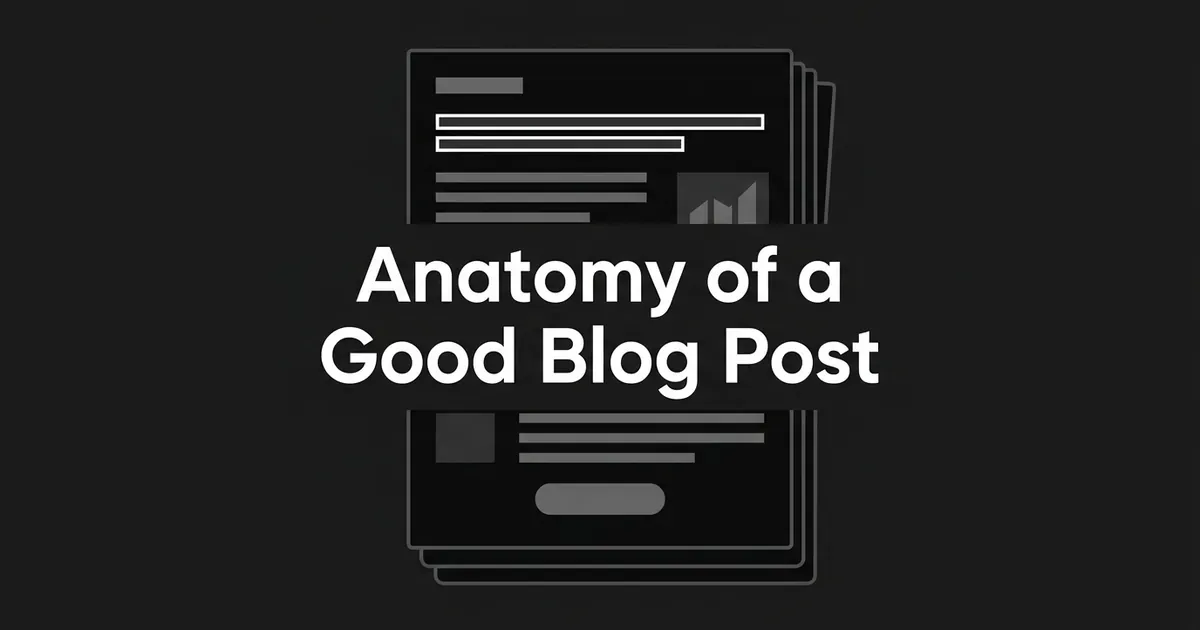
A good blog post answers a specific reader need, makes that answer easy to find and understand, backs up the claims that matter with credible evidence, and offers a next step that fits where the reader is. Those four parts are the anatomy of a blog post, and the rest of this piece walks through each one and how they depend on each other.
If you lead content, you've probably read a lot of lists about what makes a great blog post, and most of them read like a checklist of surface features. Headings, bullets, a CTA, a certain word count. Those things can all be present in a post that still doesn't help anyone. What actually separates a strong post from a weak one is whether the parts work together, so that's what we'll look at here.
What makes a great blog post, in plain terms
Think of a post as a small promise you make to a reader. The title says what question you'll answer, and the rest of the page has to deliver on it. When it does, the reader gets what they came for, and that's the point where anything else you want from them (a click, a sign-up, a second visit) has a chance.
It helps to split the post into four working parts.
- The promise and opening. The reader's problem is named and the answer starts early.
- A body they can navigate. Sections are built around distinct questions, so a reader can find the part they need.
- Substance and evidence. The answer is specific enough to use, and the claims that carry weight are supported.
- A relevant next step. The ending points to something that follows naturally from what they just read.
None of these is a template. Posts vary a lot in length, number of sections, and format, and there's no standard count of headings or paragraphs that makes a post good. A post can be neatly formatted and say very little. It can also contain excellent research and bury the answer so deep that nobody finds it. The elements of a good blog post only pay off together.
How should a post open?
The opening has one job, which is to tell the reader they're in the right place. That usually means naming the problem or decision they're facing and giving an early answer, or at least a useful orientation, before you go into detail.
Picture a post with the title "Why your content isn't producing qualified leads." One version spends four paragraphs explaining that content marketing is important and that the landscape keeps changing. Another says in the first few sentences that the usual cause is a mismatch between who reads the post and who you want to hear from, then goes on to show how to check for it. Both are about the same subject, but only the second respects the reader's time. This is an illustration, not a measured case, so don't read a number into it.
There's some research behind putting the useful part up front. Nielsen Norman Group, which studies how people use web pages, has written about how attention concentrates near the top of a page, which supports front-loading information. It doesn't tell you how many words an intro should be, and nobody has a reliable number for that. What you can say is that the title, the opening, and the rest of the article should all be answering the same question. If the title promises one thing and the intro drifts toward another, the reader has to work out what the page is actually for.
Headline formulas and detailed hook techniques are big topics of their own, and this piece won't try to cover them. For the concept level, you only need to check that the promise is honest and the answer starts early.
Can readers find the answer before they commit to reading?
Most people don't read a web page top to bottom on the first pass. They scan to see whether the page has what they want, and then, if it does, some of them slow down and read closely. In Nielsen Norman Group's 1997 research on how users read the web, 79% of test users scanned a new page and 16% read word by word. That's an old study with a small set of test users, so it isn't a current estimate for everyone online. It does explain why a page has to work for a scanner. Later work from the same group, drawing on 1.5 million eye-tracking fixations across hundreds of sites, also found that readers who reach a paragraph they care about will often read it carefully.
So the goal is to help people scan to locate and then read to understand. A few habits do most of the work, and they're the ones that show up in most lists of elements of a good blog post.
Organize sections around reader questions. Each section should answer one thing a reader might be wondering, and the heading should tell a scanner where that answer lives. Descriptive headings do this better than clever ones. The W3C notes that headings communicate how a page's content is organized, which is true for people scanning with their eyes and for people using assistive tools.
Open each section with its takeaway. If the first sentence under a heading states the point, a scanner gets the answer and a careful reader gets a preview of what follows. Then you can elaborate.
Keep paragraphs to one idea. A wall of text makes it hard to find anything. A page made only of thin bullet points has the opposite problem, where the reader can find the fragments but can't follow the reasoning.
Use lists, tables, and bold only where they help. A list earns its place when the items really are parallel. A table helps when you're comparing several things across the same dimensions. Bold works for the one or two terms a scanner really needs to catch, and it turns into noise when it's on everything.
Scannable doesn't mean shallow. Making the detail findable is a different job from leaving the detail out. Formatting exposes the answer, but it can't stand in for one.
What gives a post substance, and how much evidence does it need?
This is the part of the anatomy that readers feel most and can name least. A post with substance leaves you knowing enough to do something, or to decide something. A post without it repeats things you've already seen on five other pages.
Google's guidance on helpful content is a useful set of questions here. It asks whether the piece offers original information or insightful analysis, whether it adds value beyond the sources it draws on, whether it shows real experience with the subject, and whether the reader leaves knowing enough to reach their goal. It also asks whether the sourcing and background are clear enough for a reader to trust the page. These are editorial questions to ask yourself, and they aren't a recipe for ranking. Google has also said that E-E-A-T isn't a single specific ranking factor, so it's better to treat it as a way of thinking about quality than as a checklist.
For a marketing lead, originality doesn't have to mean commissioning a survey for every article. It can be a well-reasoned distinction that other pages skip, an expert's interpretation, a workflow you actually observed and its limits, or a synthesis that does more than rephrase what already exists. What it can't be is the same claims as everyone else in slightly different words.
When you do support a claim, match the support to the claim. That could be an original observation, a reproducible example, a described method, primary documentation, a relevant study, or a customer example you can actually substantiate. A few rules keep this honest:
- Say who measured a number, when, and what they measured. "Studies show" doesn't tell the reader anything they can check.
- Separate what was observed from what people reported about themselves, and separate a vendor's own result from something that generalizes.
- Keep the evidence next to the claim it supports. A block of unrelated statistics dropped in to make a post look researched can weaken the answer.
- Use an example to clarify an idea, and don't present it as proof that a tactic raises conversions.
Numbers deserve extra care. Take Orbit Media's 2025 blogger survey, which got 808 responses in August 2025. Twenty-one percent of bloggers reported strong results and 60% reported some results. Among people writing articles of 2,000 words or more, 39% reported strong results, and 25% of those publishing original research did. It's tempting to read that as "write longer posts" or "do original research." But these are self-reported associations, and the survey left "strong results" for each respondent to define. Longer posts and original research may simply be what teams with strong programs tend to do. The honest takeaway is that a complex question sometimes needs a long answer, not that padding a post will get you there.
There's also a relevance signal worth paying attention to. Demand Gen Report's 2024 content-preferences survey found that 51% of B2B buyers said content was too generic and irrelevant to their needs, up from 38% in its 2023 survey. Those are survey responses from different years, so they don't prove that any single structural change fixes the problem. They do line up with what most marketing leads already feel, which is that the bar is a post that speaks to a particular reader's situation.
Does every post need a call to action?
A call to action is the bridge between the answer you just gave and something useful the reader might do next. It doesn't have to be a sales ask, and it shouldn't be one on every post.
The strength of the ask should match how ready the reader probably is. Someone reading an early-stage explainer may be well served by a link to a related, deeper piece. Someone reading a post that compares ways to solve a problem they already have might reasonably be offered a product page or a demo. A hard demo request at the end of a beginner explainer can undercut an otherwise useful post, because it changes the subject right when the reader was starting to trust you.
A good next step names the action and says what the reader gets from it. It follows from the content and doesn't switch topics. This is part of what people mean by a high converting blog post structure, but it's worth being careful about the phrase. "High converting" doesn't mean every awareness post should try to sell something. It means the ending matches the intent of the person who arrived.
You'll see specific claims about CTA formats. HubSpot, for example, has described its own practice of measuring blog leads against views and using CTAs in its posts, including an anchor-text CTA and image CTAs on many of them. That's HubSpot's approach and its own measure, and it isn't a tested rule for everyone. The sources behind this piece don't establish an ideal CTA count, position, or format, so treat any single number you read as one team's choice. Test what fits your readers and check your own results after each change.
How do the parts hold together?
The anatomy of a blog post works because the four parts are really one thing viewed from different angles. The heading promises an answer, and the section under it gives that answer. The evidence supports the answer. The next step comes out of the answer. If any link in that chain breaks, the reader notices even if they can't say why. A heading that promises more than the section delivers feels like a bait-and-switch. A CTA that has nothing to do with the post feels like an interruption.
A few supporting habits keep the chain intact.
Link to related pages when the reader would want them. Relevant internal links help a reader follow a subtopic and help your pages get discovered. If a post mentions something you've covered in depth, a link to that piece is a real service to the reader. Teams that publish a lot often find this step slips, which is one reason internal linking becomes something you want a process for.
Keep important explanations in text. If a key point exists only inside an image, it's harder to find, harder to quote, and harder for assistive tools to read. Images can support a point, but the point should also be in the prose.
Write the crisp answer for the reader, not for a machine. Clear, well-organized posts are also easier for AI systems to work with, but no source in the research behind this piece promises that a particular structure earns an AI citation. Google's guidance says the ordinary search fundamentals still apply for its generative search features. A page needs to be indexed and eligible to show a Search snippet, and even then citation isn't guaranteed. Google also says there's no need to break content into tiny chunks or add special files or markup for generative search. So a direct answer near the top is good service to the reader, and if it helps elsewhere, that's a bonus and not a hack.
Where do people go wrong with blog post best practices?
Most of the trouble with blog post best practices comes from taking one true idea and treating it as a universal rule. A few come up often enough to be worth naming.
- "Short always wins." Cutting unnecessary words helps, but a complicated question can need real space. Don't pad a post, and don't cut one that needs its length.
- "Nobody reads online." Scanning is common, and so is close reading once a reader finds what they want. Design for both.
- "More formatting means more value." Headings, bullets, and bold expose an answer. If there's no answer underneath, they just make the emptiness look tidy.
- "A statistic makes a claim credible." Provenance, date, method, and honest interpretation matter more than the presence of a number. A survey correlation doesn't prove a cause.
- "Every post should end with a demo request." The ask should match the reader's stage.
- "Good structure guarantees performance." Distribution, how well the post fits the search query, technical accessibility, page experience, and competition all matter, and so does the quality of the answer itself. It's a mistake to credit a post's results to its headings or its CTA alone.
It also helps to decide what "performing" means before you judge a post. An awareness explainer might aim to answer a query, earn some search visibility, and lead an interested reader to a related resource. A post for someone evaluating a solution might be judged on qualified inquiries or trial interest. Views alone don't tell you that readers found the answer useful, and a CTA click alone doesn't tell you a lead is qualified. It's worth tracking visibility, engagement with the answer, and the action that follows as three separate things. HubSpot's blog view-to-lead rate, which is leads generated divided by blog views over a chosen period, is one way to do the last part, and it's their chosen measure rather than a benchmark for anyone else.
Putting the anatomy to work
The next time you review a post, before or after it goes live, you can run through a few plain questions. Does the opening say what the reader will get, and does the answer start early? Could a scanner find the section they need from the headings alone? Are the claims that matter supported, with a source, a date, and a method where those apply? Does the ending point somewhere that makes sense for this reader? And do all of those answer the same question the title asked?
If you're producing a lot of posts, it's the consistency that gets hard, because each of these checks takes a person's time on every article. DeepSmith's Writer is built around that problem, since it produces articles with internal links and publish-ready metadata already in place, and you can start a free trial to see how a draft comes out. Either way, the throughline is the same. That's what makes a great blog post in practice. It answers a real question, makes the answer easy to find, earns trust with its evidence, and leaves the reader with a sensible next step.