If your team is arguing about whether that new content hub is "just a blog with a different name," you're not alone. These three terms get used interchangeably in a lot of meetings, and the mix-up causes real problems: you plan a content hub and build a blog category page, or you promise a resource center and end up with a slightly reorganized blog archive.
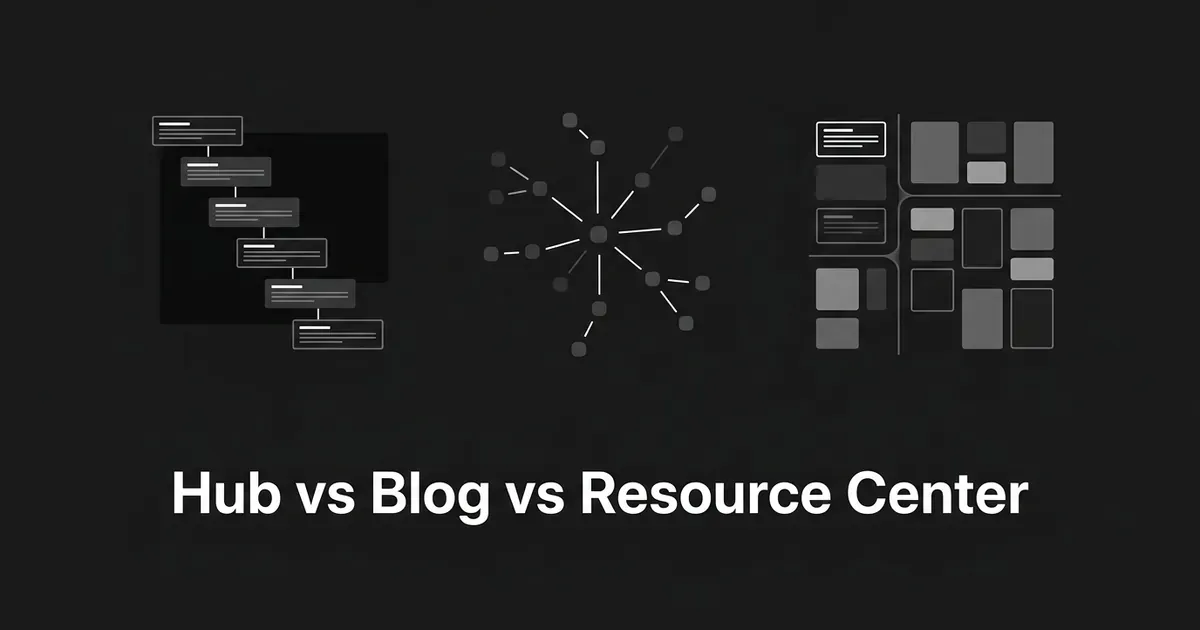
Here's the short version. A blog is organized by when something was published. A content hub is organized by what someone wants to learn. A resource center is organized by what someone needs to find. Once you see that, the rest of the differences fall into place pretty naturally.
This matters most when you're deciding what to build next: another blog category, a dedicated hub for one subject, or a browsable library that pulls together guides, reports, and tools. Getting content hub vs blog or resource center vs blog decisions wrong wastes real production time, so it's worth five minutes to get the definitions straight before anyone opens a project brief.
The quick comparison
| Blog | Content hub | Resource center | |
|---|---|---|---|
| Organized by | Publish date | Topic and learning path | User need and format |
| Goal | Awareness, ongoing publishing | Teach a subject, build authority | Help visitors find the right asset |
| Typical content | Articles, commentary, updates | Guides, pillar pages, research, tutorials | Guides, reports, case studies, webinars, tools |
| Freshness | Frequent, often timely | Mostly evergreen | Selective, usually durable |
| Navigation | Reverse chronological, tags, categories | Central page linking to subtopics | Filters, search, content-type labels |
These are the dominant patterns, not strict technical rules. A single website can run all three at once, and one page can do more than one job.
What is a content hub?
A content hub is a curated collection of related content built around one subject, so someone can explore that topic in depth without hunting across your whole site for it. It's usually a dedicated section, bigger than a single article but more focused than the full blog archive.
A hub can hold articles, long guides, videos, podcasts, original research, and tools, and none of that variety is the point. What makes it a hub is that everything in it was chosen because it belongs to the same subject, and the pages are deliberately linked so a reader can move from the overview into more specific material and back again.
A few things define a real content hub, as opposed to a folder of loosely related posts:
The topic comes first. Someone decided this hub exists to cover one subject, one audience need, or one area of expertise, and that decision shapes everything else. Curation matters too: a hub is not a dump of everything the company has ever published on a related keyword. Someone selected, grouped, and labeled the content so it reads as a coherent body of knowledge, and that selection is what separates a hub from an automatically generated tag page.
The relationships between pages are intentional. A central overview page points to supporting pages that go deeper on subtopics, and those pages link back to the hub or sideways to each other. And evergreen depth usually matters more than recency: a good hub is still useful a year after any single page in it was last updated, because the value comes from the structure, not from the freshness of any one entry.
You'll see a few common shapes for this. A main hub with hub-and-spoke pages, where a central page links out to detail pages that cover subtopics. An in-context hub, where one substantial article contains enough contextual links and related-resource pointers that it functions as an entry point into a wider topic. A content library organized into categories and subcategories. A topic gateway that gives a short overview and sends readers onward. None of these is the one correct template. What makes something a hub is the curation and the intentional linking, not the specific layout.
One thing worth flagging: "pillar page," "topic cluster," and "content hub" get used loosely and often interchangeably, but they're not perfect synonyms. A pillar page can be one page inside a hub. A topic cluster describes how a group of pages relate to each other. The hub is the broader structure that contains both.
What is a blog?
A blog is a website or section made up of regularly published, date-stamped posts, usually shown newest first. That's the whole definition: a stream of dated entries where the most recent one leads.
The post is the basic unit, and each one carries its own headline, date, author, and body. Time is the default way things get sorted. Categories and tags give you a secondary way to browse, but they don't change the underlying model: the newest thing is still what shows up first on the homepage or archive.
Publishing on a blog is ongoing rather than finite. You're not building toward a complete collection the way you might with a hub. Part of the value comes from keeping a continuing relationship with readers who check back or subscribe, which is also why blogs are well suited to timely material: seasonal topics, product news, industry commentary, and trend pieces that would lose value if you sat on them for a few months.
A blog isn't defined by being short or informal. Plenty of business blogs publish long guides, original research, or video content, and that doesn't stop it from being a blog. The thing that makes something a blog is the publishing system and the time-led presentation, not the word count or the tone. And a blog doesn't have to be open to everyone either, though most are, mainly because search and social discovery depend on it.
What is a resource center?
A resource center is a categorized, browsable collection of a company's most useful content and assets, built so visitors can find what they need by topic, format, role, industry, or where they are in their research.
It can include blog posts, but it's not limited to them. A typical resource center mixes guides, ebooks, white papers, research reports, case studies, checklists, templates, webinars, videos, podcasts, and sometimes calculators or interactive tools. The blog might be one section inside it, not the whole thing.
The library experience comes first here. Visitors should be able to browse, filter, search, sort, and preview before they commit to opening something, because a resource center often serves people who are actively researching a problem or comparing solutions rather than casually reading. That's also why a resource center tends to be selective. It usually surfaces the strongest or most relevant assets rather than listing everything the company has ever produced in reverse order.
On resource center vs blog specifically, the practical difference shows up fastest in gating, so it's worth saying plainly: a resource center doesn't have to be gated. Some are entirely open, some mix gated and open content, and a few are heavily gated. Educational material is often left open because discovery and authority matter, while a detailed report or a template might sit behind a form because the business wants to capture intent from someone who's further along. Gating is a choice tied to the value of a specific asset, not a defining feature of the format.
One more wrinkle worth naming: a resource center can contain topic hubs inside it, which is part of why "resource center," "resource library," "knowledge base," and "content hub" get used interchangeably on different sites. They're not always describing the same thing, even when the words overlap.
Information architecture: how each one is organized
This is the real dividing line. A blog uses a chronological stream with categories, tags, archives, and author pages layered on top. A content hub uses a topic hierarchy or network, usually with a central page linking to subtopics through breadcrumbs, related-content modules, or an explicit learning path. A resource center uses a catalog structure: filters, search, content-type labels, topic groupings, and featured sections designed for browsing rather than scrolling through a timeline.
If you can only remember one axis, remember this one, because it explains most of the other differences. Time-first, topic-first, and need-first are three different jobs, and building the wrong information architecture for the job you actually have is the single most common way these projects go sideways.
Content selection: what decides what goes in
A blog generally publishes whatever is next on the editorial calendar, and the collection just keeps growing. There's no ceiling on it and no curation gate beyond the usual editorial judgment about what's worth writing.
A content hub selects material specifically because it contributes to one subject or one learning journey. Something can be well written and still not belong in a given hub if it doesn't serve that hub's topic.
A resource center selects and surfaces whatever helps a visitor answer a question, evaluate an option, or take a next step, pulled from across formats and sometimes across the whole site, including the blog itself.
Content formats: what actually lives there
A blog is mostly articles or posts, occasionally multimedia, but the format is secondary to the publishing cadence. A content hub can combine almost any format, emphasizing depth and connection over variety for its own sake: guides sitting next to videos sitting next to original research, all serving the same subject. A resource center usually has the widest mix of all three, because its job is to gather whatever the company has that helps someone research or decide, from downloadable reports to webinars to short case studies.
Freshness and cadence: how often things change
A blog depends on frequency. Timeliness is often an advantage, and a blog that goes quiet loses part of its value even if the existing posts are still accurate. A content hub is built to be durable. It can be updated when something changes, but it isn't defined by how often new material appears. A resource center sits somewhere in between: it can include current pieces, but it doesn't rely on a constant publishing stream the way a blog does, since its usefulness comes from having the right assets available, not from having the newest ones.
Audience intent: why someone is actually there
Someone opens a blog post because they want to learn something specific, keep up with a category, or hear a brand's take on something happening now. Someone goes into a content hub because they want to understand a subject thoroughly and are willing to move through several pages to get there. Someone opens a resource center because they need a specific guide, report, template, or tool for a situation they're already in, and they're there to find it, not to browse casually.
Business goal: what each one is actually for
A blog's job is awareness, search discovery, thought leadership, and audience growth through an ongoing publishing relationship. A content hub's job is authority and education: proving depth on a subject and giving people a reason to trust that depth. A resource center's job is discovery and research support, and it's usually the structure most directly connected to lead nurturing and sales enablement, because it organizes exactly the assets a prospect needs while they're comparing options.
These goals overlap in practice. A hub can generate leads, and a blog post can convert a reader. The point isn't that each structure does only one thing; it's that each has a dominant job, and confusing the dominant job is what leads teams to measure a content hub by blog metrics or judge a resource center by how often it publishes something new.
Access and gating: who gets in
A blog is commonly open, mainly to maximize search and social discovery. A content hub is commonly open too, or lightly gated at most, because exploration and learning work better without a wall in the middle of them. A resource center is the one structure genuinely built to mix both: educational pieces stay open for discovery, while a detailed report or template gets a form in front of it when the business wants to capture intent from someone further along. None of this is a hard rule for any of the three. Gating is an implementation choice, not part of the definition.
Where the lines blur
None of these structures exist in isolation, and pretending otherwise is where a lot of internal debates go wrong. A hub can contain selected blog posts, provided those posts serve the hub's subject and are linked in on purpose rather than just tagged the same. A resource center can contain topic hubs, blog posts, or both. And a blog category page is not automatically a content hub just because it groups posts by subject: a real hub adds explanatory copy, curation, and intentional relationships between pages, not just a shared tag.
Gating isn't the dividing line either, even though it's the first thing people reach for. A content hub can include gated material. A resource center can be entirely open. What separates the three is the dominant organizing principle and the dominant job, not whether there's a form somewhere on the page.
When each one wins
Reach for a blog when the main need is an ongoing publishing channel: you want to respond to what's happening in your category, build awareness over time, and keep a regular relationship with an audience that checks back.
Reach for a content hub when the main need is teaching one subject well: you want to organize related material into something a reader can move through, and you want the depth to demonstrate real expertise rather than scattered coverage.
Reach for a resource center when the main need is helping people find the right asset out of a varied collection: guides, reports, case studies, webinars, and tools that serve different stages of someone's research, where browsing and filtering matter more than reading in order.
Most sites that have been around a while end up needing all three, and that's normal. The blog creates a steady stream of discoverable content. The hub organizes the deep expertise on the subjects that matter most. The resource center makes the strongest assets easy to find no matter when they were published. They're not competing structures. They're different jobs, and a mature content operation usually needs more than one of them running at once.