Content pillars are the broad, lasting subjects a brand keeps coming back to, and content buckets are the categories or angles used to organize the pieces written under those subjects. Put together, they give you a planning layer that sits between your overall content strategy and the growing pile of individual articles you actually publish. If you have ever opened your content calendar and felt like you were staring at a random list instead of a plan, this is usually the layer that is missing.
This piece walks through what pillars and buckets actually mean, how they fit with your bigger strategy, and when your team genuinely needs them instead of just a simple list of topics.
What are content pillars?
A content pillar is a broad, recurring subject that your brand publishes around again and again. It is not one article. It is not a keyword. It is not a campaign or a headline. It is the kind of subject that is important enough to support many pieces, in different formats, for different stages of the buyer's journey, over a long stretch of time.
Think of pillars as an answer to a few questions your team probably asks anyway: What should we be known for? Which topics actually matter to our audience and our business? Which subjects deserve repeated coverage instead of one article that gets written and forgotten?
A few examples of pillars for a marketing-focused publication: content strategy, search and AI visibility, content operations, brand voice, demand generation, marketing analytics. The names will change depending on your company, your audience, and what you sell, but a good pillar has a certain shape to it. It needs to be broad enough to hold many good articles, but specific enough that it actually tells you what belongs and what doesn't. "Marketing" is too broad to be useful. "AI search visibility for marketing teams" gives you something to work with.
It helps to know that the word "pillar" gets used a little differently across the industry. In social media planning, a pillar often just means a recurring theme you post about. In SEO writing, "pillar" sometimes points to a large pillar page or hub instead of a subject. Neither usage is wrong. The point is to pick one meaning for your team and stick with it, so everyone means the same thing when they use the word.
What are content buckets?
A content bucket is a category you use to group and organize your content once you know your pillars. Depending on how your team works, a bucket might describe an angle (educational, opinion-led, promotional, community-focused), a recurring format (case study, how-to, research summary, news commentary), or a subcategory within a bigger pillar.
The most useful way to think about it: buckets are the repeatable categories or angles that help you decide what kind of piece to write next, and how to keep varying your coverage of a pillar instead of writing the same article five times with a different headline.
Say "content strategy" is one of your pillars. Your buckets under that pillar might be "educational explainer," "evidence review," "expert opinion," "case study," and "industry update." Each one gives that same broad subject a different job to do. A bucket doesn't have to be a format either. An educational bucket could show up as a blog article, a short video, a template, or a social post. Format and channel are their own separate decisions, made after you know the bucket.
How pillars and buckets fit into your content strategy
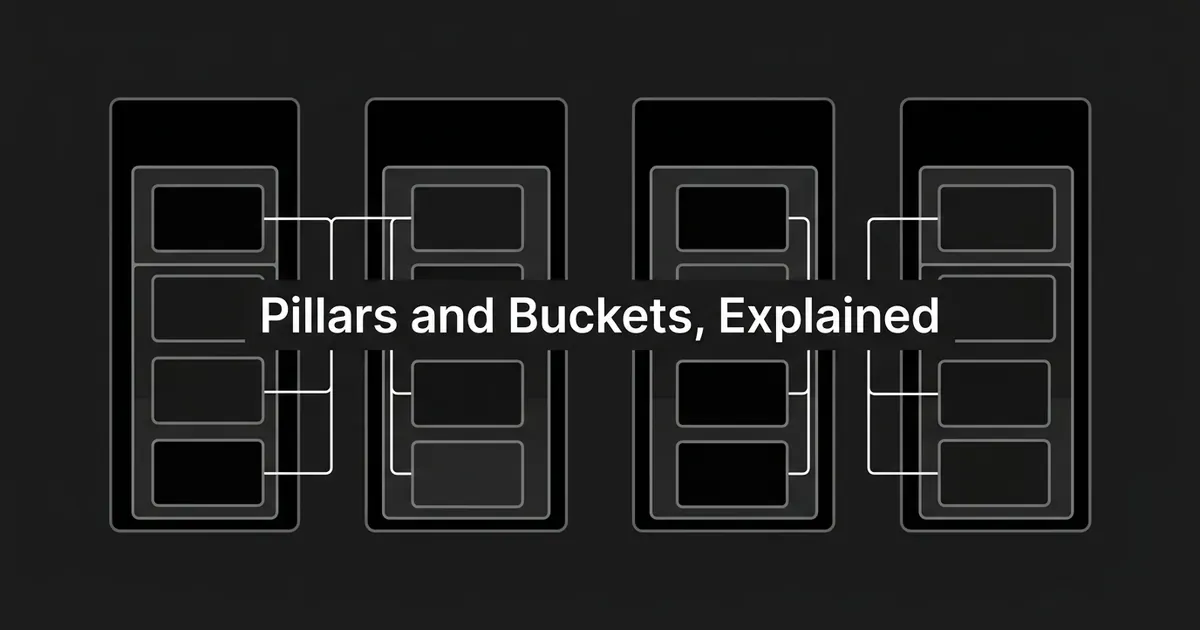
It helps to see pillars and buckets as one layer in a bigger chain of planning decisions, not as a special kind of article you write. The chain usually looks something like this: business strategy sets what the company needs to achieve, content strategy decides which audiences and needs your content will serve, pillars pick the durable subjects worth sustained coverage, buckets decide the angles you'll use within those subjects, and then finally you get to the individual article, video, or email you actually create.
Pillars and buckets exist because the layers above and below them can't do this particular job. Your overall strategy is too abstract to tell a writer what to publish next Tuesday. A single article is too small to tell you whether your whole library is balanced. Pillars connect your strategic priorities to a manageable set of subjects. Buckets connect those subjects to a calendar that actually has some variety in it.
Here's a compact example. Say your strategy is to help marketing leads run efficient, measurable content programs. One of your pillars could be "content operations." The buckets under that pillar might be educational explainer, process analysis, evidence review, expert opinion, and case study. From there you get individual pieces like "Why content teams become the bottleneck at scale" or "How to compare content output with editorial quality." Those pieces then go out through whatever channels make sense: your blog, a newsletter, LinkedIn, sales enablement.
A content pillar strategy is really just this whole chain written down: which pillars you've picked, which buckets you use inside each one, and why. One bucket can serve several pillars. An evidence-review bucket might produce pieces about content operations, AI search, brand voice, and analytics, all using the same basic approach. And one pillar can be covered through several different buckets, which is exactly what keeps your library from turning into a long run of nearly identical explainers on the same subject.
This is also a good moment to separate pillars and buckets from keywords, since the three get mixed up often. A keyword tells you something about the search demand for one article. A pillar is a sustained editorial territory you intend to own. A bucket is a repeatable way of approaching that territory. All three matter, but they are not the same decision.
Why they matter once your content library grows
There is no magic number of articles where you suddenly need a pillar-and-bucket system. The real trigger is simpler: your library has gotten too big for one person to hold in their head, and too complex to manage as an unsorted list.
Once a library gets to that point, a few things tend to show up on their own. Two writers propose almost the same topic because neither one can see the whole archive. Several articles answer the same question while a different, important question goes untouched. The site keeps publishing heavily on familiar ground and skips newer priorities that actually matter more right now. An editor gets asked how a piece supports the content strategy and doesn't have a clean answer. A freelancer uses a different label for the same topic another writer used last month, so your reporting stops meaning much. Related articles get hard to find, link together, or update.
None of this means your strategy or your writing is bad. It means the informal system you were using to organize content library work has been outgrown, and you need something sturdier in its place. At this stage, pillars and buckets work like a shared map. They won't fix a weak strategy or thin writing by themselves, but they make problems like duplication and gaps visible instead of invisible, and they cut down the amount of time your team spends rediscovering what already exists before deciding what to write next.
Buckets specifically add the variety piece. They help your team cover an important pillar from several different angles instead of writing ten articles that all read the same because they all reach for the same educational shape.
There's a real benefit for collaboration too. Shared labels cut down on how much context you have to explain every time you brief a writer or hand off a draft. A pillar tells everyone which subject a piece belongs to. A bucket tells them what kind of treatment it's supposed to get. A writer, an editor, and whoever handles distribution can all use the same two words and mean the same thing, which matters more than it sounds like it should once you have more than one or two people touching the calendar.
Are content pillars the same as pillar pages or topic clusters?
Not quite, and this mix-up trips people up often enough that it's worth spelling out plainly.
A content pillar is a planning idea, a subject you keep coming back to. A pillar page is a specific web page meant to cover a broad topic thoroughly. A pillar page can act as a hub that other pages link back to, but having a pillar doesn't require you to build one specific page for it. You can have a pillar called "content operations" and publish plenty of useful articles under it without ever creating one definitive hub page. There's also no set word count that turns a page into a pillar page. Being genuinely useful and complete matters more than hitting some arbitrary length.
A topic cluster is a different thing again: a connected group of pages that cover a central topic and its related subtopics, often with supporting pages linking back to one hub page. A cluster is mostly a way of organizing related pages and the links between them. A pillar is the broader territory you've decided to cover. One pillar can contain several topic clusters, and not every pillar needs to be built out as a formal cluster at all.
Pillars aren't the same as a taxonomy either. A taxonomy is a more formal, controlled set of labels used to classify content consistently, often governing tags, filters, search, and reporting across a large site. Your pillars and buckets can function as a lightweight version of that, but a full taxonomy usually does more work than a simple pair of planning labels.
And none of this is the same as your site's navigation or its information architecture. Taxonomy is how you describe content with agreed labels. Information architecture is how content gets structured and connected. Navigation is how a reader actually clicks through to find it. Pillars and buckets sit apart from all of that: they're about how your editorial team plans and varies what it decides to create in the first place. A pillar framework can inform your site structure later on, but it doesn't automatically decide your menu or your URLs.
It also helps to keep format and channel out of the pillar-and-bucket conversation entirely. "Video," "blog post," and "LinkedIn post" are formats or channels. "Educational" and "case study" are buckets. "AI search" or "content operations" are pillars. One single idea can carry all of these labels at once (pillar: content operations, bucket: evidence review, format: blog article, channel: website and newsletter) and keeping the dimensions separate is what makes the library easy to analyze later.
Do you actually need content pillars and buckets?
Probably not, if your library is still small enough for one person to keep in their head, your team serves one audience with a fairly narrow subject range, publishing happens occasionally rather than on a steady schedule, and you have few contributors or channels to coordinate. A simple list of themes will usually cover you fine at that size, and adding formal terminology on top of it would just be process for its own sake.
Pillars and buckets earn their place once a few of these start showing up: the library has grown past what your team remembers off the top of their heads, more than one writer or editor or agency is contributing, you're publishing across several audience stages or channels, you're trying to grow output without losing focus, leadership wants some evidence that your publishing actually supports the strategy, or a content audit turns up duplicate pieces, real gaps, or a lopsided library.
The decision rule underneath all of this is fairly plain: use pillars and buckets once the cost of planning without any structure gets higher than the cost of maintaining a shared classification system. You also don't have to call them "pillars" and "buckets" if those words don't fit your team's language. "Themes," "categories," and "editorial lanes" work just as well. The value sits in having a shared structure everyone actually uses, not in the specific words you pick for it.
If you do decide the framework is worth setting up, keep the system itself modest. A useful set of pillars and buckets should be small enough that people can actually remember it, specific enough to help someone decide whether a new idea fits, stable enough that your reporting doesn't shift every few weeks, and still flexible enough to add a pillar when a new product or audience genuinely calls for one. Each label deserves a short, plain description with an example of what belongs and what doesn't, because a label nobody can explain consistently isn't doing its job.
One thing worth saying plainly: a pillar-and-bucket system organizes how your team plans and thinks about coverage. It doesn't guarantee rankings, AI citations, or conversions on its own, and it isn't a substitute for writing something genuinely useful. Google's own search guidance says ordinary SEO practices remain relevant for AI features, with no special extra technical requirement for showing up in AI answers. A good planning layer can support a stronger content program, but the writing still has to earn its place.
If your library has grown enough that finding, updating, and connecting existing pieces is starting to eat real time on its own, that's usually the point worth pausing on. A tool like DeepSmith's Content Map builds that map automatically from your own site and your competitors' sites, sorted onto one shared set of topics, so you can see coverage gaps and overlap directly instead of trying to hold the whole library in your head.