

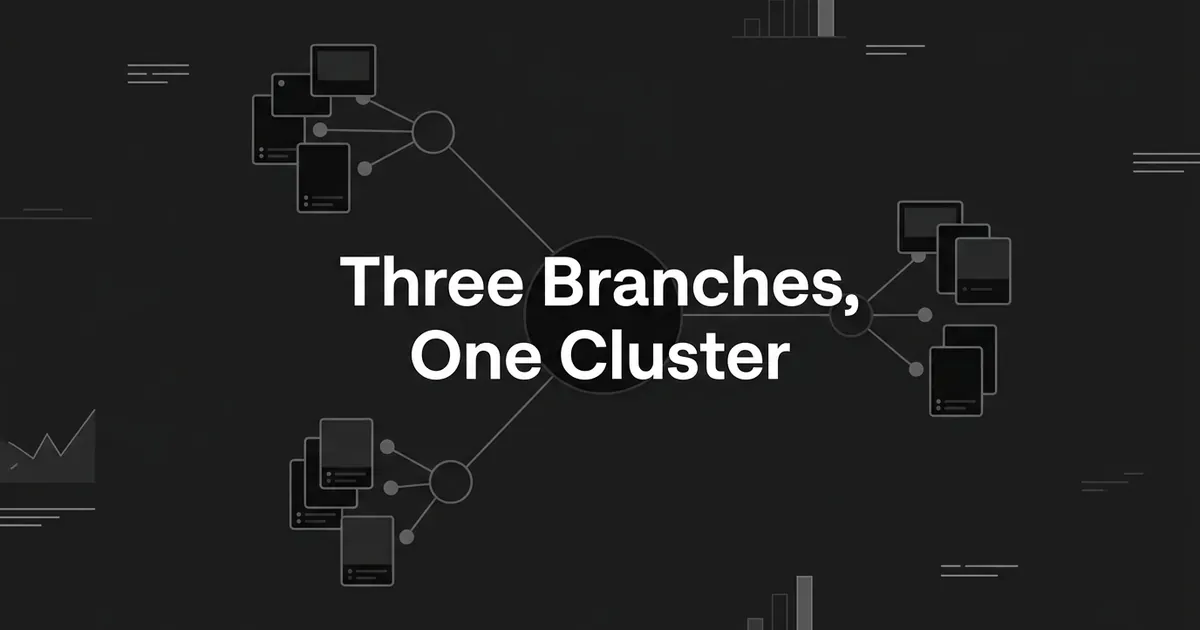
You have a blog full of posts and a product full of features, and somehow AI engines still describe your category without naming you. That gap is not a writing problem. It is a shape problem. A saas content cluster that earns citations is built on three page families, use cases, integrations, and alternatives, because those are the three relationships a B2B software buyer is actually trying to understand.
This guide walks you through seven steps to design that shape. By the end you will know which pages your cluster needs, which ones you should refuse to create, and how to tell whether any of it is working.
Feeling behind on this? Almost every SaaS team is. Let's take it one step at a time.
Step 1: Sort your buyer questions into three page families
Start with real questions, not keywords. Write down what your buyers actually ask, in their words, then ask what relationship each question is testing.
There are three, and each one becomes a page family.
| What the buyer is asking | Page family |
|---|---|
| How do I get this job done? | Use case |
| Will this work with the tool we already have? | Integration |
| Should we pick this instead of that? | Alternative or comparison |
Those three families are the backbone of a saas topic cluster strategy. A use case is your product plus a job, a team, or an operational problem. An integration is your product plus a named application, a trigger, and an action. An alternative is your product plus a named competitor or the thing they use today.
For every question you write down, record five things: the audience, the job, the system they already run, the competitor or substitute in play, and the buying stage.
Done when: every question on your list has one primary intent, one page family, and a plain-English reason a buyer would need that page. Your list should hold awareness questions about the problem, consideration questions about workflows and integrations, and decision questions about trade-offs.
Where people go wrong: creating a page for every modifier. "Project management for agencies," "project management for small agencies," and "project management for design agencies" are one page if the job, the proof, and your product answer are the same. Split them only when the audience has a genuinely different workflow or a different decision to make.
Keyword clustering tools help here, and SERP overlap is a reasonable signal: if the same pages rank for two queries, those queries probably want one page. But that signal hides SaaS-specific distinctions. Two queries can look similar and still need separate pages because the named integration changes the setup, or the named competitor changes the evidence.
Cluster by entity relationship, not just by wording. That is the whole difference between a saas seo cluster and a keyword list with headings.
Step 2: Build the use-case branch around jobs, not features
A use-case page earns its place when the buyer is trying to accomplish something specific. Your job on that page is to show the work, not the feature list.
Good saas use case pages connect eight things in order:
- The audience or team.
- The operational problem they are stuck on.
- What the workflow looks like today, before your product.
- The exact point where your product changes that workflow.
- The features and integrations that matter to this job.
- Prerequisites, limits, and implementation considerations.
- Proof: a documented workflow, product evidence, a customer example, real process detail.
- A next step that fits the buying stage they are in.
You can organize use cases around teams, industries, lifecycle moments, or operational jobs. Take a fictional customer-support SaaS as our running example. Its use-case branch might cover escalation management, billing disputes, refund requests, cancellation flows, and support-to-engineering handoffs. Those are distinct jobs with distinct workflows, so they are distinct pages.
Answer the question near the top in plain language, then explain the workflow underneath it. A reader who lands cold should know in one screen whether the page is for them.
Done when: a reader can tell if the page is theirs, understand the job, follow the workflow, and see why your product is relevant, all without opening five other tabs. The evidence on the page is specific to this use case, not interchangeable copy.
Where people go wrong: swapping the headline, the industry label, or the persona name and leaving the body identical. That produces thin, interchangeable pages. A buyer has no reason to prefer one, and neither does an answer engine.
Pro tip: Use the workflow as the page's spine. For a support use case, walk through the issue, the context that matters, the steps, the escalation point, who gets involved, and what a good resolution looks like. That structure is far more useful than another list of capabilities, and it gives an engine something concrete to lift.
Notice what a lifecycle-oriented page does well. A SaaS services page can walk the whole customer lifecycle, acquisition through activation, onboarding, adoption, health, renewal, and expansion, while naming the operating concepts SaaS teams live in: subscriptions, licenses, seats, workspaces, implementations, ARR and MRR reporting. That is a general product translated into how software companies actually run. Your use-case pages should do the same translation for one job at a time.
Step 3: Turn integrations into operational answers
An integration page exists because someone asked a very practical question: will this fit the stack we already pay for?
Answer it operationally. Name:
- The two systems being connected.
- The data that moves between them.
- The event or trigger that starts the workflow.
- The action the other system takes.
- Authentication and setup requirements.
- Field mapping, permissions, sync direction, timing, and error handling where they apply.
- One concrete workflow example.
- Limits, supported plans, and prerequisites, when you know them.
- Links out to documentation, setup steps, the related use cases, and the product page.
The trigger-and-action frame is the transferable pattern here. Automation platforms describe a workflow as an event in one app causing an action in another, and that framing is exactly what makes a page useful. One real page shows the shape: it names the app pair, identifies a new form submission as the trigger, identifies a company-enrichment step as the action, and lists the inputs required to configure it. Every one of those elements is different for a different app pair, which is precisely why the page deserves to exist separately.
Directory-style pages have a place too, as long as each answers a different question rather than repeating a logo wall.
Done when: a technical buyer can decide whether the connection supports their workflow, what starts it, what happens next, and what they need before setup. A non-technical evaluator can still see the business outcome.
Where people go wrong: publishing a grid of logos with no workflow detail. The second failure is worse. Do not imply a native integration when the connection actually needs middleware, a webhook, custom development, or a specific plan. Say what the connection really is. Being caught overstating it costs more than the page ever earns.
Step 4: Write alternatives and comparisons for the decision, not the ego
By the time someone searches for an alternative, they have already named a product. Your page should help them decide, and it should use the same criteria for both sides.
Put the criteria near the top: best-fit team, primary job, core capabilities, workflow and adoption effort, integrations and data portability, administration and permissions, pricing model where you can verify it, migration effort, support model, and the honest trade-offs. Close with which buyer should choose which option.
Set an internal review date on every one of these pages. Pricing, features, and integrations move, and a stale comparison is a trust problem rather than a traffic problem.
Done when: the reader can make the decision without hunting for a second article. They know what each product does, where each fits, what genuinely differs, and which type of buyer should pick which. The page names the cases where the other option is the better fit.
Where people go wrong: the self-congratulatory page. Your strengths, their weaknesses, no evidence. It reads as marketing, it helps nobody, and it is a weak source. The second mistake is one generic comparison template stamped with different competitor names. If the named competitor does not change the evidence and the criteria, the page has no reason to exist.
You do not have to attack anyone to win here. A credible comparison page that admits where a rival fits better is more persuasive, not less. Never invent a competitor limitation. Use first-party documentation, your own product testing, customer evidence, or clearly labeled editorial judgment, and say which one you are using.
Step 5: Make every page independently citeable
Here is the part that turns a saas topic cluster strategy into saas aeo content: each page has to stand on its own. An answer engine pulls one page into one answer. It does not read your cluster.
Give every page this anatomy:
- A direct answer or definition in the opening paragraph.
- A descriptive title naming the job, the tool pair, or the comparison.
- A one-line statement of who the page is for.
- H2 and H3 sections that mirror the buyer's sub-questions.
- Short paragraphs, tables, bullets, and numbered procedures where they genuinely help.
- Specific facts, prerequisites, examples, and limitations.
- Visible authorship, ownership, update date, or methodology where it fits.
- A clear next action.
Keep the important information in text. Use a diagram or screenshot only when it carries something prose cannot.
Two things worth knowing before you over-engineer this. Google says a page has to be indexed and eligible to appear in Search with a snippet before it can be used as a supporting link in AI Overviews or AI Mode. And Google says there are no additional technical requirements and no special schema or AI file needed for those features. Structured data still helps systems interpret a page, but only when it matches what a reader can actually see.
Google also says there is no ideal page length and no need to chop content into tiny pieces. Write the length the question deserves.
Done when: the first screen answers the primary question, the headings expose the sub-topics, the claims can be checked, and the page still helps someone who never clicks anything else.
Where people go wrong: mistaking formatting for authority. A page of snappy short answers with no original evidence is not AEO content, it is a shorter thin page. Do not bury key facts in images or scripts, and never use schema to claim something the visible page does not support.
Step 6: Wire the three branches together with purposeful links
Your three branches are not three silos. The buyer moves across them, and your internal links should follow that path. This is where saas use case pages stop being standalone posts and start behaving like a cluster.
Here is the wiring that works:
- A use-case page links to the integrations that workflow depends on.
- An integration page links back to the use cases it enables, and forward to setup or documentation.
- An alternative page links to the relevant use cases, integrations, pricing explanation, and migration guidance.
- A broad category or problem page links down to its most relevant use cases.
- Use-case pages link sideways only when the neighbouring job is genuinely related.
Use descriptive anchor text. Google's own guidance is to write anchors that tell people and search systems what the destination covers, so "Slack escalation routing" beats "learn more" every time. Link from inside a relevant sentence rather than bolting a link list to the bottom.
Done when: a reader can travel from problem to workflow, from workflow to the integrations it needs, and from evaluation to the comparison evidence. Every important page is reachable by a crawlable link, not just by sitting in your sitemap.
Where people go wrong: linking everything to everything. Excessive cross-linking blurs the relationships and makes the cluster look manufactured. Forcing exact-match anchors does the same. Links improve discovery and signal relationships. They do not create authority on their own.

If manual linking is what keeps stalling your cluster, that part is automatable. DeepSmith's writing pipeline reads an enriched sitemap of your site and places internal links during article generation, so the cross-referencing happens while the piece is written rather than in an hour you never find afterwards. Treat that as production help, not a citation guarantee.
Step 7: Validate coverage, citations, and page quality
You cannot manage this by feel. Build one sheet with a row per target prompt and page, and track:
- The prompt text and its buyer stage.
- The page family: use case, integration, or alternative.
- The destination URL you intend to win.
- Whether that page is indexed and has a snippet.
- Whether your brand is mentioned in the answer.
- Whether your page is cited as a source.
- Which competitor pages get cited instead.
- The platform and the collection date.
- The answer wording and the context around the citation.
- What you changed on the page since you last looked.
Run the same prompt set across the engines your buyers use: ChatGPT, Perplexity, Gemini, Google AI Overviews, AI Mode, and any others you can reach.
Keep mention rate and citation rate apart in your head. They are different things. Your brand can be named in an answer with no link to you at all, and a page can be cited for one prompt and ignored for the next one. Google Search Console helps with conventional Search performance and folds AI-feature traffic into overall Search traffic under the Web search type, which is useful but is not citation monitoring.
This is the loop DeepSmith is built to run. Its AI Visibility module tracks your defined prompts on a schedule and reports mention rate, citation rate, and share of voice per engine, shows which of your pages actually earn citations and which prompts drive them, and names the competitor pages winning the ones you lose. Content Map compares your coverage against competitor sites topic by topic and flags where your decision-stage pages are thin or missing, which is usually where a saas content cluster is leaking. Discover Prompts turns your product, persona, and buyer-stage context into a starter prompt set if you are beginning from nothing.

Demo data. The figures shown illustrate what the Pages view reports, not a customer result.
Done when: every page has a target prompt set, an owner, a last-reviewed date, and a defined success signal. You can say which page should answer which question, whether it is being cited, and what shows up instead when it is not.
Where people go wrong: declaring victory from one manual check. Answers and links vary by platform, model, prompt wording, and time. Do not read impressions as citations. And do not let a dashboard become a substitute for making the page genuinely better.
The guardrail that holds all of this together
The three page families are tempting to mass-produce. Resist that. A saas seo cluster falls apart faster from volume than from gaps.
Google's spam policies treat producing many pages without adding user value as scaled content abuse, and that applies whether a human or a model wrote them. AI can help you research and structure. It does not excuse publishing near-duplicates.
The test is simple. A page needs unique buyer value, not just a unique URL. A use-case page needs a real workflow. An integration page needs a real connection and real setup detail. An alternative page needs balanced, evidence-based criteria. If the only difference between two pages is a swapped product name or industry label, merge them or improve one before either goes live.
And no architecture guarantees a citation. Google does not guarantee crawling, indexing, serving, or citation, and different engines return different answers to the same question. What you control is whether the page deserves to be the source.
What to do next
Pick one branch. Just one.
If your product has an obvious stack neighbour, write the integration page for it and give it a real trigger, a real action, and real setup steps. If your buyers keep naming one incumbent, write that comparison honestly, including where the incumbent wins. If neither is obvious, take your single most common buyer job and build the use-case page around the workflow.
One page, done properly, teaches you more about what makes saas aeo content work than ten templated ones. Then track the prompts it targets, wait for a few collection cycles, and let the data tell you which branch to build out next.
You already know your buyers' questions better than any tool does. The cluster is just those questions, given the right shape.
If you want the discovery, production, and citation tracking running in one place instead of three tabs and a spreadsheet, start a free DeepSmith trial and see your own prompts and coverage gaps before you commit.


