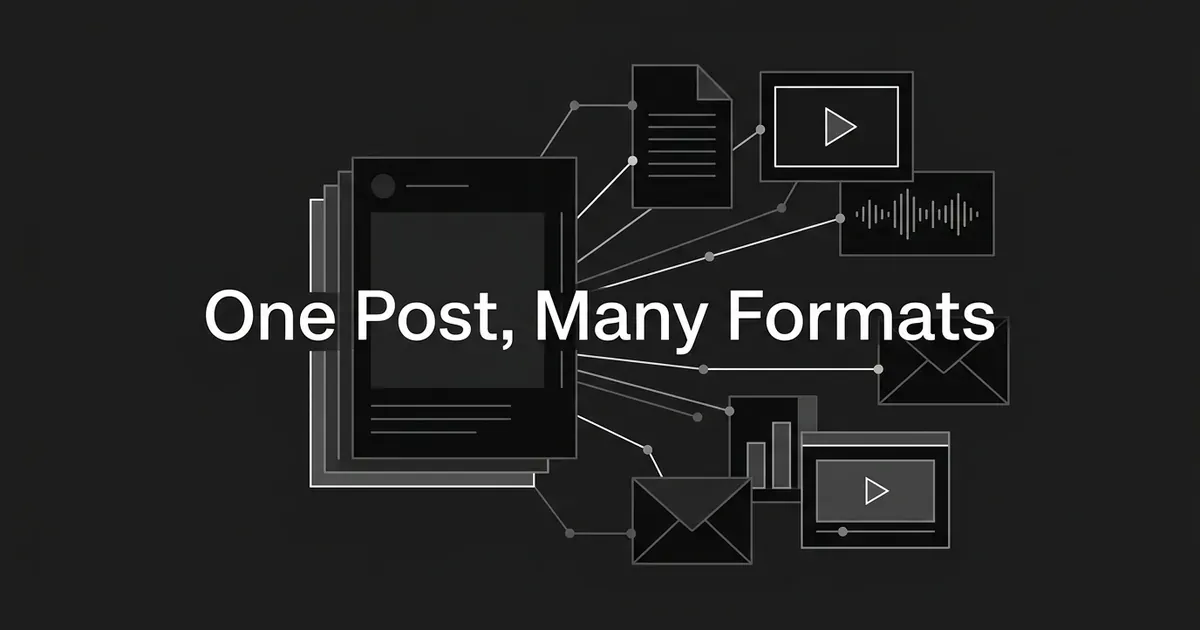
A blog post can become an explanatory video, a short video, a podcast episode, an email newsletter edition, a social thread, a swipeable document or slide deck, an infographic, an ebook, or a checklist. That is the short answer, and it covers most of the content repurposing ideas worth your time. Which ones actually work for a given post depends on what is inside it, and that is what the rest of this page helps you sort out.
If you have ever looked at a good post that got a few weeks of attention and then just sat there, you are the reader this is for. People often search for how to repurpose blog post into video, audio, or email, and the answer is different for each post, so treat this as a menu and not a formula. You don't need a plan for a whole program right now. You need to see what your post could become and pick one or two things to try.
The content repurposing examples below are destination formats that have a real match with the source material. Updating a post and sharing its link are both worth doing, but neither one is a new format, so they are left out. Each entry says what part of the source carries over, what the result looks like, and when the conversion would feel forced. Most of these ways to repurpose content start from a blog post, and they also cover two other common starting points, a webinar and an original research report, because the answer changes depending on what you begin with.
A quick map of where each source can go
Use this table to find your starting piece and see which destinations are realistic. These are possibilities, not promises. A research report with no interview has no interview audio to pull from, and an article with no steps or numbers may not support a checklist or an infographic.
| Starting piece | Video | Podcast or audio | Newsletter | Ebook or guide | Visual | Other fits |
|---|---|---|---|---|---|---|
| Blog post | Demo of its method, or one point as a short clip | Discussion of its argument or example | A shorter edition with one takeaway | Several related posts combined | Its sourced numbers or sequence | Social thread, carousel, slides, checklist |
| Webinar | The replay, plus standalone clips | The audio, or a deeper take on one question | An answer from the Q&A | A detailed deck developed into a guide | A slide with a real statistic | Quote cards, Q&A carousel, checklist |
| Research report | One finding explained | Discussion of methods and meaning | One finding with its limits | Often already the long-form asset | A finding charted with its context | Data slides, one post per finding |
One thing worth knowing before you start is that some of these conversions need something new to exist first. A blog post has no recorded audio, so a podcast from it means a new recording or narration. A webinar has to actually happen before you can cut clips from it. None of these are file conversions that happen on their own.
An explanatory video
A video works best when it carries the central explanation of the post and does not read the whole article aloud. A how-to post with a visual action is the clearest fit. HubSpot gives the example of a sales-call coaching post whose script a salesperson can demonstrate on camera, and in its examples of repurposing content it describes several conversions like this one. A comparison post can supply the differences a presenter shows side by side, and a research post can supply the one finding a presenter walks through with a chart.
The result is a standalone video, or a video that sits next to the original article so readers can pick how they want to take it in. A webinar already has a full presentation, so the replay may be all you need to offer. A report can support a video about one important finding, as long as the narration keeps the context of the finding.
It feels forced when the post is a text-heavy argument with nothing to show on screen. Narrating paragraphs over a static page is not much of a video, and that kind of post usually fits an audio discussion better. Also keep in mind that embedding a webinar recording on an article page gives readers one more way to watch, but it does not mean the article itself became a video.
A short, self-contained video
A short video carries one answer, one demonstration, or one clear moment, and not the full outline of the post. A single misconception and its correction, or one practical example from the post, makes a better premise than the whole thing squeezed down. A webinar can hand you a recorded answer or a good speaker moment. A report can give you one finding explained visually, though you will need new footage or narration to make it unless a presentation was recorded.
On length, YouTube says that square or vertical videos uploaded on or after October 15, 2024, that run up to three minutes are categorized as Shorts. That is a rule about how the platform sorts videos. It is not a target for every idea. Wistia's account of turning one webinar into clips describes both two to three minute segments and clips under a minute, and the two lengths suited different kinds of excerpts.
It feels forced when the clip only makes sense if you have seen the rest. If it leans on a slide that is never explained, or on a question asked earlier, you may need to add a line of context rather than crop it tighter. If you are wondering whether video is worth the effort for search and AI answers in particular, our guide on YouTube videos and AI citations covers that question.
A podcast episode or audio discussion
A podcast episode carries the thinking behind the post: the reasoning, the examples, and the conversation around it. HubSpot names blog post to podcast as a conversion, where a long guide gives the episode its topic and the spoken version adds examples and discussion. If the post already has an expert contribution in it, that person's point of view can become the subject of a longer conversation.
You can read an article out loud as an audio version, and that is a fine thing to offer, but it is a different thing from a podcast episode. The episode is worth making because of what the talking adds. For a webinar, the audio can be the raw material for an episode, and both Content Marketing Institute and ON24 describe that conversion. A written report has no audio inside it, so its findings can inform a discussion episode but nothing can be lifted out of it.
It feels forced when the post depends on things a listener cannot see. Lines like "as you can see here" do not work in audio, and a piece built around a chart is a poor candidate. A transcript is a text version of audio, so it helps readers but it is not a podcast episode on its own.
An email newsletter edition
A newsletter edition carries a useful version of the idea that a subscriber can understand without leaving their inbox. That might be a short argument from the post, a takeaway with one example, or the lead item in an issue that collects related reading. Content Marketing Institute's ideas for remixing and repurposing points to Marketing Examples, which recast a blog post for email so readers got the substance without having to click through to understand it. That is different from sending the title and a link.
A webinar can give you an answer to an attendee question, a takeaway, or a clip with enough context around it. A report can give you one finding with its population, its time frame, and what it means. Clips from a bigger source can also appear across several emails, though that does not mean every clip needs its own send.
It feels forced when the email is really an announcement that something was published. That is a fine way to get the asset seen, and it is still distribution. The version that counts as a conversion is the one where the reader gets something worth reading even if they never click. If you write for a newsletter regularly, DeepSmith's Repurpose feature drafts newsletter and nurture email versions of a finished article in your brand voice, which gives you a starting point to edit.
A social post, quote card, or thread
A social post carries one specific assertion, example, quote, or statistic that stands on its own. A long article with several distinct points can support a series of posts, and an article with a clear progression can support a thread. For a research report, one finding per post keeps the unit, the population, and the caveat visible. Webinar speakers give you memorable quotes, and audience questions give you answer-led posts. A quote card should keep the meaning of what the person actually said.
Content Marketing Institute describes Venngage turning an Earth Day blog post about forest loss into a series of nine tweets. Nine is what that one example produced, and it is not a number to aim for. The same guidance warns against reusing the same opening everywhere, since a blog introduction is not always a good opening for a short video or a post. If LinkedIn is where your buyers are, it is also worth reading about why LinkedIn is a top-cited source for B2B answers before you decide how much effort to put there.
It feels forced when the post is just a bare link with a line above it. Posting the same link again and again is promotion. A post that holds an idea by itself is a derivative asset. Be careful about turning a finding into a context-free percentage, and don't treat an illustrative customer quote as if it were a verified result.
A swipeable document or slide presentation
This format carries a sequence that works one point per page: the ordered argument of an article, a framework, a set of steps, or a comparison. From a webinar it can carry the selected slides plus the explanation people would have heard. From a report it can carry a series of findings. A slide deck and a social carousel are related but they are not the same thing. A deck can support a person talking, while a swipeable document has to make sense with nobody presenting it.
There are documented examples of this. HubSpot describes turning a blog post into a presentation and turning report information into a slide deck, and Content Marketing Institute reports that Copyblogger converted a blog post into a short slideshow. Wistia suggests carousels built from webinar questions, quotes, or advice. It also points out that sharing a webinar deck does not bring the original audio along with it.
It feels forced when you drop the article into a PDF unchanged. A slide with a cryptic heading or an unexplained chart is unfinished without the voice that went with it. Each page should be able to say its point on its own.
An infographic or focused data graphic
An infographic carries a relationship that gets clearer when you see it: a set of sourced statistics, a comparison, a sequence, or a framework. HubSpot identifies a data-heavy blog post as a natural source, and Content Marketing Institute describes turning article headings into infographic sections and condensing the explanation into short bullets or icons. A research report is especially rich source material (we cover how original research earns AI trust separately), and a webinar may include one slide with a statistic or framework that works as a standalone graphic.
Not every finding needs a large infographic. One result may only need a single chart, and a process post can support a diagram even when it has no numbers at all. Whatever you make, the evidence has to survive the squeeze. Keep the units, the dates, the population, and any qualification that changes what the number means. For help with the writing side of that, see our guide on data-backed content that AI cites. There is also a guide on adding statistics and data that AI can cite.
It feels forced when the article has no relationship to show and no data you trust. Also remember that putting someone else's published statistic into a nicer graphic is not new research. Attribute the underlying finding, and don't present an illustration as a measured result.
An ebook or deeper guide
An ebook carries a coherent, deeper treatment that you build from related material. HubSpot discusses collecting a series of posts into an ebook and describes ProBlogger packaging its "31 Days to Build a Better Blog" series that way. A substantial webinar presentation can also underpin a guide, and Content Marketing Institute notes that a detailed, well-organized deck may support an ebook. A research report is often already the long-form asset, so an extra ebook needs a different question or a different audience or it just duplicates what exists.
That ProBlogger example started with many related posts and did not start from a single one. A single post is rarely enough, unless it is unusually long and has depth left to add.
It feels forced when the only change is the file type. Content Marketing Institute cautions that gated material should offer more than a repackaging of what readers can already get for free. What you can add is deeper explanation, examples that connect, or a collection where the pieces really fit together. If you plan to ask people to register for it, that bar matters even more.
A checklist or question-led reference
A checklist carries decisions or tasks that are already sitting in the source, squeezed into something a reader can look at while they work. A procedural blog post can supply the items. An instructional webinar can supply a short guide or checklist, which ON24 suggests directly, and a webinar Q&A can supply a question-led reference or carousel. A report might support a discussion of its findings, but it does not automatically contain instructions that work as a checklist.
This one earns its own entry because it gives the reader a different use for the material, and not only a different length. If your source has real steps in it, this can be one of the fastest conversions to make. If it doesn't, fold the idea into the ebook or guide and skip it.
It feels forced when you lightly reformat a transcript and call it an FAQ. A real question-led reference has answers that someone could act on, and the questions come from what people actually asked.
Something to check across every format
Whatever you choose, the destination has to work for the people using it, and that includes people who cannot see or hear it. W3C makes a useful distinction here. Synchronized captions carry speech and important non-speech sound alongside a video, while a transcript is a text version that should include important visual information where it matters. W3C also notes that automatically generated captions usually need editing, so it is worth reading through what captions should include before you publish a video or clip.
How to choose between them
The format that produces the most assets is not always the right one. A better rule is to pick the format that keeps the strongest idea in the source and makes it clearer for the people you want to reach.
A few habits make that easier. If your post has steps or a visual action, start with a video or a checklist. If it is a tight argument with a good example, a podcast discussion or a newsletter edition will carry it well. If it is full of sourced numbers, look at an infographic. If it is one of several posts on the same theme, that is the situation where an ebook starts to make sense. And if you have a webinar sitting in your archive, that is likely the richest source you have, because the audio and video already exist.
If you are working on social formats, we also wrote about how social media teams use AI agents day to day. Try one or two conversions this month and see how your audience responds before you build out the rest. If you want more detail on running conversions like these as a repeatable habit, see our guide on AI content repurposing workflows. We also cover turning one article into a month of content for lean teams. A third piece walks through building an agent workflow that repurposes an article. To see the same idea applied to AI search, there is also a piece on which content formats AI answer engines cite most. And if you would like DeepSmith to draft the social and email versions of your finished articles, you can start a free trial and try Repurpose on one post.