You have a channel that took real effort to build, and no idea whether any of it is helping you show up in ChatGPT. That is an uncomfortable place to sit, and most content leads are sitting in it right now.
Here is the good news. This one is knowable. You can check it this week, and the levers that move YouTube AI citations are smaller and more mechanical than they look.
This guide gives you eight steps to get videos cited by AI: how to decide whether video is worth it for your topics at all, and how to build one that answer engines can actually read. By the end you will have a working loop instead of a theory.
Let's start with the honest answer to the question in the title.
The short answer, and the catch underneath it
Yes. Video helps, and YouTube is where it helps most.
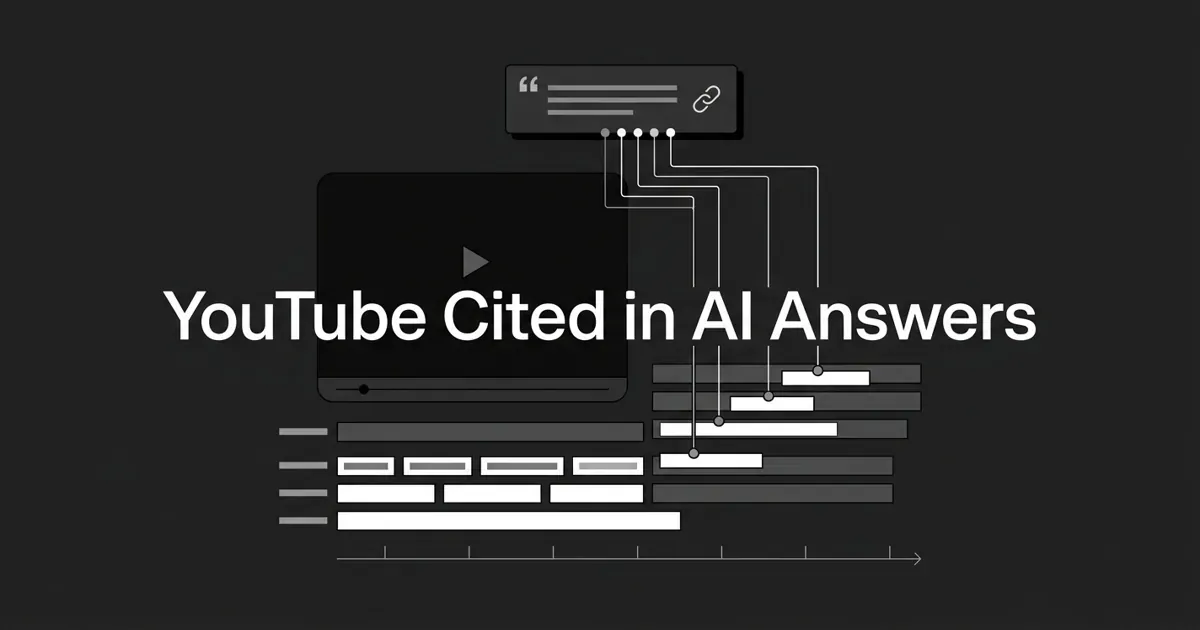
YouTube is the most cited video platform in AI answers by an enormous margin, cited on the order of 200 times more often than any other video platform. Inside Google's AI Overviews it shows up as the single most cited domain, at roughly 29.5% of citations, ahead of every publisher and reference site you would expect to see there.
How big is the effect overall? Studies land between roughly 20% and 38% of citations depending on what they count and which engines they sample. Treat that as a range, not a number. The direction is what matters, and the direction is consistent.
Now the catch, because it changes everything you do next.
AI engines cannot watch your video. They read the text around it: the transcript, the title, the description, the chapter labels, and any schema on the page that hosts the embed. So when you ask does video help AI search, the real question underneath is whether your text layer is good enough to be lifted. The video content AI answers quote is text, every single time. The video is the asset. The transcript is the citation surface.
Two more things worth knowing before you spend a production budget.
First, the unit of work is the video, not the channel. In one 2026 analysis of ChatGPT citations, 85% of YouTube links pointed to a specific video URL rather than a channel page. Nobody is citing your brand's channel. They are citing one video that answered one question well.
Second, video does not replace your articles. The pairing is what compounds: a video that earns the citation, plus a page on your own domain that hosts it. If you want to get videos cited by AI at any real scale, plan for both. Anyone promising you that video outranks text is selling something.
Ready? Here are the eight steps.
Step 1: Audit whether YouTube is even being cited for your prompts
Before you produce anything, find out whether answer engines reach for video on your topics at all. Some categories are full of YouTube links. Some have almost none.
What to do: pick 8 to 15 prompts that match real buyer questions in your space. Things like "how do I set up X with Y," "best way to learn Z," "how to fix this error." Run each one in ChatGPT, Perplexity, Google AI Mode, and Gemini. Log every cited source URL and tag it by type: specific YouTube video, YouTube channel, your own site, a competitor, a review site, a forum, a reference site.
How you know it's done: you have at least 30 prompt-and-engine rows, and you can answer two questions from them. How many of those checks surfaced a YouTube link? And when YouTube did get cited, was it the same handful of channels every time?
Where people go wrong: checking one engine. ChatGPT alone is not the picture. Perplexity and Google AI Mode behave differently and often reach for video sooner. The other frequent mistake is counting a brand mention as a citation. A mention is your name in the prose. A citation is a linked source. Only the second one is the thing you are chasing here.
This audit is also your permanent YouTube AEO control panel. Keep the same prompt set and re-run it, because engines shift their weights without telling anyone. Doing that by hand every month gets old fast, which is where a visibility platform earns its keep. DeepSmith tracks mention rate and citation rate per prompt across ChatGPT, Perplexity, Gemini, Claude, and Google AI Mode, and its Pages view shows which of your URLs are actually earning citations over time.
Pro tip: lock this prompt set now and treat it as fixed. The value comes from watching the same questions over months, not from rewriting the list every time you get curious.
Step 2: Decide if video is worth it here, honestly
Not every topic deserves a video. Does video help AI search on every prompt in your space? No, and Step 1 just told you which ones. Video is expensive, often 20-plus hours for one finished piece, and an honest gate here saves you from burning that on a prompt you were never going to win.
What to do: score each prompt cluster on four things. Intent match, meaning is this a how-to, tutorial, walk-through, or demo? Those are the highest-opportunity intents for video. Authority gap, meaning do you appear in one or fewer of the current top citations? If so, the slot is open. Asset cost, meaning can you ship this with a real transcript inside one production cycle? Lifespan, meaning will the answer still be true in two years, or does it age out in six months?
Pursue only the prompts that score well on at least three of the four.
How you know it's done: you have a shortlist of six to ten prompts, each with one named video concept, and a written reason next to every prompt you cut.
Where people go wrong: producing a video on a topic where you already own a top-cited article. That is duplication, not coverage. Pair the video with the article instead. The other trap is letting one exciting idea override the audit. Instincts are an input. The data is the decision.
Write those reasons down. It is the only thing that stops a cut topic from coming back next quarter.
Step 3: Title the video like the exact question it answers
The title is the cleanest semantic signal an engine has. It is what gets matched against the buyer's question, so it should read like that question.
What to do: lead with the literal phrasing buyers use. Verb first, then the object, then the qualifier. "How to set up a HubSpot workflow that fires on form submit" works. Keep it under about 70 characters and front-load the core phrase. YouTube allows 100 characters, but search results truncate around 50 to 60 on mobile, so anything clever you hide at the end is invisible anyway.
Add a bracketed qualifier when it genuinely changes intent, like "[step-by-step]."
How you know it's done: your title matches the buyer prompt near-verbatim, and when you run that prompt in Perplexity or ChatGPT you see a competing video with a similar title. If you do not, your reconnaissance from Step 1 is not finished.
Where people go wrong: clickbait, brand-first titles, and keyword stacks. Clickbait earns views and loses citations, because an answer engine is looking for a question, not a tease. "Acme Co: How We Set Up HubSpot" puts your name where the matching phrase should be. And five keywords crammed into one line reads badly to humans and parsers alike.
If a title change is the only thing you do this month, it is still the highest-return edit on the list.
Step 4: Write the transcript first, then shoot the video
This is the step that matters most, and it is the one almost everyone does backwards.
Because engines read text rather than watching footage, the transcript is what actually gets extracted. It is also the source your chapter titles and description come from. Writing it first forces all three layers to agree.
What to do: draft a script of 1,200 to 2,400 words, which lands you a 7 to 15 minute video. Open with the question and the answer inside the first 90 seconds. Use plain declarative sentences and cut the marketese. Mark each section break with an explicit question, which hands you the chapter list for free. Name at least three real entities, meaning people, products, or frameworks, in every major section.
How you know it's done: the script reads like a short article when you transcribe it. No sentence needs the visuals to make sense. Someone who never watches the video still gets the answer.
Where people go wrong: shooting first and scripting later. What you get back is a speech-to-text dump full of false starts, tangents, and filler. A twelve-minute transcript carrying "um" and "you know" every other line is not something an engine can lift a clean sentence from.
Pro tip: the first 90 seconds is the highest-leverage minute of the whole asset. State the question, state the answer, then explain why. That opening span is what gets snapshotted.
Treat the transcript like a draft blog post and the chapter list like its H2 outline. If that sounds like the way you already plan written content, that is the point.
Step 5: Upload a human-verified caption file
Automatic captions are a starting point, never the final one. YouTube's speech recognition struggles with technical terms, product names, and proper nouns, and error rates on technical vocabulary can run anywhere from 5% to 15% on a first pass. Engines inherit whatever text is there.
What to do: generate a first pass with whatever transcription tool you already use, then have a human correct every proper noun, domain name, product name, and any sentence containing a number. Save both .srt and .vtt versions. Keep the cues short, roughly one sentence each, so parsers index them cleanly. Re-upload whenever you re-edit the video, and remove the auto-caption track so YouTube does not quietly swap yours back out.
How you know it's done: a verified caption file sits next to the master in your media folder, YouTube Studio shows it as the uploaded and default track, and the diff between the verified version and the original machine pass is essentially zero on lines containing named entities.
Where people go wrong: trusting the auto-captions, or uploading a caption file generated against an earlier cut so everything sits a few seconds out of sync.
Common mistake: this is the single most frequent failure in YouTube AEO. If the engine reads "Post Gres" instead of "Postgres," you have already lost every prompt that spells the term out. Ten minutes of proofreading protects the entire asset.
Step 6: Build a machine-readable description and a chapter mirror
Your description is a high-trust text field that engines crawl right alongside the transcript. Together the two are the video content AI answers actually pull from, and most descriptions waste the opportunity.
What to do: use 1,500 to 2,500 of the 5,000 characters available. Open with a crisp 150 to 250 character answer to the title's question, because that is the snippet most likely to be lifted. Follow with a short "what you'll learn" paragraph that mirrors the buyer question in its first sentence. Then a timestamped chapter list with question-shaped labels. Then a short sources block for anything you cited on screen. Close with one call to action and either the full transcript or a link to the page on your site that carries it.
For the chapters themselves, YouTube's rules are specific: at least three timestamps, the first must be 0:00, ascending order, and every chapter at least ten seconds long.
How you know it's done: the description passes a paste-through test. Copy it into a blank doc, and the first paragraph still answers the question on its own. Your chapter titles read like queries someone would type.
Where people go wrong: writing the description like a press release. "In this exciting video, our team walks you through..." gives an extraction pass nothing to hold onto. Putting chapters in a pinned comment instead of the description also fails, because that is not where they get read. And labels like "Introduction," "Demo," and "Wrap-up" match no query anyone has ever asked.
Be honest about what chapters buy you. They help Google index key moments and power its in-app video answers. They do almost nothing for ChatGPT and Perplexity, where timestamped citations are close to nonexistent. Chapters are worth doing. They are just a Google surface, not a universal one.
Skip the tag obsession while you're here. Tags are a tiebreaker, not a lever. The hashtag field caps at 15, and going over means YouTube ignores all of them.
Step 7: Embed the video on your own page with VideoObject schema
Now you build the other half of the pairing, and it is where a lot of YouTube AI citations are quietly won or lost. Your video needs a home on your own domain, and that page needs structured data.
What to do: pick one stable canonical page, a docs page, a glossary entry, or a buyer guide. Put the embed as the primary visual under a clear H1. Publish the transcript text visibly below it, not hidden. Attach VideoObject JSON-LD covering the required fields: name, description, thumbnailUrl, uploadDate, duration, contentUrl or embedUrl, and publisher. Add the transcript property pointing at your .vtt file, and inLanguage while you are there. Then add the page to a video sitemap and submit it in Search Console.
How you know it's done: a structured data validator returns no errors, and the page shows up as an indexed video page in Search Console within days.
Where people go wrong: reusing the same transcript across several embed pages, which reads as duplicated structured data. Or shipping a purely script-driven embed that crawlers without JavaScript never see.
Common mistake: a page hosting twelve videos loses to a page hosting one. Single-purpose pages win both the embed race and the citation race, and the video sitemap guidelines say the same thing in different words. List only pages where the video is the main event.
Step 8: Track what gets cited, then refresh on a cadence
You have shipped. Now close the loop, because YouTube AI citations you cannot see are worth the same as none.
What to do: re-run your Step 1 prompt set and look for two URLs, the YouTube link and your embed page. Track mention rate, citation rate, and share of voice per prompt, plus which pages are winning and which competitor URLs are taking the slots you want.
If neither URL shows up within 14 days, work backwards through the obvious failures. Is the embed page indexed? Does the schema validate? Does the description actually mirror the buyer prompt? Is the transcript visible on the page?
Then set a refresh rhythm. Audit your highest-cited videos every 90 days. Re-record the intro if the answer has moved. Update the description. Re-upload the caption file. For evergreen topics, a transcript-only refresh usually beats a full re-record, and it costs a fraction as much.
How you know it's done: you have a live view of citation rate and share of voice, plus a 90-day refresh queue sitting in the same planner as your new videos.
Where people go wrong: tracking ChatGPT only, mistaking mentions for citations again, and letting the dashboard go stale. A January audit does not answer a July question. Also watch for the assumption that view count matters here. It does not. View count is a YouTube-side signal. An answer engine matches the question to your text, and a 400-view tutorial with a clean transcript beats a 400,000-view video with auto-captions every time.
This is the part teams quietly drop, because doing it manually means rebuilding the same audit every month. DeepSmith is built to keep that loop running: define the prompt set once, let it re-run on a schedule across the covered engines, and watch citation rate and share of voice move. As Aditya G, Marketing Director at Bindbee, put it: "We are able to track prompts for which we rank in AI answers, generating meetings."
What to do next
Here is the whole thing in one breath. AI engines cannot watch video, so they cite the text you wrap around it. Give them a question-shaped title, a transcript written before the camera rolled, a verified caption file, a description that answers on its own, and a page on your domain with VideoObject schema. Then measure and refresh.
That is the whole of YouTube AEO in practice, and none of it requires a bigger production budget. It requires a different order of operations.
So pick your smaller first step. Open your best-performing existing video, read its auto-generated transcript, and fix the proper nouns. Just that one. It takes about ten minutes and it is the most common point of failure on the list. Do the title tomorrow. Momentum matters more than a perfect rollout.
When you want the audit and the tracking running on their own instead of living in a spreadsheet you update when you remember, you can start a free DeepSmith trial and see real data on your own prompts before you decide anything. Seven days, no contract.
You already made the videos. This is just teaching the engines how to read them.
Related guides
- Which AI Engines Cite Which Sources: A Per-Platform Citation Behavior Comparison: ChatGPT, Perplexity, Gemini, and AI Overviews cite very different sources, with only about 11% overlap, so see which platforms each one favors before you plan.
- AI Search Is Citing Fewer Sources Over Time: What the Concentration Trend Means for Your Odds: AI search concentrates citations on fewer sources, but the evidence for a shrinking pool is mixed.
- Digital PR for Ecommerce: How Product Placements and Earned Media Become AI Citations: Turn your product placements, gift guide wins, and affiliate coverage into AI citations: audit the prompts, pitch the outlets engines cite, then keep it alive.
- HubSpot AEO vs Evertune: Is Repeated Sampling Worth a Sales Demo?: Weighing HubSpot AEO vs Evertune?
- Mentionable Alternatives: 8 Best AI Mention Tracking Tools for 2026: Compare eight tools that track brand mentions and citations across ChatGPT, Perplexity and Google AI answers, with real pricing and who each one fits best.