

If your social team is five people covering content, community, analytics, and paid, you already know the math does not work. Comments pile up faster than anyone can read them, reports are due weekly, and the inbox never actually closes. When people search AI agents social media right now, most of them are not looking for a new content generator. They are looking for a way to get the operational grind, the listening, triaging, moderating, reporting, off their plate without losing control of what goes out under the brand's name.
This guide walks through what an AI agent actually is in a social context, which tasks it can reasonably take over today, and a seven-step process for setting one up without handing over judgment calls a person should still be making. By the end you will know where to start, what to keep human-led, and how to expand carefully once the agent has proven itself.
What counts as an AI agent (and what does not)
Not everything with "AI" in the name is an agent. A chatbot answers a question. An assistant drafts or summarizes something after you ask for it. Rule-based automation follows a fixed condition, if a comment contains a certain word, apply a certain label, and nothing more.
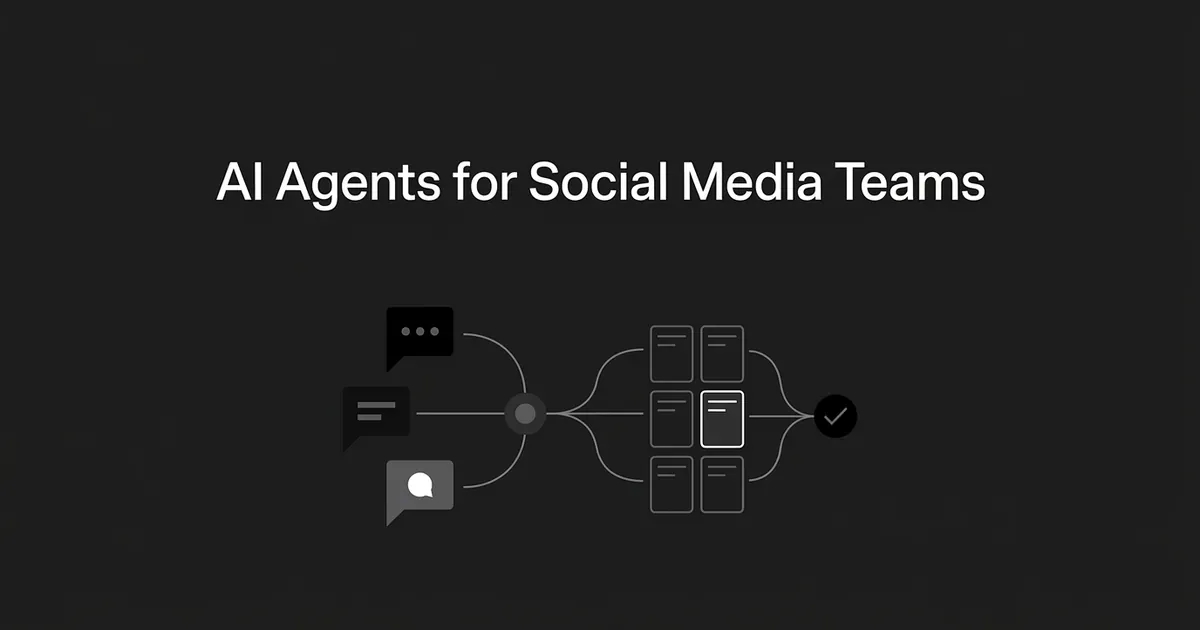
An agent is different because it can interpret a goal, use connected tools, make a bounded decision, and carry out a sequence of steps on its own. A social agent might read an incoming message, work out its topic and sentiment, route it to the right team, draft a reply, and flag it for approval if the case looks sensitive. That is four actions chained together off one instruction, not four separate button presses.
None of this requires full autonomy to count. The setups that actually hold up combine machine action with a human checkpoint: the agent watches, classifies, and recommends, and a person signs off before anything sensitive goes out. A system that monitors mentions, groups them into themes, and routes the ones that matter is already an agentic workflow, even if a human writes every public reply. Reserve the word "agent" for systems with tools and the ability to move a workflow forward. A caption generator or a one-off sentiment score is a useful feature, not an agent, and mixing up the two is how teams end up expecting more autonomy than the tool actually offers. Most of the confusion around AI agents social media vendors advertise comes down to exactly this gap between a feature and an actual agent.
What social teams are automating right now
Getting social media AI automation right starts with knowing where the current tools are genuinely reliable and where they are not. A few areas stand out.
Listening and trend detection. An audience-insight agent can scan conversations continuously for brand mentions, sentiment shifts, competitor activity, and spikes in attention around a topic. The useful output is not a raw stream, it is a short briefing that says what changed and why it matters. Deciding whether a trend fits the brand, or whether a criticism is valid, stays with a person.
Inbox triage and routing. Agents can classify incoming comments and messages by topic, sentiment, urgency, and intent, then assign them to the right queue: a product question to support, a partnership inquiry to the right team, a high-risk complaint to a senior reviewer. Some social-management platforms pair AI classification with rules to prioritize and tag messages automatically. What should not happen yet is automating the reply itself before the routing is trustworthy. A wrong classification just makes the wrong response faster.
Spam filtering and comment moderation. Rule-based moderation can catch known spam patterns, suspicious links, and abusive language, applying a label or hiding an item outright. It should never be trusted to treat negative sentiment as a verdict. A frustrated customer comment is not the same as spam, and deleting the wrong thing does more damage than leaving it up for an hour.
Scheduling and publishing operations. AI can recommend posting times by platform and audience, fill a queue from already-approved post variants, flag missing approvals, and publish content that has already cleared review. It should not be described as knowing the perfect time to post. It is working from historical data, and that data shifts as audience behavior changes.
Reporting and performance alerts. Analytics agents can combine cross-channel data, compare it against a prior period, and flag when a metric moves meaningfully. The valuable output is a summary that separates what happened from what probably caused it, not a dashboard pasted into a paragraph. Causal claims and budget calls stay with the team.
Personalized customer care. Agents can pull conversation history and public context to tailor a response recommendation or pick a next-best action. A recent survey of marketing leaders found that personalized experiences had increased sales for the large majority of respondents, which is part of why this pull toward personalization keeps showing up in social workflows too. Access should be scoped tightly: an agent replying to a comment does not need a customer's full CRM record, and decisions about compensation or account exceptions are not the agent's to make.
Competitor and reputation monitoring. A recurring pulse check can summarize competitor activity, rising topics, and potential backlash. It can surface a signal early. It cannot decide whether the brand should respond, and using a competitor's output as a template for your own voice is a mistake worth naming directly, since watching becomes copying more easily than teams expect.
None of this is theoretical. A recent survey of marketers found that predictive analytics and customer insights, automated content creation, and AI-driven ad targeting were among the most commonly planned uses of AI for the year ahead, alongside a shift toward short-form video and bigger influencer budgets. The same survey found that most social teams operate with fewer than six people despite owning content, analytics, community management, and paid social all at once, which is exactly the kind of headcount gap an agent is well suited to close on the operational side, not the judgment side.
Step 1: Choose one workflow and define what done looks like
Pick a repetitive, high-volume task where a mistake is easy to reverse. Inbox classification, spam labeling, a daily listening summary, or posting-time recommendations are all reasonable places to start. Avoid picking "automate social media" as the goal, because it is too broad to test and it tends to justify permissions the team is not ready to grant.
Write the objective as one sentence: the agent will classify incoming comments, assign them to the correct queue, and escalate sensitive cases without sending a public reply on its own. Then pick the numbers that will tell you whether it worked: classification accuracy, correct routing rate, time to first human action, or escalation rate, depending on the workflow.
You know this step is done when the workflow has one clear owner, one objective, a bounded list of actions, and a small set of outcomes you can actually measure. Common mistake: starting broad because a narrow scope feels like it will not move the needle. A narrow scope is the only kind you can actually evaluate.
Step 2: Map the data the agent actually needs
An agent needs enough context to make a decision, and nothing more. Typical sources are the relevant social platform APIs, inbox and comment data, historical engagement numbers, publishing calendars, and the brand's own policies. Start with existing brand keywords and campaign hashtags as the listening boundary rather than opening the aperture wide from day one.
Separate read access from action access deliberately. A listening agent only needs to read public conversation and analytics data. A publishing agent needs an approved content queue and a scheduling API, nothing about customer records. A care-triage agent needs a narrow support lookup, not the entire CRM. This step is done when every connected source has an owner, a refresh frequency, and a documented reason it is there. Teams go wrong here by connecting a data source because it happens to be available, not because the workflow actually needs it. More context does not automatically mean a better decision, and it does raise the amount that can go wrong if the agent is compromised or misconfigured.
Step 3: Write the agent's operating policy
This is where most of the real editorial work happens, and it is also where teams cut corners. The brief the agent works from needs to cover the goal, the channels it touches, approved terminology, claims it is allowed to make and claims it is not, response examples, and exactly which topics require a handoff to a person.
Use real examples, not adjectives. A general brand guide that says "friendly and professional" gives the agent nothing concrete to act on. Concrete examples of sarcasm, slang, a legitimate complaint, and an ambiguous case teach it far more than a tone description ever will. Build in refusal language too: the agent needs a way to say a case needs a human rather than guessing at an answer it is not equipped to give.
You know this is done when someone who was not involved in building the agent can predict how it should behave on a normal case, an ambiguous one, and a high-risk one. Pro tip: write the escalation examples before the routine ones. If you cannot describe what should go to a person, you are not ready to automate the rest.
Step 4: Build the workflow as explicit stages
A social workflow that works reliably is broken into visible stages rather than one instruction asking the agent to monitor, decide, respond, and report all at once. A practical sequence looks like this: receive a signal or run on schedule, clean the input, classify it by topic and risk, pull only the context needed for that classification, decide whether it can be handled automatically, take the permitted action, route anything uncertain to a person, and log the decision and outcome.
Sequential stages are much easier to troubleshoot than one opaque prompt doing everything at once, because when something goes wrong, you can point to the exact stage where the decision broke down. This is done when the team can draw the workflow on a whiteboard and name the input, the decision, the action, and the fallback at every stage. The mistake to watch for is hiding an important decision inside a prompt where no one can see it being made. A visible classification step is what makes an error findable instead of mysterious.

Step 5: Add permissions, approvals, and rate limits
Governance answers three questions before launch: what can the agent access, what can it do without sign-off, and where does a person have to approve the action first. Use role-based access so the agent never reaches beyond the permissions of the person or role running it, and add source-level limits so a social workflow cannot casually read pricing data, internal strategy documents, or unrelated CRM fields.
Require approval for anything consequential: public replies to sensitive complaints, crisis or reputation responses, deleting an ambiguous comment, anything touching legal, safety, medical, or financial claims, and publishing content that has not already cleared review. Routine internal outputs, like labels and low-risk routing, can skip the gate once they have been tested and proven reliable.
Add a rate limit so a classification error or a looping workflow cannot flood a channel before anyone notices. Keep an audit trail that shows the input, the classification, what context was retrieved, the action taken, and whether a person approved or overrode it. This step is done when the permissions matrix exists on paper before launch and everyone knows who holds the pause button. Teams that skip this until later tend to bolt on governance under deadline pressure, which is exactly when it is most likely to be skipped again.
Step 6: Test the agent in shadow mode
Before letting the agent act externally, run it against historical or live input without allowing it to publish, reply, delete, or hide anything on its own. Feed it a real range of cases: clear positive and negative feedback, genuine criticism, obvious spam, sarcasm, slang, multiple languages, a fast-moving campaign, and an input where there simply is not enough context to decide.
Compare its calls against decisions your most experienced team member would make, and track false positives, false negatives, overrides, and any unsupported claim it produces. Average accuracy is not the number that matters here. An agent can look great on routine comments and still fail badly on the rare case that creates real reputational risk, so weight your review toward the edge cases, not the easy ones.
Done looks like a documented set of edge cases the team has actually reviewed, with agreed failure modes and a launch threshold everyone signed off on. The common failure here is testing only the clean examples a vendor demo hands you, which tells you almost nothing about how the agent behaves on your actual audience.
Step 7: Launch narrow, watch closely, expand slowly
Start with one channel, one queue, or one action type, and keep a human approving anything that goes out publicly until the workflow has earned more trust. Watch volume processed, override rate, escalation volume, response quality, and any unexpected access attempt, and review the logs on a set schedule, not just after something goes wrong.
Expand one permission at a time: move from classifying to assigning, from assigning to drafting, and only then from drafting to publishing already-approved content. Do not jump straight from a shadow-mode test to unrestricted posting. Any AI social media team that skips a rung on that ladder is usually the one that ends up walking something back in public. This step is done when the workflow has a named owner, a pause switch, a set review cadence, and a documented plan for what expands next. The mistake worth avoiding is measuring only the time saved. Track accuracy, overrides, and customer reaction too, because time saved on a workflow that quietly damages trust is not actually a win.
What to do next
Pick one workflow from the list above, most teams start with inbox triage or a daily listening summary, and run it through these seven steps before touching a second one. Getting social media AI automation right is less about picking the most advanced tool and more about proving a narrow slice works before you widen it. A small AI social media team that proves out one queue this way tends to move faster overall than one that tries to automate everything at once and spends months untangling the fallout.
If part of your bottleneck sits upstream of social entirely, in the long-form content that feeds your calendar, DeepSmith handles that side: research, writing, internal linking, and metadata for published articles, produced from your own brand context rather than a blank prompt. It will not run your inbox or moderate your comments, but if written content is a separate drain on the same small team, you can start a free trial and see a draft against your own brand in a week.
Related guides
- What Is an MCP Server? A Content Team's Guide to Connecting AI Agents to Your Stack: An MCP server gives AI agents one standard way into your CMS, your data and your tools.
- Agentic AI vs Generative AI: What's the Difference and Why It Matters for Marketers: Confused by every tool calling itself agentic?
- How to Build a Marketing Chatbot: From Pitch to Launch: Learn how to build a marketing chatbot step by step, from pitching one measurable outcome to a staged launch with real, transcript-driven improvement.
- How International and Localization Marketing Teams Are Using AI Agents: International marketing teams can use AI agents for market research, campaign adaptation, and reporting, with local review and approval built into every stage.
- Frase vs Writer: Do You Need an Enterprise AI Platform for SEO Content?: Frase vs Writer AI for SEO content: compare pricing, SEO tools, security and AI visibility, and decide if you need an enterprise platform or a self-serve tool.


