You asked ChatGPT or Perplexity a simple question about your own company, and the answer was wrong. Maybe it named the wrong category, quoted an old price, or mixed you up with a business that sounds like yours. Your first instinct is probably to flag the answer and hope it fixes itself. That rarely works, because a wrong AI description is not always a single hallucination sitting alone in the model. Sometimes the model is repeating an outdated About page, pulling from a duplicate URL, confusing your company with a similarly named one, or failing to reach the page you already corrected. This guide walks marketing leads through a repeatable way to find AI wrong facts about my company, fix the actual source of the problem, and check whether the correction holds.
What you will need before you start: the exact prompt and answer that was wrong, a screenshot or copy of the citations shown, a verified fact sheet for the claim in question, and access to your website, Search Console, analytics or server logs, and whatever feedback controls the platform offers.
Step 1: Reproduce the wrong answer exactly
Before you change anything on your site, capture the error the way a careful analyst would. Run the prompt again in a fresh conversation and write down everything: the exact wording, punctuation, and product name you used, which platform you are on, whether web search or deep research was turned on, the date and time, and whether the conversation carried any earlier context. Save the full answer, not just the wrong sentence, along with every citation, linked page, and quoted passage it points to.
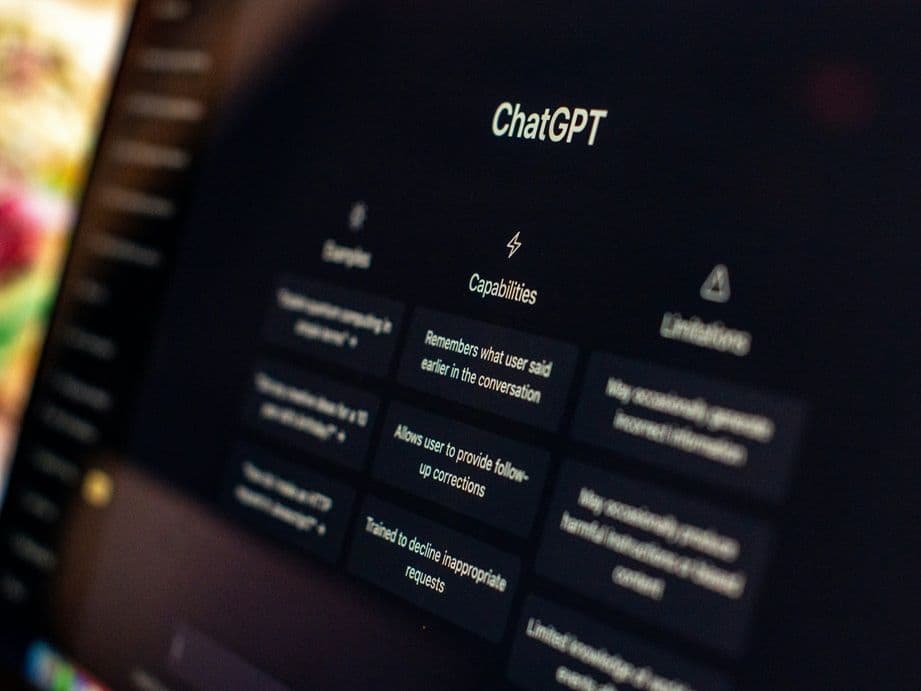
Repeat the prompt at least once more without changing the wording. If the answer changes between runs, keep every materially different version rather than picking the one that supports what you already believe. On ChatGPT, compare a plain response with one where Search or deep research is explicitly turned on, and open every citation to read the source page itself, since OpenAI itself notes that ChatGPT can produce incorrect or misleading outputs, including wrong definitions, dates, or facts, and that a confident-sounding answer is not a reliability signal. On Perplexity, save the answer along with its numbered citations, since Perplexity describes its answers as including citations so people can verify the information themselves, which makes checking those citations central to your diagnosis rather than a nice-to-have.
Common mistake: testing only your preferred phrasing. "What is [Company]?" can return a different answer than "What does [Company] sell today?" or "Is [Company] the same business as [similar name]?" Correct the version of the question your actual buyers ask, not just the tidiest one.
By the end of this step you should have a reproducible record: what the platform said, which part is wrong, which sources it used, what the correct fact actually is, and whether the error shows up consistently or only sometimes. This is the record you need whenever you correct ChatGPT wrong information brand pages have been stating for months, because it is what every later step builds on.
DeepSmith's AEO area is built for exactly this kind of check. It tracks the prompts your buyers actually ask across engines, stores each one's answer history, and shows the pages a model cited to reach its answer. Use it to organize a repeatable set of prompt tests rather than relying on a single manual screenshot, not as a way to edit what ChatGPT or Perplexity says directly.

Step 2: Classify the failure before you fix anything
A wrong answer can come from several different places, and the fix only works if it targets the right one. Compare what you saw in Step 1 against a few patterns. If the page a model cited actually contains the wrong or outdated fact, that is a source-page failure and the fix is to correct the page. If the page is right but the model cited an old version, a duplicate, or a copy of it somewhere else, that points to a retrieval or indexing failure, and the fix is to consolidate the signal and ask for a recrawl. If the page is correct but the model still misstates what it says, that is a generation or citation-attribution failure worth reporting to the platform directly. If the answer names the wrong company altogether, you are looking at entity confusion, and the fix is to make your identity harder to mistake for someone else's.
A few more patterns are worth knowing. If a plain ChatGPT answer is wrong but the same question with Search enabled comes back right, that usually means the model's training data is stale and the fix is to make current facts easy to retrieve, not to assume a training update is coming. If the answer is wrong even with Search or Perplexity's live retrieval enabled, check whether the source is actually reachable: robots.txt rules, a WAF blocking bot traffic, paywalls, or JavaScript-only content can all keep a page invisible to a crawler even though a person can see it fine. And if several independent pages around the web repeat the same wrong fact, you are dealing with a web-consistency problem that needs correcting at more than one source.
Not every wrong answer is an AI hallucination about brand facts invented from nothing. Most of the time it traces back to a real page, an old version of one, or a mix-up with a similarly named company, which is exactly why this classification step matters before you fix anything.
One distinction matters more than it seems: a citation being present does not mean the sentence next to it is correct. Research on citation-aware language models treats citations as a way to improve verifiability, not as proof that every claim next to one is accurate, and a Tow Center study that tested eight live-search AI tools found fabricated links and citations pointing to syndicated or copied versions of the original article. Open every cited page and read it yourself before you trust it.
Pro tip: by the end of this step, write one sentence that names the failure, something like "the model is retrieving an outdated product page" or "the site is correct, but the model is confusing us with a similarly named company." If you cannot write that sentence yet, collect more evidence before you touch anything.
Step 3: Build one canonical fact sheet
If your goal is to fix inaccurate AI brand description problems for good rather than chase one answer at a time, this is the step that actually does it. Once you know what is wrong, write down what is right, in one place, before you touch a single page. This fact sheet is an internal document for approval, not something you publish as-is. For each fact in question, capture a short label, one precise sentence with no promotional hedging, the exact wording you want reused, the date it became true or was last confirmed, whether it applies company-wide or only to one product or market, who owns approving it, and the proof behind it (a filing, a product page, an internal document). List every first-party page that states or implies the fact, and every outside page that might still repeat the old version.
Use precise language. Say company versus product, current versus former product, parent versus subsidiary, headquarters versus service area, founded date versus launch date. A strong fact sheet reads like "Company A is a B2B analytics platform for marketing teams; Product B is its AI search visibility module; Product C is a separate content production module." A weak one reads like "Company A is an innovative platform that helps businesses grow," which is too vague to resolve entity confusion and can actually invite a model to fill in the missing detail on its own.
Common mistake: adopting the AI's preferred wording as the new truth just because it sounds close. Start from your own verified facts, then write clear language around them. Repeating an unverified claim across more pages does not make it accurate, it just makes it more consistent.
By the time this step is done, a subject-matter expert on your team should be able to approve every line, point to the evidence behind it, and name every page that needs a review. DeepSmith's Deep IQ is where that approved context can live once it is signed off: the About Company and Products details, the claims you make and the ones you avoid, and the competitor information that keeps future drafts from repeating the error you just fixed. It is not a substitute for someone on your team actually approving the facts first.
Step 4: Repair the first-party pages that state the fact
This is the step where you actually update outdated brand facts AI systems have been repeating, instead of just complaining about them. Now go fix the pages themselves, in priority order: homepage, About or company page, product and service pages, documentation and help center, pricing and availability pages, press and newsroom pages, customer and partner pages, then any old comparison or launch pages and author, team, or location pages where the fact shows up. Put the corrected fact in plain, visible page text, not only in an image or a slogan, and make the title, headings, body copy, and metadata all agree with each other. If something about your company genuinely changed, name the change and the date it happened.
For pages that are outdated but still useful, update them. For pages that no longer serve a purpose, redirect them to the current equivalent. For claims that are simply obsolete, remove them or label them clearly as historical rather than deleting the page's whole history. Check anywhere else the old fact might be hiding: PDFs, downloadable sales sheets, old press releases, and documentation that might still be indexed somewhere. Update your internal links so they point at the current page, not the retired one.
Write direct, factual sentences near the top of each page: what the company is, what the product does, who it serves, and what it is not. Google's own guidance on helpful, people-first content stresses clear, verifiable information created for an actual reader, so use that as your bar for the writing itself, though meeting it will not automatically change what ChatGPT or Perplexity says.
You are done with this step when a reviewer can visit your main pages and find the same approved fact stated plainly, without having to infer it from marketing language, and every outdated page has been updated, redirected, or clearly marked historical.
Step 5: Make your identity harder to confuse with anyone else's
Entity confusion, where a model attributes another company's facts to yours, usually comes from inconsistent or thin identity signals. Use the same core identity everywhere on your own site: your official name, any genuinely used alternate name, your domain, your logo, your legal or parent-company relationship if one applies, your location, and consistent category and product language.
Google's own guidance on Organization structured data says this kind of markup can help it understand administrative details and tell your organization apart from a similarly named one, naming properties like name, alternateName, address, url, logo, and sameAs as useful. Put that organization information on your homepage or one clear About page rather than repeating a full block of it on every page, and make sure the markup describes the real, visible organization rather than something aspirational. Structured data is not a hidden correction channel, and adding it is not a guarantee that any AI engine adopts the fact.
Alongside that, hunt down conflicting URLs: duplicate product pages, both HTTP and HTTPS versions, trailing-slash variants, an old domain from before a rebrand, a staging page a crawler picked up by accident, country or language versions that state the fact differently, or a PDF that still contradicts your current HTML page. Pick the one authoritative page for each fact, then use redirects, internal links, sitemap entries, and canonical tags to point everything else at it. Google describes canonicalization as a signal of your preferred URL, not a command, so a search system may still choose differently, which is one more reason consolidation matters more than adding more pages.
Pro tip: resist the urge to add five competing "official" pages to increase your signal. A small set of precise, maintained pages is easier for both people and retrieval systems to interpret than a pile of near-duplicates.
Step 6: Make the corrected page reachable and re-crawlable
A correction that a crawler cannot reach might as well not exist. Confirm the corrected URL returns a normal response, is not blocked by robots.txt when it should be crawlable, has no accidental noindex tag, login wall, or paywall, and states the key facts in text a crawler can read rather than only inside an image or an interactive element. Confirm the canonical tag points at the right page, add or update the page in your XML sitemap, check your internal links, and if you have access to server logs, look for whether the relevant bots are actually fetching the page. Remember that robots.txt manages crawler traffic, it does not remove a page from an index by itself, so if your goal is actually to keep something out of search, use noindex or access control instead.
OpenAI names OAI-SearchBot as the crawler behind what shows up in ChatGPT Search, and says a site that opts that bot out will not appear in Search answers, though it can still show up as a navigational link. It recommends allowing OAI-SearchBot and its published IP ranges, and notes robots.txt changes can take about 24 hours to take effect on its side, which is a window for the change to register, not a promise that any specific answer updates by then. OAI-SearchBot is a separate bot from GPTBot, which is used for training, and from ChatGPT-User, which fires when a person asks a live question; do not use ChatGPT-User traffic as your test for whether you are visible in Search.
Perplexity names PerplexityBot as its crawler for search results and recommends allowing it and its published IP ranges, with changes taking up to 24 hours to appear on its side as well. Perplexity-User is a separate, user-triggered fetcher and is not the automatic crawler you are trying to allow.
For your own pages, Google's URL Inspection tool lets an owner or full user of the Search Console property request a crawl, though Google is clear that crawling can take anywhere from a few days to a few weeks and that a request does not guarantee inclusion. IndexNow can notify participating search engines that content changed, but treat it as a discovery notification rather than proof that ChatGPT or Perplexity will use the new text. Record the date you made each access or indexing change so you can tell later whether enough time has actually passed.
Step 7: Correct the wider web without manufacturing consensus
Search the exact wrong phrase, in plain text, and see where else it lives: partner and integration pages, customer stories, industry associations, directories and review profiles, investor pages, public documentation, and social profiles you control. For any page you do not control that repeats the old fact, contact the owner with the exact correction, the evidence behind it, and the wording you would prefer, and keep a record of what you asked for and what happened.
This is where it is easy to overcorrect. Do not create a string of low-value pages just to repeat the same claim, do not pay for or solicit unsupported third-party statements, and do not ask unrelated sites to copy identical wording. The goal is accurate corroboration from sources that already have a legitimate reason to describe your company, not the appearance of consensus manufactured after the fact. The point is not volume, it is to update outdated brand facts AI models and answer engines can actually find, wherever they show up. Keeping those facts consistent everywhere is what helps a model relearn the right answer, not the sheer count of pages saying it.
DeepSmith's Content Map can help here by organizing your own pages and competitor sites by topic and funnel stage, and one of its Opportunity Agents focuses specifically on fixing how AI describes your brand, surfacing where a clarifying page would help. Treat that as a prioritization aid once the correction itself is approved, not as proof that one more page forces a model to change its answer.
Step 8: Report the platform error and retest the correction
Once the source is fixed, report the error where the platform lets you. On Perplexity, use the flag icon under the answer, or its support ticket route, and include the URL of the query, a description of the error, the expected result, and the source that supports it. Perplexity specifically lists misinformation and outdated information among the issues it wants reported. On ChatGPT, preserve the conversation, citation, prompt, and date, then use the available feedback or support option; OpenAI's own accuracy guidance is that ChatGPT can be wrong and should be checked against reliable sources, and nothing in its documentation promises that a single report updates the model right away. Reporting is one input to how you correct ChatGPT wrong information brand answers repeat, not the whole fix, which is why it comes after the source repair, not before it.
Give your fix time to be crawled or indexed before you retest, then run the same prompt in a fresh conversation, matching country, language, and search mode where you can. Test a version with Search or deep research explicitly on, a version that names your official domain, a disambiguation prompt that separates you from whatever entity confused the model, and a product-specific prompt that checks the exact fact you corrected. For each result, record the answer, whether it cites a source, whether that source actually supports the sentence, and whether the entity confusion is gone.
Treat one right answer as a good sign, not a permanent fix, and one wrong answer as one more data point, not proof the repair failed. Compare results under the same conditions over time, and if the source ecosystem is genuinely correct but the model still gets it wrong, write that down as an unresolved platform issue rather than inventing a new fix to try.

What to do next
The workflow above turns a frustrating AI answer into a project you can actually finish: capture the exact error, diagnose where it is coming from, agree on the correct fact, repair the pages and signals that state it, and retest under the same conditions until the answer holds. If you run into more AI wrong facts about my company style errors later, on a different claim, the same evidence-first approach applies. Keep the fact sheet and your test results together with your regular content process for next time.
If you want to build this evidence base without tracking it in spreadsheets and screenshots, DeepSmith's AEO tools store your tracked prompts and answer history in one place, and Deep IQ holds the approved facts your future content should draw from, which is most of what it takes to fix inaccurate AI brand description problems before they turn into a repeat project. You can start a 7-day free trial to see how it fits your own workflow.
Related guides
- E-E-A-T for AI Search: How Answer Engines Judge Trust and Authority (Complete Guide): Answer engines never score E-E-A-T, they weigh the signals behind it.
- AI-Generated Images in Blog Content: Where They Help, Where They Hurt Trust and Citations: Learn when AI-generated images help your blog and when they backfire, hurting reader trust, your E-E-A-T signals, and your odds of earning AI search citations.
- When AI Gets Your Product Wrong: How to Audit and Fix What LLMs Say About Your Features: When AI gets your product features wrong, you can fix it.
- Conductor vs SE Ranking AI Visibility: Pricing, Contract or Self-Serve?: Conductor sells credit-based AI tracking on a sales-led contract, SE Ranking prices it publicly.
- DeepSmith vs LLMrefs: AI Rank and Citation Tracking vs a Full Content Loop: Compare a focused AI citation tracker against a platform that also produces content to close your visibility gaps, then see which one fits your bottleneck.