

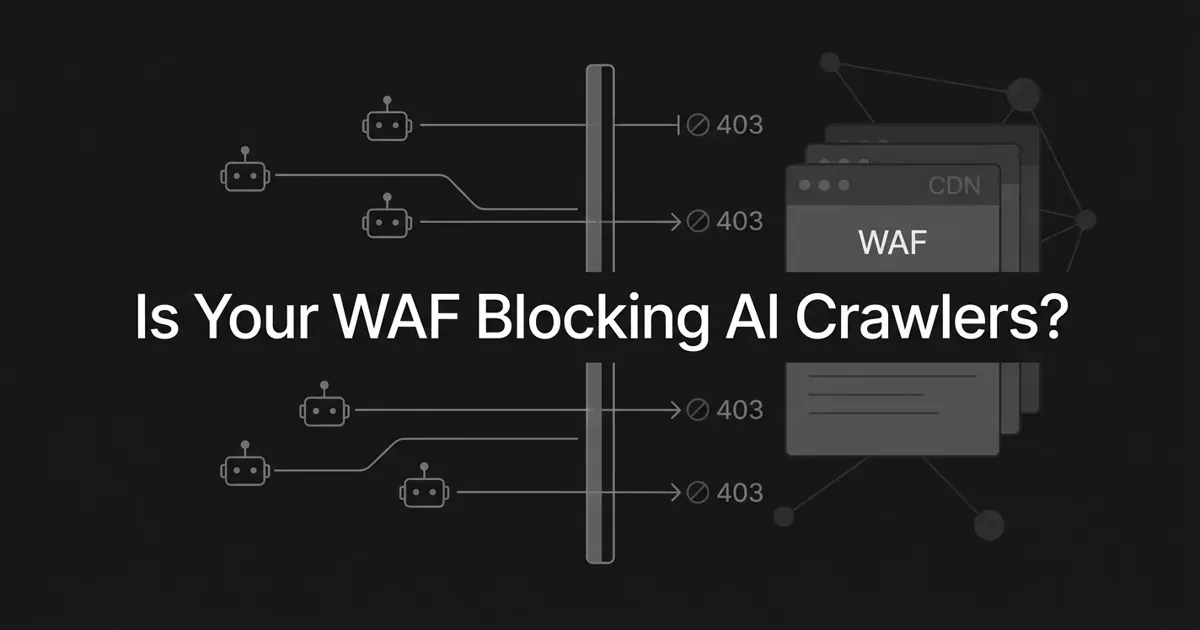
You want your pages to show up when someone asks ChatGPT or Perplexity about your space. So it stings to learn that your own setup might be shutting the door. If you run your site behind Cloudflare, there is a real chance Cloudflare is blocking AI crawlers right now, and you never chose it. On July 1, 2025, Cloudflare flipped the default: new domains started blocking AI crawlers automatically, no toggle touched, no notice sent.
Here is the good news. This is one of the most fixable problems in AI search. You are not behind. You just need to check a few settings, read a few status codes, and let the right bots through. This guide walks a marketing lead through the whole audit, from a laptop curl test to the exact rule that opens the gate. Let's do it one step at a time.
Why this block is so easy to miss
A silent block is exactly that: silent. There is no alert, no bounce in Search Console, no dip in organic traffic that anyone would notice. AI search is a new channel, so when a crawler gets turned away, nothing on your old dashboards moves. The failure is invisible until you go looking for it.
The reason so many sites are affected comes down to that default change. Blocking AI crawlers used to be opt-in. Since mid-2025 it is opt-out for new domains, which means plenty of owners who never opened a security menu are quietly returning a 403 to the exact bots they want reading their content. Cloudflare first shipped the block toggle in September 2024, and more than a million customers turned it on. The default flip made everyone else a candidate too. Across the wider web, a meaningful share of sites now turn away at least one AI crawler, often without meaning to.
One thing to hold onto before we start. Blocking an AI crawler is not the same as blocking Google. Your SEO crawler and your AI crawler are different bots with different jobs. You can be perfectly indexed in Google Search and still be invisible to ChatGPT. Keep those two lanes separate in your head and this gets much simpler.
Step 1: Know which bots you actually want in
You cannot audit access until you know who is knocking. AI crawlers fall into three intent buckets, and Cloudflare treats each one differently.
Search bots fetch pages so they can cite them in AI answers. Think OAI-SearchBot for ChatGPT search and PerplexityBot for Perplexity. Agent bots are triggered live when a person asks an AI to go read a page, like ChatGPT-User or Claude-User. Training bots crawl in bulk to feed model training: GPTBot, ClaudeBot, CCBot, Bytespider, and others.
Here is the trap. OpenAI runs three separate crawlers, and they do not share a policy. GPTBot is for training. OAI-SearchBot fetches pages to cite in ChatGPT search results. ChatGPT-User visits on demand when someone browses. Turning off GPTBot does nothing to the other two, and blocking OAI-SearchBot is what actually keeps you out of ChatGPT's cited answers. Anthropic splits the same way with ClaudeBot, Claude-User, and Claude-SearchBot. Perplexity has PerplexityBot and Perplexity-User.
What to do: decide which buckets you want in. Most marketing leads want the search and agent bots at minimum, because those are the ones that put you in front of buyers. How to tell you are done: you can name the specific bots you want reaching your site, not just "the AI ones."
Where people go wrong: they confuse product tokens with crawlers. Google-Extended is not a bot that hits your server. It is a robots.txt token that controls whether Google may use its crawl for Gemini training. Applebot-Extended works the same way for Apple Intelligence. Blocking either one does not affect Google Search or send any crawler away. Do not chase bots that do not exist.
Step 2: Run a quick curl smoke test from your laptop
You do not need special tools to find out if a bot gets through. You need one command and two minutes.
Open a terminal and send a request while pretending to be each crawler. The -A flag sets the user-agent string, and -I asks for just the response headers.
curl -I -A "Mozilla/5.0 (compatible; GPTBot/1.2; +https://openai.com/gptbot)" https://yoursite.com/yourpage
curl -I -A "Mozilla/5.0 (compatible; OAI-SearchBot/1.0; +https://openai.com/searchbot)" https://yoursite.com/yourpage
curl -I -A "Mozilla/5.0 (compatible; PerplexityBot/1.0; +https://perplexity.ai/perplexitybot)" https://yoursite.com/yourpage
curl -I -A "Mozilla/5.0 (compatible; ClaudeBot/1.0; +claudebot@anthropic.com)" https://yoursite.com/yourpage
Read the first line of each response. A 200 means the bot reaches your origin, and you are fine for that crawler. A 403 with a plain Cloudflare page and no challenge markup means an edge rule turned it away. A 403 carrying a challenge page means a challenge fired instead of a flat block. A 429 means you got rate limited, not policy blocked.
What to do: run the test against a real content page, not just your homepage, since rules can be scoped by path. How to tell you are done: you have a status code for every bot you care about.
Where people go wrong: they test one bot, see a 200, and assume all AI access is fine. Run GPTBot and OAI-SearchBot separately. One can pass while the other gets an AI crawler 403, because they are governed by different rules.
Step 3: Read the response like a symptom chart
A status code is a symptom, and each one points to a different cause. Match yours to the list below and you will know where to look before you touch a single setting.
A plain 403 Forbidden with no challenge HTML usually means an edge rule blocked the request: a custom WAF rule, an IP access rule, or the "Block AI bots" toggle itself. A WAF blocking GPTBot with a hand-written rule is the classic version of this. A 403 with a cf-mitigated: challenge header means a challenge fired, often from Super Bot Fight Mode, a rate limit, or a high security level. A 200 that returns a "Just a moment..." interstitial means the bot failed a JavaScript challenge, which most crawlers cannot solve. A 429 with a Retry-After header means rate limiting, common when an aggressive crawler bursts too fast.
Some codes are not about bots at all. A 401 or 407 is an origin auth requirement, not a Cloudflare decision. A 503 or a 520 through 524 points to origin health or the tunnel between Cloudflare and your server. If you see those, chase the origin, not the bot policy.
Common mistake: treating every non-200 as a deliberate AI block. A firewall blocking AI bots and a country geo-block can produce the same 403, and a rate limit produces a 429 that looks like a ban. Read the header, not just the number, and you will not waste an afternoon fixing the wrong thing.
What to do: write down the exact status and any cf- headers for each bot. How to tell you are done: every failing bot has a suspected cause. Where people go wrong: they skip the headers. The cf-ray and cf-mitigated values are what tell you which rule fired.
Step 4: Audit your Cloudflare settings for silent blocks
Now open the dashboard. This is the heart of the audit, and it is where most cases of Cloudflare blocking AI crawlers get solved. Walk these controls in order.
Start at Security, then Settings, and find the "Block AI bots" toggle. This is the one flipped on by default for new domains. When it is on, it returns a flat 403 to confirmed AI operators. If you want those bots in, this is usually the first switch to turn off or scope.
Next check AI Crawl Control, sometimes under a Crawlers menu in newer navigation. This gives you the granular per-category view: Search, Agent, and Training, each with its own allow or block. This is where you let search and agent bots through while making a deliberate choice about training.
Then look at Super Bot Fight Mode under Security, then Bots. It sorts traffic into verified bots, likely automated, and definitely automated. Verified bots are allowed by default, but the "likely automated" bucket can hand a real crawler a managed challenge it cannot pass. Check what each category is set to do.
Keep going through your WAF custom rules, your rate limit rules, and your managed robots.txt. A WAF blocking GPTBot is often a single custom rule someone added months ago and forgot. Sort your rules by last modified to spot recent edits. Finally, open Security, then Events, and filter by user agent containing "GPTBot" with the action set to block. Each event names the rule that fired, so you can trace a specific AI crawler 403 straight to its source.
What to do: note every control that touches bot traffic and whether it blocks, challenges, or allows. How to tell you are done: you can explain, for each AI crawler, exactly which setting decides its fate.
Where people go wrong: they flip the main toggle off and stop, not realizing Super Bot Fight Mode or a leftover custom rule is still challenging the same bot one layer down. Access is decided by the strictest rule that matches, so audit every layer.
Step 5: Verify a bot is real before you allow it
Here is the catch that trips up almost everyone. The user-agent string is declared by the client, not verified by your server. Anyone can send a request that says "GPTBot" from a random proxy. If you allow traffic on the UA string alone, you have opened a door for impersonators.
So before you write an allow rule, verify. Real crawlers prove themselves through DNS and published IP ranges. Do a reverse DNS lookup on the source IP, then a forward lookup on the hostname it returns, and confirm the two round-trip to the same address.
dig -x <ip> +short
dig +short <hostname-it-returned>
Real OpenAI bots resolve under openai.com. Real Googlebot resolves under googlebot.com or google.com. If reverse DNS returns something generic or the forward lookup does not match, the UA is spoofed. Every major vendor also publishes official IP ranges you can check against, and that list is the ground truth.
Cloudflare gives you a shortcut here for free. The field cf.client.bot is true only when Cloudflare has independently confirmed the operator through UA, reverse DNS, IP, and signature together. A rule that trusts cf.client.bot eq true is strong, while a rule that trusts http.user_agent contains "GPTBot" is weak. Lean on the verified field.
Pro tip: combine signals for anything sensitive. Match the verified-bot field and an official IP range together, so a spoofed user-agent from an unverified address never slips through.
What to do: verify at least one live request per bot before you allow it. How to tell you are done: you can distinguish a real crawler from an impersonator by more than its name. Where people go wrong: they build a UA-only allowlist and quietly invite scrapers in.
Step 6: Write the fix that lets the right bots through
You have found the block and you know which bots are real. Now open the gate, cleanly. Cloudflare publishes a canonical pattern for exactly this, and it is one rule.
Create a WAF custom rule with the expression cf.client.bot eq true and set the action to Skip. Then skip the features below it: Super Bot Fight Mode, rate limiting rules, managed rules, and any remaining rules. Because it matches on the verified-bot field, this rule waves through every crawler Cloudflare has positively confirmed while leaving impersonators subject to everything else. It solves most cases of a firewall blocking AI bots in a single stroke.
Want more control? You have two more moves. You can scope access by path, so bots crawl only the sections you want cited, like your blog and docs, while account or checkout paths stay closed. You can also add an IP allowlist for published vendor ranges as a belt-and-braces layer that takes precedence over block rules.
There is one case that is not a block at all: rate limiting. A high-volume crawler that bursts too fast trips your rate limiter and sees a 429. Unblocking does nothing here, because nothing is blocked. The fix is to give verified bots a higher limit or a separate bucket, so a burst gets throttled gently instead of banned.
What to do: add the Skip rule, then re-run your Step 2 curl test to confirm a 200. How to tell you are done: the bots you wanted now reach your origin. Where people go wrong: they set the new allow rule below an existing block rule. Order matters, so give the verified-bot allow high precedence.
Step 7: Check the other CDNs and WAFs too
Cloudflare is the most common case, but the same silent block lives on every platform. If you run a different edge, the controls have different names and the idea is identical. Audit your CDN AI bot access wherever your traffic terminates.
On AWS WAF with CloudFront, the Bot Control managed rule group categorizes bots, and you can set known-good crawlers to Count instead of Block so they pass while still being logged. On Akamai Bot Manager, AI crawlers get their own categories like search-engine crawler and AI model trainer, each with its own score and policy. Imperva added an explicit AI Bots classification and defaults many of them to block, with per-category overrides. Fastly shipped AI bot management with intent tags you can allow or deny at the edge.
Running on Vercel, Netlify, or Cloudflare Pages? Bot protection there is a mix of platform defaults and edge-function rules that match on user-agent, IP, and headers. The audit is the same: find the layer making the decision, then decide deliberately instead of by default.
Common mistake: losing your rules in a migration. When you move from one CDN to another, your custom WAF rules do not come with you. Re-implement the verified-bot allow on the new platform, or your carefully opened gate silently closes again.
What to do: identify every edge and security layer in front of your origin, not just the CDN. How to tell you are done: each layer has a known, intentional stance on AI crawlers. Where people go wrong: they audit Cloudflare and forget a separate WAF or an origin firewall sitting behind it.
Step 8: Confirm the fix and keep watching
Opening the gate is not the finish line. You want proof that bots are getting in and, eventually, proof that you are showing up in AI answers. Both need a quick recurring check.
Start with your logs. Tail your origin access log or your Cloudflare events and confirm the bots you allowed now return 200s from their real IP ranges. Watch for a lingering AI crawler 403 or a 429 that means a rate limit still needs tuning. A clean run of 200s across GPTBot, OAI-SearchBot, PerplexityBot, and ClaudeBot is what "fixed" looks like.
Then close the loop on the outcome that actually matters: are you being cited? Access is the entry ticket, not the prize. This is where an AI visibility tracker earns its keep. A platform like DeepSmith checks the questions your buyers ask across ChatGPT, Perplexity, Gemini, Claude, and Google AI Mode on a schedule, then reports your mention rate and citation rate over time. If access was your only problem, you will see those numbers begin to move once the right bots can read your pages. If they stay flat, you know the block was not the whole story and you can look at how citable the content itself is.
What to do: set a monthly recheck of both your CDN AI bot access and your citation trend. How to tell you are done: you have a repeating signal, not a one-time fix. Where people go wrong: they open access, walk away, and never confirm anything changed.
What to do next
You do not have to do all eight steps today. If you only change one thing this week, run the Step 2 curl test on GPTBot and OAI-SearchBot. Two minutes tells you whether you have a problem at all. If you get a 200, breathe easy. If you get a 403, you now know exactly which step comes next. In most cases it is Cloudflare blocking AI crawlers by default, and the Skip rule from Step 6 opens the gate.
From there, work down the list at your own pace: read the symptoms, audit your Cloudflare settings, verify before you allow, and write the one Skip rule that opens the gate. Then keep an eye on whether the fix turns into citations. Momentum matters more than perfection here, and you are closer than you think.
If you want the access fix and the citation tracking in one place, that is what DeepSmith is built for: see where you show up in AI search, find the gaps, and close them with on-brand content. You can start a free trial and watch your own numbers before you decide.


