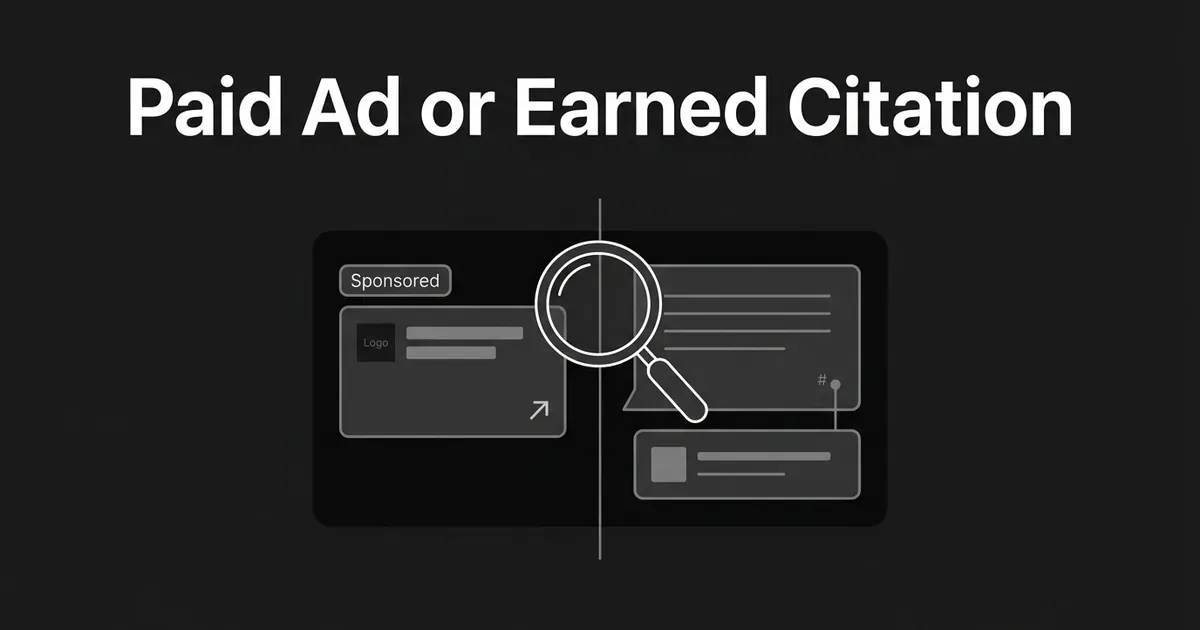
If you track how often a competitor shows up in ChatGPT, you have probably run into this problem already. One day they are cited as a source. Another day they show up in a box below the answer with a logo and a headline. Those are two different things, and if you count them the same way your competitive numbers will be wrong. This guide walks you through how to look at an appearance in ChatGPT and work out whether it earned a citation, showed up as an ad, or landed somewhere you genuinely cannot classify yet.
By the end you will have a simple decision process you can run on any observed appearance, a worksheet to log it, and a clear sense of when to mark something unknown instead of guessing. This is about recognizing and recording what you see, not about setting up ChatGPT ads yourself or teaching general citation tracking, which is its own topic. Think of it as the same question you already ask of ads in AI answers on any other channel: is this exposure earned, or is it bought.
Step 1: Set up your classification before you open ChatGPT
Do this part first, on paper or in a spreadsheet, before you run a single prompt. Decide on four labels you will use for every appearance you observe:
- Paid confirmed: a clearly labeled ad unit, or a format the platform documents as advertising.
- Organic citation confirmed: a source link attached to the answer, with no ad treatment around it.
- Organic product result confirmed: the platform explicitly says this type of result is not an ad.
- Unknown: no decisive label and nothing in the platform's documentation that settles it.
Add a fifth optional label, mixed, for the case where the same competitor shows up as both a paid unit and an organic citation in one response. If any of these terms feel new, this rundown of AI-search terms marketers need to know covers the rest of the vocabulary. That mixed case happens more than you would expect, and it is exactly the kind of thing a five-minute check for paid placement AI search patterns can catch before it skews a whole report.
While you are at it, decide how paid appearances will show up in your reporting. Will you drop them from your citation numbers entirely, keep them in a separate paid column, or show both side by side? Pick one now, and do not change the rule later because a run came out looking better or worse for a particular competitor.
Common mistake: treating every link next to a competitor's name as a citation. An ad can carry a landing-page link too. What matters is whether the link sits inside the answer's source list or inside a separately labeled commercial unit.
You know this step is done when you have a written classification key and a tracking sheet with separate fields for mention, organic citation, paid placement, product result, and unknown. If you are already using DeepSmith to track your buyer prompts, this is the point to open the AI Visibility settings and confirm your competitor list is current, since that same list is what your logging sheet should mirror.
Step 2: Lock down the conditions before you run a prompt
An appearance in ChatGPT depends on more than the words you type. Before you record anything, write down the conditions the observation happened under:
- Which assistant and mode, for example ChatGPT Search rather than a plain chat response.
- The date and roughly the time.
- Country or region.
- Whether the account was signed in, and which plan it was on.
- Browser or app, including any special browsing mode.
- The exact prompt, word for word.
- Whether web search turned on automatically or you switched it on yourself.
- Whether personalization or ad controls were on, where the platform lets you see that.
This matters more than it looks like it should, because ChatGPT ads are only shown to some accounts right now. The current ChatGPT FAQ says ads may appear for Free and Go users, and will not appear for Plus, Pro, Business, Enterprise, or Edu accounts. It also says ads only run in the regions where the test is active, and that they do not show up inside the ChatGPT Atlas browser during this test period. None of that is settled for good. The rollout has already moved a few times since the US test started on February 9, 2026, with different official pages listing different sets of countries. Check the live documentation again close to whenever you publish or run a new benchmark, because this is one of the fastest-moving corners of AI search advertising right now.
Pro tip: write your test conditions down somewhere a second person could pick up and repeat the exact same test without asking you a single question. If they can, the record is good enough.
The common mistake here is comparing a free account that is eligible for ads against a paid account that is not, and then reading the different layout as proof the competitor got a different organic ranking. It usually just means you tested with two different accounts.
Step 3: Save the whole answer, not just the line that names them
Once your conditions are set, run the prompt and capture everything, not just the sentence where the competitor shows up. Save:
- The full prompt text.
- The complete answer.
- Every source or citation shown.
- The full ad area, wherever it sits relative to the answer.
- The competitor's exact wording and position.
- Any label, logo, favicon, headline, ad copy, image, landing-page link, or call to action attached to them.
- The account, region, device, and timestamp.
Take a screenshot or a screen recording if your internal policy allows it. Copying the text alone can lose the visual separation that actually determines the classification, and that separation is often the whole answer.
Pro tip: capture the entire screen, not just the paragraph that names the competitor. In ChatGPT, the evidence you need often sits below where the visible answer ends, not inside it.
This step is done when someone who never ran the prompt themselves could look at your record and tell the answer, its sources, and any nearby commercial unit apart, just from what you saved.
Step 4: Check for ChatGPT's ad-unit signature
Now look specifically for the pattern OpenAI documents as an ad. Check for:
- A distinct area below the end of the response.
- The word "Sponsored."
- Clear visual separation from ChatGPT's own answer.
- An advertiser name.
- A favicon or logo.
- A headline or title.
- Descriptive ad copy.
- A landing-page link.
- An image or other creative asset.
OpenAI's own documentation describes ChatGPT ads as appearing below the response, clearly labeled as sponsored, and visually separated from what the model generated. The listed elements, advertiser name, favicon, title, copy, landing page, and image, are what the format is built from. If a competitor shows up inside that unit, record it as a paid placement. Do not downgrade it to a citation just because the ad also happens to link to their website.
What you should not do is assume the ad changed the answer sitting next to it. OpenAI says its ads run on a separate system and that advertisers cannot shape, rank, or alter what ChatGPT generates. An ad next to an answer does not mean the competitor bought their way into the generated text itself. It still means they bought exposure, and that exposure should never be counted as earned visibility in your report.
This step is done when you can point to the commercial unit and name at least one structural feature, the advertiser name, the creative, or the landing page, that separates it from the answer around it.
Step 5: Check the citation separately from the ad
Now do the same close look at the answer's sources, treating this as a completely separate question from Step 4. Open the citations or the Sources control on the answer and check, for each competitor appearance:
- Is the brand only named, with no link at all?
- Is their page linked as a source?
- Is that citation attached to a specific factual claim in the answer?
- Does the link open a publisher or competitor page, rather than an ad landing page?
- Is it part of the answer's normal source treatment, with no separate ad unit anywhere near it?
Only classify something as an organic citation confirmed when the link belongs to the answer's source treatment and there is no paid unit attached to that same appearance. OpenAI itself warns that citations can be incomplete, outdated, or wrong, so open the source and check it rather than trusting the presence of a citation on its own. A citation tells you the model used or presented a page. It does not tell you whether that company paid for anything.
The mistake to avoid here is counting how many times a competitor's name shows up in the generated prose as if that were their citation count. A mention and a citation are two different observations, and mixing them will inflate a competitor's real citation share every time. This is also why organic vs paid AI citations needs to stay a two-column question on your worksheet rather than one blended number.
Step 6: Don't mistake a product card for an ad
If a competitor shows up in a shopping card, product carousel, or recommendation block, resist the urge to call it paid just because it looks commercial. ChatGPT's current shopping documentation says product results in shopping-intent answers are selected independently by ChatGPT, are not ads, and are not influenced by any OpenAI partnership. It also says ads are kept separate from those product results.
So when you see a shopping-style card that matches this documented treatment, log it as an organic product result, not a paid placement. Keep it separate from an editorial citation too, since a product card is not the same thing as a source link backing a claim in the answer. Worth knowing: ChatGPT can generate simplified product titles and descriptions from public reviews that OpenAI has not verified itself, so treat the card's copy as a summary, not an independently checked endorsement.
The common mistake is assuming any merchant showing up in a shopping result must have paid for it. OpenAI's own documentation says the opposite for its current shopping feature. Do not carry that same assumption over to a different assistant without checking that assistant's own documentation first, since the rules are not shared across platforms.

Step 7: Know how the other assistants handle this before you compare across platforms
If your benchmarking covers more than ChatGPT, the rules do not transfer between platforms, so treat each one on its own terms. Most teams doing this kind of work are already tracking several engines side by side, which is exactly why the platform-by-platform differences below matter.
Perplexity ran an experiment starting in November 2024 using sponsored follow-up questions and paid media placed beside an answer, both marked "sponsored." The generated answer itself is still written by Perplexity, not by the sponsoring brand, so record the sponsored prompt and its answer as a mixed paid-and-generated event rather than a plain citation.
Google AI Overviews can carry ads above, below, or inside the Overview itself. An ad placed inside one requires commercial intent in the query and relevance to the Overview's own content. Do not read an ad sitting near an Overview as one of the Overview's own supporting links just because of where it sits on the page.
Microsoft Copilot serves Microsoft Advertising units built automatically from existing ad campaigns, in a few different formats, and advertisers cannot opt individual ads out of appearing there. Microsoft's documentation does not spell out one single "Sponsored" label that covers every format, so if you cannot find a clear label on what you are looking at, mark it unknown rather than assuming it is organic.
Claude does not currently show ads at all. Anthropic said in February 2026 that Claude will stay ad-free, with no sponsored links next to conversations and no advertiser-influenced answers.
Whichever assistant you are checking, require that platform's own current documentation or a visible disclosure before you call something paid. Borrowing ChatGPT's ad-unit pattern to judge a Perplexity or Copilot appearance is exactly how a benchmarking effort ends up with numbers nobody can defend. Treating AI search advertising as one format across every engine will always undercount or overcount somebody, so keep the platform-specific rules straight even when it slows you down.
Step 8: Log it, and keep paid exposure out of your earned numbers
Every observation goes into one worksheet row, with fields for the platform and mode, the exact prompt, the date and region, the account state, whether there was a mention, whether there was an organic citation and which page it pointed to, whether there was a paid placement, whether there was a product result, the label you saw, where it sat, and the evidence that backs your classification. Keep the sheet detailed enough that someone could use it to audit your brand's presence in AI answers alongside the competitor's, since the same worksheet works both ways. A short reviewer note helps too: something like "competitor appeared in a separately labeled Sponsored unit below the response, and their page was also present in the Sources panel, so this run is mixed."
Repeat the observation on the same schedule you already use for your visibility tracking. Repetition tells you how often something appeared, and it fits into the same cadence as your broader AI visibility measurement work. It never turns an unlabeled appearance into a confirmed ad, no matter how many times you see it. If the interface changes between runs, start a new version of your tracking sheet rather than folding old and new formats together.
This is the step where a tool like DeepSmith earns its place, not by telling you whether a competitor paid, since no tool can read another company's billing account, but by keeping the underlying record straight. That matters most for a team that would otherwise be checking every platform by hand. DeepSmith's AI Visibility module already tracks mentions and citations as separate metrics across the AI engines on your plan, with a competitor leaderboard and per-page citation attribution, so the mention-versus-citation split this guide keeps coming back to is already how the data comes in, before you add your own paid-versus-organic column on top of it. You still do the classification work in Steps 1 through 7.

Once you have a run or two logged, decide what to do next. Keep paid appearances out of your share-of-voice number entirely, or report them in their own column so leadership can see both the earned and the paid side of a competitor's presence, whichever fits how you already report your visibility metrics. Either is defensible. Blending them together is not. The whole point of this worksheet is to keep organic vs paid AI citations as two separate columns for good, not just for one report.
Ads in AI answers are still new enough that most competitive reports out there are not making this split at all, which is exactly why a clean paid placement AI search read gives you a real edge over a team that is still counting every appearance the same way.
If you want your own prompt tracking and citation history handled this way without building the spreadsheet yourself, DeepSmith's free trial gives you real data and real tracking before you pay for anything.