You checked your dashboard and there it is: your page is cited in a Google AI Overview for a prompt you actually care about. That should feel like a win, and in a way it is, but then you look at the traffic for that page and it barely moved. You start to wonder if the citation is even worth anything, or if you're chasing an AI Overview click through rate that doesn't really exist. This guide walks you through what's actually known about why a citation turns into a click sometimes and not other times, so you can stop guessing and start auditing.
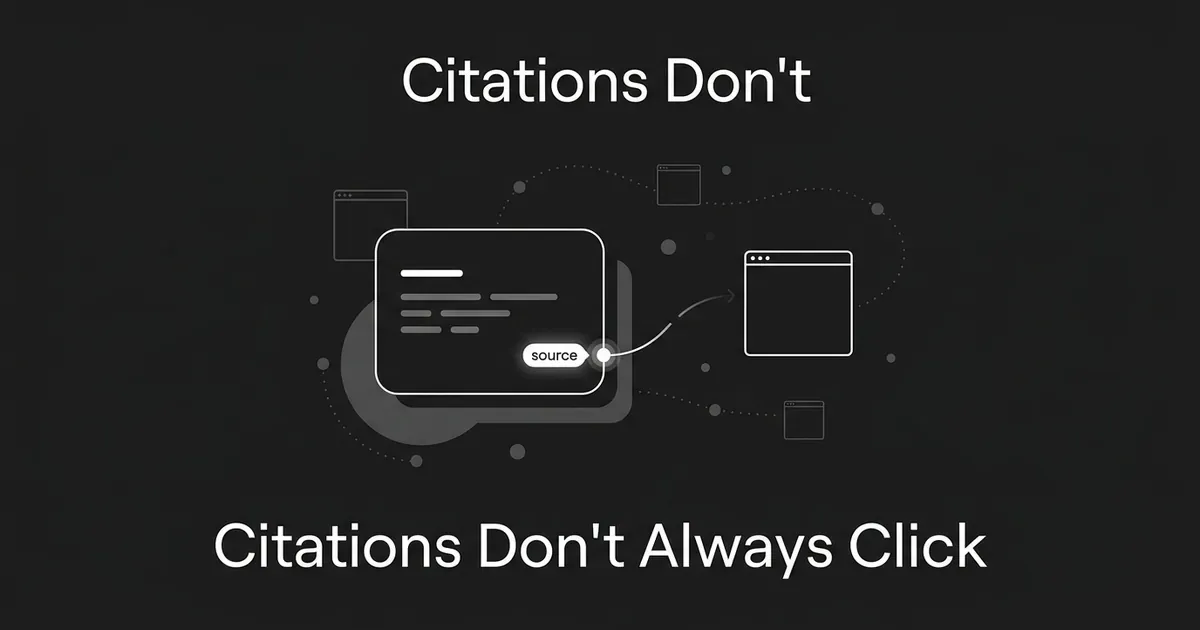
The short version: being cited and being clicked are two different events, and treating them as the same thing is where most of the confusion starts. What you need is a way to tell them apart on your own pages, then a way to make the click more likely without pretending you can guarantee it.
1. Confirm the page is cited for a real prompt, not just a guess
Before you can figure out why nobody's clicking, you need to know exactly what you're looking at. A lot of teams skip this step and jump straight to "why isn't anyone clicking my AI Overview citation," when they haven't actually pinned down the prompt, the date, or whether the citation was even visible to a typical searcher.
Start a simple audit for each page you suspect is cited. Write down the exact question someone would type or ask, the date you checked it, whether you checked on desktop or mobile (the layout can differ), whether an AI Overview showed up at all, and whether your page was one of the cited sources. Note which other sources appeared alongside yours, and pull the page's impressions, clicks, and landing behavior from that same period.
DeepSmith's AI Visibility module is built for exactly this part. It tracks your prompts on a schedule and shows you mention rate, citation rate, and which of your pages are actually being cited, along with the prompts driving those citations. That gets you the citation inventory fast. It's not a click-through measurement tool, though, so don't treat a citation showing up in DeepSmith as proof that people saw or clicked your page. It answers "was this page used as a source," and that's a different question from "did the searcher want to visit it." Closing that gap between an AI Overview citation to click is what the rest of this guide is about.

Done looks like this: you can point to one specific page, one specific prompt, and one specific window of time where that page showed up as a cited source. If you can't get that specific, everything downstream is guesswork.
Common mistake: treating a page-level citation rate as proof of visibility to a human. Citation attribution tells you the AI used your page as a source. It doesn't tell you a person read the summary, noticed your name, or felt any pull to click.
2. Separate citation visibility from click performance
Once you know a page is cited, build a small table with one row per page and prompt. Include the citation occurrence, search impressions, search clicks, landing-page sessions, engaged sessions, some measure of time spent or content consumed, and any conversions or assisted conversions you can attach to that traffic. Note your date range and where each number came from.
Google's own documentation says that when your page appears in an AI feature like an Overview, that appearance gets folded into the broader web search performance reporting in Search Console. There isn't a clean, separate report that isolates every single AI Overview click for a page. So Search Console gives you the search-side numbers, and your analytics platform gives you what happens after the click. Pair the two.
One large browsing-data study tracked over two million web visits and found that a link inside an AI summary was clicked in about 1% of those visits, while a traditional search-result link was clicked far more often on pages that carried no AI summary at all. The companion research paper behind that study lays out the full methodology, including exactly how a citation click was defined and counted.
With that table built, you'll usually land in one of four situations for any given page: it's cited and getting visits, it's cited but getting almost no visits, it's getting visits and those visitors are engaging, or it's getting visits that leave without doing much of anything. Each of those is a different problem, and they call for different fixes.
Common mistake: using an aggregate click-through rate for your whole site, or citing an industry-wide AI Overview statistic, to explain what's happening on one specific page. The question that matters is what's happening at the page and prompt level you're actually looking at.
3. Classify what the searcher still needs after reading the summary
Here's where a lot of the "why aren't people clicking" frustration actually gets resolved. For each prompt where your page is cited, ask what the AI Overview can plausibly answer on its own and what it can't.
Sort the prompt into a rough category: quick fact, definition, explanation, comparison, evaluation, implementation, troubleshooting, evidence review, or a purchase or vendor decision. Then write down the natural next question a person would have after reading the summary. "What is this?" is often fully answered in the box. "Which option should I pick?" usually isn't. "How do I actually set this up?" usually isn't either. "Is this claim even true?" often needs a source to check.
If your page is cited for a prompt that lands in the first category, a low click rate might just mean the Overview did its job and there was nothing left to go looking for. That's not a failure of your page, it's the nature of the query.
Pro tip: don't try to manufacture mystery by holding back the answer. The point isn't to trick someone into clicking by being vague. The point is to give a real, useful next layer to the person whose question naturally goes deeper than the one they typed.
4. Compare the Overview against your page's incremental value
Pull up the actual AI Overview text next to your actual page and read them side by side. Mark what the Overview already covers, what your page repeats without adding anything, what your page proves or explains in more depth, and what your page has that the Overview realistically couldn't fit in a short summary. Check whether that stronger material sits near the top of the page or is buried three scrolls down.
Look specifically for things a summary can't easily compress: original research or data you ran yourself, a transparent explanation of your methodology, worked examples, screenshots, actual comparison criteria instead of vague praise, step-by-step implementation detail, and honestly stated limitations or edge cases.
By the end of this step you should be able to describe, in one sentence, why it's worth visiting your page after someone has already read the summary. If you can't write that sentence, the page probably doesn't have a clear enough reason to be clicked yet, no matter how it's cited.
Evidence boundary: none of the published research reviewed for this guide proves that any single one of these elements causes a click. Treat this step as an honest content audit and a test you're running, not a formula you're implementing from a study.
5. Put the next layer of value where a visitor will actually see it
Once you know what your page adds that the summary doesn't, make sure that value shows up fast. A visitor who clicks through from an AI Overview is not going to dig for it. A workable structure for the first screen of the page looks like this: give the direct answer right away, say plainly what the page adds beyond that short answer, show the evidence or example or comparison or procedure, address the limitations or edge cases, and close with one concrete next action.
What "the added layer" looks like depends on the page. On a how-to page it might be the exact sequence of steps, the prerequisites, the settings that trip people up, and a worked example. On a page built around research or data, it's usually the methodology, the dataset, and the limitations. On a page aimed at a purchase decision, it's a genuinely transparent comparison or a decision framework the reader can actually use.
Common mistake: polishing only the opening paragraph so it gets picked up cleanly by an AI summary, then leaving the rest of the page generic. That might help you get cited more often, but it gives a visitor no real reason to keep reading once they've already gotten the basic answer for free.
6. Match the page to people who are actively evaluating, not everyone
There's a real behavioral pattern worth building into how you think about this. GWI data reported by Search Engine Journal found that people who use AI-featured search daily reported clicking through to a cited source about 50% of the time, compared with 28% for weekly or monthly users and 14% for people who use it only occasionally. That's a meaningful gap, and the likely explanation is that frequent users treat the Overview as a starting point they actively check, while occasional users are more comfortable accepting it as the final word.
Use that as a lens, not a rule. Ask whether the prompt you're cited for tends to attract people who are comparing options, trying to verify something an AI told them, looking for proof before they act, planning an implementation, or making a recommendation to someone else. Those readers are closer to the "frequent evaluator" mindset even if you have no idea how often any individual actually uses AI search.
Make the evidence and the decision criteria easy to find and easy to check. Don't assume every single visitor arriving this way is a skeptical power user, and don't assume the opposite either. Just make the page hold up to inspection.

Product application: DeepSmith's competitor citation view can show you which competing pages are winning citations for the same tracked prompts you care about. That tells you who you're up against for a given question. It doesn't tell you why a competitor's page won a click over yours, so use it to define the comparison set, not to explain causation you haven't actually tested.
7. Measure quality, not just how many clicks you got
After you've made a change to a cited page, don't just watch the click count. Google states that clicks coming from result pages with AI Overviews tend to be higher quality, meaning those visitors are more likely to spend real time on the site. That's worth taking seriously when you're deciding whether a page "worked."
Track whether the page is still cited for the target prompt, along with impressions and clicks, landing-page engagement, time spent, conversion rate, assisted conversions, return visits, and lead or pipeline quality if that applies to your business. Compare the page against its own earlier period, or against a closely matched page, rather than judging it against some number you saw in an industry report.
Common mistake: measuring only impressions or only raw click volume. A citation can build awareness even when it never turns into a visit. And a handful of visitors can be worth more than a much larger number if they're the ones actually evaluating a decision.
Product application: DeepSmith's AI Visibility module keeps monitoring your prompts, citation rate, cited pages, and how you stack up against competitors over time. Combine that ongoing visibility picture with your own analytics and conversion data to see whether a change you made actually moved the quality of the visits, not just the count.
8. Run one controlled test at a time
Once you've made your case for what your page should add, don't change five things at once and hope something worked. Pick one meaningful change: adding original evidence, swapping generic explanation for a worked example, adding a real comparison table with stated criteria, adding implementation steps and the failure modes people actually hit, making your methodology or limitations easier to find, or adding current information the summary can't fully capture.
Record the prompt, the citation status before and after, the page version, the time period, and the outcome metrics you decided mattered in step 7. Give it enough time and enough traffic to see past normal noise before you draw a conclusion. There's no published rule for exactly how long that should take or how much traffic is enough, so use your judgment based on how much traffic that page and prompt typically get, and don't declare victory or defeat off two days of data.
Done looks like a real before-and-after comparison, or a comparison against a closely matched page, where you can point to whether the visit and quality signals actually changed while the citation itself held steady.
What to do next
If you only take one thing from this guide, take this: a citation is confirmation that your page was used as a source. It is not confirmation that a person wanted to visit it. Those are separate outcomes, and they need separate audits.
Start with the pages you already know are cited. Run the audit in steps 1 through 4, decide whether the searcher's need is genuinely shallow or genuinely deeper than the summary, and if it's deeper, make sure your page's next layer of value is obvious in the first screen. Then measure quality, not just clicks, and test changes one at a time.
If you're doing this across a growing list of pages and prompts, that's exactly the kind of ongoing tracking DeepSmith's AI Visibility module is built for: seeing which prompts you're cited for, which pages are earning those citations, and how you compare to the competitors showing up for the same questions. Once you've found a genuine gap between what a summary gives away and what your page could add, DeepSmith's Content Studio can help you produce that follow-up content with your brand voice, internal linking, and metadata already handled. You can start with a free trial to see your own visibility data and a real draft before you pay for anything. None of this promises a specific citation, click, or conversion result, and no platform can promise you'll get clicks from AI Overviews on demand. What it gives you is a faster way to see where the gaps actually are.