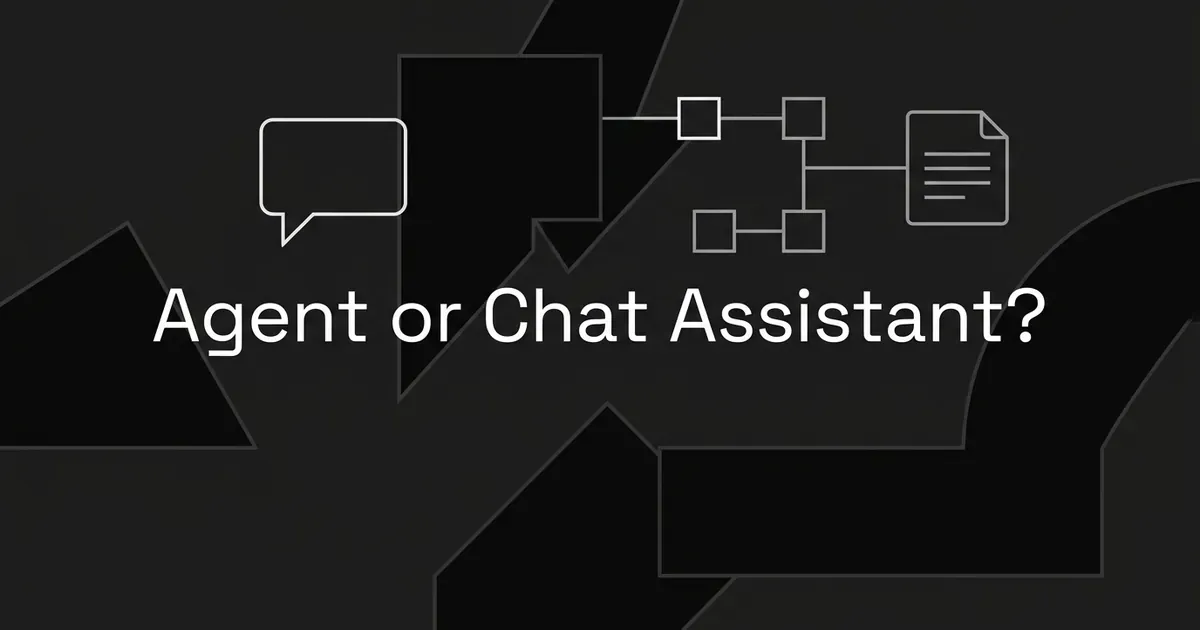
If you are trying to decide whether you need help writing individual pieces or a system that moves content from idea to published post, this is the question that matters. A configured AI content agent can carry a content goal through research, drafting, checks and approved CMS actions without you prompting every handoff, while a chat assistant helps with each of those tasks and leaves you in charge of moving the work forward. The line between the two is not as clean as it used to be, because a chat interface can also come with memory, connected tools and scheduled tasks. So the difference worth looking at is how the work gets executed, not whether there is a conversation box on the screen.
That is why the term ai content agents covers a wide range of things, and why it helps to compare them by what they actually do. Here is a short version of the differences, and the rest of this article walks through each one.
| Axis | Basic chat-led work | Configured agentic content workflow |
|---|---|---|
| Who moves the job forward? | You ask for the next task and manage the handoffs | The system can run successive steps within the goal and boundaries you set |
| Research and tool use | May search or analyze files when you ask | Can build retrieval and tool calls into one continuing run |
| Reference context | May use uploaded files, instructions, projects or memory | Can pull approved context into each run, if it is set up to |
| Workflow state | Often tracked by you or a separate project tool | Can store finished steps, record IDs and pending approvals, if built that way |
| CMS changes | In basic use, you copy and format the output yourself | Can create or update records through an authorized integration or a supported browser workflow |
| Timing | Usually starts from a conversation | May start from a request, a schedule or a supported event |
| Approvals | You review and do the downstream actions by hand | The workflow can pause at set approval points |
| Failure handling | You notice the problem and prompt again | Can use checkpoints, limited retries and escalation, if it was built for them |
| Evidence of completion | A response or a document | Can include a saved draft, an updated record or a checked system state |
Please read the table as a comparison of two ways of working, not a list of limits on named products. Modern chat products can offer things in the right-hand column, and none of those abilities come automatically just because something is called an agent. Persistence, scheduling and recovery all depend on how the system was put together.
What is a chat assistant?
For this article, a chat assistant is an AI system you use in conversation to answer questions, develop ideas, draft text and revise material when you ask. You decide what happens next, you supply missing context, and you move the output into other systems yourself.
That is an operating definition, and a fair one: a chat assistant can search the web, read files, remember things and call connected services. ChatGPT's help documentation describes projects that keep related chats, files and instructions together, memory that retains relevant details (though not every detail), recurring tasks, and connected apps that can take supported actions once you grant access.
So when people search for ai content agent vs chatgpt, the honest answer is that the comparison is between a way of working and not between a category of software and everything one popular assistant can do. If you are weighing general assistants against purpose-built writers, a roundup that sorts assistant, research and browser tools from marketing content systems shows how they usually get grouped. In the basic way of working, you are the one coordinating. A long answer that describes a publishing plan is still an answer. It does not show that anything in the plan was done.
What is an AI content agent?
An AI content agent is a system that uses a model to direct and carry out steps toward a content goal, using the tools and permissions it has been given, and stopping or asking for help at set boundaries. OpenAI describes agents as systems that independently accomplish tasks on a user's behalf, and its practical guide to building agents names three basic parts: a model, tools and instructions.
In content work, a configured agent might read an approved brief, research sources, assemble an article, check for required fields, create a draft in your CMS and ask someone to approve it. Those are things it could do. They are not features that come with the label, which is also why ai agent writing software is a hard category to judge from a product page. Two products can both say "agent" and differ a lot in what they can read, what they can change and what they remember.
It also helps to separate agents from plain workflow automation. A fixed rule that copies an approved document into your CMS is useful, but it is not really an agent, because nothing in it chooses the next step. Anthropic's guidance on agents draws the same line between predetermined workflows and agents whose models decide their own process and tool use, and it suggests adding complexity only when a simpler approach does not do the job. An agent starts to matter when the system has to interpret a task, pick tools, react to results and decide whether to continue, retry or stop.
Vendor pages show how far the label stretches. Our Copy.ai review looks at a tool that grew from copywriting into workflows and agents. Our AirOps review covers a platform built around configurable workflows. A review of a long-form SEO writer shows the same label on a different kind of product. A set of alternatives compared on agentic automation is another way to see the range.
In real setups these things overlap. One system can have a chat window, a fixed production sequence and a few steps where the model decides what to do. A more useful question than "assistant or agent?" is this: for this job, who picks and carries out the next step, and what can the system actually read or change?
Who moves the work from one step to the next?
The extra thing an agent offers here is continuity. Both approaches can write an outline, suggest sources, draft a section or rewrite a headline. A configured workflow can connect those activities so that one result becomes the input for the next action.
Here is an example of a content job, and it is only an illustration, not a customer story or a test result. You want to produce an article from an approved topic, use current product information, add internal links, prepare the publishing fields and put the finished piece in your CMS for review. This is how the two ways of working tend to split it up.
In a chat-led process you supply the brief, ask for research, check the claims and links, then copy, format, upload and publish the result yourself. In a configured process the workflow retrieves the approved context, gathers sources, reads the permitted content inventory for link targets, produces the article and supporting fields, runs configured checks, saves everything through an authorized integration, records that the piece is waiting for approval, and can retrieve the saved record to compare it with what it expected. That only works if the source access, context retrieval, checks, CMS connection, state storage and permissions have all been set up.
A multi-step job does not always need an agent. If every step is predictable, ordinary workflow automation may be simpler and more reliable. If you want to see how the post-draft work plays out across platforms, we compared the work after the first draft in more detail.
What can the system read and change?
The most important difference is between suggesting something and doing it. It helps to sort tools into two kinds.
- Read tools retrieve sources, look through your content inventory, read approved brand information or fetch an existing post.
- Action tools create a draft, update a record, upload an asset or send an approved message.
A system that can read your CMS is not necessarily allowed to write to it, and one that can create drafts is not necessarily allowed to publish them. The name of a tool does not tell you its permissions. Suggesting internal links is text output, while retrieving eligible site pages and inserting verified destinations into the saved article is an executed operation. The same goes for a meta description, which is either written in a reply or saved into the integration's supported field, and for a cover image, which is either recommended or produced, uploaded and attached to the post.
WordPress gives a concrete picture of what "acting on a CMS" means. Its documented WordPress REST API supports listing, retrieving, creating and updating posts, and the post schema includes the title, content, excerpt, status, date, featured media, categories, tags and a meta field. The documented statuses are publish, future, draft, pending and private. That matters because saving a draft and publishing to the public are different operations, and an authorized integration can do either one on purpose.
Images are a separate step as well: make or get the image, upload it, set its alt text, and attach it to the post. Writing an image prompt is not the same as uploading an image.
Access has limits too. WordPress has had Application Passwords since version 5.6, but the user behind the credentials still needs the right capability for each action. A public API does not mean an outside system can write to a site.
Metadata needs a careful look too, since the excerpt is not automatically your meta description.
When you watch a demo, look for the right post updated on the right site, the status you expected, title, body, excerpt and metadata landing in the right places, an attached image with alt text, correct categories and tags, a stated timezone for scheduling, a read-back after the write, and a clear approval point before anything goes public.
What persists after the conversation?
There are four ideas that people tend to mix up, and keeping them apart makes the comparison much clearer.
- Working context is what is available for the current task.
- Reference knowledge is approved product information, voice guidance, templates and your content inventory.
- Cross-conversation memory is what a system keeps to personalize later interactions.
- Workflow state is which steps are finished, which artifact was saved and which approval is waiting.
A chat assistant can have a lot of reference context and memory, so it would be wrong to say every new conversation starts from nothing. What a production workflow can add is explicit records for the job, such as the approved brief and the context version used, the sources chosen, the current draft and its review status, the ID of the CMS record already created, whether publication has been approved, and the last successful operation along with any open error. These are examples of what a good build might store, not claims about every commercial agent.
LangGraph's documentation shows the idea: its checkpointers save the state of a thread, its stores keep data across threads, and in-memory checkpoints are lost when the process restarts, so where the state lives matters.
Stored is also not the same as remembered correctly. The application still has to retrieve the right information and use it, and having your voice guidance, retrieving it and following it are three separate things.
Timing belongs here too. A configured workflow can start from a person, a schedule or a supported event, and keep going when nobody has a conversation open. Scheduled generation, scheduled publication, recurring monitoring and event-triggered work are different things. A reminder to write an article is not the same as writing it, writing it is not publishing it, and a scheduled job may still stop for missing information, an expired login or an approval.
Chat products are moving in this direction as well. ChatGPT's documentation describes recurring and event-triggered tasks, and a cloud browser that can fill in forms and continue some work after you leave, pausing when it needs information, a sign-in or a confirmation. Availability depends on the plan and workspace, and the documentation we reviewed does not show that every account can publish to a particular WordPress site.
What happens when approval or recovery is needed?
The more a system can change, the more a mistake can cost. A wrong sentence in a private reply and a wrong claim on your live site are not the same size of problem. Give a tool the access the assignment needs and nothing more. OpenAI suggests judging the risk of each tool by things like read versus write access, whether the action can be undone, the permissions involved and any financial impact. Public publishing, overwriting an existing page and sending messages to an audience all deserve that kind of check, and it is the same reason auto-publishing AI content safely comes down to where you put the human review.
Approval is also a setting and not a given. ChatGPT's connected-app permissions can be set to always ask or to allow supported actions without another confirmation, so "an agent always asks first" is not true.
Prompt injection is one more risk. Pages your system retrieves can contain instructions meant to redirect it, so treat research material as evidence and never as authority to change the assignment or reveal credentials. Limiting permissions and requiring review for consequential actions help, but no single safeguard removes the risk. Grounding is not truth either, since an agent can retrieve an outdated source or repeat a false claim, and a link next to a sentence does not prove the source supports it. Background work has limits as well, because a remote process can stop for a failed login, usage limits or a required approval.
Recovery is the part that gets the least attention. Delegation is only useful when the system can tell a completed action from an attempted one. A message that says "published successfully" is not enough. You want a saved record, the expected status and a read-back check of the important fields.
Durable execution is the engineering idea behind this. LangGraph's documentation describes checkpointing and recovery, and notes that resuming can replay steps. That makes outside side effects important: if a request to create a post succeeds but the response is lost, blindly repeating it can leave you with a duplicate post.
Worth asking about: whether the job is tied to the ID of the CMS record it saved, whether the system checks an earlier operation before retrying, and whether retries and spending have limits. These are requirements to check, not proof that any particular product has them.
Does an agent write better or rank better?
Running a job through an agent changes who is responsible for the workflow. It does not establish better prose, sounder judgment or higher accuracy, and the evidence we reviewed does not rank the two approaches on those. Search is a separate matter too. Google's February 2023 guidance says that using AI does not give content a special ranking advantage, and its guidance on AI features says nothing guarantees content will be crawled, indexed or served. Used well, ai content agents can help with technical and editorial work, but they cannot promise rankings, citations or traffic.
If you want to judge an agent honestly, measure the work on the same task, with the same approval standard and the same destination. Active human time, elapsed time to a checked outcome, how often someone has to step in, rework before approval, failed writes and duplicate posts, and total production cost all say more than a demo does. We are not aware of a like-for-like benchmark showing a universal speed-up or cost reduction for content agents against chat assistants, so be careful with any vendor number that says otherwise.
When should you use each approach?
Chat-led help is the right pick when the task is a single draft, rewrite or brainstorm, when you want close control over each decision, when the brief keeps changing, or when giving a tool write access to your site would add more risk than value. Chat is not the lesser choice in those cases. It may simply be the better tool for the real bottleneck.
When you weigh ai content agent vs chatgpt, a configured content workflow starts to earn its keep when similar production jobs keep coming back, a lot of effort goes into moving material between tools, and approved context can be made available reliably. It also needs a CMS that exposes the operations you need, a clear idea of what the workflow may do on its own, a result you can check, and someone who owns the exceptions and upkeep. It can help to review editorial control over platform drafts before you give a system real authority.
Ordinary automation is the third option, and it is often the right one. If the sequence is predictable and no step needs a model to decide anything, a plain automation will be cheaper and easier to trust.
Here is a rule you can use. If you mainly need a better answer, start with a chat assistant. If you need a repeatable job finished across several systems, look at an agentic workflow. If the job is a fixed sequence, check whether ordinary automation is enough. Many teams mix them, using conversation to settle the brief and the angle and handing bounded production work to a workflow.
Some ai agent writing software and platforms are built around this shape. DeepSmith, for example, stores your brand context in Deep IQ, lets you schedule article generation with Autowrite, and has you review and publish from Produced Content to the CMS you use. Scheduling generation and publishing publicly are separate steps there, and you decide how much of it runs without you. Teams comparing AI content tools that publish to your CMS can use the checks above on each one. For a view of what sits around the draft itself, see the automations around the draft that are worth asking about.
If you want a place to start, pick one recurring job on your team, such as turning an approved topic into a CMS draft, and write down every handoff in it. Next to each handoff, note whether you do it, whether a tool does it, and how you would know it was done correctly. That list tells you whether you have a thinking problem or a coordination problem, and it will show you what to look for in any tool. If you would like to see a workflow like that in practice, you can start a free DeepSmith trial and look at it with your own content.
The choice comes down to the work that needs to get finished, the systems it has to touch and how much authority you are willing to hand over, and it does not come down to whether a product calls itself an assistant or an agent.
Related guides
- Averi AI Alternatives: 7 Best AI Marketing Content Tools for 2026: Seven Averi AI alternatives (DeepSmith, Jasper, Copy.ai, Writesonic, Scalenut, Surfer, Anyword) sorted into camps, weighing Averi's AI-plus-human-expert-network model and $99 to $199 pricing against pure software platforms that.
- Junia AI Alternatives: 8 Best AI SEO Writing Tools for 2026: Ranks eight AI SEO long-form writing tools as Junia AI substitutes (DeepSmith, Surfer AI, Scalenut, Frase, Writesonic, KoalaWriter, Byword, SEOWriting.ai), comparing entry pricing, what each tier actually includes.
- Rankability Alternatives: 8 Best AI Visibility and SEO Content Tools for 2026: Ranks eight Rankability substitutes (DeepSmith, Frase, Semrush, Surfer, SE Ranking, Profound, Scrunch and more) for buyers who want AI visibility tracking and SEO content optimization inside one workflow.
- WordHero Alternatives: 8 Best AI Copywriting Tools for 2026: For lifetime-deal users who now need long-form output, this ranks eight AI copywriting tools (DeepSmith, Writesonic, Jasper, Scalenut, Anyword, Copy.ai, Rytr, Hypotenuse AI) on template breadth, real article.
- AI Writing Assistant or Human Writer: Where Each One Wins: Compare where AI writing assistants and human writers each tend to do better, across speed, consistency, original insight, subject expertise and editing, so you can assign the right.