
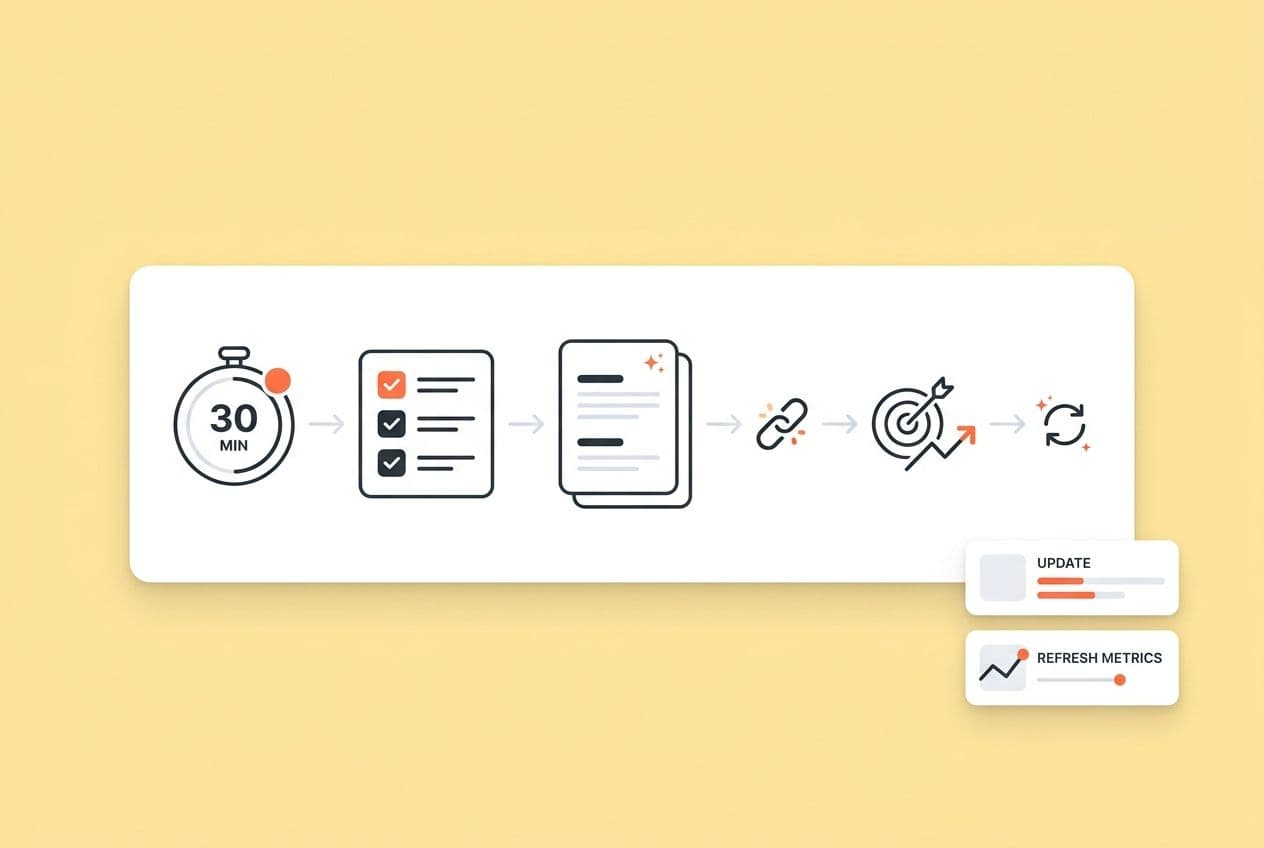
In 30 minutes, you can meaningfully improve a decaying SaaS post by running a focused sprint. Here's the system: pick the right page, set DONE criteria, then execute 10 high-impact tasks covering CTR, internal links, intent alignment, AI-extractable answers, trust signals, and a quick redistribution. That’s not a rewrite. It’s a targeted intervention on the specific levers that cause ranking decay and AI invisibility.
I know how this usually goes, though. You sit down to "freshen up" a post, and 90 minutes later you've rewritten the intro three times, added two new sections, and are now reconsidering the entire H2 structure. Manual briefs, SEO reviews, internal linking, CMS formatting... every refresh turns into a project. It's exhausting. And now there's AI visibility pressure on top of it, with leadership asking why competitors show up in ChatGPT when your brand doesn't.
The truth is, most refresh attempts fail not because of execution but because of scope. No defined "done," no time box, no single target outcome. It’s a recipe for burnout.
This article gives you exactly that: a decision framework for picking the right page (and skipping the wrong ones), a 30-minute sprint structure with DONE criteria, the 10 highest-impact tasks with time estimates, and a cadence for making refreshes compound over time.
What counts as a "content refresh" (and what doesn't) in a 30-minute sprint?
A refresh preserves the core structure of a post and fixes the specific things causing performance leakage. It is not a rewrite or just slapping a new date on the post. Think of it as targeted intervention on measurable outcomes.
Here's the distinction that matters to me:
- Refresh: Same URL, same structure, improved CTR signals, updated facts, better intent match, stronger internal links, more extractable answer blocks.
- Rewrite: New structure, new angle, substantially new content. This takes hours, not minutes.
- Republish: Date update with maybe a few minor copy tweaks. This is mostly cosmetic and rarely moves rankings.
We've all tried the cosmetic edits, right? Swapping three adjectives in your intro doesn't resolve an intent mismatch. Adding a generic paragraph doesn't help AI systems extract a direct answer. The page still leaks performance.
You have two axes of content health to care about: SEO performance (rankings, traffic, CTR) and AI visibility (whether your page gets cited when buyers ask AI platforms questions in your category). Most refresh guides only focus on the first. Ignoring the second is getting more expensive every day as buyer research moves to ChatGPT, Perplexity, and Google's AI Mode.
One honest boundary: 30 minutes won't save a page with no real demand. If the topic never had traction or the intent is just wrong, a micro-refresh won't change its trajectory. What it will do is fix common leakage points (weak title tags, stale examples, missing internal links, buried answers) on pages that already have some signal.
What outcomes you can reasonably expect after a micro-refresh
Let's be real about what to expect, because the feedback loop here is slower than you'd like.
Leading indicators (watch within 7–14 days): CTR lift in Search Console, impressions stabilizing after a decline, average position nudging up on target queries, increased internal clicks from your linking changes, and improved snippet eligibility on question-based headings.
Lagging indicators (watch over 4–8 weeks): organic traffic recovery, conversion rate improvements on the refreshed pages, and pages beginning to appear in AI-cited answers.
Your sprint provides the inputs. The tricky part is that search engines and AI platforms take their time evaluating the outputs. That’s not a reason to delay. It’s a reason to refresh consistently, not heroically.
The 3 "rewrite traps" that blow up your 30 minutes
These are the most common ways I've seen (and personally experienced) a 30-minute refresh turn into a 3-hour detour:
- Trap 1: Intro/conclusion perfectionism. You know the intro is weak, so you rewrite it. Then rewrite it again. I've lost entire afternoons to this. Set a rule: the intro gets 5 minutes maximum, and you're only fixing keyword placement and first-sentence clarity, not the narrative arc.
- Trap 2: Scope creep ("since I'm here...") You notice the post is missing a section on X, so you add it. Then you think of Y. This is the classic rabbit hole. Suddenly you're writing new content instead of refreshing existing content. New sections over 150 words are out of scope. Full stop.
- Trap 3: Starting without a target outcome. Are you fixing CTR? Recovering rankings? Improving AI extractability? Each of these points you toward different tasks. Without a declared target, you do a little of everything and fully fix nothing.
How do you pick the right page to refresh today (in under 5 minutes)?
Pick pages with proof of demand, signs of decay, and obvious upside. Walk away from pages that should be consolidated or pruned instead. Don't let your feelings guide this; use a system.
Here's my fast triage process:
Step 1: Find decaying pages in Analytics + Search Console.
- In GA4, filter your organic landing pages and sort by sessions. Look for pages that drove real traffic 6–12 months ago but have dropped off in the past 90 days.
- In Search Console, sort by impressions and filter for pages where CTR is low relative to impressions. High impressions with low CTR is a huge flashing sign that your title/description isn't earning the click.
- My favorite opportunities are keywords ranking in positions 8–20 (striking distance). A title tag fix or an intent alignment tweak can move these to page one faster than you'd think.
Step 2: Filter by business relevance. Not every decaying page is worth your time. I always prioritize pages tied to:
- Product category keywords my buyers actually search for.
- High-intent use cases (like comparisons, how-to guides, or checklists).
- Topics where being cited in AI answers actually matters for pipeline.
Step 3: Apply an "effort realism" filter. The best refresh candidate has obvious improvements available, not "I need to rethink the whole strategy for this piece." You're looking for outdated stats or screenshots, a weak title that buries the keyword, missing internal links to newer related content, or a buried answer where a direct definition should live.
Step 4: Add an "AEO lens." Ask yourself: should this page be cited when a buyer asks an AI platform about this topic? Definition pages, comparison posts, and checklists are prime AEO candidates. If it's not getting cited and it should be, that's a signal to refresh.
End result: one page, one target metric. Write it down before you even think about opening the CMS.
5-minute decision tree: Refresh vs. consolidate vs. prune
Not every page deserves a refresh. Running through this checklist takes less than 5 minutes and saves you from wasting effort.
Refresh if:
- The topic still has active search demand.
- The page had real traction at some point (impressions, traffic, rankings).
- The intent is still aligned with what the page covers.
- The content is mostly sound and just needs targeted updates.
Consolidate if:
- Two or more pages compete for the same query and neither is winning.
- You have thin pages covering the same subtopic from different angles.
- Merging them would create the single clearest answer for that intent.
Prune/redirect if:
- The topic is outdated and no longer relevant to your audience.
- The page never had traction and has no strategic value.
- The content is misleading, incorrect, or contradicts your current product positioning.
A quick warning on this: pruning and redirecting well-chosen pages can strengthen your site's overall authority by removing noise. But don't prune aggressively just to tidy up. Each redirect is a decision. Get it right before you pull the trigger.
What are your "DONE criteria" for a 30-minute refresh (so it doesn't turn into a rewrite)?
A 30-minute refresh only works if you decide what "done" means before you start. Without it, every session expands to fill whatever time you give it.
Getting this right isn't just about efficiency; it's a leadership skill. When your refresh process is documented and scoped, it becomes delegable. A writer can run the sprint. A contractor can follow the card. You get to review instead of execute.
Here's the exact card I use (or give to my team) for every session. Copy it.
30-Minute Refresh Card
- Page URL: [URL]
- Primary query / intent: [What is this page trying to rank for and answer?]
- Target outcome (pick one): CTR lift / Reclaim rankings / Win AI citations / Improve internal navigation
- Allowed changes: Title tag, meta description, H2 rewrites, add 1–2 answer blocks, add 2–5 internal links, fix broken links, update 2–3 facts or examples
- Not allowed: Full restructure, new sections over 150 words, new custom design work, topic repositioning
- Time split: 5 min diagnose → 20 min execute → 5 min QA + publish notes
A platform like DeepSmith can help make this kind of sprint repeatable by keeping research, draft edits, SEO structuring, internal linking, and publishing in one place. That said, no system eliminates the editorial judgment that goes into the card itself. You still decide what "done" means; the system just helps you get there faster.
The time split is strict by design. If you're still diagnosing at the 10-minute mark, you picked a page that needs more than a refresh.
What are the 10 highest-impact content refresh tasks you can finish in 30 minutes?
If you only have 30 minutes, do the tasks that directly affect CTR, intent clarity, link equity, trust, and AI extractability. Always do them in a consistent order.
You won't do all 10 every time. You'll pick 4–6 based on your declared target outcome (more on that below). But always start from the top levers.
1. Write a 1-sentence intent statement (1 min) Before you touch anything, write one sentence: who is this page for, what problem does it solve, and what format does it deliver (guide, checklist, comparison)? DONE: Sentence exists. This will govern every other edit you make.
2. Update the meta title for CTR (3–4 min) Put the primary keyword in the first 40 characters. Add specificity like a timeframe, a number, or a year (only if the content actually reflects it). Write 2 variants. DONE: 2 title variants drafted; one selected.
3. Update the meta description like ad copy (3–4 min) Match the current intent. Lead with the outcome, name who it's for, and cut every phrase that sounds like "In this post you'll learn..." Write one tight description under the character limit. DONE: 1 description written; no filler.
4. Rewrite H2s to be question-based and buyer-phrased (4–5 min) Your H2s should mirror how buyers actually phrase questions to you and to AI platforms. "Content strategy tips" is a noun phrase. "How do you build a SaaS content strategy on a small team?" is a query. The second version is more skimmable, more AI-parsable, and more aligned with real search behavior. DONE: At least 2 H2s improved; no structural overhaul.
5. Add one "atomic answer block" under a key heading (4–5 min) Find the highest-intent question on the page. Write 2–3 sentences that answer it directly, with no preamble. No "Great question!" No "It depends." Just the answer, concrete and specific. DONE: Block is self-contained (someone could read it in isolation and have a complete answer).
6. Fix broken external links (3–5 min) Dead links are a problem for both trust and crawling. Spot-check the links in the sections you're editing. Replace or remove anything returning a 404 or redirecting to an irrelevant page. DONE: Zero visible broken links in the sections you touched.
7. Add 2–5 internal links with descriptive anchors (5–7 min) This is one of the highest-leverage refresh tasks and the one everyone skips. I get it. Manually cross-referencing your sitemap is a genuine pain. The fix: create a simple internal linking policy (2–5 links per refresh, descriptive anchors, always link to one hub page). DONE: Links added, and they read naturally in context.
8. Update 2–3 outdated facts, examples, or screenshots (5–7 min) Stale stats kill your credibility with readers and trust signals with search engines. Swap outdated tool names, UI references, or statistics that are more than 2 years old. You don't need to update everything; focus on the most visible examples. DONE: Outdated callouts removed; replacements are current and relevant.
9. Add one fast E-E-A-T trust signal (3–4 min) Add something that signals the author has direct experience or expertise. This could be a named framework, a specific "what this looks like in practice" example, or a brief clarification of the author's background. It's about showing a human is behind the curtain, not listing credentials. DONE: At least one trust signal added without overclaiming.
If you only have 30 minutes, do the tasks that directly affect CTR, intent clarity, link equity, trust, and AI extractability.
10. Draft a lightweight redistribution asset (3–5 min) Treat every refresh like a mini-launch. Don't let your hard work die in silence. Write one LinkedIn post or add the post to your next newsletter slot. The refreshed page has new angles, so use them. This is the step most teams skip, and it's why refreshed posts quietly die. DONE: Distribution asset drafted (even if you haven't posted it yet).
The "choose 5" rule: which tasks to do when you can't do all 10
Okay, so you can't do all 10. That's fine. Don't try. Instead, pick your tasks based on the problem you're actually trying to solve.
| Primary Issue | Recommended Tasks |
|---|---|
| CTR is low | #2 + #3 + #4 + #5 + #7 |
| Rankings slipped | #1 + #4 + #5 + #7 + #8 |
| AI visibility is the concern | #4 + #5 + #9 + #7 + #8 |
| UX / trust is the issue | #6 + #8 + #9 + #7 + #5 |
This table assumes you've already filled out the Refresh Card and declared your target. If you skipped that step, go back. Choosing tasks without a target outcome is how you end up doing 10 things at 20% effort each.
How do you refresh for AI search (AEO) without "AI-washing" your content?
Let's be clear: AEO wins come from extractable structure. That means direct answers, clean headings, comparisons, and steps. It does not mean inserting "AI" into your content or adding a vague paragraph about machine learning.
That means direct answers, clean headings, comparisons, and steps. It does not mean inserting "AI" into your content or adding a vague paragraph about machine learning.
A tool like DeepSmith's AI Visibility module can track brand mentions and citation rates across ChatGPT, Gemini, Perplexity, Claude, and Google AI Mode. It also shows you which competitor pages are winning citations so you know where the gap actually is. No tool can guarantee citations, but you can't improve what you're not measuring.
The extractability checklist for AEO:
- Each section opens with a direct 1–2 sentence answer before any context.
- H2 and H3 headers are phrased as questions that mirror real buyer prompts.
- Lists, steps, and definitions are preferred over dense narrative paragraphs.
- Side-by-side comparisons are structured as tables, not prose.
Here’s how to match your page structure to the type of query you're trying to win:
| Prompt Type | Best On-Page Structure |
|---|---|
| "What is X?" | Definition paragraph + 3–5 bullet clarifications |
| "X vs. Y" | Comparison table with clear criteria |
| "How do I do X?" | Numbered steps, each starting with a verb |
| "Best X for Y" | Criteria table + brief rationale per option |
| "Checklist for X" | Numbered or bulleted checklist block |
What not to do: Long, meandering intros that circle the topic before answering it. Vague platitudes ("Content is crucial..."). Answers buried in the middle of dense paragraphs with no heading above them. AI engines have no time for that.
The measurement mindset here is simple: define 5–10 prompts your buyers ask AI platforms, track whether your pages are being cited for them, and use that data to prioritize which pages to refresh next. AEO is iterative, not a one-time fix.
What should your monitoring cadence be after a refresh (so improvements compound)?
This isn't a one-and-done project. It's a habit. A single sprint is an input, not a guarantee. The real, compounding gains come from consistency.
Same day (before you close the tab):
- Confirm the new title tag and meta description rendered correctly.
- Spot-check that your internal links go to the right pages.
- Verify the heading hierarchy is clean (no H3 appearing before an H2).
- Confirm your new answer blocks aren't broken by weird formatting.
Over the next 7–14 days:
- Check Search Console for CTR movement on your target query.
- Note whether impressions are stabilizing or still declining.
- Review internal link click data if your analytics can capture it.
- If you're tracking AI visibility, check for any early citation changes.
A simple cadence framework:
- Quarterly micro-refreshes for your important middle-tier pages. Update stats and examples, check internal links, and tighten any answer blocks that may have gotten stale.
- Annual deep refreshes for top performers. This is when you do a competitive gap review, restructure headings if needed, and add new sections only if there's a clear intent gap.
Trigger-based refreshes (don't just wait for the calendar):
- A major SERP change happens on a target query.
- You see a clear intent shift (buyers are asking the question differently now).
- A new competitor page starts ranking above you.
- A product category change makes your existing content inaccurate.
- AI Overview behavior changes around a topic you care about.
One focused refresh per day compounds faster than quarterly heroics. The teams that win at this treat it like a maintenance habit, not a big campaign.
What are the biggest bottlenecks that slow refreshes down — and how do you remove them?
Most teams don't fail because they don't know what to do. They fail on the last-mile workflow. It's the tool-hopping, the manual steps, and the four "I'll skip it for now" decisions that stack up until the refresh never ships.
The checklist above is straightforward. What stops people from doing it is operational friction. Here's where it breaks down and how I've learned to fix it:
Bottleneck 1: Decision paralysis. You can't start because you're not sure which page, which task, or what "done" looks like. The fix: keep your Refresh Cards in a shared doc, pick the page the night before, and declare your target outcome before you open the CMS.
Bottleneck 2: Internal linking. Yeah, this is the single most commonly skipped task. Manually cross-referencing your site is genuinely tedious. The fix: create a simple internal linking policy (2–5 links per refresh, descriptive anchors, always link to one hub page). A system like DeepSmith can automate this during editing by scanning your sitemap, which removes the manual pain, though you should still review the final links.
Bottleneck 3: Cover images. Every refresh that involves a new thumbnail turns into a Canva session. The fix: define 2–3 reusable cover templates with your brand colors and title overlays. Stop designing from scratch every time.
Bottleneck 4: CMS formatting and publishing. "I'll just quickly fix the formatting" turns into 20 minutes of wrestling with blocks. The fix: standardize your block structure, maintain a CMS publishing checklist, and publish as part of your 5-minute QA window, not as a separate step for tomorrow.
Bottleneck 5: Distribution slip. The post gets refreshed. Crickets. No one knows. The fix: task #10 is non-negotiable. One LinkedIn post and one newsletter blurb is the minimum viable distribution asset. DeepSmith's Agent Library can generate these from the refreshed post so this step doesn't require a whole separate workflow. You just review and deploy.
One last thought: AI assistance is genuinely useful in refreshes for things like identifying semantic gaps, rewriting a paragraph for clarity, or restructuring an answer block. Just be sure to apply it with human QA. AI-generated prose without editorial review is how your brand voice drifts, gradually at first, then all at once.