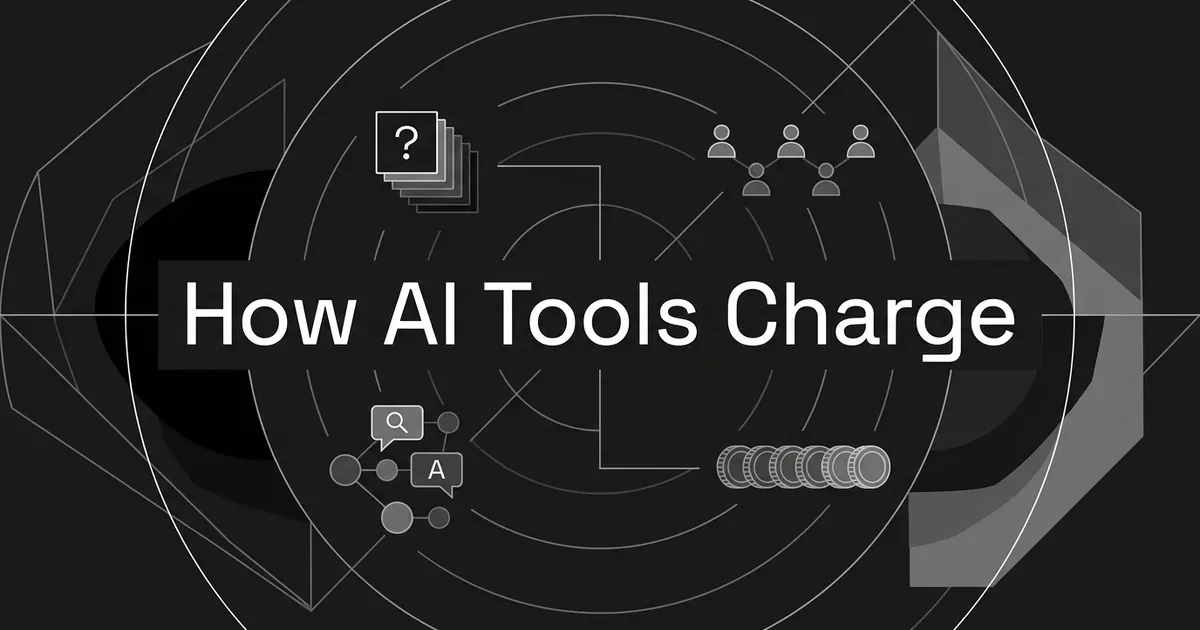
AI visibility tool pricing usually comes down to a subscription that counts one or more of four things: the prompts you track, the seats that can log in, the AI engines you cover, or the credits the platform uses to measure its own work. Each one scales with something different. Prompts scale with the questions you watch, seats scale with the people who need access, engines scale with where you watch, and credits scale with whatever work the vendor decides to count.
If you're comparing ai visibility tool pricing for the first time, it can feel like every vendor is using the same words to mean different things. That's a fair reaction, because they often are. A plan with 50 prompts at one vendor can mean a very different amount of monitoring than 50 prompts at another. So the most useful question to ask of any price is "what does this subscription actually count?" This guide walks through each of the four models, shows how they combine, and explains which kinds of usage they tend to favor. It doesn't size a plan for you or list the fees that show up after you buy.
The prices and rules quoted below come from public vendor pages and documentation, observed on November 11, 2026. They are examples of how the units work, not quotes, and vendors change their pages often, so check the current page before you rely on any figure.
How are AI tracking tools priced? The short version
Here is the quick map, and the sections after it fill in the detail.
| Pricing dimension | What it counts | What makes it grow |
|---|---|---|
| Tracked prompts | The questions you keep under watch | More topics, more wording variants, more countries |
| Seats | The people with access | More teammates, clients or stakeholders logging in |
| Engines | The AI surfaces that get checked | Adding ChatGPT, Perplexity, Gemini, AI Overviews and so on |
| Credits | Units of work the vendor defines | More prompts, more engines, more frequent checks |
Most real plans mix these. A single subscription can give you 150 prompts, three engines, unlimited users and a separate pool of credits for other tasks, all at one monthly price. When people say a tool is "priced per prompt," they usually mean the prompt allowance is the number that changes between tiers, even though the other dimensions are still sitting in the plan.
One more thing worth keeping in mind. A prompt, a seat, an engine and a credit are four different kinds of unit. A prompt is a question being monitored. A seat is a person's access. An engine is a source of answers. A credit is the vendor's own accounting unit. They can't be swapped for each other, and none of them tells you the full monitoring workload on its own.
Per-prompt pricing: the questions you monitor
Per-prompt pricing scales with the number of questions you keep under observation, and it usually shows up as tiers with an included prompt allowance.
In most cases this isn't a literal charge on every question. You pay a subscription that includes a set number of tracked prompts, the price stays the same while you stay inside that number, and it changes when you move to the next tier. If you track 40 questions on a plan that allows 50, nothing about the bill changes. If you want 60, you're looking at the next tier up.
The part that trips people up is the difference between inventory and volume. A tracked prompt is a question stored in your monitoring set. It is not one answer. Fifty questions checked daily are still fifty tracked questions, but over a month they can produce many more than fifty answers, because each question gets checked again and again, and possibly on several engines.
Things that can use up your prompt allowance include:
- Adding another buyer question you want to watch.
- Tracking a different wording of the same question as its own prompt.
- Creating country-specific versions, where the tool counts each country separately.
There are also some assumptions that are worth not making. One tracked prompt does not automatically include every engine. An allowance doesn't always refresh like a balance you spend down each month. Deleting a prompt and adding a new one may or may not give the capacity back, depending on the vendor's rules. And one prompt doesn't necessarily equal one raw response from a model.
For usage patterns, a stable set of questions is easy to live with under a prompt tier, since you know the number up front. A team that keeps adding topics, question variants or markets will feel the allowance sooner. That's a pattern worth noticing, though it doesn't tell you which vendor is cheaper.
The takeaway for this model is that a prompt allowance measures how wide your question set is, and it only means something once you know how the tool defines a prompt. Many of the buyer roundups spell out each tool's prompt allowances so you can see how differently they're counted.
Per-seat pricing: the people who need access
Per-seat pricing scales with the number of people licensed to use the platform, and not with how much monitoring gets done.
This one comes in three different forms, and it helps to keep them apart:
- A published charge for each user.
- A subscription with a fixed number of included seats.
- Unlimited users inside the subscription.
Only the first is a true per-seat charge. If a plan says "five seats included," that's an allowance, and it doesn't tell you what a sixth seat would cost, or whether you can buy one at all. It's a common mix-up, and it makes a plan with a seat cap look like it's priced per user when it isn't.
Seats and monitoring capacity are separate too. Adding a person usually gives them a login to the dashboard, but it doesn't add prompts, credits or engines. And the reverse can be true as well, since a plan can let you invite as many collaborators as you like while still keeping a fixed limit on how much it monitors.
Semrush gives a clear example of a seat as a priced unit. In its user management documentation, additional users need AI Visibility Toolkit access purchased separately, at $99 per user. That page also lists other additional-user prices for other Semrush subscriptions, which don't apply to the toolkit, so it's easy to grab the wrong number. The page doesn't say what billing period the $99 covers, and it doesn't give the full base subscription cost, so it's an example of the seat unit and not a complete quote.
Peec's public brand plans go the other way and list unlimited team users on every tier, even though the number of prompts and models is limited. That's a good reminder that collaboration can be free of charge while monitoring stays metered.
On usage patterns, a paid-seat component matters most when many people need to get into the same monitoring program, for example a marketing team plus several stakeholders who want to look at the reports. A small team where one or two people do the work may barely notice seats, and the prompt, engine or credit limits will matter more.
The takeaway here is that a seat buys access, unless the vendor says plainly that it adds monitoring capacity too.
Per-engine pricing: the surfaces you cover
Engine-based pricing scales with how many AI surfaces get checked, and it shows up in one of three ways: engines bundled into a plan, engines sold as separate packages, or engines that use up a shared allowance when they're checked.
Here's how those three differ:
- Bundled entitlement. The plan includes a certain set or number of engines, and you work within it.
- Separate coverage package. Extra engines are bought as their own advertised packages on top of the base plan.
- Usage multiplication. You can turn on more engines, but each one adds to the work counted against a shared allowance.
These can exist side by side. A platform might include several engines in a plan and still make the total amount of monitoring depend on how many of them you pick.
Otterly's pricing page is a useful illustration. It describes four included engines (ChatGPT, Google AI Overviews, Perplexity and Microsoft Copilot) and lists Claude, Google AI Mode and Gemini as additional engine options, with fixed add-on packages for up to 1,000 prompts.
Another official Otterly page, titled "New OtterlyAI Pricing: Same Price, More Prompts, Your Engines," presents it differently. It talks about prompt credits and shows different daily prompt capacity for three engines compared with four. In its Standard example, the same listed $189 monthly price comes with 160 daily prompts on three engines and 120 on four. The two official pages aren't fully reconciled, and the article doesn't give a publication date, so this isn't a number to buy from. What it does show is that engine breadth can eat into how many questions you can check. Anyone comparing this type of plan should expect to see both of these structures out in the wild.
Also keep in mind that Google AI Overviews and Google AI Mode show up as two separate surfaces in the vendor material. If you count engines, "Google" can be more than one entry.
For usage patterns, if your monitoring stays on the engines already included, extra engines in the catalog don't put pressure on you. When you want coverage beyond the bundle, you pay for it in one of three ways: a bigger entitlement, a counted workload, or both. A wider engine list also doesn't mean your invoice goes up right away, since you can stay inside a bundle that's already paid for.
The takeaway is that "engines included" answers an access question and not a volume question. It tells you where you can look, not how much looking you get to do.
Credit pricing: the work the platform counts
Credit pricing turns defined monitoring activity into a balance, so what matters is the work one credit represents, and not the word "credit."
A credit model can be sold as a regular subscription with an allowance, so it isn't automatically pay-as-you-go. And a credit can describe how capacity gets allocated rather than a deduction after every single response, so the wording in the documentation really matters.
Peec's agency documentation gives one of the clearest definitions. One tracking credit is one prompt on one model for one day. In its own words, that's 1 prompt × 1 model × 1 day = 1 credit, and tracking that same prompt on one model across 30 days is 30 credits. The worked example in the documentation follows a question like "What's the best CRM for small businesses?" tracked daily on ChatGPT, AI Mode and Gemini for a full 30-day month, which comes to 1 prompt × 3 models × 30 days = 90 credits. The documentation says credits are assigned to a project automatically, based on its prompts and models, so it's best read as an allocation rule and not proof that each raw answer takes exactly one credit.
The same documentation says that eligible weekly tracking uses one-third of the credits that daily tracking would. Many people would guess one-seventh, since a week has seven days. The published rule says otherwise, which is a good example of why a vendor-defined unit needs to be read and not assumed.
Credits can also mean more than one thing inside the same company. Peec's brand pricing table lists "agent credits" next to its monitoring allowances (500, 750 and 1,000 on Starter, Pro and Advanced). The reviewed material doesn't give a conversion between those and the agency tracking credits, so the two shouldn't be mixed up. Credits that pay for monitoring and credits that pay for other AI work are different allowances, even when they share a name.
On usage patterns, credits are flexible. They can cover different mixes of questions, engines and frequency. But the balance is only easy to understand when the conversion is stated, and extra work will draw down an included balance without always changing the subscription price.
The takeaway is simple: translate credits into the action or allocation they stand for before you decide what an allowance means.
Why the same prompt count can mean different things
Two plans can both say "100 prompts" and ask very different things of the tool, because a prompt count leaves out several settings that decide how much work sits behind it.
Cadence is one. Daily and weekly monitoring of the same prompt do different amounts of work, and as the Peec example shows, the pricing conversion doesn't have to follow the calendar. Engines are another, since a prompt checked on one engine is less work than the same prompt on four. Geography is a third, and execution counting is a fourth. A "check" might be one engine or several, depending on how the vendor defines it.
A small, made-up example helps show the gap. Say you monitor 20 questions on three engines once a day for 30 days. That's 20 tracked questions, and it's also 1,800 scheduled question-engine checks, assuming one check per question, engine and day. Those two numbers are different denominators. The 20 is your inventory, and the 1,800 is your scheduled workload. This example isn't how any specific vendor bills, and it doesn't say how many raw responses a vendor collects per check. You also shouldn't call the 1,800 "credits" unless the vendor's own definition says so.
Geography has its own clear rule at Otterly. According to its help documentation, one search prompt counts for one country, so the same prompt monitored in four countries counts as four prompts against the account limit. Wording that looks like a single question can take up several slots because the country is part of what gets tracked. That is Otterly's rule, though, and it shouldn't be treated as how every platform works.
Hybrid plans pull all of this together. One subscription can hold a prompt allowance, a set of engines, a seat arrangement and a credit pool at once. When that happens, the limit you hit first is the one that matters, and it's not always the one in the plan's headline. Before you compare two headline prices, it helps to compare the denominators too, which is easier to do when you read the engines included per tier for each tool alongside its prompt counts.
Peec's monthly brand plans show how a table of units fits together. Starter is $95 a month with 50 prompts, three active models, daily tracking and 4,500 listed monthly AI answers, and the page defines those answers as tracked prompts multiplied by active models and tracking frequency (50 × 3 × 30 is 4,500). That's the vendor's own listed quantity, not an independent measure of answer volume.
The same page lists unlimited team users, which shows that unlimited users don't mean unlimited monitoring.
Does LLM citation tracking tool cost work differently?
A lot of buyers ask whether the cost of an LLM citation tracking tool works differently from mention tracking, since a citation (a link to your page) feels more valuable than a mention (the brand is named). In the examples above, it doesn't seem to.
Mention tracking detects whether an answer names your brand. Citation tracking detects whether it links or points to your pages. Those describe what gets measured, not what gets billed. The pricing units reviewed here are prompts, seats, engines, credits and answers, and none of them is a fee per citation earned. So LLM citation tracking tool cost generally follows the same capacity, access and coverage rules as everything else in the plan.
It also helps to say what buying more capacity does not do. More credits or a bigger prompt allowance means you can watch more, and it doesn't buy you a place in an AI answer. If you're comparing the ways vendors describe this, lists of AI citation trackers show how the same measurement gets packaged under different limits.
Which usage patterns each pricing model rewards or penalizes
Each model fits some kinds of usage comfortably and puts pressure on others. The table below is about the units themselves. It isn't a claim about savings, and it doesn't rank any vendor.
| Pricing dimension | What expands | Usage it tends to fit | Usage that creates pressure |
|---|---|---|---|
| Tracked prompts | Breadth of the question set | A steady set of buyer questions | More topics, wording variants, and separately counted countries |
| Paid seats | Number of licensed people | A few users doing a lot of monitoring | Many collaborators needing the same reports |
| Engine package | Breadth of AI-surface coverage | Monitoring focused on the included engines | Extra surfaces outside the bundle |
| Credits | Defined work or allocated capacity | Activity that maps cleanly to the conversion rule | More prompts, engines or checks counted per period |
| Hybrid subscription | More than one of the above | Usage that fits the bundle as it's built | Growth in whichever limit you reach first |
"Creates pressure" here means you use up more of an allowance or entitlement. It doesn't mean the bill goes up straight away. Under a subscription, extra work can often use existing capacity first, and a price change only happens at a boundary. More work and a bigger bill are two separate events.
A team with a small, steady set of questions and many stakeholders will care about the seat arrangement more than the prompt tier. A team watching many topics in several countries will find the prompt counting rules decide most of the bill. A team on a credit plan should write down the conversion before anything else.
The same discipline holds when you compare AI features in your SEO suite you already use against a dedicated tool, because the units may be counted differently in each, and a headline price alone won't show it. The AEO add-ons bundled into SEO suites are a good place to see this, since each one counts prompts, refresh frequency and engines in its own way.
A note on how DeepSmith counts these things
DeepSmith's plans use several of these dimensions together, which makes them a straightforward example of a hybrid. Pro is $99 a month and covers 50 tracked prompts, 5 seats and ChatGPT. Grow is $199 and covers 100 prompts, 7 seats, and ChatGPT and Perplexity. Scale is $399 and covers 200 prompts, 10 seats, and ChatGPT, Perplexity and Gemini. Enterprise is custom and covers all ten engines. Prompts, seats and engines all rise with the tier, and each plan also includes a monthly allowance of articles, because DeepSmith tracks and produces content in one platform. Annual billing lowers the effective monthly rate.
If you want to see how those units feel in practice, you can start a 7-day free trial and look at your own prompt set, which is a gentler way to learn what a plan counts than reading a pricing table.
What to take away
When you ask how are AI tracking tools priced, the label on a pricing page matters less than the unit behind it. Prompt pricing counts what you watch, seat pricing counts who can watch it, engine pricing counts where you watch it, and credits count defined work. Hybrid plans combine all of that, so the unit definitions are the explanation.
A practical next step is to write down four things for your own monitoring: the questions you'd track, the people who need access, the engines that matter to your buyers, and the work you'd expect the tool to do each week. Then, when you read a pricing page, you can match each line to one of those four. That alone clears up most of the confusion, and it makes it easier to set up your tracking with the right expectations. If you want the wider picture of what's available, the best AI visibility tools roundup is the place to look, and the broader shift toward usage-based pricing in AI products explains why credits keep showing up.