

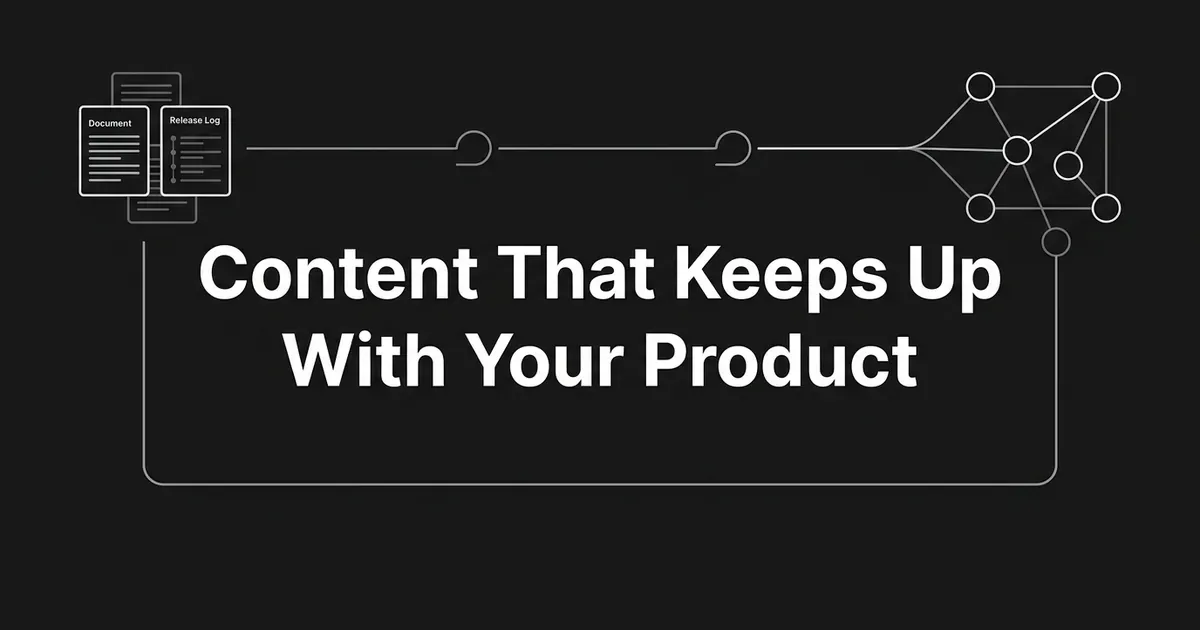
Your product shipped three times last month. Your blog still describes the version from March. If that gap makes you wince, you are not behind, you are just running an editorial process that was never wired to the product. This guide shows you how to fix that with agents. You will point them at your docs, changelog, and releases, then build SaaS content automation that keeps pages accurate as the product moves and still gives AI engines something worth citing. The goal is simple: sync content with product docs automatically, instead of hoping someone remembers.
You do not need a platform team to start. You need one canonical source, one trigger, and one review gate. Let's take it one step at a time.
Step 1: Pin one canonical source for each product fact
Pick exactly one source of truth per fact type. Not two. Not "whichever doc was edited last."
A good default set for a SaaS company looks like this:
- The docs site, with versioning, for how features behave.
- The API reference (OpenAPI or GraphQL JSON) for parameters and limits.
- The canonical changelog page or its feed for what shipped.
- The releases endpoint on your repository for release records.
- A release webhook, if you have one, for the event itself.
Everything else is a derivation. Status pages, in-app tooltips, sales decks, and support macros get generated from those sources or reviewed against them. They never become sources themselves.
How to tell it is done. There is one URL or resource URI per fact type, and one team owns it. When someone asks "where does the current rate limit live," there is a single answer.
Where people go wrong. Treating the changelog as a marketing artifact instead of a trigger. Keeping four half-sources (a Google Doc, a Linear ticket, a Notion page, a Slack thread) that quietly contradict each other. Name the source as the source, not the team. "docs.company.com/api/v3" beats "ask the docs team."
If you only do one thing this week, do this. It removes the biggest cause of drift.
Step 2: Map your product sources to MCP resources, tools, and prompts
Now give agents a way to read those sources. The Model Context Protocol is the open standard for connecting agents to data. Treat it as the contract between your agents and your product truth.
MCP servers expose three things, and the difference matters more than it sounds.
Resources are read-only context. Each one has a URI and exposes something a model can read: a docs page, a schema, a changelog entry, a release record. Clients discover them with resources/list and read them with resources/read. Use resources for stable records and pages.
Tools are actions the model can call by name, with inputs defined by a JSON Schema. Clients discover them with tools/list and call them with tools/call. Use tools when the job needs arguments: search docs by query, fetch a release by tag name, mark a topic gap as triaged.
Prompts are templates a human chooses to run. A server publishes them with prompts/list and prompts/get. Reserve these for editorial flows your team picks on purpose, like turning a release note into a feature announcement draft.
A few wiring notes worth setting up now, because retrofitting them later is painful:
- Declare the resources capability, and use
listChangedorsubscribeso clients hear about new entries. - Respect cache metadata the server provides, including
ttlMsandcacheScope. - Validate every resource URI on the server, and sanitize
file://paths so nobody can walk out of the directory. - Give every tool a real
inputSchema, validate inputs, apply access controls, rate-limit calls, and sanitize outputs. - Expect a missing resource to come back as JSON-RPC error
-32602, "Invalid Params."
Security deserves its own paragraph. MCP specifies how to implement authorization, it does not hand you security. Authorization is optional in the protocol but should be implemented for HTTP transports, and authorization servers must implement OAuth 2.1. Servers must implement OAuth 2.0 Protected Resource Metadata, clients must use it for discovery, and consent must run before any third-party authorization flow. Validate redirect_uri with exact string matching, no wildcards. Never pass a client's token straight through to a downstream API without checking it was issued for your server. Request the smallest scopes that work, then elevate only when you need to.
How to tell it is done. An agent can read your changelog and your docs through the same interface, with credentials scoped to reading only.
Where people go wrong. Exposing a write action as a "resource" because it was easier. Assuming the protocol makes the connection safe. MCP is a protocol, not a vendor, and it guarantees nothing about access, security, or freshness on its own.
Step 3: Wire release triggers, with a poll as the backstop
Releases are events, and events want webhooks. This is where the pipeline stops being a scheduled batch job and starts feeling live.
GitHub is a concrete example you can copy even if you ship elsewhere. Subscribe to the release event, which is available for a repository, an organization, or an app, and needs read access to the Contents permission on a GitHub App. The event fires with an action type: created, deleted, edited, prereleased, published, released, or unpublished. Every payload carries a release object.
Each delivery arrives with three headers you should care about:
X-GitHub-Event, the event name.X-GitHub-Delivery, a unique GUID for that delivery.X-Hub-Signature-256, an HMAC SHA-256 hex digest prefixed withsha256=.
Validate the signature on every single delivery. Compute the expected hash with your secret token, treat the payload as UTF-8, and compare in constant time.
Common mistake: trusting X-Hub-Signature-256 and comparing it with a plain ==. The official guidance warns against exactly this. Use a constant-time comparison function instead.
Here is the part people skip. Webhooks are lossy. GitHub does not automatically redeliver failed deliveries, and manual redelivery through the interface only covers the past three days. Payloads are capped at 25 MB, and anything larger is simply not delivered. So back the webhook with a poll against the Releases REST API:
GET /repos/{owner}/{repo}/releaseslists releases.GET /repos/{owner}/{repo}/releases/latestreturns the latest published full release.GET /repos/{owner}/{repo}/releases/tags/{tag}returns a release by tag name.GET /repos/{owner}/{repo}/releases/{release_id}returns one by ID.
The fields your agent actually reads are tag_name, name, body, draft, prerelease, published_at, and updated_at. That draft flag matters: GitHub Actions workflows are not triggered for draft-release activity at all, and you should treat drafts the same way. A draft is not a launch.
Not on GitHub? The pattern holds. Publish a changelog feed with stable URIs, a release identifier, a date, a summary, and deep links to the docs pages that changed. The agent watches the feed and polls a list endpoint as the safety net.
How to tell it is done. Every release event leaves one audit row: we saw this release, we wrote these articles, we updated these existing pages. Any run can be replayed from that row.
Where people go wrong. Polling only, and losing the hour-by-hour freshness edge. Treating a prerelease as a public launch.
Step 4: Start with one agent, and split only when it hurts
Here is the good news: you probably need fewer agents than you think.
An agent is a model equipped with appropriate tools and instructions, running in a loop. That is it. The practical guidance from OpenAI is to maximize a single agent first. Multiple agents give you a nice separation of concepts, and they also add complexity and overhead you have to maintain.
Split only when the single-agent loop shows real strain:
- The prompt has grown into a thicket of conditional branches.
- The agent has too many tools, even after you gave them clear names and descriptions.
- It keeps reaching for the wrong tool.
When you do split, two shapes cover most cases. The manager pattern puts one agent in charge, calling specialists as tools. The handoff pattern lets peers pass control along stage boundaries, with nobody in charge.
For product-sync content, the manager pattern fits well. A Writer agent coordinates a Release Reader, a Claims and Accuracy checker, a Link Builder, and an AEO Formatter. Each specialist owns a narrow tool set and returns a typed output.
Pro tip: give every run a clear exit condition before you give it more tools. A final-output tool, a structured output, an error, or a maximum number of turns. An agent without an exit is how you find out what a runaway loop costs.
How to tell it is done. You can name each agent's job in one sentence and list the tools it may call.
Where people go wrong. Building six agents on day one because the architecture diagram looked impressive, then spending a month debugging handoffs instead of shipping pages.
Step 5: Build guardrails and a review gate before the agent writes
This is the step people skip, and it is the one that decides whether agentic content SaaS work is safe to run unattended.
Sketch the loop first. A rough shape that works:
- A Read agent calls MCP resources for docs, schema, changelog, and releases, and returns typed records. No write authority at all.
- A Claims agent turns those records into a list of named product facts: names, behaviors, limits, parameters, configs, prices. Each fact carries its source URI and a timestamp.
- A Draft agent takes those facts, plus your brand context and an outline, and returns a structured article: headings, claims per heading with sources, FAQs, links, metadata.
- A Verification agent re-reads the draft against the original records and flags anything without a source, anything contradicted by a later release, and any quoting error.
- A Publisher agent pushes to your CMS, behind a human gate.
Guardrails are functions or agents that enforce policy, and no single one is enough. Layer them:
- On the Read agent, allowlist the MCP servers and scopes it may touch, and never let it execute a tool that returns shell or write actions from a product source.
- On the Draft agent, require a source for every product claim, mark exact versions, and validate the structured output against a schema.
- On the Publisher agent, require confirmation on the publish call.
Common mistake: giving an agent write access to the CMS with no human gate. Publishing is the closest thing content has to an irreversible action. A wrong page goes live, gets crawled, gets cached, and gets quoted back at you.
You can still keep this light. Require approval for anything that changes a pricing claim, breaks a docs link, or contradicts a competitor citation you are monitoring. Auto-approve the low-risk formats, like a roundup of features that shipped this month. Human review gates in an AI content pipeline are not a tax, they are what lets you speed up everywhere else.
How to tell it is done. Every run logs its inputs, the tools it invoked, each agent's output, the guardrail verdicts, and the publish decision. You can replay it.
Where people go wrong. Letting one agent both read and write. Trusting a draft because it sounded confident.
Step 6: Ground every draft in stored product context
Without a context layer, every draft starts from zero and fills the gaps with invention. Facts drift. Voice drifts. Product names drift.
The fix is one editable company context that every run reads, instead of a style guide you re-paste into each prompt. In DeepSmith that layer is Deep IQ, set up once from your website and reused by every module. It holds six things: About Company (positioning, differentiators, claims to make and claims to avoid), Products and Services (a profile per product with features, value props, use cases, and a competitor list), Buyer Persona, Brand Voice, Visual Guidelines, and Content Types with a trusted-sources list.

Think of it as an equation. Context layer plus source layer equals draft. The stored context says who you are and how you sound. The MCP source layer says what the product does today. Neither one is enough alone.
Pro tip: edit your context layer before you ship the next article, not after. Every claim on the page inherits from it, so drift here becomes drift on twenty pages at once.
How to tell it is done. A new writer, human or agent, can produce an on-brand draft without a briefing call.
Where people go wrong. Storing positioning in a slide deck nobody reads, then wondering why output sounds generic.
Step 7: Produce articles with SEO and AEO structure baked in
If structure gets added after the draft, you have rebuilt the bottleneck you were trying to remove. A SaaS AEO pipeline puts it in during generation.
What that means in practice:
- Crisp answers near the top of each section, so an engine can lift one clean paragraph.
- Headings that mirror the questions your buyers actually ask.
- Lists and tables where they are natural, not decorative.
- Internal links drawn from a current map of your own site.
- External links pulled from a trusted-sources list, so every third-party claim is sourced.
- Schema markup and metadata (title, meta description, slug) generated with the draft.
This is where DeepSmith's Content Studio does the work. The Writer turns one planned idea into a researched, brand-grounded article with internal and external links, a cover image, and publish-ready metadata already in place. Internal links come from the Content Map, which re-checks sitemaps every 24 hours, so new pages fold in without a re-import. The Writer places up to 5 internal links per article automatically. Autowrite takes it further: configure an article at planning time and it writes itself on its scheduled date, landing in Produced Content for review. From there you publish to WordPress, Webflow, Strapi, Sanity, or Contentful, or to your own webhooks.
Distribution should ride along too. Every finished article arrives with channel-ready posts, and the Apps Library turns one piece into platform-native versions for LinkedIn, X, Medium, Substack, newsletter email, Reddit, and more.
How to tell it is done. An article in review already has its body, links, cover image, metadata, and social derivatives. The only thing left is judgment.
Where people go wrong. Skipping internal linking because it feels slow. Publishing with one click and then never writing the LinkedIn post, so distribution quietly disappears.
Step 8: Measure citations and feed the gaps back into your backlog
Producing is half the loop. The other half is finding out whether AI engines actually cite you, then turning the misses into your next briefs.
DeepSmith's AI Visibility tracks five metrics: Mention Rate, Citation Rate, Share of Voice, Sentiment, and Visibility Trend. You define the prompts your buyers ask, and Discover Prompts will generate a starter set from your product, persona, and buyer-stage context if you are staring at a blank page. The Pages view shows which of your pages get cited and which prompts drive those citations. The Competitors view shows who wins the prompts you want. Engine coverage rises by plan: Pro tracks ChatGPT, Grow adds Perplexity, Scale adds Gemini, and Enterprise covers all ten engines.
One distinction to hold onto: a mention is not a citation. An answer can name your brand without linking to you, or link to you without naming you. They are tracked separately because they are different problems with different fixes.
Bing Webmaster Tools adds an engine-native view. Its AI Performance report is in public preview and covers Microsoft Copilot, AI-generated summaries in Bing, and select partner integrations, refreshing daily. You get Total Citations, Average Cited Pages, Grounding Queries (the phrases AI used when retrieving your content, grouped rather than raw), Page-Level Citation Activity, Visibility Trends, and Citation Share. Newer views classify grounding queries by intent and group them into topics.
Read the caveat that comes with it. AI Performance does not measure rankings, authority, or importance. It counts what was visibly referenced. The data is aggregated rather than exhaustive, so low citation activity may not surface at all.
Google's guidance is refreshingly plain. There are no additional requirements to appear in AI Overviews or AI Mode, and no special optimizations. A page needs to be indexed and eligible to be shown with a snippet. Allow crawling, use internal links so content is discoverable, keep important information in text rather than images, bind structured data to what is visible on the page, and use descriptive headings and concise sections. Google also repeats a caveat worth taping to your monitor: meeting every requirement does not mean Google will crawl, index, or serve the page.
Pro tip: export your AI Performance data alongside your platform's page data and Google Search Console. Triangulating across all three is what catches the gap between "AI sees you" and "AI cites you."
How to tell it is done. Every new article shows up in a page-level citation view within the next refresh window, and someone owns the follow-up.
Where people go wrong. Reading a citation dashboard as a ranking dashboard. Chasing mention rate and ignoring the harder citation rate. Setting tracked prompts once and never revisiting them.
Step 9: Refresh on a schedule, with release events as the accelerant
Two clocks run at the same time here, and you need both.
The calendar clock sets a refresh cadence per content type at planning time. Evergreen explainers might go on a 30 to 90 day cycle. Feature pages move faster.
The event clock interrupts the calendar. A release event, a changed docs URL, a lost competitor citation, or a missing citation on a strategic prompt all pull a page forward in the queue. A changelog to content AI trigger is what turns that from a quarterly audit into something that happens the day the code ships.
This is how you sync content with product docs on the product's clock rather than the calendar's. When you republish, push the update with IndexNow or an equivalent freshness signal so engines find the new version quickly. Then tie the refresh to a measured outcome. Did citations to that page recover? If you cannot answer that, you are refreshing on vibes.
How to tell it is done. Every active article has a next-refresh date. Every release event left a row in the run log. Every refresh produced a measurable delta.
Where people go wrong. Refreshing the pages that are easy to refresh instead of the pages that carry current product claims.

What to do next
Do not try to build all nine steps this month. Pick five release events from the last quarter that should have triggered a content update and did not. Wire those five to a draft pipeline with a human gate. Measure citations to those pages 30 days later.
That is a real pilot, and it will teach you more than another architecture diagram will. A SaaS AEO pipeline gets built one working trigger at a time.
If you would rather not assemble the production and measurement halves yourself, DeepSmith runs both in one platform: stored brand context, a writer that builds SEO and AEO structure into the draft, scheduled hands-off production, and AI visibility tracking that shows which pages get cited. Start a free trial and see it against your own site.
Related guides
- How to Find Data and Statistics to Back Up Your Content: Learn a repeatable process for finding, vetting, and citing third-party statistics so every number in your content stays accurate, credible, and defensible.
- How to Format Blog Content So Readers Actually Finish It: Learn how to make blog posts easier to read: audit your draft as a scanner, fix headings and paragraphs, add useful visual breaks, and check what changed.
- Beyond Brand Voice: How to Evaluate an AI Platform’s Factual Accuracy: Ensure your AI platform produces verifiably accurate content with this vendor-neutral evaluation framework tailored for your niche and risk tolerance.


