

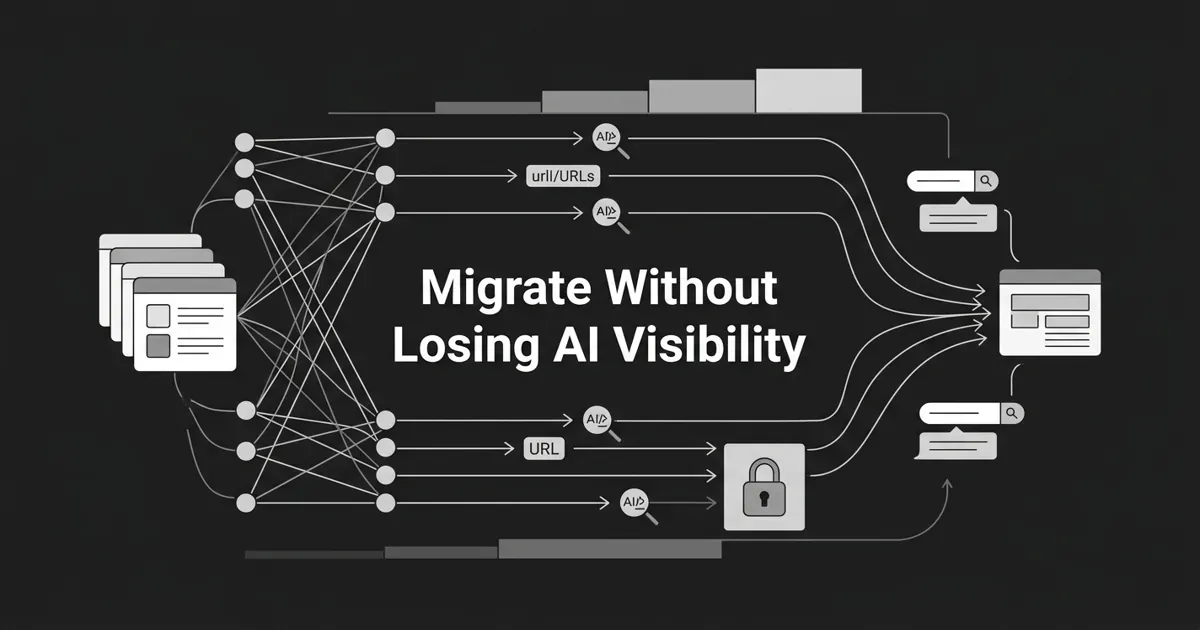
A migration is scary for a reason. You are moving thousands of URLs across teams, brands, and regions, and any one broken step can pull your brand out of AI answers overnight. If that pressure feels like a lot, that is normal. The good news: an enterprise migration AI visibility plan is mostly discipline, not luck, and you can build it step by step.
Here is the shift most teams miss. The migration runbook in your head was written for Googlebot. It assumes one crawler, one patient re-crawl cycle, and a search engine that forgives a messy redirect for a while. AI crawlers do not work that way. ChatGPT, Perplexity, Gemini, and Claude fetch on their own cadences, cache the exact URL they cited, and will drop you the moment that URL stops resolving cleanly.
This guide is for the marketing or SEO lead coordinating a multi-team, multi-property cutover. By the end you will have a phased rollout plan, a redirect approach that survives real bot traffic, and a staging lockdown that keeps your future URLs out of the wrong index. The goal throughout is one thing: an enterprise site migration AI engines can follow without dropping you from a single answer. Let's take it one phase at a time.
You will move through seven steps, roughly in the order a real cutover runs: inventory and baseline, redirect map, staging lockdown, the phased rollout itself, hreflang and canonical reconciliation, a monitoring loop, and finally decommissioning the old stack. None of them are heroic on their own. The discipline is in doing them in order and not skipping the boring ones.
Why an enterprise migration puts AI visibility at risk
Before the steps, spend two minutes on why this is different. It will save you from planning for the wrong crawler.
Three things have changed. AI crawlers fetch on different cadences than Googlebot, so a redirect that resolves fine on Google's next crawl may hit a 404 for an AI fetcher that arrives at the wrong moment. Citation URLs are cached and re-fetched on their own clock, so when an assistant has your URL on file, the citation survives only as long as that URL keeps resolving. And AI retrieval is split between declared bots and stealth fetchers, which means a robots.txt file that looks perfect can be quietly ignored.
Treating AI crawlers as "just another bot" is the most expensive assumption you can carry into a cutover. They deserve their own row in the runbook. Every step below is built to keep the search and grounding fetchers working while you move, which is what protects your enterprise migration AI visibility from the first canary to the final decommission.
One more distinction worth holding in your head. Training bots like GPTBot, ClaudeBot, and CCBot build a corpus, so blocking them mid-move only affects future snapshots, not what a model already knows. The fetchers you must keep working are the search and grounding bots and the user-action fetchers, the ones that arrive at a specific URL because an assistant chose to cite it. If that URL resolves slowly, returns a 5xx, or chains through redirects, the assistant can quietly pick a different source. Those are the visitors this whole plan is built around.
Step 1: Inventory every URL and baseline every bot
You cannot protect visibility you have not measured. Start by crawling every property in scope with a desktop crawler like Screaming Frog or Sitebulb, then pull at least 30 days of server logs and bucket the hits by user agent. You want two frozen artifacts: one canonical URL list per property, and a per-bot hit-rate baseline that shows how often Googlebot, GPTBot, OAI-SearchBot, ClaudeBot, PerplexityBot, and the rest actually visit.
Put both in version control. This is your before picture, and you will compare against it for months.
Here is where a lot of teams trip. They treat the sitemap XML as the inventory. It is not. Sitemaps under-represent URLs that nothing links to centrally, and they omit anything blocked by robots.txt, so you will miss exactly the pages most likely to break. Crawl and log first, then reconcile against the sitemap, not the other way around.
Done when: a single canonical URL list per property and a per-bot baseline both live in version control, agreed by every team that owns a property.
Step 2: Build the redirect map as versioned code, not a spreadsheet
This is the step that quietly decides whether you keep your AI citations. The most common enterprise failure mode is a redirect map living in a spreadsheet, emailed around, and never tested. Move it into the same repository as your application code.
Every rule gets a source URL, a destination URL, an HTTP status, a rule type (exact, prefix, or regex), an owning team, an added date, a planned retirement date, and a notes field. Then treat it like code: peer-review it, CI-test it (resolve every source URL in your inventory against the map and assert the destination returns 200 in a single hop), and get a sign-off before any production traffic moves.
Two rules protect you here. Use 301 or 308 for permanent moves, never 302 or 307, because a 302 tells Google the move might reverse and it may keep the old URL indexed. And keep every chain to a single hop. A chain of two or more hops may be tolerated by Googlebot, but it is exactly what makes an AI fetcher drop your citation or swap in a competitor's URL instead. A → C, never A → B → C.
When your move crosses properties, multi-property redirects need governance, not guesswork. Give each property owner a clear stake in the map, one shared retirement calendar, and a single reviewer who signs off the whole set so no team quietly redirects into another team's URLs.
Not every legacy URL deserves the same care, and that is where triage helps. Some pages are crawled but rarely cited; others are the exact sources AI engines quote. Knowing which URLs actually earn citations lets you prioritize redirect retention for the ones that matter, so your longest-lived multi-property redirects protect real visibility instead of dead weight. A platform like DeepSmith surfaces which of your pages AI engines cite versus merely crawl, which turns that triage from a guess into a ranked list. Use it to decide what to protect, not to automate the redirects themselves.
Common mistake: regex rules that look clean in staging but collapse several distinct URL patterns onto one destination, producing soft-404s at scale. Test the map against the full inventory, not a sample.
Done when: every legacy URL resolves through the map to a single-hop 301 or 308 that returns 200 with matching content.
Step 3: Lock down staging with four independent layers
Staging is the most dangerous place in the whole project, because it usually holds the most accurate preview of your future production URLs. One accidental fetch from an AI crawler can drop a staging URL into an index or a retrieval cache that survives for weeks, and now the assistant is citing a page that was never meant to exist. A real staging control migration plan uses four independent layers, so no single miss exposes you.
Layer one is DNS and network isolation: staging hostnames should not resolve from public DNS, or should resolve only to private IPs behind a VPN. Layer two is authentication at the edge, so a request needs Basic Auth, SSO, or a signed token before it ever reaches the application. Layer three is the standard indexing directives: robots.txt disallow at the root, noindex on every page, and an X-Robots-Tag: noindex header on every response. Layer four is AI-bot-specific defenses: explicit disallow rules for documented bots like GPTBot, ClaudeBot, PerplexityBot, and CCBot, backed by edge-layer enforcement for operators known to ignore robots.txt.
That last point matters more than it used to. Cloudflare research documented Perplexity rotating user-agent strings and using residential IP ranges across multiple networks when its declared bot was disallowed. The lesson: on staging, robots.txt alone is not enough. If you truly need a bot out, enforce it at the edge with user-agent and IP checks, not just a directive it can choose to skip.
Write these four layers down as a single staging control migration checklist and have someone who did not build the environment run it, because the person who set up staging is the least likely to spot the one gap they created.
Common mistake: trusting robots.txt as your only wall. Well-behaved bots respect it; stealth fetchers and misconfigured CDNs may not.
Done when: a request from an external IP with no credentials returns 401 or 403 on every staging path, and a Search Console URL Inspection on a staging URL confirms it is excluded.
Step 4: Cut over with a phased rollout migration, not a switch-flip
Now the actual move. Resist the big-bang. One DNS change and one bad error class can wipe out organic and AI visibility at the same time. A phased rollout migration isolates the blast radius by sending a small, watchable slice of traffic to the new environment first, proving the whole retrieval stack against real bots, and only then widening.
Start with a canary: route one low-risk segment to the new property. One country, one brand, or one product line is ideal. Watch it for a defined window, then expand in explicit steps, commonly 10 percent, then 25, then 50, then 100. For the routing itself, edge and CDN weighting or a reverse proxy handle bot traffic more reliably than feature flags, because AI bots do not carry the long-lived cookies that flag services key on.
The phasing only works if each step has a go/no-go gate: a single, objective measurement you agreed on in advance. After the canary, for example, hold the line until organic impressions for that segment sit within about 5 percent of baseline, the AI bot hit rate is within roughly 10 percent of baseline, there are zero 5xx responses on canonical URLs, and the median redirect chain is exactly one hop. Miss a gate, you pause and fix. Hit it, you widen.
Common mistake: defining the go/no-go criteria after you see the data. That guarantees the bar moves to match the result you want. Write the thresholds down before the rollout starts, and let them be boring.
Done when: every gate is defined ahead of time and each one comes back within tolerance before you widen the next slice.
Step 5: Reconcile hreflang and canonicals across every property
If your migration touches multiple regions or brands, this step is where clusters quietly break. Hreflang and canonical tags have to be fixed in the same change set as the redirects, not in a follow-up ticket, or you will ship a half-updated cluster that Google stops trusting.
For hreflang, every URL in a language or region cluster must point to every other URL in that cluster, including itself, with the correct annotation and an x-default for the catch-all page. Add a new property to the cluster, or drop an old one, and you have to update the annotations on every other property at the same time. For canonicals, every page should canonicalize to itself on the final property. Do not use a cross-property canonical as a substitute for a redirect. Canonicals are a signal, not a directive, and AI fetchers in particular have been seen ignoring cross-domain canonicals and just resolving the URL they were handed.
Common mistake: updating hreflang only on the shiny new property and leaving the old property's annotations pointing into a void. The cluster needs bidirectional links or it falls apart.
Done when: hreflang validation passes fully with bidirectional links and no orphans, and no canonical tag points to a legacy, staging, or non-final property.
Step 6: Run a per-bot monitoring loop for at least 90 days
The cutover is not the finish line. AI retrieval caches refresh on their own schedule, so a citation can look healthy on day three and quietly decay on day forty. Give yourself a monitoring loop that runs for at least 90 days.
Check a handful of signals on a daily rhythm at first, then weekly. From server logs, watch per-bot hit rates and 4xx/5xx rates for Googlebot, GPTBot, OAI-SearchBot, ClaudeBot, PerplexityBot, and the others in your baseline. Watch the median redirect chain length so it never creeps above one. Watch Search Console and Bing Webmaster Tools for crawl errors and coverage. And watch your citation rates on the prompts that matter across ChatGPT, Perplexity, Gemini, Claude, and Google AI Mode, because that is the only view that tells you whether assistants still point at you and not at the page you just retired.
That last signal is hard to eyeball by hand, and it is where DeepSmith earns its place in the loop. Its AEO tracking checks mention rate, citation rate, share of voice, and the exact source pages across those five engines on a schedule, with per-prompt history and per-page attribution. During the fragile window that is what shows you a citation drifting before it compounds. It also produces the visibility report you can put in front of engineering and finance when you need to argue for keeping a high-value redirect live longer. The platform measures and reports; it does not control the citations, so read it as your early-warning system, not a guarantee.
Common mistake: decommissioning redirects after a single stable quarter, before AI retrieval caches have refreshed. Stable traffic is not the same as a refreshed citation.
Done when: you have 90 days of clean monitoring with no unresolved regressions, and any redirect retirement is a documented, approved decision.
Step 7: Decommission legacy infrastructure only on a documented decision
The temptation at the end is to rip out the old stack and reclaim the cost. Hold on a little longer. Google recommends keeping redirects live for at least a year after a migration, and many enterprises keep the high-value ones indefinitely, because the URL an assistant cited months ago may still be the one it re-fetches tomorrow.
Retire nothing on vibes. The retirement decision should reference your monitoring data, the citation impact on the URLs in question, and the retirement dates already written into your redirect map. Then retire it the same way you built it: as code, version-controlled, changed by pull request, and signed off. Keep standard redirects at least 12 months, and treat your most-cited URLs as permanent residents.
Done when: legacy infrastructure comes down only after a written, approved retirement decision that points back at real data.
Where teams go wrong, and where you can get ahead
If you only fix one thing before your next cutover, make it the redirect map. Move it out of the spreadsheet and into code with tests. That single change prevents the two failure modes that cost the most citations: multi-hop chains and soft-404s at the destination.
You do not need a bigger team to do this well. You need a shared plan, gates everyone agreed to in advance, and a monitoring loop that catches drift while it is still small. Momentum matters more than perfection here. Get the inventory frozen, get the map into version control, and the rest follows. Run enough of these and an enterprise site migration AI crawlers can follow stops feeling like a gamble and starts feeling like a checklist you have done before.
When you are ready to watch your AI citations through the cutover instead of hoping they hold, you can start a free DeepSmith trial and baseline your visibility before you move a single URL.


