

You wrote a great page. It answers the question clearly, it reads well, and it still does not show up when someone asks an AI engine that exact question. Frustrating, right?
Here is the thing most people never see. Before an answer engine can quote your page, it chops that page into pieces. It reads the pieces, not the page. If your best answer lands on the wrong side of one of those cuts, the engine may never find it.
So what is content chunking, and why does it decide what gets retrieved? That is the whole story of this piece. You will learn how AI splits content into small pieces, why the cut points fall where they do, and why a messy page can split in ways that hide its strongest answers. We will not audit your own pages here, and we will skip the math behind embeddings. Just the mechanism, explained plainly, so the rest of AI search finally makes sense.
Take a breath. This is more knowable than it looks.
What is content chunking?
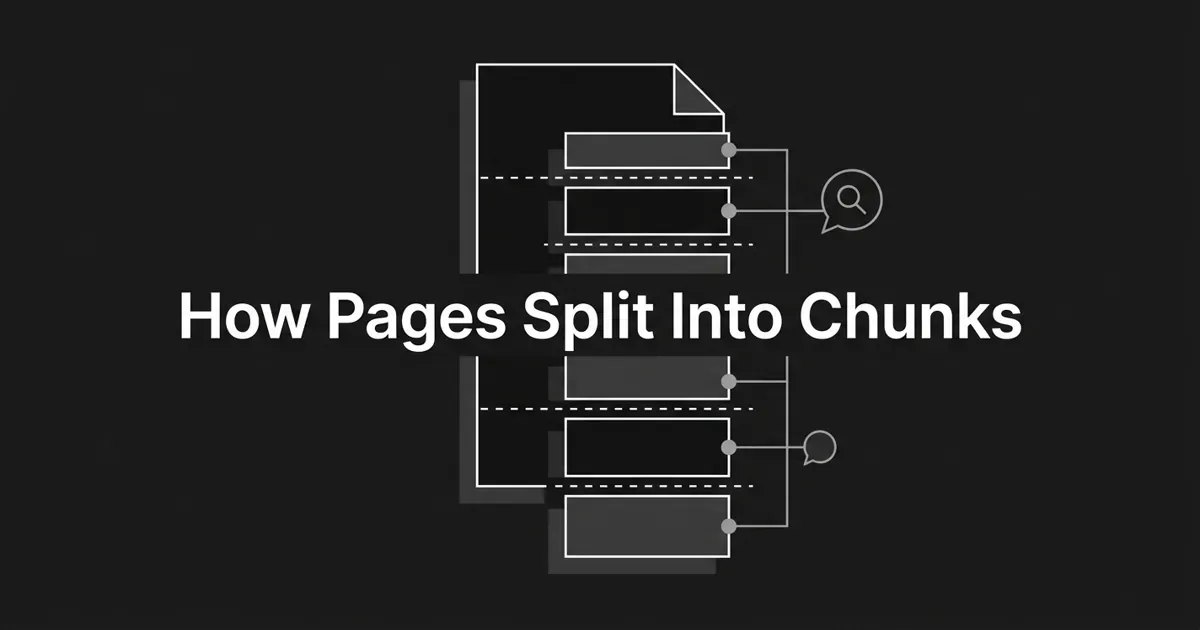
Content chunking is the step where a system breaks a long page into small, self-contained segments before it can search them. Each segment is called a chunk.
Here is the one line to remember: a chunk is the smallest piece the system stores, searches, and quotes back. If a fact lives only across the seam between two chunks, that fact effectively does not exist for the answer engine.
Why does this have to happen at all? Two hard limits force it, and neither is optional.
First, the models that read your text can only read so much at once. Every embedding model, the thing that turns text into something searchable, has a fixed ceiling on how many tokens it can take in. Older ones cap at 256 or 512 tokens. Newer ones read far more, some up to 8,000 or even 32,000 tokens. Feed one more than it can hold, and the extra is silently cut off before it is ever processed. It just vanishes.
Second, search happens on chunks, not on whole pages. When someone asks a question, the engine compares that question against each chunk on its own and pulls back the closest matches. A fact has to sit fully inside at least one chunk to be findable. A fact split down the middle becomes invisible.
Put those two limits together and you get the chunker's job: slice each page into pieces small enough for the model, but whole enough that each one still makes sense on its own.
One more thing worth clearing up, because it trips up a lot of smart people. The large language model does not chunk your page itself. A separate step runs first, in front of the model, and does the splitting. That is how LLMs chunk a page in practice: a splitting tool cuts the page, the pieces get stored, and the model only ever sees the handful of chunks the search step hands it. So when you picture how AI splits content, picture a pair of scissors that runs long before any answer gets written.
Why chunk boundaries decide what gets retrieved
The cut points matter more than almost anything else on your page. When chunking goes wrong, it goes wrong in three predictable ways.
The first is the lost answer. The paragraph that actually answers the question gets split across two chunks. Neither half holds the full thought, so neither one ranks strongly. The engine shrugs and grabs a weaker match from elsewhere, maybe from a competitor, and your real answer never gets quoted.
The second is the mid-sentence cut. A crude splitter chops a sentence in half. Each half reads like nonsense on its own, so the piece drifts off-topic and the match falls apart. Imagine a chunk that ends with "set the aperture to f/2.8 and the ISO to" while the rest of the thought starts the next chunk. Neither piece means much alone.
The third is the polluted chunk. Your navigation menu, cookie banner, author bio, and "Related Articles" footer get fused into the first or last chunk of the page. Now that chunk is half your topic and half boilerplate, and it stops being a strong match for either one.
The opposite of all three is what practitioners call an atomic chunk. It means one thing. It stands on its own without needing the sentence before or after it. It maps cleanly onto a single idea, a single question, or a single section.
That is the target. Every splitting method exists to produce more atomic chunks. Keep that word in your back pocket, because it is the real goal hiding behind every technical choice below.
A few other things quietly go wrong, and they are worth naming so you recognize them. A chunk can be too small, capturing one sentence but losing the argument it depends on. It can be too large, so the model reads only its first stretch and drops the rest. And a table can get shredded row by row until it loses the column relationships that made it a table at all. Different symptoms, same root cause: the cut landed somewhere it should not have.
The label that travels with every chunk
Here is a piece most people miss, and it is the part that turns a chunk into a citation.
When a page gets split, each chunk does not travel alone. It carries a small label with it: the page title, the URL, the section headings it came from, and its position in the document. That label is called metadata, and it rides along with the chunk into storage.
Why does that matter to you? Because that label is what lets an answer engine say "according to this page, in this section" and link a reader straight to the right passage. No label, no clean citation. The engine might use your words and never point anyone back to you.
This is also part of how LLMs chunk a page well versus badly. A good splitter tags each chunk with where it came from. A crude one throws that context away, so even a perfect answer cannot be traced back to its source. The reader cannot verify it, and you get none of the credit.
The takeaway is simple and reassuring. Descriptive headings and a clear page structure do double duty. They create clean cut points, and they hand every chunk a useful label. You get both from the same good habit.
Watch one page split: a before and after
Let's make this concrete, because it clicks fast once you see it.
Picture a badly built page. It opens with three throat-clearing paragraphs before it says anything. The real answer to the reader's question is buried in the middle of a wall of text, wrapped in "as we mentioned above" and "building on that." The tools it compares sit in a table that runs long. A chunky footer of related links closes it out.
Run that through a splitter and watch what happens. The opening chunk is all preamble, so it matches nothing. The answer gets sliced between two chunks because it sat mid-paragraph with no clear boundary. The table gets shredded into single rows that lose their columns and mean nothing. The footer pollutes the last chunk. A genuinely useful page splits into pieces that each fail on their own.
Now picture the same content, structured with a little care. Each section leads with its answer in the first sentence. Headings say exactly what their section covers. Paragraphs are self-contained, so none of them lean on the one before. The table stays whole.
Run that through the same splitter. The intro and first heading form a clean chunk. Each section becomes its own tidy chunk with the answer right up top. The table survives as a single piece. Each FAQ question and answer lands as its own chunk. The footer gets stripped off before splitting even starts.
Same facts. Same word count. Wildly different outcome. The only thing that changed was where the natural cut points fell, and that came entirely from how the page was built. That is the quiet lesson under all of this: structure is not decoration, it is what decides how cleanly your page can split.
The main ways a chunker splits your page
Not every splitter cuts the same way. The popular open-source libraries offer a handful of strategies, and the leading vendors describe roughly the same five. You do not need to run any of them. You just need to know what they are doing to your page.
Fixed-size chunking is the bluntest. It cuts every N tokens, no matter what. Typical sizes are 256, 512, or 1,024 tokens. It is fast and predictable, and it happily slices a sentence in half. Teams use it as a quick baseline on raw text with no structure, like an old scraped PDF.
Recursive chunking is the sensible default for prose, and it is what most blog content runs through. It tries to keep the largest natural unit that still fits: paragraphs first, then sentences, then words. So a paragraph stays whole when it can, and only oversized ones get broken down. This is the workhorse for chunking for RAG on articles and documentation, and it is why paragraph structure matters so much.
Structure-aware chunking is the one you can influence most directly. It reads your document's real structure, your headings and sections, and cuts along those lines. A markdown or HTML splitter breaks on your H1, H2, and H3 tags and remembers which section each chunk came from. Clean headings become clean boundaries. Your table of contents basically becomes the chunk map.
Semantic chunking is smarter and slower. Instead of counting characters, it watches for the moment the topic shifts and cuts there. It works even on messy, unstructured text, but it costs more to run because it has to analyze the meaning of each stretch. Many teams use recursive chunking for RAG first, then reach for semantic splitting only on the long, tangled sections that are left.
Agentic chunking is the newest frontier. Here an AI model reads the whole document and decides where each chunk should begin and end, the way a careful human indexer would. It produces the cleanest results on the messiest text, and it costs the most compute per page. This is where a lot of the field is heading.
Notice the pattern across all five? Every single one is just a different attempt to land the cut points on natural boundaries instead of through the middle of your best sentence.
What chunk size and overlap actually mean
Two numbers control the pieces: how big each chunk is, and how much neighboring chunks share. You will hear these tossed around, so here is what they mean without the jargon.
Chunk size is the target length of each piece, usually measured in tokens. The common range runs from 128 to 512 tokens. Smaller chunks, say 128 to 256 tokens, are great for quick fact lookups and FAQ-style answers, since each piece carries one clean fact. Medium chunks, 256 to 512 tokens, are the general default for prose. Larger chunks, up to 2,000 tokens or so, help when an answer needs more surrounding context to make sense.
Is there a single right retrieval chunk size? Not exactly, and that is worth knowing so you do not chase a magic number. One published evaluation from a major library found that 1,024-token chunks with 200 tokens of overlap scored best on their test set, beating both 256 and 512. The honest takeaway is that the best retrieval chunk size depends on your content and gets tuned, not guessed. What you cannot skip is matching the size to the model's ceiling. Send a 4,000-token chunk to a model that only reads 512, and everything past the first 512 tokens simply never exists as a searchable piece.
Overlap is the second number, and it is a safety net. It means adjacent chunks share a little text at their edges, usually 10 to 20 percent of the chunk size. Common defaults pair a 1,000-token chunk with 200 tokens of overlap. Why bother? So a sentence sitting right on a boundary shows up in both neighboring chunks. If the search picks the "wrong" side, your answer still comes along for the ride. More overlap means more safety but more storage and repetition. Less overlap means tighter pieces but more risk of losing something at the seam.
You do not have to set these dials. But now when you hear "we tuned the chunk size and overlap," you know exactly what moved and why it changes what gets found.
What this means for the words on your page
Here is the good news, and it is bigger than it sounds. You cannot control which splitter an answer engine uses. You have complete control over how cleanly your page can be split.
Every rule the experts agree on comes back to the same handful of moves. Keep related text together, so a heading and its answer live in the same chunk. Cut at natural boundaries by writing self-contained paragraphs that do not open with "this also" or "building on that." Lead each section with its answer, so the strongest sentence sits at the top of its chunk where it is easy to grab. Give sections descriptive headings, since those headings become the boundaries and the labels. Keep tables and lists whole. That is it. Those are structural choices, not technical ones, and they are yours to make.
Will this stop mattering as the tools get smarter? It is a fair question, and the answer is no. The splitters are improving fast. One technique adds a short written note to each chunk explaining where it sits in the document before storing it, and its makers reported cutting retrieval failures by nearly half. Newer embedding models are being built to swallow much larger chunks with document-level context baked in. Frontier models can now read a million tokens or more at once. Even so, the people building these systems agree on one point: smarter chunking and longer context help, but they do not erase the value of a well-structured page. A clean page splits cleanly no matter how smart the scissors get. A messy one fights every tool that touches it.
This is exactly the problem DeepSmith is built around. Its writing pipeline produces content with answer-first structure, clear headings, and clean formatting from the start, so pages split into chunks that each carry a complete answer. And because it brings your existing pages into the platform with an AI summary and section-level classification, you can actually see how your content is understood, not just guess. The point is not to replace your judgment. It is to make good structure the default instead of a thing you remember to do at the end.
So where does that leave you? Calmer, hopefully. Content chunking sounds like deep machine territory, but the part you influence is the part you already know: write clearly, structure well, answer up top. You do not need to learn to code a splitter. You need to make your page easy to cut in the right places.
Want to see how your pages actually split, and produce new ones that split cleanly by design? You can start a free DeepSmith trial and watch it work on your own content.


