You've got a pillar page and a handful of spokes. They're published, they're good, and they're barely connected. Pillar spoke internal linking is the part everyone plans and almost nobody finishes, because it happens after the writing is done and nobody scheduled it.
This guide is the wiring pass. Not which topics belong in the cluster, and not how to word your anchors. If you want to know how to link pillar and spoke pages without guessing, it comes down to four things: which page links to which, how many links each direction needs, where on the page each link sits, and how to check it after you publish.
Take a breath. This is a smaller job than it looks. Let's go.
Step 1: Freeze the page list and give every page one role
Before you add a single link, write down what you're actually wiring.
Make a short list with one row per page. Each row gets three things: the page, its role (pillar or spoke), and its one live destination.
That destination has to be the canonical URL your CMS actually serves. Not a draft. Not an old slug that redirects. Not the version with the tracking parameter stuck on the end. If you're not sure, open it in a private window and copy what's in the address bar.
Then mark the publishing status of every row. Some spokes may still be unpublished. That's fine, but note it, because you'll need to come back and add those links on the day each one goes live.
One thing this step is not: a chance to redesign the cluster. You're not choosing topics here. You're not merging two spokes. You're taking the cluster you already have and writing down its parts.
Where people go wrong: they confuse the topic map with the link map. The topic map says what belongs in the cluster. The link map says which live pages connect, and where. They are different documents and they get out of sync constantly.
The other common miss is treating a category page or the blog index as the pillar. If the real overview lives at a specific article URL, that article is the pillar. A category archive is navigation, not a hub.
If your site is already connected to DeepSmith, Content Map does the inventory part for you. It crawls your sitemaps, classifies every page onto a topic and a funnel stage, and rechecks the sitemaps every 24 hours, so a spoke you published yesterday is already sitting there. It gives you the current page list. It does not decide the editorial relationships, and it shouldn't. That's still your call, and your list is still the source of truth for this pass.
Done when: every page in the cluster has one row, one role, and one verified destination that loads.
Step 2: Draw the link matrix before you touch a single paragraph
Here's the step that saves you the most rework, and it takes about ten minutes.
Put your pillar and all your spokes down both sides of a small grid. Every cell is one possible link, and direction matters. The pillar linking to spoke two is a different cell from spoke two linking back.
Now fill it in with four marks: required, optional, not needed, needs review.
- Every pillar-to-spoke cell is required.
- Every spoke-to-pillar cell is required.
- Every spoke-to-spoke cell starts blank, and only becomes optional when you can name the reason.
Next to each required cell, write where the link will go. Not the wording, just the location: which pillar section, or which part of the spoke. The matrix is the link flow between pillar and spokes, drawn once, before anyone opens the CMS.
That's the whole matrix. It is small on purpose. A cluster with six spokes has twelve required cells, and you can read the state of the entire content cluster internal links job off one screen.
Why bother? Because the alternative is adding links while you edit, which means you lose track of which pairs are covered. You end up with three links to your best spoke and none to the other four.
Where people go wrong: building a one-way hub. The pillar sends readers out to everything and nothing sends them back. It feels finished from the pillar's point of view and it is half done.
The other failure is the opposite: an all-to-all mesh where every spoke links to every other spoke. That produces a lot of links and very little help. More on that in Step 5.
Done when: no required cell is blank, each required cell names one destination and one planned location, and each optional lateral cell has a written reason.
Step 3: Link the pillar out to every spoke, in the section that earns it
Now you edit. Start with the pillar, because it's one page and it carries the most edges.
For each spoke, find the passage in the pillar that introduces or summarizes that subtopic. Put the link there, right where you've just explained why a reader would want to go deeper.
A pillar section that works usually runs in this order:
- State the high-level point.
- Give enough context that the subtopic makes sense on its own.
- Hand the reader off to the focused spoke for the procedure, the evidence, or the edge cases.
- Move on to the next part of the pillar.
Notice what that sequence does. The link arrives after the explanation, not before it. A destination introduced before the reader knows why it matters just feels arbitrary, and they scroll past it.
A "go deeper" card grid or resource list at the bottom of the pillar is fine. It helps people scan. It just can't be the only connection when the body already discusses that subtopic. Test it this way: if you deleted the resource module, would the pillar still route readers to every spoke? If not, you have a directory, not a portal.
Can you link to the same spoke twice from one pillar? Yes, if the second link serves a genuinely different need on a long page. Not to pad a number.
Where people go wrong: linking only to the two or three spokes they're proudest of and leaving the rest unreachable from the pillar. Those leftover pages are the ones that quietly go orphaned.
Also watch for the pillar that swallows its spokes. If the pillar explains the whole procedure itself, the link to the spoke has nothing left to promise. The pillar orients and routes. The spoke owns the detail.
If DeepSmith writes or refreshes one of these pages, its Writer scans your enriched sitemap and places internal links during generation, up to five per article, so you're not cross-referencing your own site by hand. Read those links against your matrix anyway. An automatic relevance match can pick a genuinely useful page and still miss the specific reciprocal edge this cluster needs. The tool speeds up the work. The matrix says when the work is done.
Done when: starting from the pillar, a reader can reach every spoke from the section where that spoke becomes relevant, and each link sits inside a sentence that explains the handoff.
Step 4: Give every spoke a body link back to the pillar
This is the direction that gets skipped, and it's the one that makes the cluster a cluster.
Every spoke needs at least one contextual link in its main body pointing back to the pillar. In the body. Not in the breadcrumb, not in the sidebar, not in the footer.
Where does it go? Put it where the spoke first frames its relationship to the bigger subject. If your spoke opens with a direct answer, put the return link in the paragraph just after that answer, where you're setting the wider context.
On a long spoke, a second return link near the conclusion can genuinely help, because that's where the reader is deciding what to read next. Optional, though. On a short page it just reads as repetition.
The return link has to land on the actual overview page. Not the home page. Not a category archive. Not your pricing page. The reader clicked because they wanted the broader model, so give them the broader model.
Common mistake: a marketer links the pillar to every spoke, switches on a related-posts widget, and calls the cluster bidirectional. It isn't. Open each spoke on its own and look for a real body link back to the pillar. If it's only in the site chrome, that cell in your matrix is still blank.
Here's the honest test. Imagine your header, footer, sidebar and breadcrumbs all disappeared. Could a reader on this spoke still find their way to the pillar? If the answer is no, the return edge doesn't exist yet.
Done when: you can open any spoke in isolation, find the return link in the main content, click it, and land on the live pillar.
Step 5: Add spoke-to-spoke links only where a reader needs one
You'll see cluster diagrams where every page links to every other page. That's one classic version of the model. It's also the version that ages badly, because every new spoke means editing every existing one.
Go leaner. Make the pillar-spoke pairs mandatory, and make lateral links selective.
Add a spoke-to-spoke link when the other page is one of these:
- a prerequisite the reader needs before they can follow this page;
- the obvious next step after the procedure you just described;
- a closely related implementation detail;
- a comparison or alternative that helps them decide;
- supporting evidence that would bloat this page if you pasted it in.
Put the link at that exact transition, in the sentence where the need shows up. Or gather two or three of them into a small related-resources block after the relevant section.
The test is one sentence long: why would a reader need this page, right here? If you can't answer it out loud, leave the cell blank. Blank is a real answer.
Where people go wrong: linking because two pages share a keyword. A shared phrase is not a shared intent. Two pages can use the same words and answer completely different questions, and sending someone from one to the other just costs them a click.
Watch out for generic "related posts" widgets too. If the module pulls from your whole site by popularity, it isn't cluster wiring. It's a recommendation engine that happens to sit near your cluster.
Step 6: Let navigation help, but never let it stand in for a body link
Your header, breadcrumbs, sidebar and footer all do real work. They tell people where a page sits in the site and let them move around. Keep them.
They just answer a different question than a body link does. Navigation says where this page lives. A contextual link says why this page matters at this exact point in the argument. Only one of those explains the relationship, and it's the one in the paragraph.
So treat them as separate functions:
- A table of contents moves the reader within one page. It's not a cross-page edge unless an item actually points to another page.
- A breadcrumb supports hierarchy and gives a way back up. It doesn't replace the spoke's return link.
- A sidebar adds discovery routes. It shouldn't carry the whole relationship.
- A related-content block works well when someone deliberately picked what's in it.
One technical thing matters here, and it's easy to get wrong on a modern site. The link has to be a real, crawlable HTML link with an href that resolves to a real address. A card, a button, or a div with a click handler can look identical to a reader and be invisible to a crawler. Links built by JavaScript are fine as long as the final markup produces that same link element.
Check the rendered page, not the editor preview. That's where the difference shows up.
Done when: the cluster still works with site chrome switched off, and every link you placed appears as a real link in the rendered HTML.
Step 7: Audit the graph after publishing, and recheck it on every release
You published. One more pass, and this one is quick because your matrix tells you exactly what to check.
Run the check on your content cluster internal links in both directions:
- Start at the pillar and open every spoke link.
- Start at each spoke and find its body return link.
- Click each lateral link you added on purpose.
- Watch for broken destinations, redirects, redirect chains, wrong protocols, duplicate destinations, and any page with no meaningful incoming link.
- Date the matrix and note when you last checked it.
Then set the recheck trigger, because this is where clusters decay. Every time a new spoke publishes, or an existing spoke changes its URL, the pillar needs an edit. If that edit isn't part of your release, the graph drifts within a month.
Pro tip: keep the matrix as a small publishing checklist and ship both edits in the same release. New spoke goes live, pillar gets its handoff link, spoke gets its return link, then you run the link test before the piece enters your distribution queue. Two edits, one release, no drift.
What about measuring it? Be careful here, and be honest with your team.
A clean reciprocal graph gives a crawler an explicit path from the overview to the detail and back again, and the surrounding words tell it why the pages are related. Google's own link guidance supports this: it uses links to find pages and judge relevance, it recommends that any page you care about has a link from at least one other page, and it says the words around a link matter. It also says there's no magical ideal number of links on a page.
What it doesn't say is that internal links produce citations. Keep four outcomes separate in your head: a crawlable link helps discovery, discovery is not indexing, indexing is not being served in an answer, and being served is not being cited. Wiring your cluster properly helps at the first of those. It doesn't guarantee the last one.
So track your citations over time, and treat the data as a signal about which pages to inspect, not as proof that one link edit caused a result. DeepSmith's AI Visibility Pages view shows which of your pages AI engines actually cite and which prompts drive those citations, which is a much better prioritization input than a hunch about which spoke deserves attention.

Done when: no required cell is blank, every destination resolves cleanly, no page in the cluster is orphaned, and there's a named trigger that reruns this check.
How the link flow actually moves
Step back and look at the shape you just built.
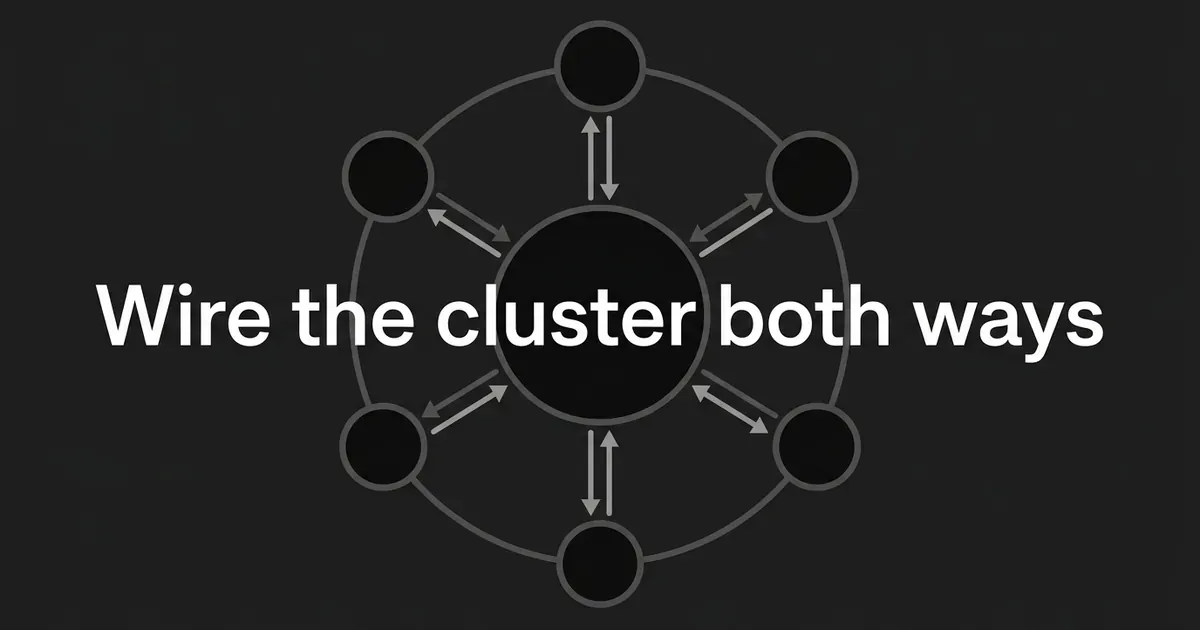
The link flow between pillar and spokes runs in a loop, not a fan. Out from the pillar into each spoke, at the moment that subtopic comes up. Back from each spoke into the pillar, at the moment the reader needs the wider picture. Sideways between spokes only where one genuinely sets up another. That loop is how to link pillar and spoke pages, and it holds however many spokes you add.
That's it. That's the whole of bidirectional internal linking in practice, and it's all pillar spoke internal linking really asks of you. The pairs are the structure. Everything else is optional.
If your cluster has six spokes, you're looking at twelve required links and maybe three or four lateral ones. An afternoon of work, once you have the matrix.

What to do next
Pick your next existing cluster and do Step 1 and Step 2 today. Just the inventory and the matrix. That's the part that makes the rest fast, and it's the part you can finish before your next meeting.
Then work the pillar in one sitting, the spokes in another, and run the audit after they're live.
If the slow parts of this are the ones that keep getting skipped, the page inventory, the linking during production, and the citation tracking afterwards, that's exactly the gap DeepSmith is built to close. Content Map keeps your page list current, the Writer places internal links while the article is being written instead of an hour after, and AI Visibility shows you which pages are getting cited once they're live. You can start a free trial and see it against your own site before you commit.