

You wrote a good page. You covered the topic. And the AI answers still cite someone else. Frustrating, right?
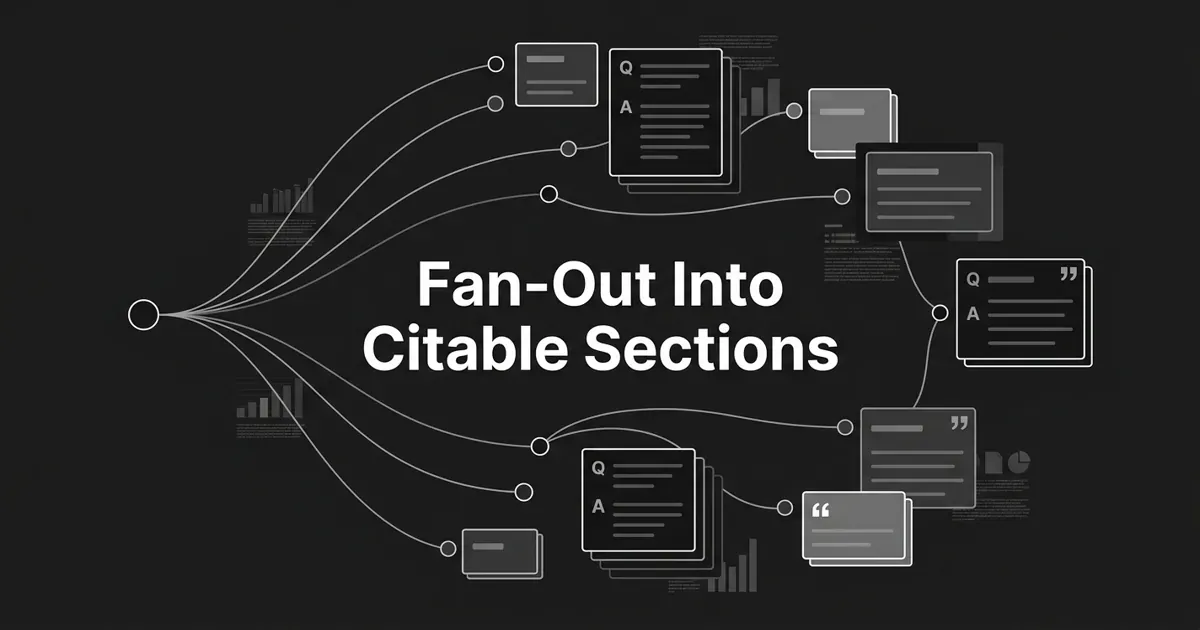
Here is the good news: the fix is usually structural, not a rewrite. When someone asks an AI engine a question, the engine quietly breaks that one prompt into 8 to 12 smaller retrieval queries, answers each, and stitches the results into a single reply. Those smaller queries are the map. A query fan-out content strategy simply means reading that map and building a section for every road on it. This guide shows you how to take the sub-queries an engine fans your topic into and turn each one into an FAQ entry or a sub-topic section, written so it can stand alone and get quoted.
You do not need to be technical. You need a seed topic, a couple of hours, and a willingness to write headings as questions. Let's walk it step by step.
The work has six steps, and none of them ask for new writing talent. You collect the fan-out, cluster it by intent, map each cluster to a home on the page, write each home as a standalone answer, add a few technical signals, then measure and refresh. Do all six and your query fan-out content strategy stops being a hunch and becomes a system you can run on any page. Ready? Start with the raw data.
Step 1: Pull the fan-out for your topic
Start by getting the actual sub-queries, not your guess at them.
Pick the seed query your pillar page targets. Run it through a fan-out tool to surface the real sub-queries AI engines issue behind that prompt. Capture every sub-query exactly as the tool returns it, modifiers and all, so "best," "vs," "for small teams," "pricing," and "reviews" stay attached. Then repeat for three to ten close variants of your seed: synonyms, alternate buyer phrasings, comparison questions, and the follow-ups people ask next. Deduplicate the combined list at the end.
Why bother with the variants? Because the fan-out shifts every time. Research from Peec AI, which analyzed five million query fanouts across ChatGPT, Perplexity, and Grok in 2026, found the expansion is far from fixed. Roughly 73% of fan-out queries are unique to the seed prompt. Engines also fan out at different rates: ChatGPT averages about 2.1 sub-queries per prompt and often injects brand names and "vs" comparisons that were never in the original, Perplexity averages 1.4 and mostly just simplifies, and Grok runs a broader research-style expansion averaging 6.8. One seed will never show you all of that. A handful of variants will.
How to tell it's done: you have a deduplicated list of 40 to 120 sub-queries, each phrased as a natural question or task, with your original seed still in the mix.
Where people go wrong: stopping at the seed query and treating its literal wording as the only thing to cover. The literal seed is one prompt out of dozens the engine is actually running. Cover only that, and you answer one road on a map with many.
This first step is also where a tracking platform earns its keep. DeepSmith's AI Search Visibility module surfaces the prompts your buyers actually trigger across ChatGPT, Gemini, Perplexity, Claude, and Google AI Mode, with per-prompt mention and citation rates and a competitor leaderboard, so the fan-out prompts you build around are the ones real buyers are asking, not ones you imagined. If you would rather start manual, that is fine too. The workflow is the same either way.
Step 2: Cluster the sub-queries by intent
Now you have a long, messy list. Take a breath. This part feels bigger than it is.
Group the sub-queries into four to eight intent clusters. For a typical B2B how-to page, the clusters look familiar once you see them:
- Definition, the "what is" questions
- Comparison, the "vs" and alternatives questions
- Pricing, cost, and ROI
- Use case by segment, split by team size, industry, or role
- Mistakes and pitfalls, the "what to avoid" questions
- Process, the "how do I" steps
- Tooling and integrations
- Objection-handling, the doubts a buyer voices before deciding
Each cluster is going to become one home on your page: either a sub-topic section or an FAQ entry. That is the whole point of clustering. You are turning answer engine sub-queries content into a section plan instead of a to-do list.
How to tell it's done: every sub-query maps to exactly one cluster, and every cluster holds at least two sub-queries. A cluster with a single lonely query should usually be merged into a neighbor or dropped.
Where people go wrong: treating the fan-out list as a flat checklist and writing one section per sub-query. That gives you dozens of thin, overlapping sections and a page no one can follow. Cluster first, then write. Building sub-topics from fan-out data works because the clusters, not the raw queries, become your sections.
Step 3: Map each cluster to a section or an FAQ entry
Here is where the plan becomes a page.
Walk through your clusters one at a time and give each a home. Use three simple rules:
- Make it a standalone H2 sub-topic section when the cluster covers a major sub-theme the buyer needs to genuinely understand.
- Make it an FAQ entry, with the question as the heading, when the cluster is short, definitional, or answers a specific objection.
- Fold it into an existing H2 as a paragraph when it is supporting detail rather than its own idea.
Aim for four to eight sub-topic sections and six to ten FAQ entries, scaled to the page's scope. This is how you build FAQ sections for AI citation on purpose rather than by habit: each entry traces back to a real sub-query an engine issues, so each one has a job. Place the FAQ block near the top when the questions are high-intent and people want the answer fast, or near the bottom when it is mostly objection-handling before a decision.
How to tell it's done: you have an outline where every section and every FAQ entry traces back to at least one cluster, and no cluster is left without a home.
Where people go wrong: treating the FAQ as an afterthought stuffed with generic filler like "What is X?" and "Why does X matter?" Those questions came from a marketing instinct, not from the fan-out. Every FAQ entry should map to a sub-query an engine actually generates. That single discipline is most of what separates AI search FAQ optimization that works from a FAQ block that just sits there.
Pro tip: keep a two-column note as you map. Cluster on the left, section or FAQ heading on the right. When you finish, that note is your outline and your coverage audit in one.
Step 4: Write every section as a standalone answer
This is the step that decides whether you get cited, so slow down here. It is also the most learnable part, so you are in good shape.
AI engines retrieve at the passage level. They lift a chunk of your page and quote it, often without the rest of the page for context. In fact, one 2026 study of nearly 174,000 URLs found that 68% of pages cited in AI Overviews were not in the top 10 organic results, so a well-built section can win a citation your ranking alone would not. Every section has to make sense on its own. Write each one like this:
- Open each H2 and each FAQ entry with a direct answer of about 40 to 60 words that fully resolves the heading. Put the answer first.
- Restate the heading's exact terms in that first sentence. If the heading asks about pricing, the first sentence says "pricing," not "our commercial model."
- Follow the answer with supporting detail, an example, and a list or table where it helps a reader.
- Keep the section self-contained. A retrieval system should be able to pull it out and use it as a complete answer.
Then fix the headings. Write them as full questions a buyer actually asks. "How is the tool priced and what is included?" beats a one-word "Pricing" label every time, because the engine is matching your heading against the question it fanned out. A question matches a question. A noun does not.
A few small writing habits raise your odds a lot. Keep sentences simple, subject and verb close together. Replace vague "it" and "they" with the specific noun. Use the same word for the same thing throughout, so do not drift from "the platform" to "the solution" to "the tool." Drop hedging like "might" and "possibly" unless accuracy needs it. And skip analogies and idioms; retrieval systems prefer plain, literal language. Animalz documented a set of techniques like these that lift citation rates, and nearly all of them come down to one idea: answer the question, clearly, near the top.
Evidence helps too, and the numbers are striking. Pages with 19 or more statistics or data points average 5.4 AI citations, while pages with no data points average 2.8. So when a section can carry a real figure with a named source, give it one.
Here is the contrast in a single line. A weak FAQ answer reads: "There are several factors to consider with fan-out." A strong one reads: "AI search engines typically issue 8 to 12 sub-queries per prompt, with ChatGPT averaging 2.1, Perplexity 1.4, and Grok 6.8, according to fan-out research published in 2026." Same question, two different outcomes. One sentence is quotable on its own, the other is air. When you build FAQ sections for AI citation, write the first sentence to be liftable with nothing around it.
How to tell it's done: read only the heading and the first two sentences of each section. If that gives a usable, quotable answer, the section is ready. If you have to read further to understand it, front-load it more.
Where people go wrong: writing H2s as labels for yourself. "Features," "Use cases," "Overview." Labels help the writer organize. They do nothing for the reader or the engine. Turn every label into the question it secretly answers.
Step 5: Add the technical signals that make sections extractable
You do not need to become an engineer for this. A handful of signals do most of the work, and your developer can handle the rest.
Add FAQPage schema in JSON-LD to your FAQ block, and use only the visible Q&A pairs that appear on the page. That structured data is a clean map from your questions to your answers, and it maps directly to how engines extract passages. Industry research cited by Averi found pages with FAQPage markup see roughly 28% higher citation rates in answer engines than pages without it. Treat that as a directional signal, not a promise, and keep the markup honest.
One caveat worth stating plainly, so you do not chase the wrong prize. Google has restricted FAQ rich results for most non-government sites, so the schema may not earn you a visible SERP feature anymore. The value now lives in the AI extraction layer, not the search-result decoration. Add it for the engines, not for the snippet.
Beyond schema, keep the basics tidy: one H1, then a logical H2 and H3 hierarchy that mirrors your outline. Short paragraphs of two to four sentences, since engines chunk at the passage level. A page that loads fast and renders its content without relying on JavaScript, so a crawler sees the words. This is the technical half of AI search FAQ optimization: the words earn the quote, and the schema helps the engine find and trust it. If you want the deeper schema playbook, that is its own project; treat this step as the light version and go deeper later.
How to tell it's done: your FAQ block validates in Google's Rich Results Test, your heading hierarchy is clean, and the page renders fully without JavaScript.
Where people go wrong: stuffing the schema with hidden or off-topic Q&A pairs to game it. Engines read that as spam, and it puts your whole page at risk. Mark up what is visible, nothing more.
Step 6: Measure, refresh, and add new sections
You are almost there. The last habit is what compounds, so do not skip it.
Once the page is live, watch how it performs prompt by prompt. Track mention rate, citation rate, share of voice, and the trend for each by engine. For every tracked prompt, look at which URLs the engines actually cite. When a competitor keeps showing up and you do not, go back to the fan-out for that prompt and check whether your page covers the sub-queries they answer and you missed.
Then keep the page alive. Refresh the key statistics and at least one lead answer monthly, because engines weight recency heavily. Pages updated within the last 30 days make up the bulk of ChatGPT's most-cited URLs, so a stale page quietly loses ground. Add a new sub-topic section or FAQ entry whenever tracking shows a fresh sub-query cluster you are not covering yet. New sub-topics from fan-out data should slot straight into your existing outline, not trigger a rebuild. Re-run the whole workflow quarterly on your highest-priority pages.
This is the other place a platform saves you real time. DeepSmith's Prompts, Pages, and Competitor citations views show which of your pages earn citations, which competitors win the prompts you are missing, and where new fan-out clusters are surfacing, so your next refresh adds the right sections instead of guessing. It tracks mention and citation across ChatGPT, Gemini, Perplexity, Claude, and Google AI Mode. It cannot promise you a ranking or a citation, and no honest tool can. What it can do is show you exactly where the gaps are.
How to tell it's done: citation rate for your tracked prompts trends up over rolling 30-day windows, new sub-queries get mapped to sections within one refresh cycle, and every section carries a visible last-updated date.
Where people go wrong: publishing once and walking away. The fan-out changes, competitors publish, and recency decays. A page you never touch loses citations within weeks. Treat it as a living document, not a monument.
What to do next
Pick one pillar page. Just one. Pull its fan-out, cluster the sub-queries, and map each cluster to a section or an FAQ entry using the outline you built in Step 3. Write the top two sections as standalone answers this week, add your FAQPage schema, and publish. Then track which prompts you start appearing in, watch which competitors win the ones you are still missing, and refresh on a monthly cadence so every new sub-query gets its own home on the page.
Momentum matters more than perfection here. One well-structured page teaches you the pattern, and the pattern scales to the rest of your site. You are simply turning answer engine sub-queries content into a living page, one cluster at a time, and letting the tracking tell you what to add next.
If you want the fan-out prompts your buyers actually trigger, plus the tracking to see which pages earn citations, you can start a 7-day DeepSmith trial and set it up in minutes. It surfaces the sub-queries and the gaps in one place, so your next page is built from real data instead of a hunch.


