Every piece starts from a blank prompt box. Every draft comes back a different shape. And you become the person who fixes structure, length, and formatting on all of it.
That is not a writing problem. That is a missing system, and it is very fixable.
This guide walks you through eight steps for building content prompt templates that hold their shape across many pieces and several writers. By the end you will have a small governed library where each template has defined inputs, an output contract, examples, a quality gate, an owner, and a version you can roll back.
One thing to settle first. The goal is not identical prose. Models are not deterministic, and identical prose is not what you want anyway. The goal is to standardize AI output where variation costs you time: structure, required sections, evidence handling, and the minimum quality bar.
Choose the repeatable jobs before you write a single prompt
Start with an inventory, not a prompt.
List what your team publishes on repeat, and group it by format and workflow rather than by subject. Useful first families: how-to articles, comparisons, explainers, listicles, product pages, case studies, newsletter sections, and LinkedIn posts drawn from a finished article.
For each family, capture eight things: the deliverable, the job it does for the reader, the audience and what they already know, the channel, the required shape (sections, fields, ordering), the variable inputs (topic, evidence, CTA, length), the review owner, and the reuse signal (volume, frequency, how often it gets reworked).
Now pick one. Choose the highest-volume format with a stable shape and a visible rework problem.
Feeling like you should template everything this month? You shouldn't. Start with one format, one use case, and a small test set. Expand only after someone who did not build the template can run it.
How to tell it is done: a writer can select a template family without asking which prompt to use. Each family has one purpose, one owner, a known output format, and a list of required versus variable inputs.
Where people go wrong: building one giant prompt for every channel and format. Organizing the prompt library for content by topic, so the same format gets copied over and over. Making every field mandatory, which slows adoption instead of creating consistency.
Write the output contract before you write the prompt
Build the blank content template first. A model cannot reliably follow a format your team has never defined, and no amount of clever wording rescues an undefined deliverable.
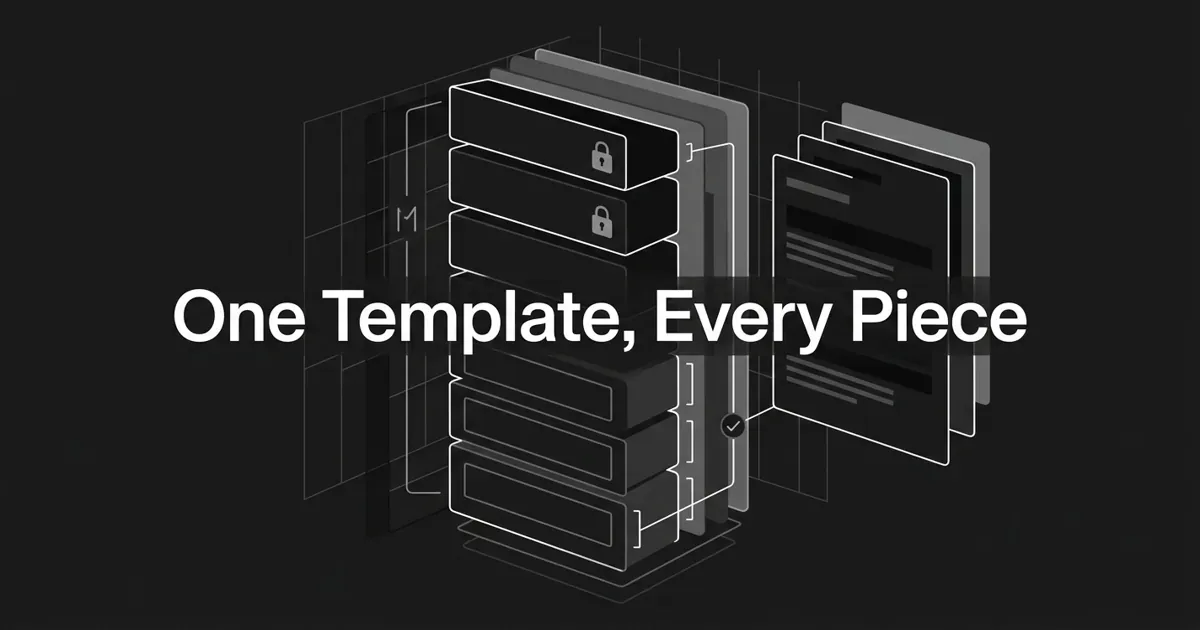
Your content template answers one question: what must a finished piece contain to pass? Group the fields into four blocks.
- Assignment: template name and ID, content type, working title, objective, primary reader, the reader problem, the desired next step.
- Content requirements: primary topic, key messages, required claims and source material, claims to avoid, required and optional sections, target depth, the CTA.
- Packaging: title field, H1, meta description, summary, slug, any structured metadata your CMS needs, and the output format.
- Editorial: tone, stance, terms to use and avoid, what counts as a supported statement, what the model should flag rather than guess, and who reviews it.
You do not need all of them. Make mandatory only what matters for this format.
Then sort every requirement into three classes. Must means a missing item is a failed output. Should means include it when it fits. Must not means a prohibited behavior, and every prohibition needs a positive fallback. "Do not invent a statistic" gets much stronger when you add "if a number is not in the supplied material, mark it as missing."
This layer is what platforms call a reusable format. In DeepSmith it is called Content Types: the repeatable shapes your content takes, stored once so every draft runs against the same contract instead of a fresh verbal briefing.
How to tell it is done: another writer can fill in the empty brief and describe what a successful output contains, with no meeting. An editor can mark every requirement on a filled brief present, absent, or not applicable.
Where people go wrong: describing the topic but never the job. Writing "make it SEO-friendly" with no observable requirement behind it. Mixing required instructions with nice-to-haves so the model cannot tell what wins.
Separate the stable rules from the per-piece variables
Here is the move that makes reusable AI prompts actually reusable. Build the prompt in layers, and keep the stable layer away from the layer that changes per piece.
A practical order runs role, task, success criteria, instructions, constraints, input data, examples, output contract, quality check. Providers name these layers slightly differently, but the shape is consistent: identity, instructions, examples, context. Use headings, lists, or XML-style tags to make the boundaries visible, and keep one delimiter style per prompt.
A skeleton you can copy:
<role>You are the [content_role] producing a [content_type] for [audience].</role>

<task>Create [deliverable] that helps the reader [reader_outcome].</task>

<success_criteria>
- Cover [required_topics] using [required_structure].
- Meet [format_and_length_requirements].
- Use only supplied evidence, and flag gaps instead of inventing.
</success_criteria>

<instructions>
1. Identify missing required inputs before drafting.
2. Build the required outline, then draft each section.
3. Check every must and must-not rule.
</instructions>

<inputs>
<brief>[brief]</brief>
<source_material>[source_material]</source_material>
</inputs>

<examples>[representative_examples]</examples>

<output_contract>
Return [field_one], [field_two], [field_three] in [format].
Add no commentary outside the requested output.
</output_contract>
The tags are not the magic. The separation is. Anyone should be able to read that prompt and see which parts never change and which get filled from a brief.
Then give every variable a definition: name, required or optional, allowed format, example value, and fallback behavior.
| Variable | Required? | Validation question |
|---|---|---|
content_type | Yes | Is it one of your approved formats? |
audience | Yes | Does it say who the reader is and what they know? |
objective | Yes | Can an editor identify the intended outcome? |
key_messages | Yes | Are the points prioritized, not just listed? |
source_material | Depends | Is evidence separated from instructions? |
must_avoid | Usually | Does each prohibition have a positive fallback? |
output_format | Yes | Can a reviewer recognize the expected shape? |
Never let a missing variable get filled with a guess. Tell the template what to do instead: ask for the value, return a missing-input flag, or proceed with a clearly labeled assumption. Delimit supplied source material as data, and say plainly that it is reference material, not new instructions.
How to tell it is done: someone can change topic, audience, source pack, and CTA without touching the stable rules.
Where people go wrong: pasting a new prompt per article instead of changing a defined variable. Burying constraints inside a wall of source material. Assuming a role label will rescue an unclear task.
Add examples and format modules, not more instructions
When words alone are not landing, show the model instead of telling it again.
Few-shot examples do the work description cannot: structure, phrasing, scope, level of detail, and the line between a passing and a failing output. Anthropic's prompting guidance points to three to five examples for its documented technique. Treat that as a tested starting point, not a law.
Choose examples relevant to the same content type, varied in topic and length, consistent in labels, and strong enough to show your real editorial bar. A good set covers four situations: a normal case, a case with incomplete input that shows the correct flag, a boundary case showing how to handle a prohibited claim, and one excellent output that demonstrates the expected shape.
More examples are not automatically better. Google's prompting guidance warns that too many can cause overfitting, and every extra example eats context. If two examples disagree, you have handed the model two specifications.
Common mistake: showing one polished example and treating it as the spec. A single example teaches topic, length, and structure all at once, and usually teaches at least one of them wrong. Use a small varied set, and write down the rule each example is there to demonstrate.
Keep the rest modular so you are composing, not copying. A core module holds the task, quality bar, and evidence rules. A format module adds how-to, comparison, or social structure. An audience module sets reading level and objections. A channel module sets length, pacing, and CTA rules.
A format module should add or override only what is specific to that format. The moment it duplicates the core, you have two sources of truth and a future contradiction.
For complex jobs, split the run into inspectable stages: outline, draft, review, revision. A single call is fine for a small transformation. Chaining earns its keep when an editor needs to see the outline before the draft exists, and it costs you latency and handoffs. Test the trade rather than assuming it.
How to tell it is done: a reviewer can explain what each example teaches, and you can swap the format module without rewriting the core.
Where people go wrong: copying a whole prompt to create a second format. Adding an instruction every time an output disappoints, until the prompt argues with itself.
Build a quality gate and test before you release
Define what success looks like before you polish wording. Prompt-engineering guidance across providers follows the same loop: write a first prompt, define success clearly, then test against that definition. And not every problem belongs in the prompt. If the real issue is model capability, missing evidence, or workflow design, better wording will not fix it.
Build a fixture set per template. Each fixture holds a realistic filled brief, the source material, the template version and model settings, the expected sections and fields, the expected behavior for missing inputs, and a rubric.
Cover these categories.
| Test category | What it checks |
|---|---|
| Representative | Normal topics and normal briefs |
| Boundary | Minimum and maximum length, sparse inputs |
| Missing input | Whether the model flags gaps instead of guessing |
| Conflict | Whether priority rules beat a contradictory brief field |
| Unsupported claim | Whether output avoids invented numbers or product claims |
| Format | Headings, fields, ordering, metadata, output-only rules |
| Editorial quality | Originality, usefulness, completeness, evidence |
| Regression | Whether a change breaks a previously passing case |
Score each criterion as pass, needs revision, or fail, and set your release threshold before you look at a new version. No universal score or edit-rate benchmark exists to borrow, so pick thresholds that match your format and risk. Keep the checks observable: sections present and in order, metadata filled, no extra commentary, key messages in priority order, every claim supported or flagged.
Pro tip: keep a golden fixture set that does not change when the prompt changes. Edit the template, run it against the same fixtures, and record what improved and what regressed. When a real piece fails, add it to the fixture set instead of quietly patching the live prompt.
One caution. A valid structure is not a correct article. Schemas are great for metadata and status flags, and they say nothing about whether the prose is accurate, original, or useful. Validate shape with a machine, then judge meaning with a human. Google's guidance on helpful content is a fair bar: does this add original value, show real expertise, and exist for a person rather than a search engine?
How to tell it is done: you can run a candidate on a fixed set of normal and edge cases, compare it with a baseline, and explain why it passes or fails.
Where people go wrong: testing one happy-path brief. Judging "sounds good" with no written rubric. Changing the prompt and the test set together, which hides regressions. Letting the model grade itself.
Govern the library with a small set of rules
A prompt library for content only works if people can find the right asset and trust it is current. That takes governance, and less of it than you think.
Give the library a taxonomy combining workflow stage (brief, outline, draft, review, repurpose), deliverable format, channel, and status (draft, testing, approved, active, deprecated). Resist tagging every detail. Keep one canonical record per active template, linked to its examples and test set. If two prompts do the same job, merge them.
Every record should carry a library card: a readable name and stable ID, purpose, content type and audience, owner and approver, required and forbidden inputs, the output contract and rubric, examples and known failure modes, the fixture set, status and version, and a changelog.
Name things predictably. Something like channel-format-job-audience, followed by a version label such as v1.0_initial or v3.0_policy-update. What matters is that the name is searchable, the version is unambiguous, and the reason for each change is recorded.
Then treat an approved production version as immutable. A material edit creates a new version with a diff and a reason, runs against baseline fixtures, and moves through development, review, and production. Keep the previous version available for rollback. Nobody should rewrite a live template while a writer is mid-piece.
Version history tells you what changed. Only your fixtures tell you whether it helped.
How to tell it is done: a new team member can find the right template, see the owner, identify the active version, and locate the previous one without asking the author.
Where people go wrong: storing final prompts in personal notes and chat history. Overwriting the live version so no prior output can be reproduced. Treating a vendor's prompt-management feature as proof of quality.
Connect the template to a visible production handoff
A tested template that lives in a document nobody opens is not production. It becomes production when it is wired into the place where work is planned, produced, reviewed, and published.
A practical handoff runs in seven moves:
- Assign an idea and select the content type.
- Fill the brief and validate the required variables.
- Generate the draft using the approved template version.
- Run the format and quality checks.
- Send the output to the named reviewer with the version and results attached.
- Approve, publish, and record the disposition.
- Feed real failures back into the fixture set.
The handoff record should show the source brief, template version, output, validation results, unresolved flags, reviewer, and approval state. Get that right and your reviewer stops spending the first ten minutes working out which prompt produced the draft.
If you would rather not assemble that queue from separate documents, this is the part a production platform handles. DeepSmith's Content Studio runs the same path natively: New Ideas holds the backlog, Planned Content schedules it, the Writer produces against your stored Content Types, and Produced Content is where you review and publish to your CMS. Keyword coverage, heading structure, schema, and internal linking happen during writing rather than after. Build the contract first, then decide whether to run it in documents or in a system.
How to tell it is done: a reviewer receives a complete, traceable handoff and can approve or return it against the same checklist you used to build the template.
Where people go wrong: automating generation while briefing, review, and approval stay outside the system. Treating "publish-ready" as a reason to delete review rather than a reason to make it faster and narrower.
Measure consistency and refresh on triggers
You cannot run content templates at scale on vibes. Set a baseline before you change anything, then track by template version.
Watch required-section pass rate, correction rate, reviewer edit and rejection rate, time from generation to approval, template reuse and abandonment, and regressions after a prompt or model change.
Those are categories, not benchmarks. Pick thresholds that fit your format, your risk, and the reviewer capacity you actually have.
Refresh a template when the model changes, when your format or audience or product shifts, when a failure repeats, when a reviewer finds a new edge case, or when nobody uses it because it is too cumbersome to fill in.
When an output fails, classify the failure before you touch the prompt. Was it a missing variable, an ambiguous instruction, a conflicting rule, a missing example, the wrong template family, a model setting, or an evidence gap? Fix that layer. If it is format-specific, change the format module. If it is a missing input, improve the brief. Do not pour every exception into the core prompt until it contradicts itself.
Once a template is tested and stable, you can schedule it. DeepSmith's Autowrite configures an article at planning time and generates it on its scheduled date into Produced Content, so the pipeline keeps moving during your busiest weeks. Repurpose and the Apps Library turn a finished article into channel-native versions for LinkedIn, X, newsletter email, and Substack, so distribution becomes a normal step rather than the thing that always slips.
Scheduling multiplies whatever system you already have. Test the template first.
How to tell it is done: you can name the active version, explain any regression against the baseline, roll back when needed, and turn a real failure into a better fixture.
Where people go wrong: counting published pieces without tracking corrections and rework. Rewriting a prompt because of one odd output. Assuming a scheduled workflow is self-correcting.
Where to start this week
Pick one format. The one you publish most and rework most.
Write its output contract, build the prompt in stable and variable layers, add three to five examples, and create five fixtures. Run it, review it, record what broke. That is a real template, and it took an afternoon.
Add the second format only when the first runs cleanly for someone else.
If you would rather watch this working inside a production system first, start a free DeepSmith trial and produce a piece against stored Content Types and brand context. Seven days, real drafts, no long-term contract.
You are closer than you think. Most teams already hold these standards in their heads. Running content templates at scale just means moving them somewhere a model and a new writer can both read.