Someone on your leadership team just asked whether AI answers mention your brand, and you have no tracker, no dashboard, and no line item to buy one. That's a normal place to be. The question underneath it is a simple one: am I cited in AI answers, or is a competitor taking the slot? You can track AI citations free, using a browser, a spreadsheet, and about two hours for your first pass. This guide gives you the seven steps: the scoring rules, a fixed prompt pack, the test conditions, the log, the baseline run across ChatGPT, Perplexity, and Google AI Overviews, and how to read what comes back without fooling yourself.
Step 1: Decide what counts as a citation before you search
Here's the good news: the hardest part of free AI visibility tracking is a decision, not a tool. Before you run a single search, write your scoring rules at the top of your sheet.
You need five outcomes, and they need to stay separate:
- Direct URL citation. The exact page on your site appears as a source in the AI answer.
- Domain-only citation. Your domain shows up as a source, but the specific page isn't clear, is hidden behind a redirect, or is shown only at domain level.
- Mentioned, not cited. The answer names your brand in the text, but no link points to your site.
- Absent. No brand name, no source link from your domain.
- No answer surface. ChatGPT didn't search, Perplexity gave nothing usable, or Google didn't show an AI Overview. This is a note about the platform, not a failure to be cited.
A mention and a citation are two different things. A mention means the engine named you. A citation means the engine used one of your pages as evidence. You can have either without the other, and each one tells you something different about what to fix.
Decide one more thing now: what counts as "yours." The clean rule is to count company-owned URLs as citations, and keep third-party coverage in its own column. A review site or a roundup that names you is genuinely valuable, but it isn't your page earning the source slot.
Common mistake: counting a mention as a citation. "The answer recommends us" and "the answer links to our article" are two separate observations. Blur them and your baseline is useless three weeks from now.
Pro tip: record the exact URL, not just "yes." The page-level evidence is what later tells you which content is doing the work.
How to tell this step is done
Two different people on your team could score the same answer the same way, without asking each other what a column means.
Step 2: Build a fixed prompt pack
Now you write the questions. Ten of them. Not fifty, not three.
Ten prompts is enough to see a pattern and small enough that you'll actually run it again next week. That second part matters more than you think.
Split your ten like this:
- Two commercial-intent prompts, the questions a buyer asks while evaluating.
- Three comparison prompts, the ones that weigh categories, approaches, or named alternatives.
- Three problem-aware prompts, written the way someone describes a problem before they know what to buy.
- Two category or educational prompts, the neutral "what is this" questions.
The rules for writing them are short:
- Use natural questions a real buyer would type.
- Put your brand name in some prompts and leave it out of others.
- Include a competitor name only where a buyer genuinely would.
- Don't write a prompt that quietly forces the answer to mention you. That's testing your prompt, not your visibility.
- Give every prompt a stable ID: P01, P02, P03.
- Store the exact wording once, and copy it every time after that.
Searches like "monitor AI mentions no tool" get typed by marketers in exactly your position, and they hint at the shape of the prompts your own buyers use too. Keep a mix of category, use case, comparison, and problem wording, because the engines behave differently across those.
Common mistake: editing a prompt halfway through the month. Changing "How do I monitor AI citations?" into "What's the best free way to monitor AI citations?" creates a new prompt. Compare it against the old results and you're comparing two different tests.
How to tell this step is done
Your pack lives in one place, every prompt has an ID and a declared intent group, and you can copy the list without rewriting a word.
Step 3: Freeze the test conditions
This is the step that separates a real baseline from a pile of screenshots. AI answers move. They shift by platform, country, day, wording, account state, and product surface. You can't stop that. You can hold everything else still so the shifts mean something.
Pick your conditions once and write them down:
- Platform and which surface of it you're using.
- Country and language.
- Device or browser, where you can control it.
- Logged in or logged out.
- Search mode or browsing state.
- Date and rough time.
- Prompt wording and the order you run them in.
Per platform, a few specifics are worth recording every time. For ChatGPT, note whether you explicitly selected Search, and whether citations showed up inline or only in the Sources panel. For Google, note whether an AI Overview appeared at all. For Perplexity, note the visible source list.
Common mistake: comparing a logged-in ChatGPT result from one country against a logged-out result from another, then calling the difference a content win. It might just be personalization and locale. Same conditions, or no conclusion.
How to tell this step is done
Your sheet has a "test conditions" block, and whoever runs next week's check can reproduce your setup without asking you what you meant.
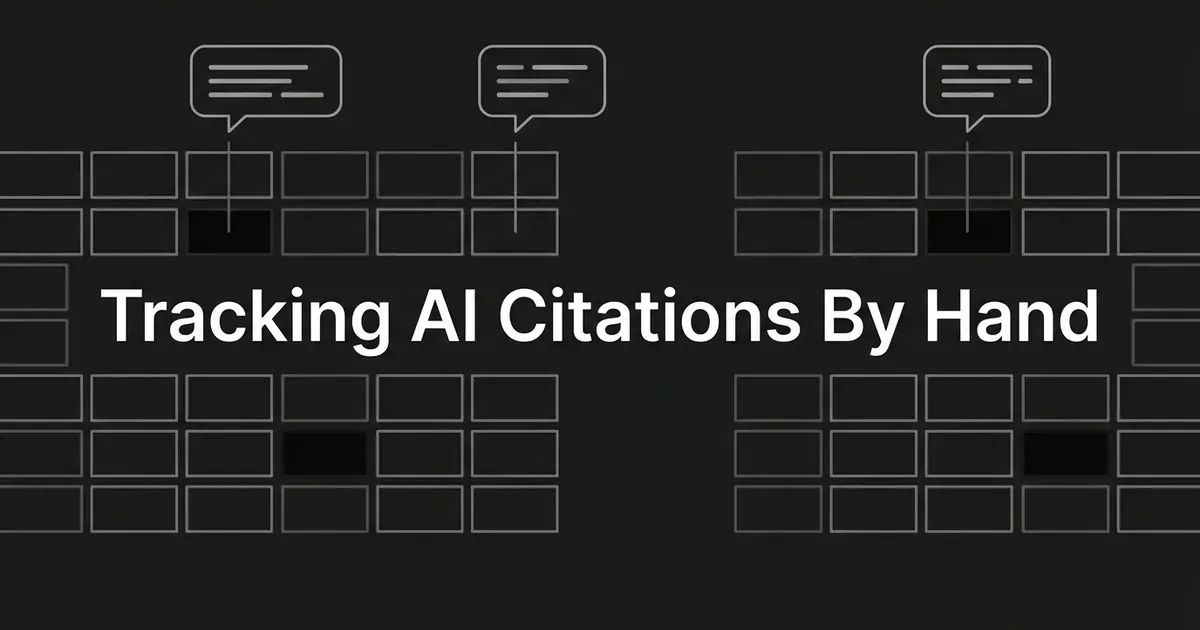
Step 4: Set up the evidence log
A spreadsheet is genuinely enough here. You are not building a dashboard. You're preserving enough evidence that a colleague can open a row in six weeks and see exactly what you saw.
One row per prompt, per platform, per date. These are the columns that earn their keep:
| Column | What you record |
|---|---|
| Run date | The date of the observation |
| Approximate time | Helps you spot changes inside a single day |
| Platform | ChatGPT, Perplexity, or Google AI Overviews |
| Country and language | Where and in what language you searched |
| Account state | Logged in or logged out |
| Prompt ID | P01, P02, and so on |
| Exact prompt | The precise wording you submitted |
| Search mode | Search enabled, Perplexity mode, or plain Google Search |
| Answer surface | Answer, AI Overview, or no answer surface |
| Brand mentioned | Yes or no |
| Mention context | A short note on how you were described |
| Citation class | Direct URL, domain-only, mentioned-not-cited, absent, or no surface |
| Cited URL | The exact URL, when it's visible |
| Cited page title | The title the platform showed |
| Source supports claim | Yes, no, or unclear |
| Competitors mentioned | Names visible in the answer |
| Competitor URLs | The competitor source links |
| Evidence file | The screenshot or export filename |
| Content change note | Page published, updated, removed, or unchanged |
| Operator note | Anything odd about the run |
Name your evidence files the boring way: YYYY-MM-DD_platform_prompt-ID. A screenshot, an exported response, or a plain text record all work.
If you want a scoring shortcut for sorting, use 3 for a direct URL citation, 2 for domain-only, 1 for mentioned but not cited, 0 for absent, and N/A when no answer surface appeared. Keep the raw categories too. A 2 and a 3 are not interchangeable, because only one of them tells you which page won.
Common mistake: saving a cropped screenshot of just your brand name. Capture the answer and the source area together whenever the interface lets you.
How to tell this step is done
A second person can open one evidence file and tell you the prompt, the platform, whether you were mentioned, and which URL was visible.
Step 5: Run the baseline across all three surfaces
Time to actually search. Same pack, same order, three surfaces.
Ten prompts across three platforms gives you up to 30 observations. "Up to" is doing real work in that sentence, because Google won't show an Overview for every query and ChatGPT won't always search unless you tell it to.
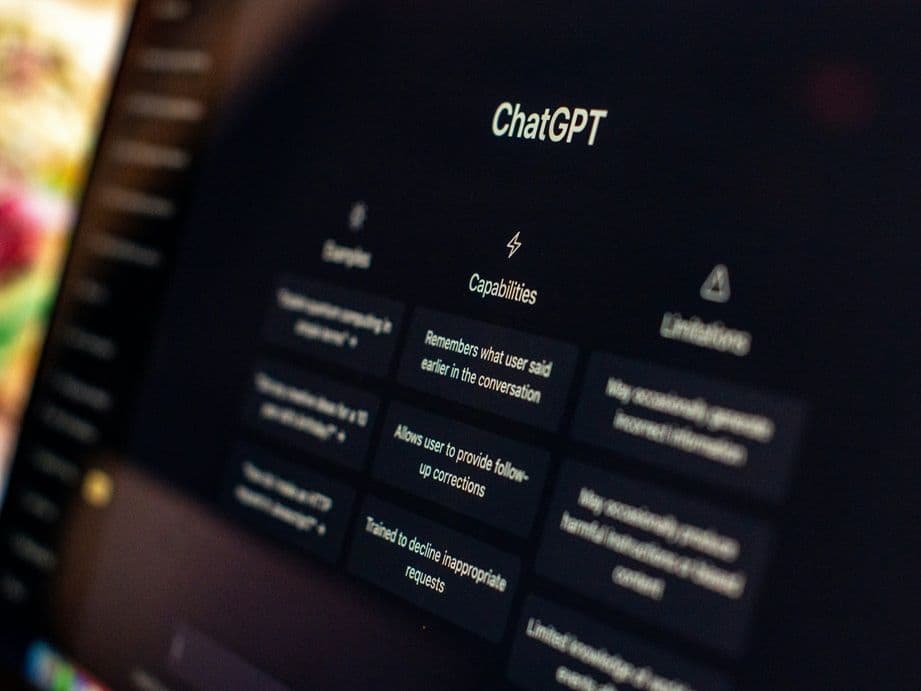
ChatGPT
- Open a new, clean conversation.
- Choose Search explicitly if the interface offers it. If you can't, confirm the response visibly used the web before you count any source.
- Paste the prompt exactly as written.
- Look for inline citations in the answer.
- Hover an inline citation on desktop to preview it, then open it.
- If you see no inline citations, open the Sources panel under the response.
- Record whether your brand appears in the text and whether your URL or domain appears among the sources.
- Save the response or a screenshot with the date, platform, prompt ID, and conditions.
ChatGPT Search is available to free users, though plan usage limits still apply. If the only question you can answer this week is "check if ChatGPT cites me," this part costs you nothing but attention.
Don't count a response as a citation just because ChatGPT gave a knowledgeable answer about you. Count it only when a page or domain of yours is visibly shown as a source.
Perplexity
Perplexity is the friendliest of the three for this work, because its answers carry numbered citations that link straight to sources.
- Open a clean conversation.
- Submit the same fixed prompt, with no extra wording.
- Read the answer for your brand name.
- Inspect every relevant numbered citation.
- Open each one and check where it actually lands: your domain, the specific page you expected, or something else entirely like a homepage, a directory, or a third-party article.
- Record the exact URL, or the closest visible domain-level result.
- Save the screenshot or export.
Open the link before you record it. A source that turns out not to support the claim is worth knowing about, and it's a different situation from a clean page-level win.
Google AI Overviews
- Open Google Search in your frozen browser, device, country, language, and logged-in state.
- Search the exact prompt.
- Note whether an AI Overview appears at all.
- If it does, read it for your brand name.
- Inspect the supporting links shown in and around the Overview, expanding it when the interface offers more.
- Record the exact URL, the domain, or the absence of any source of yours.
- Save a screenshot that includes the prompt, the Overview, and the visible links.
- If no Overview appears, write "No AI Overview triggered." Do not write "not cited."
That last line is the one people get wrong. Google shows an Overview when its systems judge it adds something to ordinary Search, and often that judgment is no. A missing Overview is a platform state, not a verdict on your page.
Common mistake: running ChatGPT on Monday, a slightly different wording in Perplexity on Wednesday, and Google on Friday, then treating the three as one test. Run the pack together, or as close together as you can manage.
How to tell this step is done
Every prompt has a row for every platform you attempted, and no blank cell is left unexplained.
Step 6: Repeat the same checks weekly
One run is a snapshot. Two dated runs with the same prompts and conditions is the beginning of a signal.
Weekly is the right default for a lean team. It keeps the inputs stable without burning a morning every day. Daily checking creates more noise and more manual overhead than most teams can carry, and noise is not insight.
If you've just published or updated a page and want a closer look, there's an intensive option: run the same fixed pack daily for a limited stretch, keeping the wording and conditions locked for the full period. Treat that as a temporary investigation, not your permanent cadence. Don't rewrite a page over one quiet day. If a page is absent across at least three consecutive observations, that's worth digging into.
Week over week, these are the comparisons that matter:
- New direct URL citations.
- Citations you lost.
- Domain-only citations that turned into page-level ones.
- Mentions that did or didn't become citations.
- Competitor sources appearing or disappearing.
- Pages you published, updated, or removed since the last run.
- Prompts where Google stopped showing an Overview.
- Prompts where ChatGPT stopped searching or changed how it displayed sources.
Keep a small change log next to your citation log: date, page, what changed, what you hoped to improve, and the next check date. Without it, you'll see a result move and have no idea what else moved around it.
This is also the step where the manual method starts to show its edges. Every one of those comparisons is a hand-run query, a screenshot, and a row typed by a person. DeepSmith's AI Visibility module checks your defined prompts on a schedule instead, and keeps the full answer history for each one, so the week-over-week comparison is a view rather than an afternoon.
Common mistake: reporting "AI visibility improved" without naming the platform, the prompt, the date range, and the cited URL. A claim nobody can audit doesn't survive its first hard question.
How to tell this step is done
You have at least two dated runs using identical prompts and conditions, and you can point at a specific row when someone asks what changed.
Step 7: Read the results without overclaiming
You now have a sheet full of observations. Resist the urge to turn it into a rate.
Count simple things. How many prompts you tested. How many produced a brand mention. How many produced a direct URL citation, a domain-only citation, a mention with no citation, or nothing at all. How many Google searches showed no Overview. How many distinct pages of yours were cited. How many observations featured a competitor.
Keep the platforms separate. Combining ChatGPT, Perplexity, and Google into one number hides the thing you most need to see, which is that they behave differently.
Here's how to read each outcome honestly:
| What you saw | What it may suggest | What it does not prove |
|---|---|---|
| Brand mentioned and your URL cited | The engine surfaced you and used your page as evidence | That the page gets cited for every user or prompt |
| Brand mentioned, no URL of yours | Recognition without owned-source attribution | That your content was never retrieved |
| Your URL cited, brand not mentioned | The page worked as evidence without visible brand attribution | That your brand awareness is weak overall |
| A competitor cited instead | Their page won that prompt on that surface | That they always win the category |
| No AI Overview | The Overview didn't trigger for that search | That Google never cites your page |
| No citation in one run | You weren't visibly cited in that observation | That the page can't be cited later |
The pattern in that right-hand column is the whole lesson. A screenshot is evidence of one observation by one person at one moment. It is not a platform-wide citation rate, and presenting it as one is how teams talk themselves into rewriting pages that were fine.
Be careful with cause and effect too. If you updated a page and it later showed up as a citation, record the sequence. Don't claim the update caused it without stronger evidence.
One more boundary worth knowing: Google's Search Console has a generative AI performance report covering AI Overviews and AI Mode, and it's a useful free signal from Google's side. It reports impressions grouped by page, country, date, and device. It is not a prompt-level citation tracker, and it won't tell you which prompt produced which citation. Treat it as an optional context check next to your manual log, not a replacement for it.
Common mistake: writing conclusions before separating them from observations. Every conclusion in your notes should name the platform, the prompt, the date, and the evidence file.
How to tell this step is done
Someone reading your summary can tell which lines are facts you observed and which are hypotheses you're testing next.

Know when manual checking has stopped scaling
The manual process is a real method, not a consolation prize. It teaches you the mechanics of every surface, and it gives you a baseline you actually trust because you watched it happen. Choosing to track AI citations free is a sound first move, not a compromise.
The question isn't whether a spreadsheet can record a citation. It can. The question is whether you can keep the same prompt set, the same conditions, the evidence files, the page-level attribution, and the competitor comparisons current as the prompt count grows and the weeks stack up.
Signs you've hit the edge:
- You want more than ten prompts and the weekly run has become a half-day.
- You need answer history, not just this week's screenshot.
- You want to know which of your pages earns citations, not just that some page did.
- You need competitor comparisons by platform, not a "competitors mentioned" column you fill in by hand.
- You're checking more engines than three.
- Someone wants this reported monthly, on a slide, without you rebuilding it each time.
That's the point where scheduled collection is worth paying for. DeepSmith tracks your defined prompts on a schedule and reports mention rate, citation rate, share of voice, sentiment, and visibility trend, broken down by platform. Its Pages view replaces the hand-typed URL column with a maintained view of which of your pages AI actually cites and which prompts drive those citations. Its competitor view shows who wins your prompts, on which exact pages, and how each rival performs per engine.

Coverage rises by plan. Pro is $99 a month and tracks 50 prompts on ChatGPT. Grow is $199 and adds Perplexity at 100 prompts. Scale is $399 and adds Gemini at 200 prompts. Annual billing brings those to $80, $160, and $299. Enterprise covers all ten engines DeepSmith tracks: ChatGPT, Gemini, Perplexity, Claude, Google AI Overviews, Google AI Mode, Grok, Meta AI, Microsoft Copilot, and DeepSeek. There's a 7-day free trial and no long-term contract.
None of that is required to start. Your ten prompts and a spreadsheet are.
What to do next
Take one hour today. Write your five scoring rules at the top of a new sheet, draft your ten prompts, and give them IDs. That's the whole setup.
Then take a second hour this week and run the baseline. Free AI visibility tracking done properly will tell you more by Friday than a quarter of guessing did, and it costs you nothing.
When the weekly run stops fitting in your week, that's your signal, not your failure. Start a free DeepSmith trial and let the collection run on a schedule while you go back to deciding what to publish.
Related guides
- AI Visibility Measurement: The Complete Guide to Auditing and Tracking Your Brand in AI Answers: See how to measure your brand's visibility in AI answers, from the metrics that matter to running an audit, benchmarking rivals, and proving AEO results.
- How to Measure Whether Third-Party Sources Are Actually Driving Your AI Citations: Trace every AI citation back to the off-domain page behind it, so you can see which third-party channels actually earn your citations and which never do.
- DeepSmith vs Netranks: AI Share of Voice vs Share of Voice Plus Content: See when an AI share of voice tracker is enough and when you need a platform that also produces the articles, with engines, pricing, and fit compared.
- Foglift Alternatives: 8 Best AI Visibility Scanners for 2026: Liked Foglift's readiness score but need ongoing tracking?
- Best Generative Search Optimization Platforms for B2B SaaS: Compare four generative search optimization platforms for B2B SaaS on engine coverage, pricing, and production, then pick the one that fits your bottleneck.