

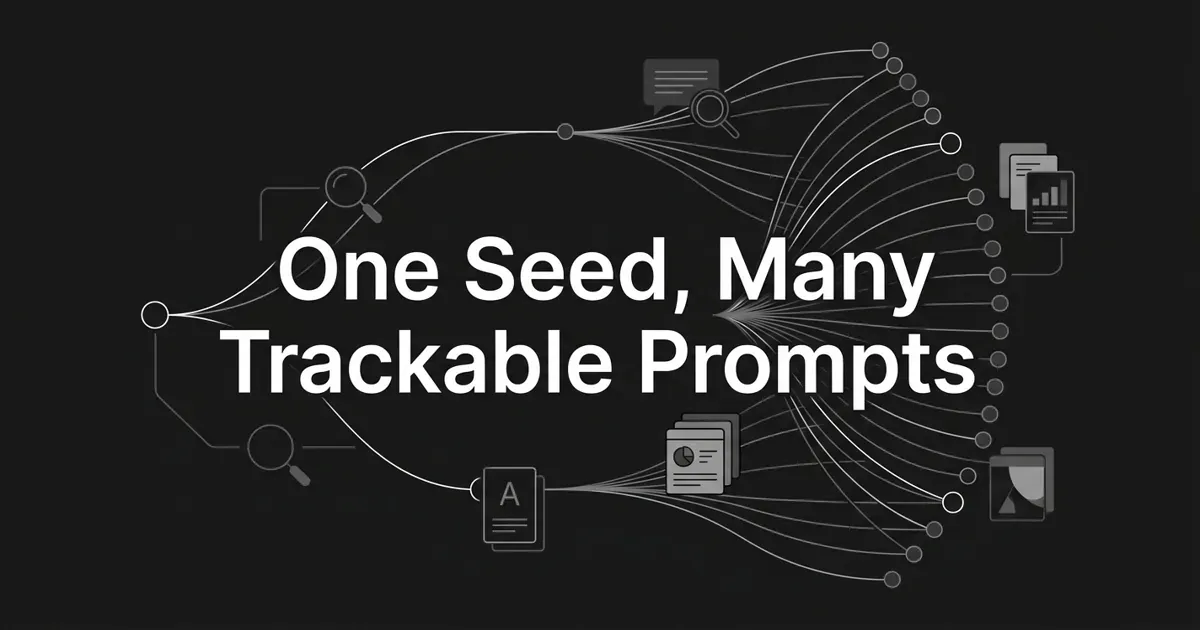
You found one good question your buyers ask an AI engine. Now you're staring at it, wondering how one line is supposed to tell you anything about your visibility. That feeling is normal, and you're closer than you think. The skill you need is expansion: taking one seed and turning one question into many prompts that real people actually type. Do it well and you get a family of trackable variations that shows where you win, where you're invisible, and what to write next. This guide walks you through it, step by step, so you can expand seed prompt variations without guessing.
Here's why one prompt is never enough. When someone asks ChatGPT, Perplexity, Gemini, or Google AI Mode a question, the engine breaks it into sub-queries, pulls candidate sources, and cites only a handful. A single seed can't cover the surface area of how your whole audience phrases that same need. To defend a category, you need the AI prompt phrasings and follow-ups your buyers use, not just the one version you happened to notice.
By the end, you'll have a repeatable method. Take a seed, harvest real language, run it through a set of modifiers, filter for what's trackable, and end with a clean, tagged list. Do that and you generate trackable prompt variants you can act on. Let's start small and build from there.
Step 1: Lock one seed you can actually defend
Everything starts with a single seed. Pick one core question a real buyer asks about your category, and make it specific enough to defend. "Best CRM for solo real estate agents" is a seed. "CRM" is not, and "marketing software" is too broad to mean anything.
A strong seed ties to a revenue-relevant persona and a funnel stage. A weak seed is either too broad, too narrow (your own pricing page counts here), or disconnected from pipeline. If you can't say who asks it and why it matters to your business, it's not ready yet.
How do you know you've got it right? Say the seed out loud and name the person asking. If a specific buyer springs to mind and the answer would plausibly mention competitors, you're set. If it feels vague, add a persona or a use case until it sharpens.
Where people go wrong: they pick a seed so broad that every possible answer is correct, or so narrow that only their own page could ever satisfy it. Both are dead ends for tracking. Aim for the middle, one question a defined buyer genuinely types.
You only need one seed to begin. Get this right and the rest of the work has a spine.
Step 2: Harvest the real language people type
Before you invent variations, go collect the phrasings that already exist. This is where you gather the AI prompt phrasings and follow-ups people really use, and it's the step most people skip. Skipping it is what leaves you writing prompts nobody types. Pull raw question language from three streams into one working sheet.
First, your Search Console queries. Filter for long-tail questions, roughly six words or more, and tag each by its question word: who, what, why, how, when, which, can, does, should. These are the real sentences people type, straight from your own data.
Second, People Also Ask and autocomplete. Search your seed and capture every PAA box and suggestion. This is gold for follow-ups, because PAA shows you the next question real users ask after the first one.
Third, community language. Comb Reddit threads, niche forums, support tickets, and sales call notes. Write down how people actually phrase the problem, not your internal jargon. Your buyers rarely use your product names when they ask.
You'll know this step is done when you have a tab with 30 to 100 raw questions, each tagged by where it came from. That's your raw material.
Pro tip: capture the exact wording, typos and all. "How do I pick a CRM without getting locked in" carries intent that a tidy keyword like "CRM comparison" strips out. The messy version is the one worth keeping.
Where people go wrong: they generate prompts purely from an LLM and never anchor in real inputs. You end up with prompts that sound plausible and that nobody searches. Grounding in Search Console, PAA, and community talk is what keeps the whole set honest.
Step 3: Walk your seed through the modifier cube
This is the heart of the technique, so take your time here. The modifier cube is a small set of dimensions along which real users genuinely vary a question. You walk your seed through each one and generate at least three variations per axis where that axis is meaningful. This is how you turn one question into many prompts on purpose, not by luck.
Here are the seven dimensions to walk:
- Persona or role. Who's asking. Founder, marketer, agency owner, IT lead. Move from generic ("CRM") to segment-specific ("CRM for solo agents") to situation-specific ("CRM for a team switching off spreadsheets").
- Intent. What they want to do. Learn, compare, decide, buy, implement, optimize.
- Answer format. The shape they expect back. A list, a comparison table, a checklist, a pros-and-cons, a pricing breakdown, a template.
- Scope or constraint. Limits on budget, team size, industry, geography, integrations, or compliance.
- Lifecycle stage. Awareness, consideration, decision, onboarding, retention.
- Temporal. "Latest," "in 2026," "updated," or evergreen.
- Comparator. Versus a category ("vs spreadsheets"), a named rival ("vs HubSpot"), or a prior state ("vs our current tool").
Take the seed "how to choose a CRM." Walk the axes and you get a spread like this:
| Axis | Variation examples |
|---|---|
| Persona | solo founder; sales lead; RevOps manager; enterprise IT director |
| Intent | learn the criteria; compare vendors; decide between two; pick a budget option |
| Format | checklist; comparison table; pros and cons; pricing breakdown |
| Scope | free; under $50/user; mobile-first; with a dialer; industry-specific |
| Lifecycle | do I need one; which one; is X right; how to set it up |
| Temporal | in 2026; this year; latest; updated |
| Comparator | vs spreadsheet; vs HubSpot; vs Salesforce |
Walk all seven axes for one seed and you can reach 40 to 80 unique prompts without double counting. You don't have to use every axis every time. Start with the four that most shift the cited answer set: persona, intent, format, and scope. Add temporal and comparator once your core family is in place.
The rule that keeps this clean: prefer modifiers that change the answer shape, not synonyms that just rephrase. "Choose," "pick," and "select" a CRM all land on the same answer. A persona or a scope, on the other hand, sends the engine to different sources. That difference is the whole point of prompt variation generation AEO teams rely on to see category coverage.
If building 40 variations by hand for every seed sounds like a lot, this is exactly where a platform earns its keep. In DeepSmith, Discover Prompts generates a starter set straight from your product, persona, and buyer-stage context, so you start from a grounded draft instead of a blank sheet. You still edit and prune, but the cube gets walked for you. That's the difference between a chore and a system.
Where people go wrong: they treat paraphrases as distinct prompts. Tracking "how to pick a CRM" and "how to choose a CRM" as two lines wastes slots and tells you nothing new. Vary the shape, not the wording.
Step 4: Filter every variation for trackability
Now you have a big pile of variations. Not all of them belong in a tracking library. A prompt earns its place only if it passes four tests, so run each one through this gate before it goes live.
- Specific and reproducible. Run it twice and the answer set should stay roughly stable. If two runs return totally different sources, the signal is too noisy to trust.
- Competitive. The answer should surface competitors, listicles, or category content. If there's one correct answer everyone agrees on ("what is 2+2"), there's no citation surface to compete for.
- Influenceable. The cited sources should include domains and formats you can plausibly beat: listicles, comparison posts, niche blogs, vendor pages. If a query is locked up by sources you can't touch, tracking it just measures your ceiling.
- Bounded. The prompt should resolve to one page or a small set of pages you could own. "What is the meaning of life" is unbounded. "How do I choose a CRM for a 10-person real estate team" points at a page you can build.
Run each variation through all four, in order, and drop anything that fails even one. After this pass, a single seed usually leaves you with 20 to 40 keepers on the first round. That's a healthy starting library, not a disappointment.
Common mistake: keeping a prompt because it's interesting rather than because it's trackable. Interesting and governable are different things. If you can't influence the answer and can't reproduce it, it doesn't belong in the set no matter how clever it reads.
Step 5: Test each variation before you track it
Here's a rule that saves you weeks of bad data: never add a prompt to your live library without running it first. Testing is quick, and it's the step that lets you generate trackable prompt variants instead of noisy guesses. It catches the two problems that quietly corrupt tracking.
Run every survivor through each engine you plan to track, and confirm three things. The engine treats near-duplicates as separate queries (if it collapses two of yours into one answer, prune the weaker one). The results hold steady across at least two runs. And the cited set includes categories you can realistically compete for.
Watch volatility closely. If a prompt's cited sources shift by more than about 30 percent between runs, flag it. Either tighten it with a persona, scope, or format modifier, or drop it. A volatile prompt gives you noise dressed up as a trend, and that's worse than no data.
You'll know a prompt is track-ready when two clean runs return a stable, competitive answer set. Spot-check new ones within a couple of days before you fold them into the regular schedule.
Where people go wrong: they track without testing. The prompt looks fine on paper, goes straight into the library, and three weeks later the "decline" they're panicking over is just a prompt that was never stable to begin with. Test first. Always.
Step 6: Tag and cluster your variations
You've earned a clean set. Now make it usable, because an untagged list of 40 prompts is hard to act on. Apply two layers of metadata to every prompt.
Functional tags describe what the prompt is: topic, persona, funnel stage, format, and intent category. Governance tags describe how you manage it: where the seed came from, who owns it, the last refresh date, and its status (live or retired). The first layer lets you slice your visibility by segment. The second keeps the library from rotting.
Then cluster by topic. A typical cluster holds 8 to 20 prompts that all point at the same content target. That mapping is the payoff of this whole exercise: one strong pillar page can often serve an entire cluster of prompts. When you see which cluster you're invisible for, you know exactly what to write.
This is where prompt-level tracking becomes strategy instead of a spreadsheet. Once your prompts are tagged and clustered, a platform can watch them for you: DeepSmith checks each tracked prompt on a schedule and reports per-prompt mention and citation rates, plus a competitor view of who's winning the citations you want. You stop running prompts by hand and start reading a dashboard.
Pro tip: track branded prompts in their own bucket. Queries that name you almost always cite you, so blending them into category totals inflates your numbers and hides the real gaps. Keep them separate and you'll trust your own data.
Step 7: Right-size the mix and the cadence
A tracked set can be technically correct and still give you a lopsided view. So step back and check the balance across three levers: volume, mix, and cadence.
Start with volume. Twenty to 40 prompts is plenty to begin. Grow toward 100 to 200 as your topic coverage expands. You don't need a giant library on day one. You need a balanced one.
Then the mix. A sensible working split is roughly 70 percent unbranded and long-tail, 10 to 20 percent short category ("best CRM"), and 10 to 20 percent branded. The exact ratio flexes by business, but the principle holds: don't over-index on any single type. If your set is 90 percent informational, you'll look invisible on the commercial questions where competitors win the sale.
Cadence is the last lever. Run the full library weekly or biweekly so you catch movement without drowning in noise. Re-derive your language inputs from Step 2 about once a quarter, since phrasing drifts over time. If you have distinct personas, aim for roughly 15 prompts each so no segment goes dark.
This cadence is exactly the kind of scheduled, repeatable work worth automating. Once your mix is set, letting the tracking run on a schedule frees you to act on the results instead of babysitting the runs.
Common mistake: blending engines without normalizing. Your citation share on Perplexity is not your share on ChatGPT. Track each engine on its own, and only aggregate when you've accounted for how differently they behave.
Step 8: Refresh and retire on a schedule
One last mindset shift, and it's the one that keeps this working long after launch. Your prompt library is a living thing, not a deliverable you finish and forget.
Language changes. New competitors show up. A prompt that surfaced your category last quarter might drift toward sources you can't touch. So refresh your language inputs every quarter and retire the prompts that have gone stale, the ones whose citation set drifts past your volatility threshold or no longer surfaces your category at all.
When you retire one, replace it. Pull a fresh variant from your updated inputs, run it through the same trackability gate, and slot it in. The library size stays roughly steady while the quality keeps climbing.
You'll know your process is healthy when refreshing feels routine, not like a rescue mission. A little maintenance each quarter beats a big rebuild once a year.
Where people go wrong: treating the set as one-and-done. A library you never refresh slowly stops reflecting how people actually ask, and your data quietly detaches from reality. Small, regular upkeep keeps it honest.
What to do next
Take a breath. You now have the whole method: lock a seed, harvest real language, walk the modifier cube, filter for trackability, test, tag and cluster, balance the mix, and refresh on a schedule. That's how you expand seed prompt variations into a set that actually tells you something.
You don't have to do all of it this week. Pick one seed, your most revenue-relevant question, and walk it through the cube. Get one clean cluster of 20 to 40 tracked variations. Momentum matters more than a perfect library on the first pass.
If walking the cube by hand for every seed is the part that feels heavy, that's the part worth handing to a system. DeepSmith can generate a grounded starter set from your own product and persona context, then track those prompts across ChatGPT, Perplexity, Gemini, and more so you see your mention and citation rates without running anything by hand. Start a free DeepSmith trial and turn one good question into a map of where you show up.


