

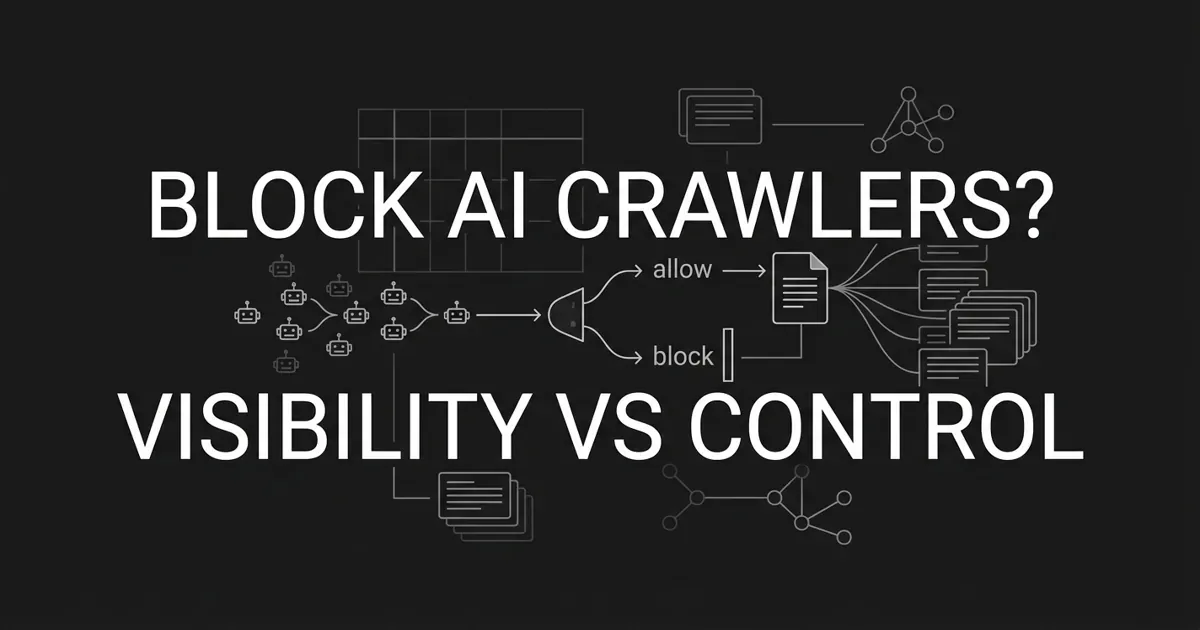
You are getting pulled in two directions, and that is completely normal. Part of you wants to protect the content your team worked hard to build. Another part knows that AI answer engines are where buyers now go, and being invisible there costs you. So when someone on your team asks "should I block GPTBot," the honest answer is not yes or no. It is "it depends on which bot, and which page."
Here is the good news. You do not need a perfect answer today. You need a framework you can run this quarter, revise next quarter, and defend to your boss. That is exactly what this guide gives you. We will replace the scary all-or-nothing question with a calm, per-bot, per-content-type decision you can actually make. By the end, you will know what you lose and gain when you block AI crawlers, and you will have a policy you can point to and explain.
Take a breath. Let's walk through it together.
Reframe the question from "block or not" to "what do I trade"
The reason blocking AI bots feels so hard is that you have been handed the wrong question. "Block or allow, yes or no" forces one decision for your entire site. That is why it feels heavy.
The real question is smaller and kinder. When you decide whether to allow or block AI bots, ask it for each kind of bot and each kind of page: what do you gain, and what do you give up? That is the GPTBot visibility tradeoff in one sentence: control over your content on one side, presence in AI answers on the other.
What sits on the gain side when you block? Real things. Aggressive scrapers can drain server bandwidth and inflate your analytics, and blocking them cuts that cost. If your edge is proprietary research or a paywalled archive, blocking training bots keeps that moat out of model outputs. For some publishers, a temporary block has even been the opening move toward a paid licensing deal. So blocking is not always defensive. Sometimes it protects a genuine asset.
When you weigh it cell by cell, the panic drains out. Some pages you happily give to AI engines because a citation is free brand presence. Some pages you guard because they are your competitive moat. Most sites want a mix, not a wall. Your job is to decide which is which, on purpose. That is what it means to allow or block AI bots deliberately rather than in a single anxious sweep.
Know the three kinds of AI crawlers before you decide anything
Almost everyone makes the same mistake here. They treat "AI bots" as one thing. They are not. There are three functional categories, and blocking each one costs you something completely different. Get this distinction right and the rest of the decision gets much easier.
Training crawlers. These fetch pages in bulk and feed them into the next version of a model. Think GPTBot from OpenAI, ClaudeBot from Anthropic, CCBot from Common Crawl, and Bytespider from ByteDance. They do not generate any citation in today's answers, and they send you no referral traffic. Blocking them removes your pages from future training data. It does not touch whether AI search cites you right now.
Retrieval and citation crawlers. These fetch pages to build the live index that answer engines search at the moment a user asks a question. This is the group that decides whether ChatGPT, Perplexity, Claude, Gemini, or Google AI Mode names you in an answer. Tokens here include OAI-SearchBot for ChatGPT search, PerplexityBot, and Claude-SearchBot. Allowing these is your direct path to being cited.
User-triggered fetchers. These fire only when a person pastes your link into an assistant and asks it to read the page. ChatGPT-User and Perplexity-User are examples. Block these and you break the experience for someone who actively chose your page. Most sites leave them open.
Here is the fact that changes everything, and it surprises almost everyone. OpenAI has stated that blocking GPTBot does not affect ChatGPT citations. GPTBot is a training crawler. ChatGPT's answers pull from OAI-SearchBot's index. So you can block GPTBot to stay out of training data and still get cited in ChatGPT, as long as you leave OAI-SearchBot allowed. That single insight resolves half the fear people carry into this decision.
Once you separate training bots from retrieval bots, the question "should I block GPTBot" stops being terrifying. Blocking a training bot and blocking a citation bot are two different choices with two different price tags. That is the whole GPTBot visibility tradeoff: block the training crawler if protecting your content matters more, keep the retrieval crawler if being cited matters more, and stop pretending it is one switch.
Step 1: Map the bots actually hitting your site
Before you decide anything, find out who is really knocking. Not the generic list from a blog post. Your list.
Pull about 30 days of server logs. Group requests by user-agent string. Then tally hits per bot, and hits per bot per section of your site. You are building an inventory, not a theory.
You will likely be surprised by the volume. Cloudflare reported that GPTBot request volume grew roughly 305 percent year over year, while Googlebot grew about 96 percent in the same window. Across their network, AI bot traffic passed roughly 50 billion requests a day and approached about 1 percent of all web requests. That is the scale of what a block actually affects.
You know this step is done when every bot you observe has a name, a request share, and a note of which sections it hits hardest. If most of your bot load comes from one aggressive scraper on one section, that already tells you where to focus.
Common mistake to avoid: do not skip the log pull and copy someone else's block list. The bots hammering a news site are not the bots hammering a B2B SaaS blog. Decide from your own data.
Step 2: Sort each bot into training, retrieval, or user fetch
Now take your inventory and label each bot with one of the three categories from above. Training, retrieval, or user fetch.
This is where the decision starts to get lighter, because the label tells you the cost of blocking before you have decided anything. Block a training bot and you lose future training inclusion. Block a retrieval bot and you lose citations in that engine's answers. Block a user fetcher and you break the paste-a-link experience.
A couple of pairs are easy to confuse, so hold them clearly. GPTBot is training; OAI-SearchBot is retrieval. Google-Extended governs Gemini training only; Googlebot governs your Google Search ranking and is a completely separate token. We will come back to that Google pair, because it trips up more marketers than any other.
You are done when every bot in your inventory carries an A, B, or C label and you could explain to a colleague what blocking it would cost.
Step 3: Bucket your content by what it is worth
Bots are only half the matrix. The other half is your content. Not every page deserves the same policy, and treating them the same is how you end up either over-blocking or over-exposing.
Sort your sections into four buckets:
- Premium or proprietary. Original research, paid reports, datasets, licensed reference material. This is your moat.
- Evergreen or SEO. How-tos, explainers, glossary entries. This is your citation-share play.
- Transactional or commerce. Product, pricing, and category pages. Presence here is basically free brand exposure.
- Sensitive or private. Paywalled, login-walled, internal docs, anything with personal data.
Walk your sitemap and give each section a bucket label. You will move faster than you expect, because most sites have only a handful of real content types.
Pro tip: if you cannot decide a page's bucket in ten seconds, it is probably evergreen. Your genuinely premium and genuinely sensitive pages are usually obvious, and they are the minority.
Step 4: Set a citation baseline before you change anything
Here is a step almost everyone skips, and it is the one that saves you later. Before you block anything, measure where you stand.
Query your top ten buyer-intent prompts across ChatGPT, Perplexity, Claude, Gemini, and Google AI Mode. Record which URLs get cited, by which engine, and how often. That is your baseline. Without it, you will change a policy and have no idea whether it helped or hurt.
Doing this by hand across five engines, every month, gets old fast. This is where a measurement layer earns its keep. DeepSmith tracks your mention rate, citation rate, and share of voice across those engines on a schedule, and shows exactly which of your pages get cited for which prompts. That turns "I think blocking hurt us" into a number you can see. The point is not the tool. The point is that a blocking decision without a baseline is a guess, and you deserve better than a guess.
You know this step is done when you have a citation share per engine, per prompt cluster, written down and dated. That is the ruler you will measure every future change against.
Step 5: Build your allow, block, or conditional matrix
Now the two halves come together, and this is the heart of the framework. You combine bot category with content bucket, and each cell gets one decision: allow, block, or conditional. Conditional means "allow only under a specific condition," like a paid license or a paywall.
Here is a sensible default matrix to start from. Adjust it to your posture, but do not start from a blank page.
| Content bucket | Training bots | Retrieval bots | User fetchers |
|---|---|---|---|
| Premium or proprietary | Block by default | Conditional: allow for citations, block to gate discovery | Allow |
| Evergreen or SEO | Allow or block by posture | Allow, this is your citation play | Allow |
| Transactional or commerce | Block, no upside | Allow, citation is free presence | Allow |
| Sensitive or private | Block | Block | Block |
Read it as defaults, not commandments. Premium content usually blocks training, stays conditional on retrieval, and allows user fetch. Evergreen usually opens up everywhere. Commerce blocks training but welcomes citation. Sensitive blocks across the board.
The reason to write it as a matrix is that it forces a reason into every cell. When leadership asks why you allow retrieval bots on your pricing page, you have an answer: a citation there is free brand presence with no scraping downside worth guarding.
You are done when every cell has a decision and a one-line rationale you would say out loud.
Step 6: Roll out the policy in layers, and know the limits
You have a matrix. Now you make it real. This guide stays at the level of what each layer does, not the exact syntax, because the how-to-configure lives in its own place. What matters for your decision is understanding what each layer can and cannot do.
Think of it as layers of intent and enforcement. A robots.txt file is your signaling layer for compliant bots. Edge rules at your CDN or firewall are your enforcement layer. Server-side checks catch stealth crawlers that ignore the rules. Paywall enforcement happens at the origin, before content reaches any bot at all.
Now the hard truth, said plainly so you are not caught off guard. A robots.txt directive is advisory, not a wall. The formal specification (RFC 9309) describes it as voluntary and not a security mechanism. Compliant vendors like OpenAI, Anthropic, and Apple honor it. Cloudflare documented in August 2025 that Perplexity used stealth crawlers that ignored no-crawl directives, rotated networks, and disguised themselves as ordinary browsers. So treat an AI crawler opt out signal as a clear statement of intent for the bots that play fair, and lean on your enforcement layer for the ones that do not.
Watch out for three traps here that catch experienced teams:
- A noindex tag hides you from search, not from AI bots. It tells compliant search engines not to index. It does nothing to stop GPTBot or CCBot from fetching. Use the right layer for AI crawlers, not a meta tag meant for search.
- Blocking Google-Extended does not hurt your Google rankings. It gates Gemini training only. Googlebot is what governs Search, and it is a separate token. Leave Googlebot alone unless you want to disappear from Google.
- Blocking one engine does not push your citations to another. ChatGPT and Perplexity share only about 11 percent of cited domains. Block one and you shrink your surface. You do not hand your share to a rival engine.
You are done when each layer is configured, tested, and you can name what each one enforces.
Step 7: Measure, monitor, and revisit every quarter
A blocking policy is not a set-it-and-forget-it decision. Vendors add new bots. They rename tokens. They ship new products. Your matrix will drift if you let it.
So close the loop. Re-run your citation audit monthly and compare it to the baseline from Step 4. Watch your server-log share per bot for new arrivals. Reassess the whole matrix quarterly, or any time a major vendor changes its crawler lineup.
This is the other place a tracking layer pays off. Watching citation rates move month over month across five engines by hand is exactly the repetitive work that falls off a busy team's plate. DeepSmith keeps that measurement running on a schedule and flags which pages and prompts are gaining or losing citations, so your quarterly review starts from evidence instead of memory. Whatever you use, the discipline is the same: decide, measure, adjust.
You know your loop is working when a new bot or a citation drop shows up in your review before it shows up as a surprise.
What to do next
You do not have to lock in a site-wide policy this afternoon. Start smaller. Pull your logs, label your bots, and set your baseline. That alone puts you ahead of most teams, who are still stuck on the yes-or-no version of the question.
Then fill in one row of the matrix. Just your premium content, or just your evergreen. Momentum matters more than a perfect grid. Once the framework is running, the choice to block AI crawlers becomes a set of small, reversible decisions instead of one scary switch.
If measuring your AI citation baseline across ChatGPT, Perplexity, Claude, Gemini, and Google AI Mode sounds like the part you would rather not do by hand, that is the piece DeepSmith was built to carry. You can start a free trial and see your real citation data before you decide what to allow or block. You have already done the hard thinking. Let the measurement run itself.


