

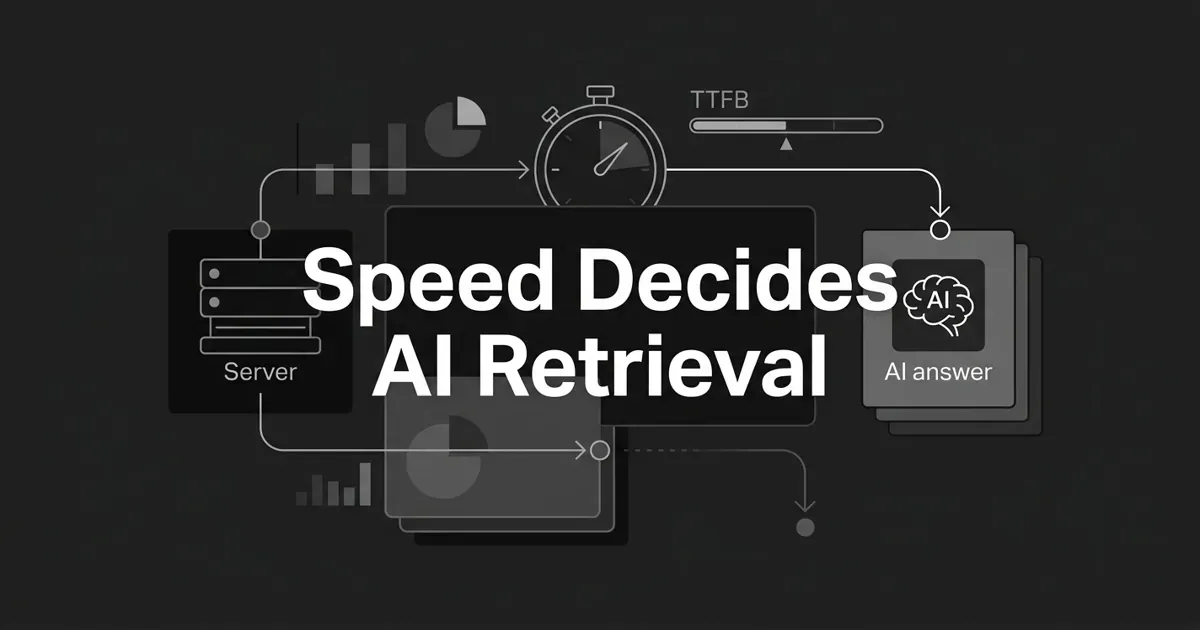
Here is the short answer, so you can breathe: yes, slow load times and high server response time can make AI crawlers skip your content entirely. Not demote it. Skip it. If the bot never finishes downloading your page, that page cannot be parsed, cited, or surfaced by ChatGPT, Perplexity, Claude, or Google's AI features. It simply is not there.
That sounds harsh, and it is worth understanding, because it also means the fix is clear. When it comes to page speed AI crawlers do not grade on a curve. Fetch success is binary. Your page is either retrieved or it is not, and server response time decides which side of that line you land on.
By the end of this, you will know how an AI bot actually fetches a page, the response-time bands that matter, why AI bots quit faster than Googlebot ever did, and the handful of fixes that move the needle most. You do not need to fix everything. You need to fix the right thing first, and I will show you which one.
Why page speed decides whether AI crawlers ever see you
Speed matters for AI crawlers in a way it never quite did for Googlebot, and the reason is simple. For AI systems, the connection between server response time AI retrieval is a gate, not a ranking factor. A page has to be fetched cleanly before it can be considered at all.
Think of it as one binary question the bot asks: did the response arrive, complete and on time? If yes, your content enters the pipeline that feeds AI answers. If no, nothing downstream happens. No parsing. No extraction. No citation. This is closer to retrieval versus ranking than to the old SEO idea of a speed penalty that nudges you down a few spots.
The single most important lever here is TTFB, or time to first byte. That is the moment your server sends back the first byte of the response. It is the first thing your server controls, and the first thing the bot measures. The TTFB AI bots tolerate is tighter than you would guess, and a long wait for that first byte is the most common reason a fetch gets abandoned. A slow site AI crawler behavior is unforgiving: the clock starts the instant the request goes out.
One thing to keep clear from the start. TTFB is not the same as Core Web Vitals. Your Core Web Vitals scores measure how a page feels to a human in a browser: how fast it paints, how quickly it responds to a tap. AI crawler behavior is gated by server response time, not by perceived paint timing. A page can pass Core Web Vitals with flying colors and still fail AI retrieval, because the bot gave up waiting for the server before your beautiful layout ever mattered.
How an AI crawler actually fetches your page
An AI crawler fetches a page in a fixed sequence, and every step spends time against a tight budget. Understanding the sequence tells you exactly where to look when something breaks.
Here is the lifecycle, start to finish:
- DNS resolution. The crawler looks up your hostname. Slow DNS adds delay before a single byte of your content is even requested.
- TCP and TLS handshake. For HTTPS, the secure handshake adds one or more round trips. Modern TLS reduces this, but nothing is exchanged until it completes.
- Request sent. The crawler sends its HTTP headers. It does not signal that it will wait around for JavaScript to run.
- Server processing. This is the big variable. Application logic, database queries, cache lookups, template rendering. This is what TTFB measures.
- First byte received. The bot's "did the server respond" clock stops here. A long wait to this point is the number one cause of fetch abandonment.
- Body streams in. The bot reads until the response completes, until its per-request budget runs out, or until it hits a cap on body size.
- Status code handling. A 200 gets consumed. A redirect gets followed, up to a limit. A 4xx gets the URL dropped for the session. A 5xx usually gets one retry, then a drop.
- Parse and extract. The HTML is parsed for visible text, headings, schema markup, and meta tags.
Notice what is missing from that list. For most AI bots, JavaScript is not executed on the fetch they use for retrieval. If your core content only appears after client-side JavaScript runs, it may be invisible to the crawler, which is its own separate problem worth reading up on if you run a JavaScript-heavy site. For today, hold one takeaway: the only two things the bot really optimizes for are "how long until the full response arrives" and "did it arrive cleanly." Every fix in this guide ladders up to those two outcomes.
The TTFB bands that decide whether you get fetched
You do not need a perfect number. You need to know which band you are in. Industry guidance, cross-referenced across several independent analyses, converges on a rough set of server-response-time zones. Treat these as guidance, not as published vendor policy, because AI companies have not documented their exact per-request timeouts.
| TTFB band | What it means for AI retrieval |
|---|---|
| Under ~200 ms | The safe zone. Inside every named crawler's tolerance. Fetches reliably under normal conditions. This is your target. |
| 200 to 600 ms | The risk zone. Fine for most requests, but it starts compounding with handshake time, distance, and load. Fix soon. |
| 600 ms to 1 second | The danger zone. Elevated risk of failure on slow or contended requests. Tight timeouts will cut you off. |
| Over 1 second | The failure zone. High chance an AI crawler does not retrieve the page on the first try. Some bots retry once. Many do not. |
If you are sitting above one second, that is your one thing to fix this month. Do not let the range intimidate you. Getting from the failure zone into the safe zone is usually one or two infrastructure changes, and we will get to them.
Why are these bands estimates rather than facts? Because the exact TTFB AI bots will wait for is not published anywhere. The zones above are inferred from retrieval-system architecture notes, from observed retry and drop patterns in server-log studies, and from consensus across industry analyses. So treat any specific second-count as a guardrail, not a contract. The direction is solid even where the precise number is not.
Why AI bots give up faster than Googlebot
AI crawlers abandon slow pages faster than Googlebot does, and there are three practical reasons. This is the part that surprises most people, so let's slow down here.
Compute budgets are explicit. AI companies pay real money to crawl at scale. A few milliseconds per request, multiplied across billions of URLs, is a serious bill. So their engineers set aggressive per-request timeouts to keep fleet-wide costs under control. An AI crawler timeout is not an accident. It is a deliberate cost-control decision.
Retrieval sits on the user's critical path. When ChatGPT or Perplexity fetches your page live, in response to someone's question, that fetch time is added straight onto how long the person waits for an answer. A three-second fetch makes a three-second-slower answer. So product teams cap those live timeouts short, often just a few seconds, to keep responses snappy.
There is less retry patience. Googlebot has a documented crawl-budget system and will retry server errors patiently. AI bot operators publish far less, but server logs consistently show AI bots dropping URLs faster than Googlebot when errors persist.
This is where I want to draw a clear line, because it trips people up. A crawler fetch timeout is not a human performance metric. Core Web Vitals is about how your site feels to a person tapping through it in a browser. An AI crawler timeout is about whether an automated bot, on a strict clock, gets a clean response before it moves on. You can ace the human experience and still fail the bot. The practical consequence is blunt: a page that survives Googlebot may still be skipped by an AI crawler, because the two systems have different tolerances.
The other ways your page gets skipped
Speed is the headline, but several quiet problems produce the exact same outcome: your page is not retrieved. It is worth a scan through these, because you might be fast and still invisible.
Status codes. A clean 200 gets consumed. Redirects get followed, but long or cross-host chains burn the bot's budget before it ever reaches your content. A 4xx drops the URL for that session. A 5xx usually gets one retry, then a drop. Serving server errors to legitimate AI crawlers is one of the fastest ways to fall out of the index.
Rate-limit responses. A 429 (too many requests) is honored by most well-behaved bots when you include a Retry-After header telling them when to come back. The trouble starts when your limits fire on legitimate AI bots with no clear signal of when to return.
Soft failures. Connection resets mid-response, TLS handshake failures, stalled streams. These look like harmless network blips in your logs, but functionally they skip the page just as completely as a timeout.
The Cloudflare default block. As of July 2025, Cloudflare flipped its default so that known AI crawlers are blocked on its network unless the site owner explicitly allows them. This is not a speed problem, but it produces the identical result. Many sites went quietly invisible to AI retrieval without changing a thing, simply because of a platform default. If you are on Cloudflare, check this setting today.
Bot-protection misfires. WAF rules and bot-management challenges, especially JavaScript-based ones, can silently under-fetch your pages. AI bots are not full browsers, so they rarely solve challenge scripts. To them, the challenge just looks like a page that would not load.
robots.txt mistakes. A blanket disallow, or a rule scoped wrong, can block the very bots whose citations you are trying to earn. It is a two-minute check that saves a lot of grief.
If any of these are firing, no amount of TTFB tuning will help, because the bot never gets to your content in the first place. This is why a full technical SEO checklist for LLM retrieval is worth keeping close: speed is one lane on a wider road.
What the studies actually show
Two pieces of research come up a lot in this conversation, and both are worth citing honestly rather than overselling.
A server-log analysis from Profound found that AI bots largely do not execute JavaScript on the fetch they use for retrieval, that they revisit pages more aggressively than traditional search bots, and that they issue a high share of concurrent requests from the same source, which can trip naive rate limits. That last point matters: aggressive revisiting means your cache-hit ratio gets tested constantly.
A separate citation-driver study from Discovered Labs, looking across roughly two million AI citations and about ten thousand cited pages, found that pages loading fastest showed a markedly higher citation rate than slower peers in the same cohort. It also found that content structure, things like lists, tables, and clear answer blocks, correlated even more strongly with citations than raw speed did.
Here is the honest framing. Both studies are observational, both come from a single vendor's dataset, and neither isolates speed as the only variable. Fast pages tend to be well-built pages in general. So treat these as supporting evidence for a direction you already have good reason to trust, not as proof of a precise multiplier. Speed removes a ceiling. It does not, by itself, guarantee a citation, which still depends on what actually drives AI citations: relevance, structure, and authority.
The fixes that actually move the needle
Good news: the highest-leverage fixes are also the most boring and reliable. You do not need a heroic rebuild. Nearly all of server response time AI retrieval success comes down to one thing, getting that first byte back fast, so start at the top of this list and stop when your TTFB is comfortably in the safe zone.
Tier one, do these first.
- Put your HTML behind a CDN with edge caching. This is the single biggest lever. It drops TTFB to edge-cache latency, often under 50 ms worldwide, and removes the origin as a variable entirely. If you do one thing, do this.
- Serve fully cacheable HTML for your top URLs, with a sensible TTL and stale-while-revalidate so visitors and bots get a cached copy while it refreshes in the background. Since AI bots revisit often, your cache-hit ratio on HTML is the metric that pays off most.
- Compress HTML with Brotli, or gzip as a fallback. Smaller body, faster transfer, less risk of hitting a size cap.
Tier two, strong follow-ups.
- Defer or async your third-party scripts. Tag managers, analytics, chat widgets, and A/B testing tools block the body from streaming. Move them out of the critical path.
- Inline critical CSS and lazy-load the rest, so rendering is not blocked by a stylesheet the bot has to wait on.
- Keep your HTML body lean, roughly in the low hundreds of kilobytes. Smaller bodies finish inside any time budget.
Tier three, worth doing.
- Pre-warm your cache after deploys, so a cold cache does not stampede your origin exactly when bots show up.
- Watch percentiles, not averages. Keep both your typical and your worst-case TTFB in the safe zone under real load. An average can hide a slow tail that bots keep hitting.
- Explicitly allow AI user agents in your WAF and CDN rules. Whitelist OAI-SearchBot, GPTBot, ClaudeBot, PerplexityBot, Googlebot, and Bingbot so your protection does not quietly wall them off.
Every item on that list maps back to a failure mode from the section above. That is not a coincidence. Fix the failure mode and the fetch takes care of itself.
A diagnostic checklist you can run this week
When a page seems missing from AI answers, do not guess. Walk this checklist in order, and you will find the break.
- Is the bot even reaching the page? Segment your server logs by user-agent and look for GPTBot, OAI-SearchBot, ClaudeBot, PerplexityBot, and the rest. If they are absent, suspect a block at your CDN, WAF, firewall, the Cloudflare default, or robots.txt.
- Is the page returning a clean 200? Check status codes per bot. Trim long redirect chains, investigate any 4xx, and treat 5xx as an origin-stability problem.
- What is TTFB per bot? Measure time to first byte in your logs, segmented by user-agent. If it is high specifically for bots, suspect cache misses or geographic distance.
- What is the total response time and size? If total time is high but TTFB is low, the culprit is a large body or render-blocking assets.
- Is the body arriving complete? Look for truncated responses, a sign the bot aborted at a size cap.
- Are retries succeeding? Check whether the bot retries after a 5xx, and whether that retry actually goes through.
Run it top to bottom. You will usually find the problem in the first two steps, and both are quick to check.
This is also where knowing your own pages pays off. DeepSmith keeps an enriched view of your published content and tracks which of your pages AI engines actually cite, so when a page that should be earning citations goes quiet, you have a starting point instead of a shrug. Speed is something your infrastructure owns, but knowing which pages to check first is a lot easier when your content and your AI visibility live in one place.
Where this leaves you
Let's bring it home. For AI retrieval, speed is not a nice-to-have that buys you a better rank. It is the gate. When it comes to page speed AI crawlers reward a clean, fast fetch and quietly walk away from a slow one. A slow site AI crawler treatment is unsentimental: miss the timeout and your content is simply absent from the answer, no matter how good it is.
So here is your smallest useful next step. Find your TTFB, figure out which band you are in, and if you are above the safe zone, put your HTML behind a CDN with edge caching. That one move solves most of this for most sites. Everything else on the list is refinement.
You are closer than this felt at the start. Fix the fetch, and your content finally gets a fair chance to be read, cited, and surfaced.
If you want the content side handled with the same care, DeepSmith produces publish-ready, AEO-optimized articles and shows you where you appear, and disappear, across AI answers, all from one platform. Start a free trial and see your real data before you pay.


