

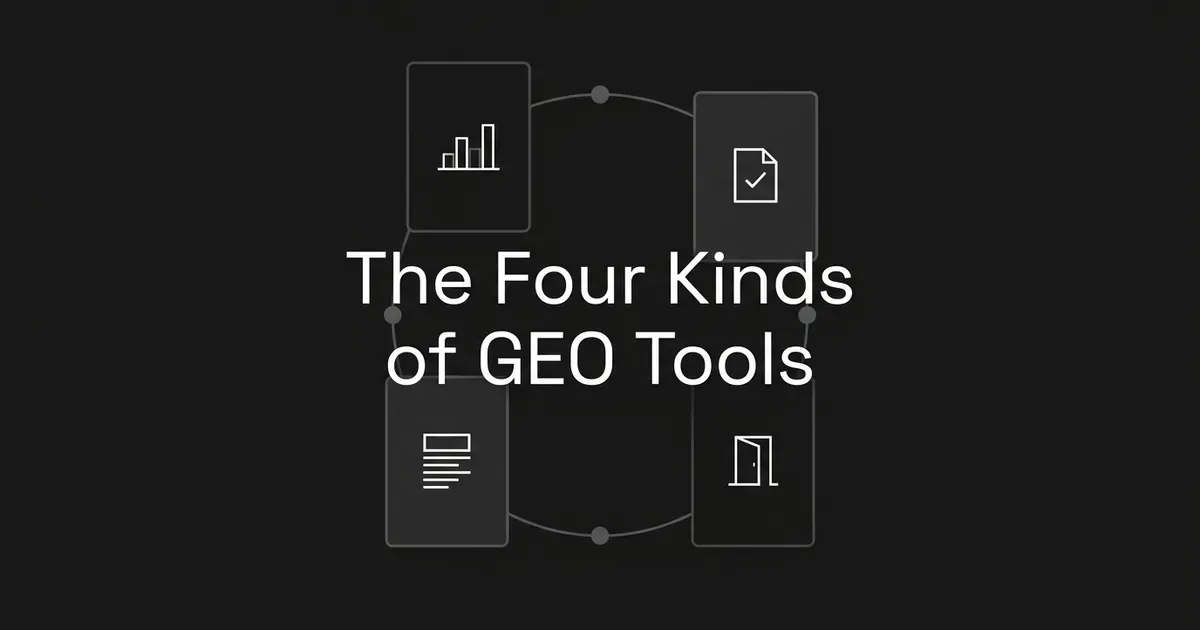
A GEO tool is software that helps teams monitor and improve how their brand or content appears in AI-generated answers. If you are asking what are GEO tools in practice, the short answer is that software sold under that label does one or more of four jobs: visibility tracking, content scoring and auditing, writing and production, and technical access and auditing. Those jobs are quite different from each other, and knowing which one a feature actually does will save you a lot of confusion when you start looking at products.
What is a GEO tool?
GEO stands for generative engine optimization. The research paper that introduced the term describes it as improving content visibility in the responses of generative engines, which are systems that gather information from several sources and use a large language model to put together one answer. So when people talk about generative engine optimization tools, the thing they care about is the generated answer: whether your brand shows up in it, which sources it links to, what content could answer the question better, and whether the systems that build the answer can reach your pages at all.
That last list is why the category feels messy. Watching an answer, judging a page, producing a page, and checking that a crawler can load a page are four separate pieces of work. A single platform can do several of them, but having one does not tell you the others are there. A dashboard that shows your citations may not write anything, and an AI writer may have no idea which pages are being cited.
It also helps to keep a few terms apart, because they come up in every category:
- A brand mention is when an answer names your brand.
- A citation is when an answer points to a source, usually with a link.
- A cited page is the specific URL that was referenced, not just the domain it lives on.
- A tracked prompt is a question that a tool checks on a schedule.
- Content readiness is an assessment of a page. It is not evidence that any engine has cited it.
- A crawl request is a bot asking for a page. A referral visit is a person arriving from an AI platform.
An answer can name a company without linking to its site, and it can cite a third-party article that talks about that company. Neither of those should be reported as a citation of the company's own pages.
Here is the whole map in one table. The four categories are a practical way of sorting the work, not an official industry standard, and real products do not always fit into one row.
| Category | Question it answers | Typical output | What it does not tell you |
|---|---|---|---|
| Visibility tracking | Where and how do we appear in the answers being monitored? | Answer records, mention reports, cited URLs, competitor views, trends | What every buyer sees in every AI session |
| Content scoring and auditing | What should we review or improve on this page? | A readiness score, recommendations, prioritized fixes | Whether any engine will cite the page |
| Writing and production | What should we create or revise? | A brief, an outline, a rewrite, or a draft | Whether the new content will be cited |
| Technical access and auditing | Can the right systems find and load our content? | Issue reports, crawler activity, access controls | Whether the page will appear in an answer |
These are categories of work. They are not a rule that you need to pay for four subscriptions. If you would rather look at specific products, our roundup of the best GEO tools covers them, and this guide stays on the categories so you can tell what each feature is for.
Visibility tracking tools
Tracking tools record AI answers and report where brands and source pages appear for a defined set of prompts and platforms. This is the most familiar kind of GEO software, and it is the one most people mean when they say AI visibility tools.
The job here is to give you a baseline. Instead of a general feeling that competitors show up more than you do, you get a record of what was actually said for a specific question on a specific platform. The documented features across this category include grouping prompts by topic, adding prompts by hand, in bulk, or from generated suggestions, showing the full answer for each prompt and model, picking out brand and competitor mentions, and recording the sources the model cited. Many also list the domains cited most often, the individual URLs cited and the prompts tied to them, historical reports, and in some cases sentiment.
A few distinctions matter when you read a tracking report.
Mentions and citations are different observations. Your brand can appear in the text of an answer without your website being listed as a source. A good report makes clear whether a citation is for your pages, a competitor's pages, or a third party's.
Domain reports and URL reports answer different questions. A domain report tells you which websites get cited a lot. A URL report tells you which specific articles get cited. If you are deciding which page to update, the page-level view is far more useful.
Suggested prompts are a starting point. Some documentation says outright that you should review and edit generated prompts before treating them as a baseline. A suggested question is a good idea to test, but it does not prove that buyers ask it, or how often.
Coverage depends on the product. Documentation for different tools mentions tracking across ChatGPT, Perplexity, Gemini, Google AI Mode, and Google AI Overviews, but that does not mean every tool covers all of them, or treats them in the same way.
It is also worth knowing what a tracker cannot say. A set of monitored prompts is not a count of every AI search that happens. One answer is not a permanent position, and one study of AI search visibility makes this point well. The paper, Don't Measure Once, is dated April 2026 and looked at ChatGPT, Perplexity, Gemini, and Google AI Mode across four campaign verticals. It found that answers vary from run to run, from prompt to prompt, and over time, so a single check can be a poor guide to a stable position. The authors collected their data from servers in Switzerland and caution that the results may not carry over to other regions or languages, and the paper has not been shown here to be peer reviewed, so it is best read as a useful reason to check repeatedly rather than as a benchmark.
A dashboard also does not explain why a source was chosen, and a citation does not by itself mean a click, a lead, or a sale. If you want to see how the category looks when it is built around citations, the guides to AI citation trackers are a good place to look.
For a marketing lead, this category supplies the evidence for deciding what to work on first: which topics look weak, which competitor pages keep appearing, and which of your own pages already get cited. It is for diagnosis and monitoring. It does not produce any content, and a tracking feature does not mean the same product writes or publishes anything.
The takeaway is that tracking tells you what appeared in the answers it observed.
Content scoring and auditing tools
Content scoring tools assess a page and return a readiness judgment or a list of revision priorities. They do not necessarily look at any AI answer at all.
The reason people use them is that they give an editor somewhere to start. Instead of "this page needs work," you get an assessment attached to a specific page and a set of changes to think about. The inputs are usually simple: a public page URL, pasted visible text, or pasted HTML. The outputs tend to be an overall readiness score (sometimes called a GEO or AEO score), more detailed assessment results, recommendations, and a prioritized list of suggested fixes. We keep this section at the level of what the tool does, and we explain how GEO tools score content in a separate guide.
The most important caveat is that a content readiness score is not a measurement of actual AI citations. One audit tool we looked at says directly that its score does not observe or predict any particular AI model, answer engine, or ranking system, and that it cannot predict whether a specific model will retrieve or cite the page. That is a good boundary to keep in mind for the whole category.
So a score out of 100 does not mean the page has that percentage chance of being cited. It does not mean the page shows up in that share of relevant answers, and it is not an official pass from any AI engine. It also does not promise that making the suggested edits will improve your visibility. Scores from two different products should not be treated as interchangeable until you know what each one represents.
There are a few practical limits to keep in mind:
- An audit can recommend changes without making them.
- A tool that fetches a public URL may not see content that is behind a login or built in the browser.
- A working citation link in your article does not mean the tool has checked that the source supports your claim. At least one tool says plainly that it checks link status without reading and validating the source.
- Content audits and technical audits overlap in some platforms, so it helps to sort a feature by the job its output does, not by the label on the product page.
For a marketing lead, this category can turn a vague sense that a page is weak into a revision brief someone can review. It helps you decide where editorial attention goes, but you or your editor still decide which changes are accurate and useful for the reader.
The takeaway is that scoring assesses the page, while tracking observes the answer.
Writing and production tools
Writing tools turn a topic, a content gap, or a target prompt into a brief, a rewrite, or an article, and how much of that work the software handles depends on the product.
This is the production side of GEO. It takes an opportunity and turns it into something the team can actually use, and that something may be a planning document rather than finished prose. Two scopes show up in the documentation we reviewed. The first is brief generation, which produces a structured specification for a writer or a content team. The second is draft production, where an approved brief goes through to an editable article draft.
The inputs depend on the workflow, but they can include a target question or prompt, a topic you picked by hand or a gap you identified, the content format you want, your brand context, pages from your sitemap that can be used for internal links, and some context about competitors. A brief can include a working title or recommended H1, the audience and intent, an outline, questions to answer, planned claims, internal link suggestions, an acceptance checklist, and FAQ material. Some products export the brief so another editor or content system can pick it up. Others hand the approved brief to a writer and produce a draft you can edit and publish inside a content workspace.
What makes this a GEO job and not just writing is the input and the goal. The content is being planned or revised around a question, a visibility gap, or an answer opportunity. Producing text on its own does not mean the software can see AI citations or knows which pages are winning them. We would also be careful about any tool whose own documentation suggests that a brief will lead to a citation. The supported fact is only that the software produces a brief aimed at a target prompt or gap, and whether an engine ever references the finished page is a separate thing to observe later.
Whatever the tool produces, someone should still check it. Reasonable checks are factual accuracy, whether the sources support the claims, product claims, brand voice, and whether the piece really answers the question it was written for.
For a marketing lead, this category covers the gap between knowing which content is missing and having a brief or an article in front of you to review. It is the production function. It does not stand in for measuring visibility, and teams that run a lot of content often look at GEO tools for content teams with this in mind.
The takeaway is that writing tools produce the content, and they do not prove how it will perform in AI answers later.
Technical GEO tools
Technical GEO tools look at whether the relevant systems can discover and reach your content, report access problems, and in some cases enforce crawler access rules.
There are three related jobs inside this category, and not every product does all three.
Website auditing examines pages and produces issue reports. The technical reporting we found covers crawlability, availability, renderability, indexability, and structured data problems. A report can list the affected URLs, show what changed between crawls, and give guidance on how to fix things.
Crawler and log analysis looks at the requests made to your website, the paths asked for, and the responses sent back. The reports we found show total crawler requests, allowed and unsuccessful requests, requested paths, activity by crawler or operator, and the spread of response statuses. Some also show referral traffic from AI platforms where that is supported. This is evidence about access, not a record of the answers people saw. Log analysis may need an integration or uploaded logs, and an unsuccessful request can come from different rules or response errors, so it should not automatically be blamed on one crawler setting.
Access management means allowing or blocking selected AI crawlers. Some software can enforce those choices through firewall rules, instead of only reporting that there is a problem. An audit report alone does not mean the software can change your website.
Two engine-specific facts are worth knowing, and each applies only to the product it comes from. Google says that to be eligible as a supporting link in AI Overviews or AI Mode, a page must be indexed and eligible to appear in Search with a snippet, and that there are no additional technical requirements. It also says indexing and serving are never guaranteed, crawling should not be blocked by robots rules, hosting, or a content delivery network, important content should be available as text, and structured data should match what is visible on the page. You do not need new AI-specific text files or special structured data to appear in those features. That is Google's statement about its own features, and it is not a claim about every AI system.
OpenAI, on the other hand, describes three separate bots. OAI-SearchBot is used for ChatGPT search results. GPTBot crawls material that may be used to train OpenAI's models. ChatGPT-User is used for certain visits that a user starts, rather than automatic crawling. OpenAI says the search and training controls are independent, so a site can allow OAI-SearchBot and disallow GPTBot. It also says ChatGPT-User does not decide whether content can appear in search, and that robots rules may not apply to those user-started visits. If a site opts out of OAI-SearchBot, it will not be shown in ChatGPT search answers, although it may still appear as a navigational link. So it is not accurate to treat everything from OpenAI as one crawler.
A crawler requests a page. The request succeeds. The page becomes eligible for a particular search feature. A source is included in an observed answer. A visitor follows a link. Those are five different things, and no single report shows all five. A successful crawl is not evidence of a citation, and an AI referral report is not a complete record of which answers cited you.
For a marketing lead, this category helps you tell an access problem from an editorial problem, and it gives your website owner something specific to act on. It does not mean every visibility gap has a technical cause.
The takeaway is that technical tools deal with access and eligibility, and neither one guarantees inclusion.
How the categories work together
The four jobs fit into a loop, and the loop is a way of seeing who is responsible for what, not an order you have to follow. You observe answers, assess existing pages, create or revise content, check access, and then observe again. A known access problem might deserve attention before you write anything new, and a team with plenty of good content may mostly need measurement.
A made-up example makes this easier to picture. Say a small-business software company publishes advice about employee expense reimbursements, and the team wants to know how they show up in AI answers about reimbursement policies. This is an illustration and not a customer result.
- Tracking shows that a competitor's guide was cited in the monitored answers and the company's guide was not.
- Content scoring looks at the company's existing guide and returns a list of revisions to consider.
- Writing turns the target question and the brand context into a revised brief or draft.
- Technical auditing checks whether the relevant systems can reach the guide and whether any access rule is getting in the way.
You can also use the categories as a quick lens on what you are unsure about:
| If you are unsure about this | Look at this category of work |
|---|---|
| Which answers mention us or cite our pages | Visibility tracking |
| Whether a page we have needs a structured review | Content scoring and auditing |
| What to publish now that we know the gap | Writing and production |
| Whether our content can be reached at all | Technical access and auditing |
A combined platform can connect these jobs, and it is still worth describing them separately so you know what any single feature actually gives you. The question of whether to buy a tool that only measures or one that also produces content comes down to how much your team can act on what it finds, and we go through that choice in tracking-only vs tracking-plus-content GEO tools. Different kinds of companies weigh these jobs differently. Software companies can start with GEO tools for SaaS companies. Agencies juggling many clients have their own list of GEO tools for agencies. Teams selling to other businesses can read about GEO tools for B2B marketing. Solo operators have their own constraints, which is why there is a separate list of affordable GEO tools for solo founders.
Before you judge any feature of generative engine optimization tools or any platform, find the job in this loop that is missing for your team. You can start with the question your team cannot answer yet, which is either where you appear, what needs improving, what to create, or whether the content can be reached. If you want to see tracking and production in one place, you can try DeepSmith free for seven days, where tracking and content production work off the same data.
Related guides
- How AI Visibility Tools Are Priced: Per Prompt, Per Seat, Per Engine and Credits: Understand how AI visibility tools charge, including per prompt, per seat, per engine and credit models, what each metric scales with, and which model rewards or penalizes your.
- GEO Software or a GEO Service: How to Decide: Decide whether to buy software, hire a service, or combine them, using in-house skills, budget and speed as the criteria.
- Maxaeo Alternatives: 8 Best Multi-Engine AEO Trackers for 2026: For buyers who want broad AI engine coverage, this ranks eight Maxaeo substitutes (DeepSmith, Rankscale, Scrunch, OtterlyAI, Peec AI, Goodie, Profound, ZipTie.dev) on engine breadth per self-serve plan.
- Oltre Alternatives: 8 Best AI Visibility and Content Tools for 2026: Compares eight Oltre substitutes (DeepSmith, Frase, Writesonic, Surfer, Profound, Athena, Goodie, Semrush) for buyers who want AI plus Google visibility tracking paired with content production, explaining which tools.
- SE Visible Alternatives: 7 Best AI Visibility Trackers for 2026: Compares seven substitutes for SE Ranking's SE Visible: DeepSmith, AthenaHQ, LLMrefs, RankScale, OtterlyAI, Peec AI and Profound.


